Every Notion workspace eventually outgrows its own walls. A CRM database needs to sync with a spreadsheet your sales lead reviews each Monday. A content calendar needs to land in Looker Studio, so the whole team sees publish dates alongside traffic numbers. Notion’s built-in export gives you a zip file of CSV and markdown files, but it is completely manual and loses relation data.
This step-by-step guide covers 3 ways to export Notion data: a no-code scheduled sync with Coupler.io, the manual export from the Notion workspace, and the Notion API for custom integrations.
Schedule Notion export data with Coupler.io
Coupler.io is a data integration platform & AI analytics with 400+ connectors. It connects to Notion through the API under the hood, pulls your database rows and page properties, and loads them into the destination you choose.
Here is how to automate the Notion data export process in a few simple steps.
Step 1: Create a data flow and connect Notion
Start by creating a data flow. The form below has Notion pre-selected as the source. Pick where you want the data to go and click Proceed.

Sign up to Coupler.io for free (no credit card required). Then authorize your Notion account through OAuth. Notion will ask which pages and databases to share with Coupler.io. Grant access only to the ones you need.
Then select the data entity like Databases (Notion database content), Pages (wiki content or meeting notes), and others. Optionally, you can set the start date for the data you export from Notion.

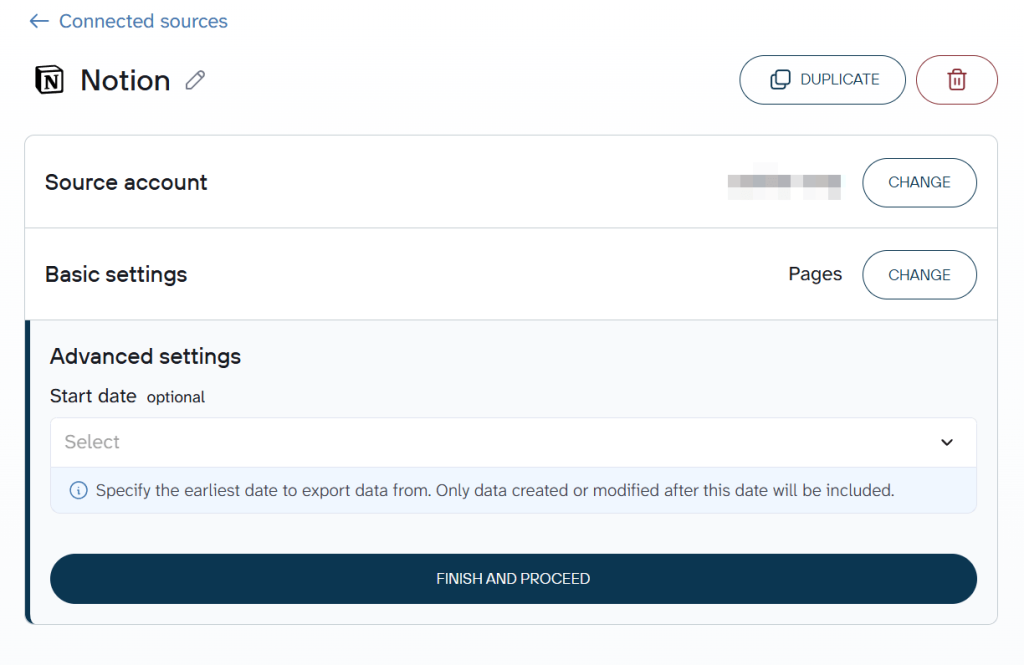
One data flow can include multiple data sources. You can add several Notion databases, or combine Notion with data from Google Sheets, HubSpot, Airtable, and other apps.

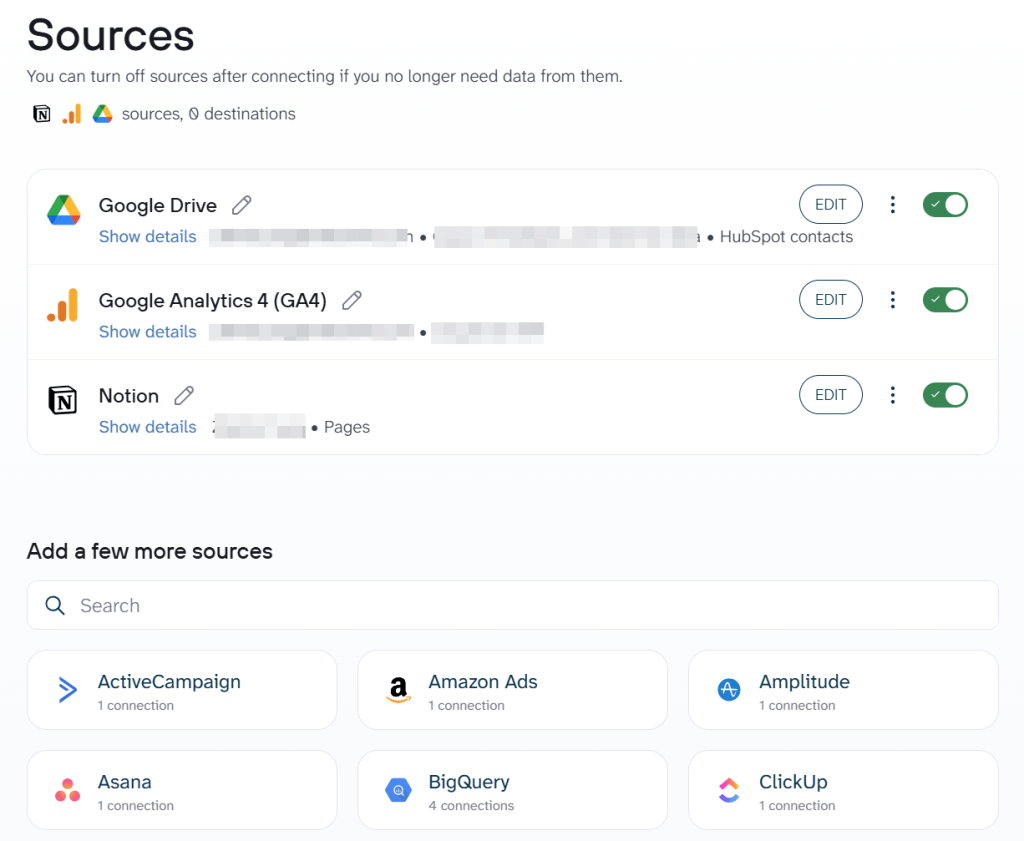
Step 2: Transform raw data into an organized data set
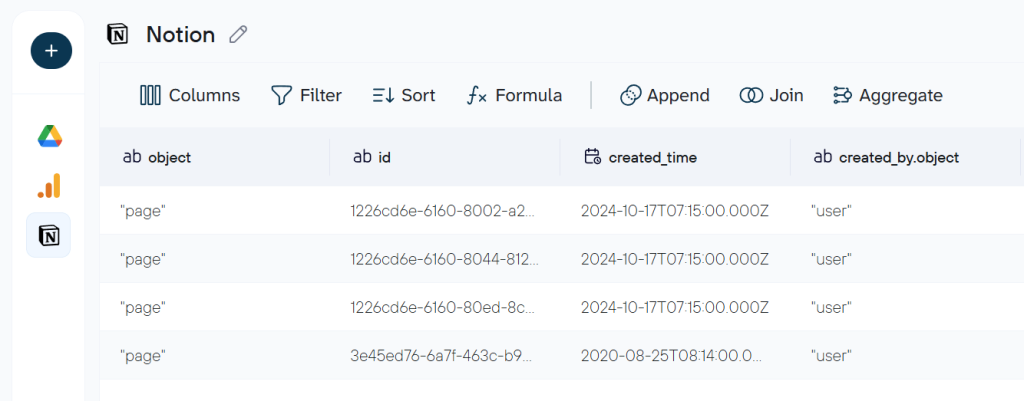
The next step turns your raw Notion export data into something report-ready. Coupler.io provides the following options to blend and transform your data:
- Exclude columns like “Created By” or internal block IDs
- Rename “Multi-select_Tags” to “Project Tags” for readability
- Filter to show only rows where Status equals “In Progress” or due date falls in the current month
- Aggregate task counts by assignee or project for a summary view
- Add a formula column that calculates days until deadline
- Merge your Notion task database with time tracking data from Clockify to see hours per project

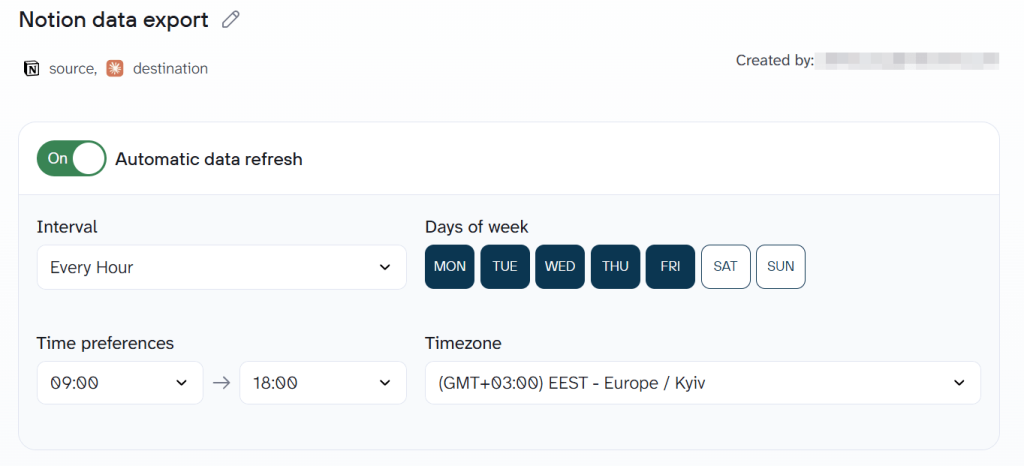
Step 3: Set the destination and schedule
The final step connects your destination and activates automation. Link Google Sheets, Looker Studio, BigQuery, or any other supported tool. Load the first batch to verify the data looks right. Then toggle Automatic data refresh to keep it running as frequently as you need.

Talk to your Notion data with AI Agent
Once your Notion export data flow is active, you can go beyond dashboards. AI Agent is a conversational analytics layer inside Coupler.io. Instead of building a chart to answer a question, you type the question directly: “How many tasks are overdue this week by assignee?” or “Which projects had the most new pages added in March?“

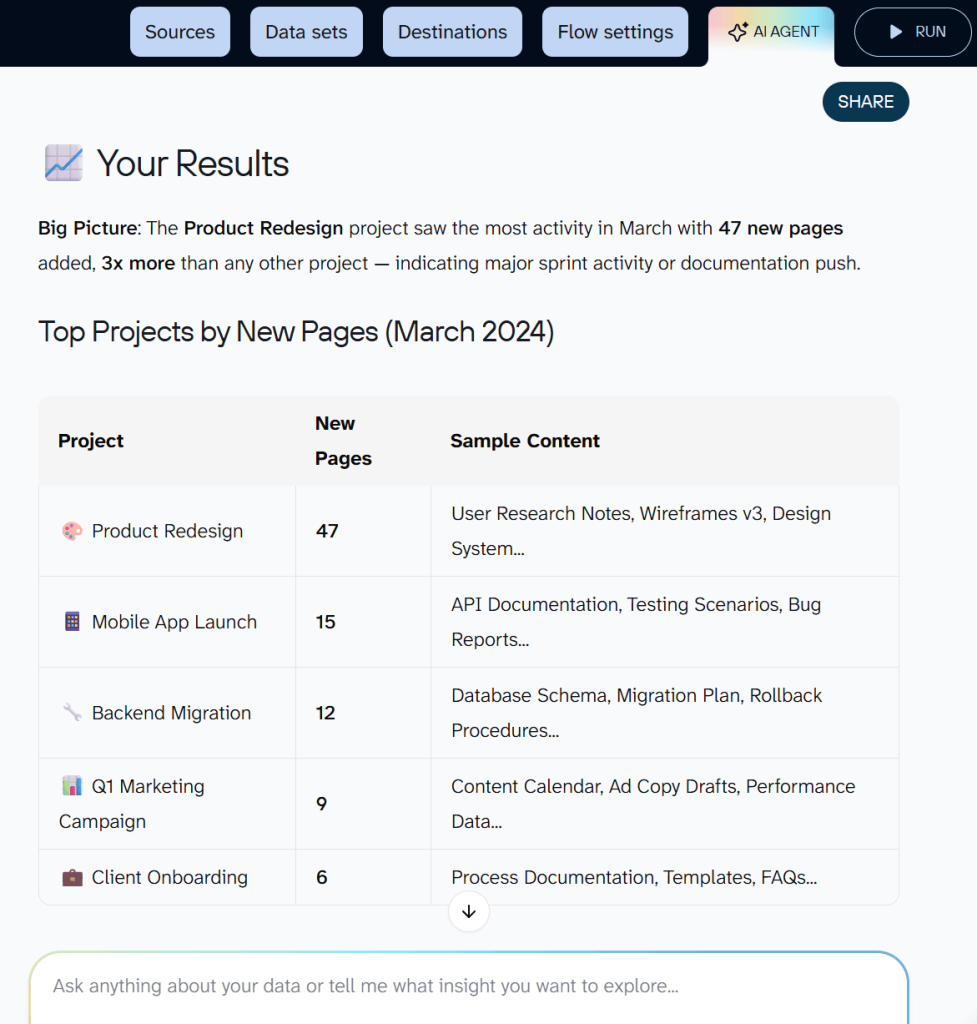
Behind the scenes:
- AI translates your question into a structured query.
- Coupler.io’s Analytical Engine runs the calculation and validates the result.
- AI formats the verified answer into a readable response.
This works with any data flow and any destination.


Automate Notion data export for conversational analytics
Get started for freeWhat Notion data can you export with Coupler.io?
With the Notion data connector, you can get the following data:
- Databases: structured collections of pages that function like tables with properties and data types. This is the primary entity for most use cases: project trackers, CRM tables, content calendars, and inventory lists. You can export a Notion database in table view to get clean tabular data ready for analysis.
- Pages: individual documents, notes, and wiki pages in your Notion workspace. Export pages when you need to back up written content or feed docs into an external search tool.
- Users: people with access to your Notion workspace, including profile details and permissions. Export this to audit team access or build a directory outside Notion.
- Comments: discussion threads and feedback left on pages and databases by workspace members. Useful for extracting review history or stakeholder feedback into a spreadsheet.
- Blocks: content elements that make up pages, including text, images, tables, and embedded content. Export blocks when you need granular access to page structure.
Where you can export data from Notion
Coupler.io supports these destination categories:
- Spreadsheets (Google Sheets, Microsoft Excel, CSV). Use those to export Notion data if your team already collaborates in spreadsheets. A Google Sheet that mirrors your Notion project tracker gives stakeholders a read-only view they can filter and comment on without needing a Notion account.
- BI tools (Looker Studio, Power BI, Tableau, Qlik, Monday.com). Dashboards turn flat Notion tables into charts and scorecards the whole team can scan in seconds. Build a Looker Studio dashboard that tracks task completion rates across projects and refreshes daily.
- Data warehouses (BigQuery, Snowflake, PostgreSQL, Redshift). When your Notion workspace doubles as a CRM or operations hub, a warehouse lets you join that data with revenue records from Stripe or support tickets from Zendesk. Run SQL queries across sources to answer questions Notion alone cannot.
- AI tools (Claude, ChatGPT, Gemini, Cursor, Perplexity, OpenClaw). Connect your Notion databases to Claude and ask “
Which content pieces are still in draft status and past their publish date?” No dashboard needed.
Manual export from the Notion workspace
If you need a one-time data pull for a quick share or offline backup, Notion’s built-in export options work for individual pages, databases, and entire workspaces. The process is straightforward but entirely manual.
For a single page or database, click the ••• menu in the top right corner and select Export from the dropdown.

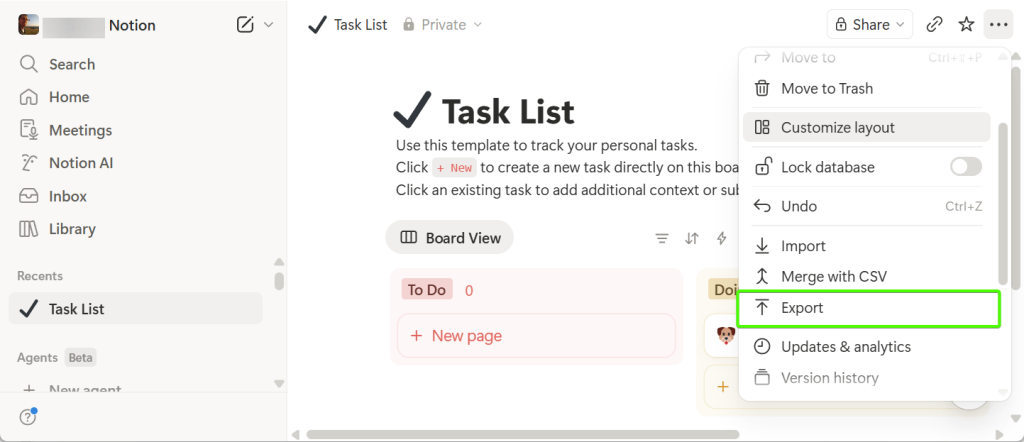
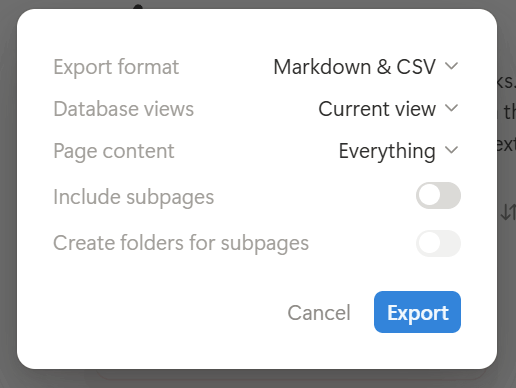
Choose your export format: PDF, HTML, or Markdown & CSV. Databases export as CSV files. Pages export as markdown files. You can toggle whether to include subpages, files, and images. Notion generates a zip file, and either starts a download or emails you a link. These export files land on your hard drive as a zip archive, which you then need to extract and clean up.

For an entire workspace export, go to Settings in the sidebar, scroll to Export, and click the button.

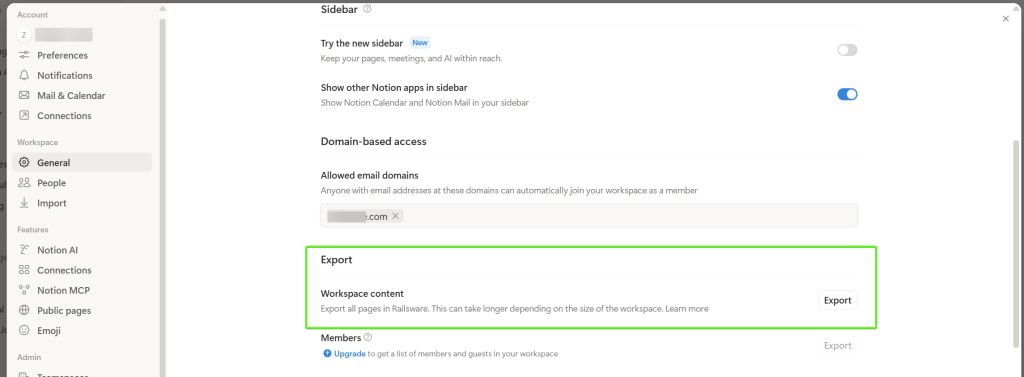
Notion emails you a download link that expires in 7 days. This requires admin permissions. Use this option to back up your entire workspace or to optimize an annual compliance archive.
A few limitations to keep in mind:
- Relation properties export as internal IDs, not the linked page names
- Formula functions lose their logic and export as static values only
- Only one database view (table view or the current view) exports at a time
- Large workspaces with hundreds of subpages can freeze the Notion desktop app during export
- No scheduling or automation. Every CSV export requires manual action
- The exported zip file often needs cleanup before the data is usable in a spreadsheet
Can you use the Notion API for data export?
The Notion API is the right choice when your engineering team needs to build a custom integration to export data from Notion or automate content workflows programmatically. Authentication uses an integration token created at developers.notion.com, with permissions scoped to specific pages and databases shared with the integration.
Key endpoints for exporting Notion data include:
/databases/{id}/query– retrieve all rows from a Notion database with filters and sorting/pages/{id}– fetch a single Notion page and its properties/blocks/{id}/children– retrieve the content blocks within a page/users– list all workspace members/comments– retrieve comments on a page or discussion
All responses arrive in JSON format. The API is read-only for content retrieval, and no bulk export endpoint exists. You will need to handle pagination, rate limits (3 requests per second), and JSON-to-tabular conversion yourself.
The API gives you fine-grained control over which databases, properties, and filters to apply. The cost is ongoing developer time for script maintenance, error handling, and format conversion. For teams without engineering resources, Coupler.io reaches the same data through a no-code setup.
Which way is best for me to handle Notion data export
The manual export covers one-time downloads: a page, database, or entire workspace for offline backup, compliance, or sharing with someone outside your Notion account. Notion supports PDF, HTML, Markdown, and CSV export formats.
The limits: no scheduling, relation IDs instead of names, and large exports can crash the app.
The Notion API gives your engineering team programmatic access to sync Notion databases with internal systems or automate content workflows. It allows you to export databases, pages, blocks, users, and comments with flexible query filters.
The downside: ongoing developer time for scripts, rate limit handling (3 requests per second), and JSON conversion.
Coupler.io fits the middle ground that most teams actually need to export data from Notion. The platform offers a scheduled no-code Notion reporting and analytics across 15+ destinations, including AI tools. Near real-time data in your dashboards, and a setup that helps streamline the entire reporting workflow. Here are some common scenarios for using the Notion connector by Coupler.io:
- Self-updating Google Sheets that mirror your Notion project tracker or CRM
- Looker Studio or Power BI dashboards that visualize task completion, workload, and deadlines
- BigQuery or Snowflake storage for long-term Notion data retention and cross-source SQL analysis
- AI Agent conversations that answer questions about project status, content pipelines, or team capacity
Setup takes minutes, and the data refreshes on the schedule you pick. Start exporting Notion data for free.