A customer signs up for a $1,000 annual plan. Google Ads reports a conversion. Meta reports a conversion. HubSpot credits the email that went out two days earlier. Add the three reports together, and marketing “generated” $3,000 from $1,000 of revenue.
Each platform is right from where it sits. None of them sees the others, so each one takes full credit. An attribution model is the rule that settles the argument: one consistent way to split credit, so every channel is judged on the same terms.
That rule only works when ad, marketing analytics, and CRM data sit in one place. Coupler.io joins those sources in one destination and refreshes the data on a schedule, so the model runs on complete, up-to-date numbers.
I’ll walk you through marketing attribution models from definition to implementation: how each one splits credit, how they compare on the same customer journey, which one fits your sales cycle, and what Google Analytics 4 (GA4) and HubSpot still support today.
What are marketing attribution models?
Attribution is the practice of linking a conversion to the marketing touchpoints that came before it. If you want marketing attribution models explained in one line: each model is a rule that decides how credit for a conversion is split across the touchpoints before it.
Think of a relay race. The team wins, but who gets the medal? The runner who started, the one who crossed the line, or all four? Each model gives a different answer, and none of them changes the finishing time.
Three terms come up throughout this guide:
- Touchpoints are the tracked customer interactions across your marketing channels: an ad click, a blog visit, an email click, a demo form.
- The conversion is the action you’re crediting, such as a purchase or a booked demo. GA4 now calls these “key events.”
- Lookback window means how far back a model searches for touchpoints. A click from 95 days ago falls outside a 90-day window and gets nothing.
How digital marketing attribution models work for a single campaign
To see marketing campaign attribution models explained with real numbers, follow one customer through one campaign. When a B2B software company runs a product launch, here is how one buyer moves through it before paying $1,000 for an annual subscription:
| Day | Touchpoint | Funnel milestone |
|---|---|---|
| Day 1 | Clicks a LinkedIn ad | First touch |
| Day 5 | Visits the blog from organic search, downloads a guide | Becomes a lead |
| Day 12 | Clicks a nurture email, books a demo | Becomes an opportunity |
| Day 14 | Clicks a branded Google Ads result, buys | Closed deal |
First-touch attribution gives LinkedIn all $1,000. Last-touch gives all $1,000 to branded search.
Same buyer and same revenue, but two opposite answers about which channel worked. I’ll reuse this customer journey for every model below for clarity.
How attribution models for marketing ROI change budget decisions
The simplest way to express a channel’s return on investment is credited revenue divided by spend. Credited revenue depends on the model, so when you switch models, channel return moves, even though nothing actually changed.
Let’s scale this example up. Say the launch campaign brings in 50 customers who all follow the same path, for $50,000 in revenue. LinkedIn spend was $10,000, and branded Google Ads spend was $5,000. Email and organic search had no media spend.
| Model | LinkedIn credited revenue | LinkedIn return | Google Ads credited revenue | Google Ads return |
|---|---|---|---|---|
| Last-touch | $0 | 0x | $50,000 | 10x |
| Linear | $12,500 | 1.25x | $12,500 | 2.5x |
| U-shaped | $20,000 | 2x | $20,000 | 4x |
| W-shaped | $15,000 | 1.5x | $5,000 | 1x |
Under last-touch, LinkedIn looks like $10,000 thrown away. Under W-shaped, it returns more per dollar than branded search does. A budget meeting that runs on the first view would cut the channel that opens the deals.
That shows up in three places:
- Budget allocation. Last-touch views reward marketing channels that capture demand (branded search, retargeting ads, email) and starve the ones that create it.
- Channel roles. Some channels open conversations and others close them. Comparing first-touch and last-touch views side by side shows which is which.
- One number for sales and marketing funnels. When both teams agree on the rule in advance, the quarterly review stops being a debate about whose report is right.
Attribution models and marketing mix modeling (MMM)
Attribution is not the only way to measure channel impact. Two other methods answer different questions, and larger teams often run them alongside an attribution model.
| Method | Level of detail | What it covers | What it needs | Question it answers |
|---|---|---|---|---|
| Attribution | Individual users and touchpoints | Trackable digital channels | Clean tracking and joined data | Which touchpoints get credit for a conversion? |
| Marketing mix modeling (MMM) | Aggregate spend and outcomes per channel over time | Digital plus TV, radio, out-of-home | A long history of weekly spend and sales data, often two years or more | How much revenue does each channel drive overall? |
| Incrementality (holdout or lift tests) | A test group vs. a group that sees no ads | One channel or campaign at a time | An audience large enough to split | Would these sales have happened anyway? |
MMM is worth adding when a large share of budget goes to offline media, or when consent and privacy limits leave big gaps in user-level tracking. Google Meridian and Meta Robyn are two open-source MMM tools teams use to get started.
Lift tests are the right call before scaling a channel. If attribution says retargeting drives 30% of revenue, a two-week holdout tells you how much of that revenue would have arrived without the ads.


See how much your channel returns move by model
Book a demo with Coupler.ioTypes of marketing attribution models
The attribution models marketing teams use most often fall into two families: single-touch and multi-touch. Single-touch attribution models give all credit to one interaction. Multi-touch models split it, either by a fixed rule or by an algorithm trained on your data.
The table below is a side-by-side marketing attribution models types comparison, including the blind spot of each model.
| Model | How credit is assigned | Best for | Main blind spot |
|---|---|---|---|
| First-touch | 100% to the first interaction | Judging which channels bring in new people | Ignores everything that turned interest into a sale |
| Last-touch | 100% to the final interaction (the GA4 version skips direct visits) | Short sales cycles, judging closing channels | Undervalues awareness channels |
| Linear | Equal credit to every touchpoint | Simple multi-channel buyer journeys | Treats a passing ad click the same as a demo request |
| Time decay | More credit to touchpoints closer to the conversion | Promotions, retargeting, short decision windows | Undervalues the channel that started the journey |
| U-shaped (position-based) | 40% first, 40% last, 20% split across the middle | Balancing lead generation and closing channels | Middle touches get little credit |
| W-shaped | 30% each to first touch, lead creation, and opportunity creation; 10% to the rest | B2B with clear pipeline stages in the CRM | Needs clean CRM stage data |
| Full-path (Z-shaped) | 22.5% each to first touch, lead, opportunity, and closed deal; 10% to the rest | B2B where the closing touch also matters | Most complex to maintain |
| Data-driven (algorithmic) | A trained model assigns credit based on real converting and non-converting paths | High-volume, multi-channel journeys | Needs volume; the weighting is hard to explain |
| Custom | Weights set by the team | Teams with a well-understood funnel | Weights can reflect opinion rather than data |
Here is the $1,000 journey from earlier, scored under six of these models:
| Model | Day 1: LinkedIn ad (first touch) | Day 5: organic blog visit (lead) | Day 12: email click (opportunity) | Day 14: branded Google Ads click (purchase) |
|---|---|---|---|---|
| First-touch | $1,000 | $0 | $0 | $0 |
| Last-touch | $0 | $0 | $0 | $1,000 |
| Linear | $250 | $250 | $250 | $250 |
| Time decay (7-day half-life) | $110 | $164 | $327 | $399 |
| U-shaped (40/20/40) | $400 | $100 | $100 | $400 |
| W-shaped (30/30/30 + 10) | $300 | $300 | $300 | $100 |
Look at the LinkedIn column. The channel that opened the deal gets anywhere from $0 to $1,000, depending only on the rule. Switching models moves up to $1,000 of credit between channels without any change in real results.
Single-touch models: first-touch and last-touch
First-touch answers one question well: where do new people come from? It’s useful for judging awareness campaigns and top-of-funnel content. It says nothing about what happened after that first click.
Last-touch attribution model answers the opposite question: what closes? For a store where most buyers click an ad and purchase in the same session, that’s close enough to the full story.
Most tools use a variant called last non-direct click. If the buyer’s final visit is typed straight into the browser, the credit goes to the last channel before that direct visit. GA4 works this way, and direct traffic only gets credit when the whole path is direct.
Single-touch is enough when you run one or two channels, and most customers buy within a few days. Beyond that, it hides too much.
Rule-based multi-touch attribution models: linear, time decay, U-shaped, W-shaped, custom
Linear splits credit evenly, so each of the four touches in the example gets $250. It’s a fair starting point when you have no reason to favor any stage. The weakness is that a quick ad click counts as much as a booked demo.
Time decay gives more weight to recent touches. With a 7-day half-life, a touchpoint seven days before the purchase gets half the weight of one on purchase day. In the example, the LinkedIn click from 13 days out earns $110, and the branded search click earns $399.
U-shaped attribution, also called position-based attribution model, gives 40% to the first touch, 40% to the last, and splits 20% across the middle. LinkedIn and branded search each get $400; the blog visit and the email get $100 each.
W-shaped adds a third anchor: the moment the contact becomes an opportunity. In the example, the milestones fall like this:
- The LinkedIn click is the first touch and gets 30% ($300).
- Downloading the guide turns that blog visit into a lead, which also gets 30% ($300).
- Booking the demo through the email click creates the opportunity, worth another 30% ($300).
- The branded Google Ads click is the only touch left, and it gets the final 10% ($100).
The closing click that took all $1,000 under last-touch is now the least credited touch in the customer journey. For a B2B team, that’s often the more honest picture: branded search captured a decision that other channels had already shaped.
Full-path, sometimes called Z-shaped, extends W-shaped with a fourth milestone for the closed deal, giving 22.5% to each of the four and 10% to everything else.
Custom models let the team set its own weights for a sales funnel it knows well, such as 50% to the demo request. The risk is that the weights end up reflecting internal opinion, or the budget someone wants to protect, rather than evidence.
Data-driven marketing attribution models machine learning
A data-driven model doesn’t use a fixed rule. It compares the paths of people who converted with the paths of people who didn’t, then assigns credit based on how much each touchpoint changed the odds of converting. This is the default model in GA4 and in Google Ads.
The trade-offs are volume and transparency. The model needs a lot of conversions to learn from, and properties with low volume often end up with results that look like last click attribution. When the weights shift, it’s also hard to explain why to a CFO.
Once ad, analytics, and CRM data are joined with Coupler.io, you can explore conversion paths through Coupler AI. Use the built-in AI agent or integrate your data sets with Claude, ChatGPT, Gemini, and other AI tools. You ask questions in plain language, the Analytical Engine runs the calculation, and the AI explains the result, so the numbers aren’t generated by the model.
Consolidate ad, analytics, and CRM data with Coupler.io
Book a demoWhere attribution data comes from (and where it breaks)
All types of attribution models in digital marketing run on the same raw material: UTM-tagged clicks, click IDs, pixel and analytics events, ad platform reports, and CRM records. Each source sees a different slice of the journey.
| Data | What it captures | Where it lives |
|---|---|---|
| UTM parameters | Source, medium, and campaign of a visit | Analytics tool, CRM form fields |
| Click IDs (gclid, fbclid, li_fat_id) | Which specific ad click led to a visit | Analytics tool, ad platforms, CRM |
| Pixel and analytics events | On-site actions: page views, sign-ups, purchases | GA4, ad platform pixels |
| Ad platform reports | Impressions, clicks, spend, and the conversions each platform claims | Google Ads, Meta Ads, LinkedIn Ads, and others |
| CRM records | Lead, opportunity, and closed revenue, with dates | HubSpot, Salesforce |
The observable customer journey is always shorter than the real one. Visitors who decline cookie consent drop out of analytics. Ad blockers stop pixels from firing. A buyer who clicks an ad on their phone and buys on a laptop can show up as two different people.
Apple adds its own limits: App Tracking Transparency restricts tracking across apps, and Link Tracking Protection strips known click IDs from links opened in Mail, Messages, and Safari private browsing. No model can credit a touchpoint that was never recorded.
Cross-channel marketing attribution models: getting the data into one place
Back to the opening example. Google Ads, Meta, and HubSpot each claimed the same $1,000 sale because each one only sees its own touchpoints. A fair model needs ad, analytics, email, and CRM data joined in one table and checked against real orders or closed deals, so every sale is counted once.
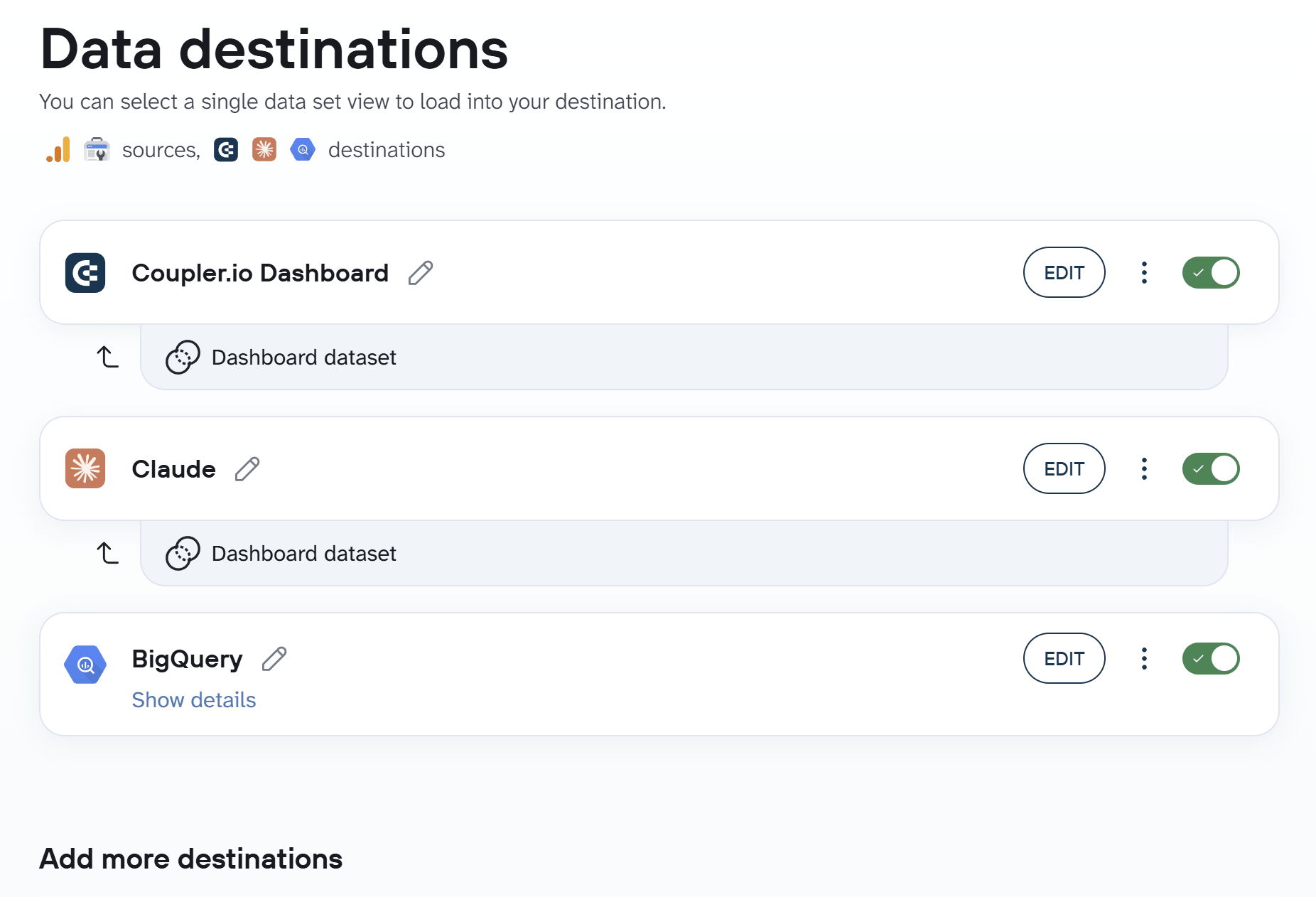
Coupler.io handles that join. It connects 400+ data sources, including Google Ads, Meta Ads, LinkedIn Ads, GA4, HubSpot, Salesforce, and Klaviyo, and loads the combined dataset into Google Sheets, BigQuery, Looker Studio, or Power BI, wherever your attribution logic runs.

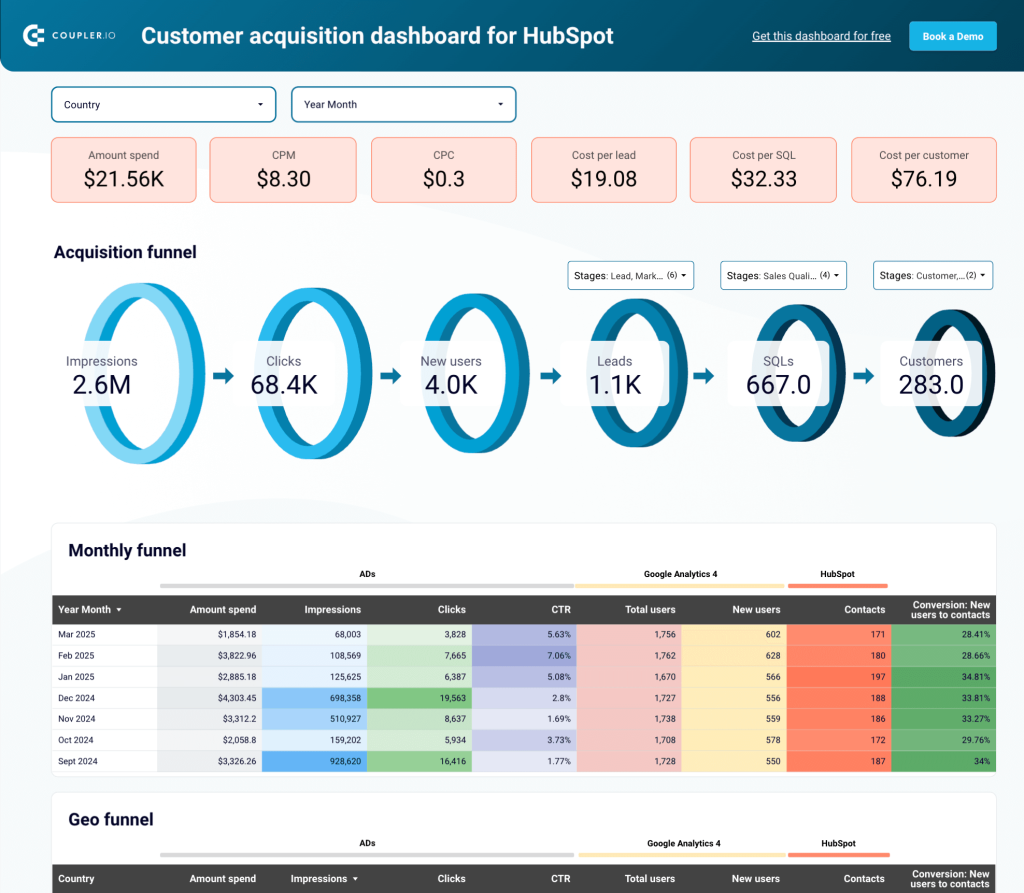
If you want to see your channels in one view before choosing a model, start with a free Coupler.io account and connect your ad platforms and CRM.
Mobile marketing attribution models and app attribution
App attribution uses the same models with different identifiers. Cookies don’t work inside apps, so installs and in-app events are tracked through SDKs and mobile measurement partners such as AppsFlyer, Adjust, and Branch, plus Apple’s own framework (SKAdNetwork, now AdAttributionKit). The credit logic is familiar; the plumbing is not.
Influencer marketing attribution models and offline touchpoints
A podcast mention, a conference booth, or an influencer’s story often produces no click to track. Three workarounds cover most of the gap:
- Unique promo codes per influencer or campaign
- Vanity URLs, such as yoursite.com/podcast, that redirect with UTMs attached
- A “how did you hear about us?” field on the demo or checkout form
That last one is self-reported attribution. It’s imperfect, since people forget and round off, but it catches word of mouth and podcasts that no pixel will ever see. Comparing its answers against your tracked data shows where the tracked view is blind.
Match attribution to your B2B pipeline stages
Book a demo with Coupler.ioBest marketing attribution models by business type and sales cycle
“It depends” isn’t a recommendation. Here is where I would start in three common setups:
| Setup | Start with | Add later | Why |
|---|---|---|---|
| Short B2C cycle, few channels | Last-touch (paid and organic last click) | A time decay view | Most buyers convert within days; time decay keeps the ads that started the journey from disappearing |
| E-commerce with several paid channels | Last click as the baseline | Data-driven, once order volume is high enough | Short journeys, but enough channels that last click alone starts to mislead |
| Complex B2B pipeline | W-shaped or full-path tied to CRM stages | Data-driven, once there are enough closed deals | Long cycles and several stakeholders; the lead and opportunity stages carry real weight |
Complex B2B is also where the analysis takes the longest, because every question means joining ad data to pipeline data. Gabriel Solberg, who manages over $1M in monthly ad spend at Right Percent, cut PPC analysis time by 60% by running exactly this kind of joined dataset through Coupler.io and querying it conversationally through Claude.
B2B marketing attribution models: multi-touch tied to pipeline stages
B2B journeys are long, involve several people from the same account, and include a handoff from marketing to sales. A model that ignores the middle of that journey ignores the part your team works hardest on.
W-shaped works when lead creation and opportunity creation are recorded in the CRM with dates. That means ad data has to sit next to CRM stage history, the same joined dataset described in the section about cross-channel attribution above.
Marketing attribution models ecommerce: from last click to data-driven
The best marketing attribution models for e-commerce usually start simple: last click as the baseline, then data-driven once order volume allows it. Most online purchases happen within a few days of the first visit, so last click describes a large share of orders reasonably well.
Split new and returning customers before you trust any model. Returning buyers often come back through branded search or an email, which inflates the credit for both channels. New-customer attribution is where you see what prospecting spend is doing.
How to choose: a 5-question checklist
- How long is your sales cycle? Days point toward last click or time decay; months point toward W-shaped or full-path.
- How many channels touch a typical buyer? One or two can work with single-source attribution. Four or more need multi-touch.
- How many conversions do you get per month? Low volume rules out data-driven for now.
- Which question are you answering: which channel opens deals, or which one closes them? First-touch and last-touch answer those separately; U-shaped and W-shaped try to answer both.
- Which data can you actually access and join? A W-shaped model is useless if your CRM doesn’t record when a lead became an opportunity.
Attribution models in GA4, HubSpot, and ad platforms today
Many attribution guides still describe options that no longer exist. Here is what the main tools offer as of September 2026.
| Tool | Models available | Watch out for |
|---|---|---|
| GA4 | Data-driven (default), paid and organic last click, Google paid channels last click | First click, linear, time decay, and position-based were removed in 2023 |
| HubSpot | First touch, last touch, linear, time decay, empirical | U-shaped, W-shaped, J-shaped, and inverse J-shaped were replaced by the empirical model |
| Google Ads | Data-driven by default | Credits conversions to Google Ads only |
| Meta Ads | Click and view windows; the default is 7-day click plus 1-day view | The 7-day view and 28-day view windows were removed in January 2026 |
GA4 now offers three reporting models. Google removed first click, linear, time decay, and position-based in 2023, so any GA4 tutorial that shows them is out of date. Data-driven needs enough conversions for each key event; with low volume, expect its numbers to sit close to last click.
The GA4 setting also has a scope most people miss. The reporting attribution model only applies to event-scoped dimensions. Session-scoped and first-user channel dimensions always use last non-direct click, which is why two GA4 reports can show different numbers for the same conversions. Default lookback windows are 30 days for acquisition key events and 90 days for all other key events.
HubSpot changed its lineup as well. Its attribution reports now offer first touch, last touch, linear, time decay, and an empirical model that weights interaction types by how often they appear in conversion paths. The empirical model replaced U-shaped, W-shaped, J-shaped, and inverse J-shaped. Contact create attribution is available on Marketing Hub Professional and Enterprise; deal create and deal revenue attribution require Enterprise.
Ad platforms each attribute conversions to themselves with their own windows. Google Ads uses data-driven attribution by default. Meta’s default is a 7-day click plus 1-day view window, after Meta removed the 7-day view and 28-day view options on January 12, 2026. Because every platform counts the same sale, platform totals should never be summed.
If the model you want is gone from GA4 or HubSpot, you can still run it. Take GA4 conversion data, ad platform data, and CRM data into a destination where you control the logic. Coupler.io moves that data into BigQuery, Google Sheets, or Power BI on a schedule, and you apply linear, U-shaped, W-shaped, or any custom weights there.
Match attribution to your B2B pipeline stages

Match attribution to your B2B pipeline stages
Try Coupler.ioHow to implement an attribution model
Step 1: Define the conversion and the question
Pick one conversion to credit, such as a booked demo or a first purchase. Then write down the question: are you trying to find which channels open deals, or which ones close them? The answer shapes every step after this one.
Step 2: Connect and centralize your data
Pull ad platforms, analytics, email, and CRM data into one destination. Coupler.io does this without engineering time and refreshes the data on a schedule, so the model always runs against fresh numbers instead of last month’s export.
Step 3: Audit and fix tracking
Centralized data shows the gaps quickly. The usual findings are the same campaign tagged three ways (“linkedin”, “LinkedIn”, “li”), missing click IDs, and CRM contacts with no original source. Agree on a UTM naming convention and fix the CRM source fields before you trust any output.
Step 4: Pick a starting model
Use the 5-question checklist above. Start with the simplest model that answers your question; you can always add a second view later.
Step 5: Compare models side by side
Run two or three models on the same data before moving budget. Channels that rank well under every model are safe bets. Channels that jump around depending on the model are the ones that need a lift test.
Step 6: Keep data refreshed and review every quarter
Channel mix, sales cycle length, and tracking all change. Review the model every quarter, and again after any big shift, such as launching a new channel or cutting one.
Common mistakes to avoid
Most problems with marketing attribution models come from how teams use them. The model itself is rarely the weak point.
- Using one model to answer every question. First-touch is good for awareness and bad for judging closers. Pick the model per question.
- Summing platform-reported conversions. Google Ads, Meta, and LinkedIn each count the same sale. Deduplicate against real orders or closed deals.
- Comparing tools with different lookback windows. A 7-day click window in Meta and a 90-day window in GA4 will never produce matching numbers, and that’s expected.
- Ignoring offline and post-sale touchpoints. Events, sales calls, and customer referrals shape deals even when nothing tracks them.
- Using attribution to defend a channel’s budget. If the model was chosen because it makes one channel look good, it has stopped measuring anything.
- Picking a model that doesn’t match the campaign goal. Judging an awareness campaign on last-touch conversions guarantees it will look like a failure.
FAQ
What are the main attribution model types at a glance?
Here are the types of attribution marketing models covered above, one line each:
- First-touch: all credit to the first interaction.
- Last-touch: all credit to the final interaction.
- Linear: equal credit to every touch.
- Time decay: more credit to recent touches.
- U-shaped: 40% first, 40% last, 20% middle.
- W-shaped: 30% each to first touch, lead, and opportunity.
- Full-path: W-shaped plus the closed deal.
- Data-driven: weights learned from real paths.
- Custom: weights set by your team.
What’s the difference between single-touch and multi-touch attribution?
Single-touch attribution gives 100% of the credit to one interaction, either the first or the last. Multi-touch attribution splits credit across several interactions, using a fixed rule (linear, time decay, U-shaped, W-shaped) or an algorithm trained on your data. Single-touch is easier to read; multi-touch shows how channels work together across a longer customer journey.
Which attribution model does GA4 use by default?
GA4 uses data-driven attribution by default. It compares converting and non-converting paths to assign credit across touchpoints. The setting applies only to event-scoped dimensions, while session-scoped and first-user channel dimensions always use last non-direct click. If a key event has low conversion volume, data-driven results tend to look close to last click.
Can I still use linear or time decay attribution now that GA4 removed them?
Yes. HubSpot still offers linear and time decay in its attribution reports on Marketing Hub Professional and Enterprise. You can also export GA4, ad platform, and CRM data into Google Sheets or BigQuery and apply linear, time decay, or any custom weights there. That route also works for U-shaped and W-shaped, which neither GA4 nor HubSpot offers anymore.