Campaign Manager will tell you a campaign cost $4,200 and pulled a 2.1% CTR. It won’t tell you which audience segment is quietly burning through that budget while a creative three rows down carries the whole campaign. There’s no way to export LinkedIn Ads data to PostgreSQL natively either. Getting that data somewhere you can query it, join it against a CRM, or compare it across channels means building a bridge yourself.
A LinkedIn Ads PostgreSQL integration through Coupler.io is that bridge for most teams. It handles LinkedIn Ads data sync to PostgreSQL on a schedule instead of a one-time export. There’s no data-loss deadline here like there was for Search Console. LinkedIn keeps performance data for years, so the case for connecting LinkedIn Ads to PostgreSQL rests on speed and visibility, not rescue. For teams that want a more hands-on manual method, the API path suffices, but it comes with a real cost and time barrier worth knowing.
How to connect LinkedIn Ads to PostgreSQL with Coupler.io
Coupler.io is a data integration platform and AI analytics tool that handles the LinkedIn Marketing Developer Platform relationship at the account level. You simply authorize the connection and choose what comes through. It supports 400+ sources, and LinkedIn Ads is one of them, using the same connector architecture as Facebook Ads and Google Ads.
You can also tell Coupler AI Agent, or Claude, ChatGPT, Cursor, or Perplexity directly, what you want the flow to do. It builds the account connection, report, destination, and schedule from that one instruction. You describe the flow you need, including sources, reports, destinations, schedule, and it gets built from that one instruction.
Let Coupler AI do the data work for you
Tell Coupler AI what you need to know, from which source, and how often. It connects your account, sets up the data flow, keeps it refreshed, and lets you analyze the results inside Coupler.io or another AI tool.
Try for free

Here’s how to connect LinkedIn Ads to PostgreSQL step by step instead. Sponsored leads, LinkedIn’s lead generation report, is another report option here, too. It returns form opens, completions, and cost per lead instead of clicks and spend. Everything else about it works the same way, same account, same PostgreSQL destination, same schedule.
To get started right away, use the form below. It will ask you to sign up for Coupler.io for free with no credit card required and create a data flow from LinkedIn Ads to PostgreSQL.

Step 1: Connect LinkedIn Ads data
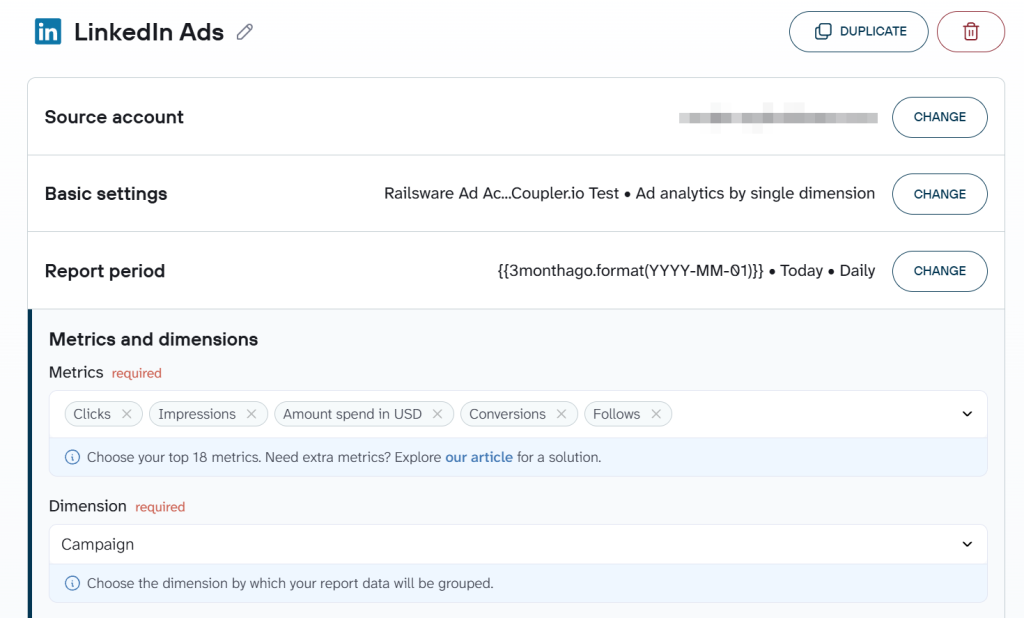
In Coupler.io’s data source section, you select your account from a dropdown, then choose a report type. The main ad analytics report brings LinkedIn Ads campaign data to PostgreSQL in one pull. Sponsored leads covers lead gen forms. Campaign groups and Ad account users round out the remaining options.

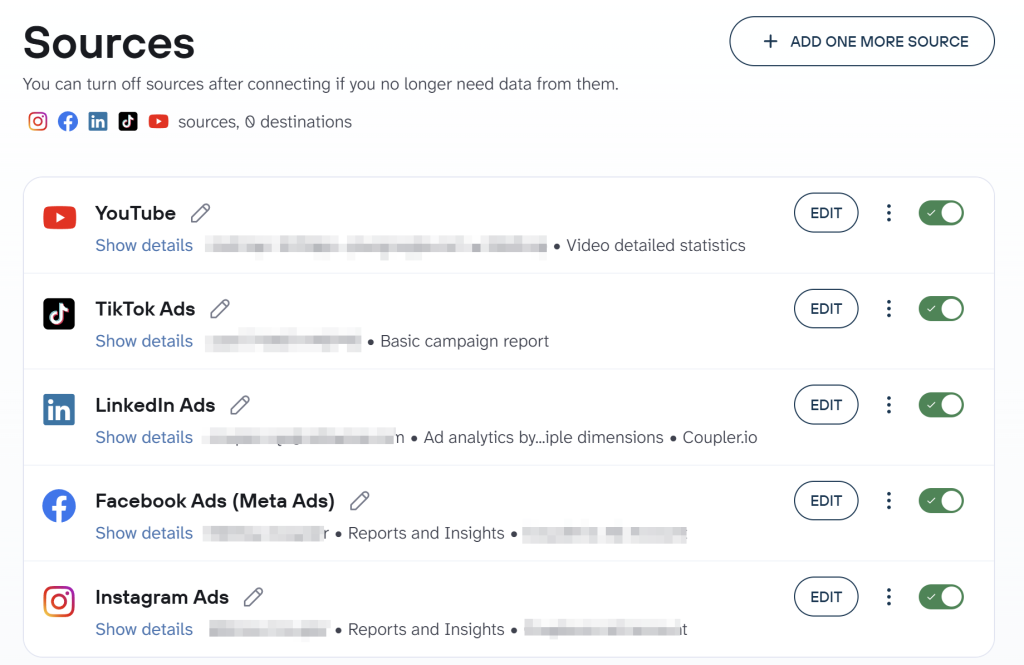
One thing is to connect your LinkedIn Ads data, another is to enrich it with information from other platforms and apps for a multi-channel report. With Coupler.io, you can combine data from different sources in a single data set. Select the apps you need, like Google Ads, Facebook Ads, and over 400 others.

Step 2: Organize your dataset
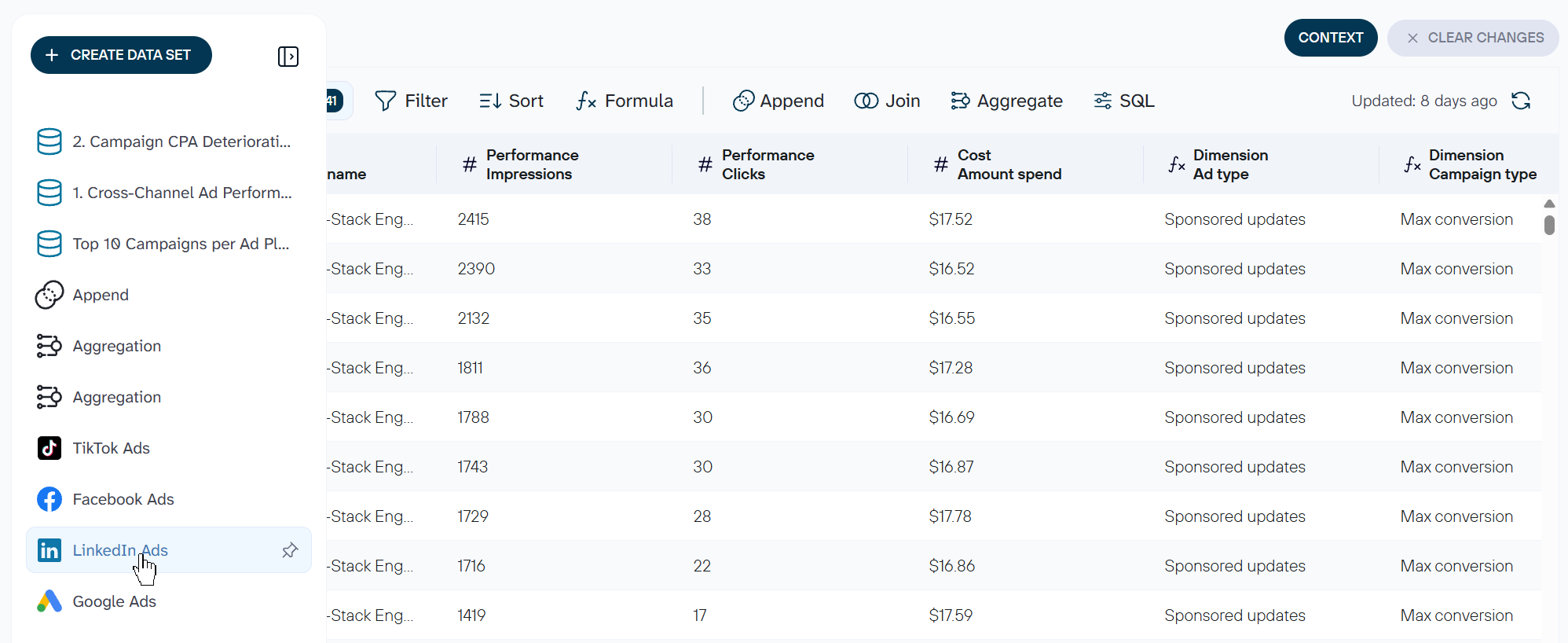
Before you move your business data to PostgreSQL, Coupler.io allows you to turn raw LinkedIn Ads data into an analysis-ready data set. You can filter, sort, edit columns, combine data sets, aggregate records, and more.

If you plan further AI analysis, add context to optimize LLM-based analysis and ensure accurate responses. Learn more about the value of AI context for conversational data analysis in our blog post.
Step 3: Load data to PostgreSQL
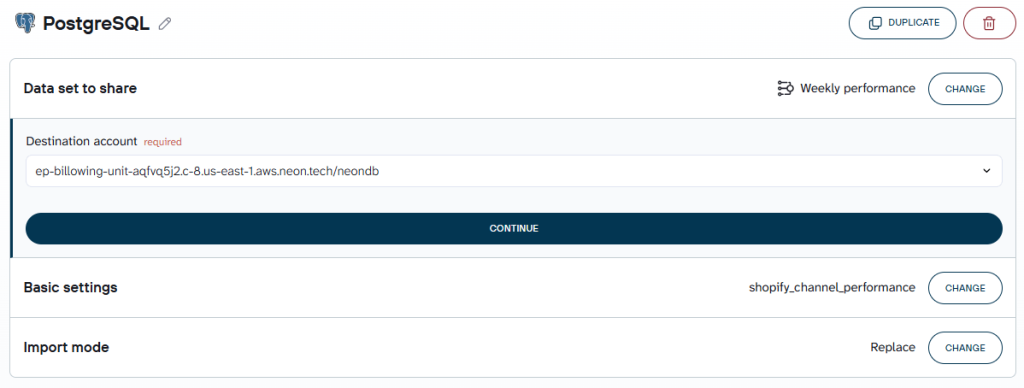
Now you’re ready to export data from LinkedIn Ads to PostgreSQL. Follow the in-app instructions to connect your account and specify where the data set will be loaded.
Coupler.io also allows you to choose from different import modes: Append adds new rows with each refresh; Replace clears the table and reloads it fresh.

With LinkedIn Ads data in PostgreSQL, you can also connect the same data set to more than one destination at once. It can be a data warehouse like Redshift or BigQuery, a BI tool like Power BI, or a spreadsheet like Google Sheets.
How do you automate LinkedIn Ads to PostgreSQL?
Automating data updates matters for LinkedIn Ads reporting because campaign decisions run on fresh numbers. Coupler.io provides two ways to automate your data flows.
The most common is a scheduled refresh. You set a frequency, days, and other criteria to have your LinkedIn Ads PostgreSQL integration run on a schedule. This keeps data up to date without anyone needing to remember to run it.

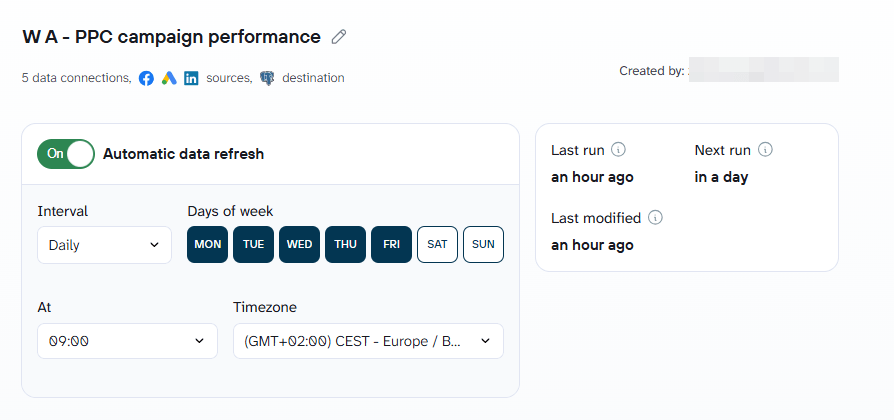
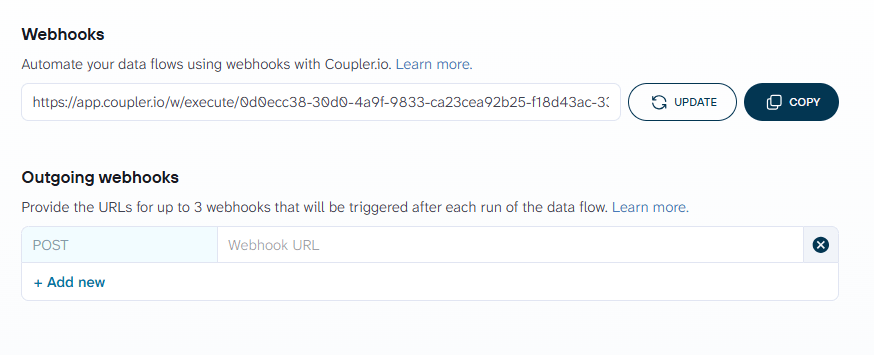
For teams that want something event-driven rather than a fixed interval, webhooks are the other option. An incoming webhook triggers a refresh the moment something else in the stack fires an event. An outgoing one notifies another system once a run completes.

Incremental fetching is worth knowing about here too because it works with LinkedIn Ads specifically. The reason is different than the rest of this series, since LinkedIn doesn’t delete old data the way Search Console does. The value isn’t preservation here. It’s that each refresh stays fast, pulling only what’s actually changed instead of the whole dataset every time.


Sync LinkedIn Ads to PostgreSQL with Coupler.io
Get started for freeWhat is LinkedIn Ads to PostgreSQL integration by Coupler.io
Connecting the data is only step one of a real LinkedIn Ads integration. Here’s what a LinkedIn Ads to PostgreSQL integration actually gives you beyond that.
Blend LinkedIn Ads with a CRM like Salesforce, or with Facebook Ads and Google Ads for a cross-channel view, all in one tool.
That’s the core of it: campaign, creative, and lead data sitting together instead of three separate exports.

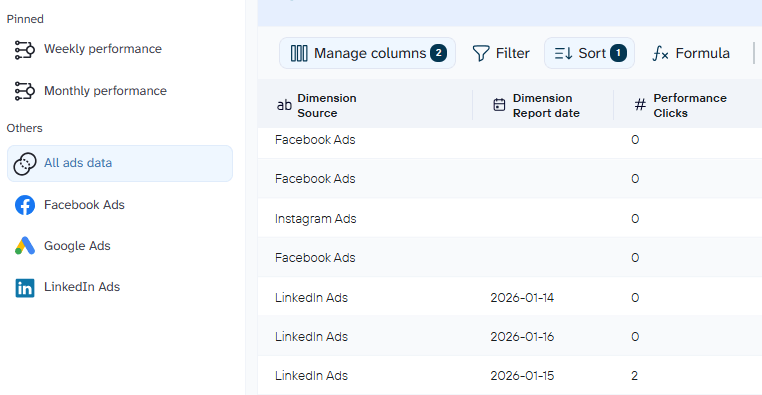
Keep a database and a live report fresh from the same setup
Multiple destinations mean PostgreSQL and a dashboard or spreadsheet don’t have to be chosen between, both stay fresh from one flow.
Catch a campaign whose cost per lead is quietly climbing before a person would notice, or compare LinkedIn Ads against Google Ads and TikTok Ads without writing the join yourself
Data transformations, including SQL transformations for anything more complex than a filter, let AI generate the query that stitches the channels together.
Skip designing a dashboard from a blank canvas
Coupler.io provides a set of LinkedIn Ads dashboard templates to analyze LinkedIn Ads creatives, campaign performance, leads, and so on. You’re not limited to LinkedIn Ads analytics dashboards; you also get access to multi-channel paid advertising templates, including cross-channel ones. For teams comparing acquisition cost against pipeline, the customer acquisition dashboards for Pipedrive and HubSpot both include LinkedIn Ads by name.
LinkedIn Ads dashboard gallery in Coupler.io

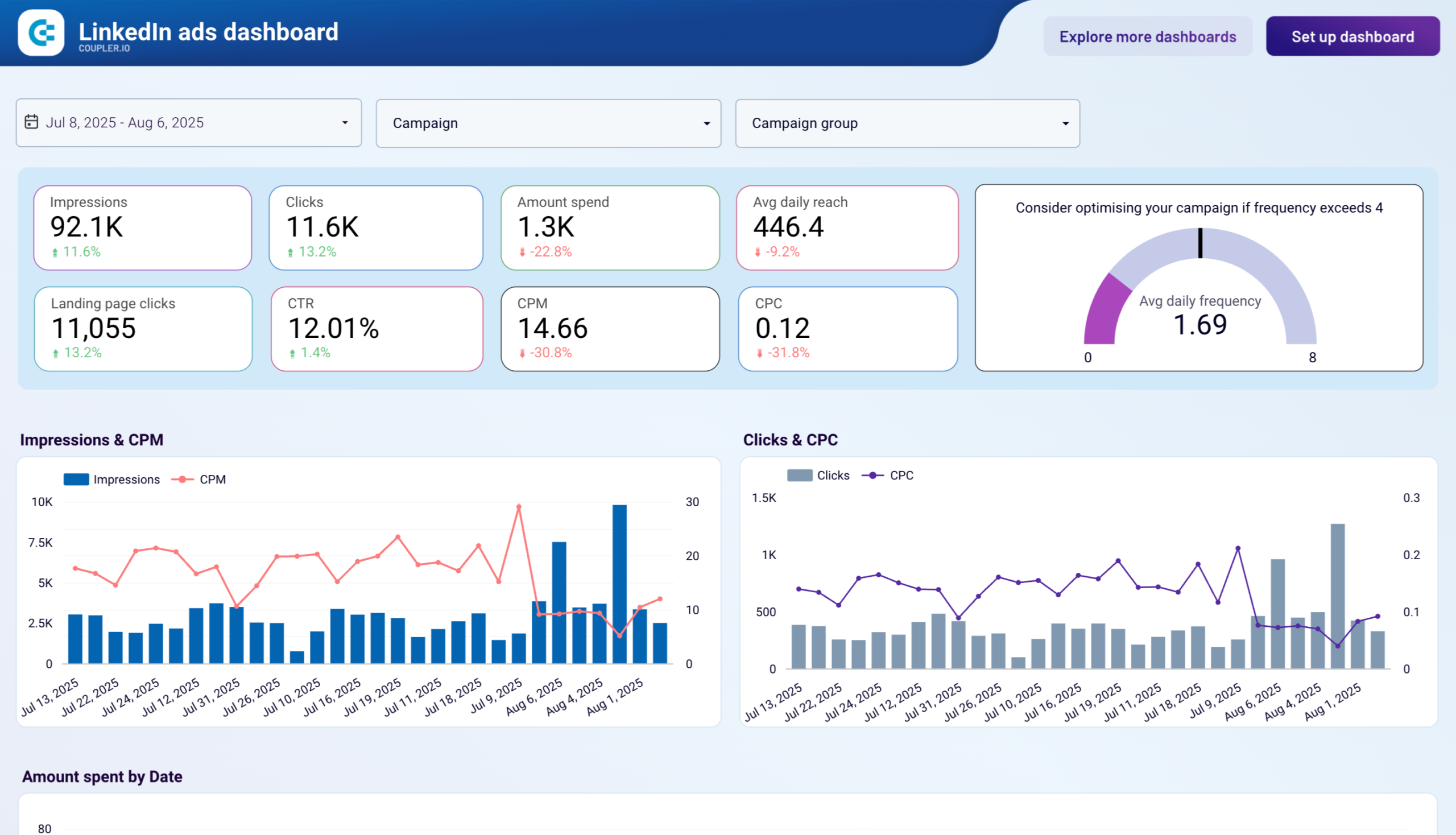
LinkedIn Ads dashboard gallery in Coupler.io
ExploreAnalyze LinkedIn Ads campaigns with AI either inside Coupler.io or with external LLMs
Coupler AI brings the Analytical Engine, MCP, Skills, and context together, so a plain-language question gets an answer grounded in the actual data, not a guess. Say a campaign is spending well, but conversions look thin. Instead of pulling a pivot table together by hand, you could ask Coupler’s AI Agent, or Claude or ChatGPT once connected:
Using my LinkedIn Ads data connected through Coupler.io, show cost per lead by audience segment and creative for the last 6 months. Which segment or creative is driving the highest cost per lead, and which is the most efficient?

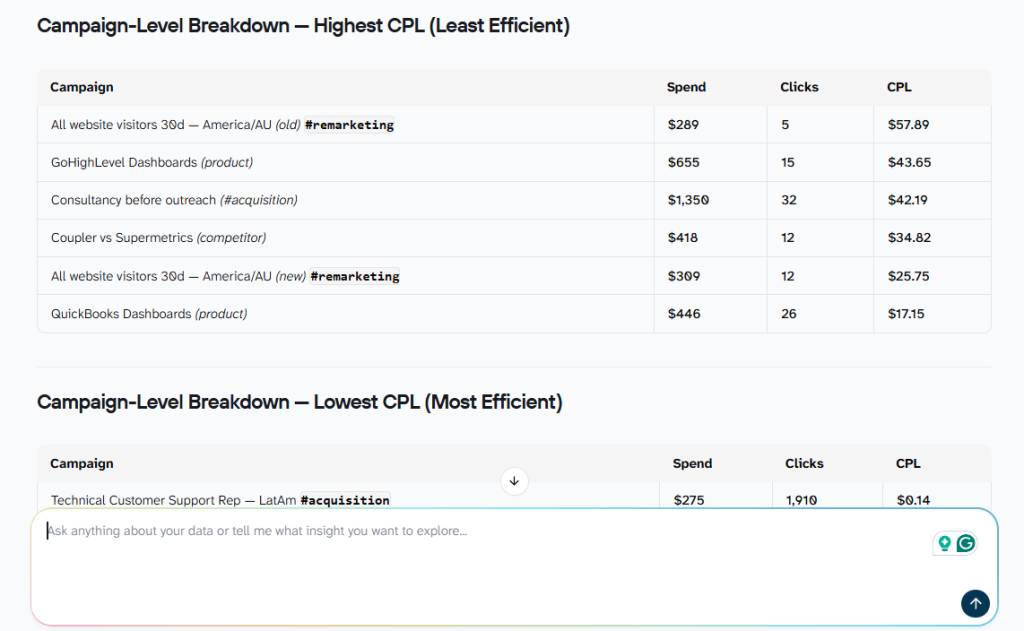
The answer typically points straight at where the budget is being wasted. One segment or creative sits well above the account average while another quietly outperforms it. From there, the next step is usually to shift budget away from the expensive segment and toward the one already proving efficient, rather than pausing the whole campaign.
Track LinkedIn Ads cost per lead in PostgreSQL
Start free with Coupler.ioOther ways to connect LinkedIn Ads to PostgreSQL
Building against the LinkedIn Ads API directly is the honest alternative for anyone who’d rather replicate LinkedIn Ads data to PostgreSQL themselves. It isn’t the default for most teams for a real reason. You need Marketing Developer Platform partner approval before any data moves. There’s no sandbox to build against while waiting. A reported three-to-six-month timeline is typical, and there’s no public price list, only market estimates.
For anyone still choosing this route, a few technical constraints are worth knowing upfront. The reporting endpoints don’t support pagination, so a large pull can hit response limits outright. Every response caps out at 15,000 elements. Retention is split too. Standard performance data holds for ten years. Demographic pivots are capped at the top 100 values per creative per day and only retained for two years.
A custom pipeline built against the LinkedIn Ads API to PostgreSQL pulls raw JSON out of the API first. Turning that JSON into analysis-ready rows in a data warehouse is a separate build, and it has to wait for partner approval before it can even start.
Common LinkedIn Ads to PostgreSQL sync issues
A pipeline that’s easy to set up can still go wrong in quiet ways. The most common issue is unreadable reports. This happens when dimension IDs aren’t joined to real labels. A table full of numbers instead of campaign names looks broken, even when the sync worked fine. Duplicate rows are another common issue. These come from aggregation settings gone wrong. Check for them before trusting a ROAS or CPL number from a table that might be double-counting.
There’s also the bigger cost of going manual. You don’t just own the initial script. You own the partner relationship too, and the ongoing engineering after that. A hand-built LinkedIn Ads PostgreSQL pipeline needs someone watching for schema changes and quota limits, forever. A connector already handles both. That’s one less thing to maintain.
FAQs
How do I connect LinkedIn Ads to PostgreSQL without coding?
Use Coupler.io. Authorize your LinkedIn Ads account, choose a report type, connect PostgreSQL as the destination, and set a refresh schedule.
Is real-time LinkedIn Ads PostgreSQL sync possible?
Not truly real-time, but close. Coupler.io can refresh as often as every 15 minutes, which covers campaign optimization decisions without needing a live streaming connection.
Do I need LinkedIn Marketing Developer Platform approval to use Coupler.io?
No. Coupler.io already holds that access, so connecting LinkedIn Ads data doesn’t require applying for partner status, waiting on approval, or paying for API access separately.
Is my LinkedIn Ads data secure with Coupler.io?
Coupler.io is SOC 2 Type II certified, GDPR compliant, and HIPAA compliant.
What’s the difference between a LinkedIn Ads PostgreSQL connector and building against the API directly?
A data connector handles the LinkedIn Marketing Developer Platform relationship, authentication, pagination limits, and schema changes for you. Building against the API directly means owning all of that yourself, on top of the same retention limits either way.