
Instagram doesn’t let you export public data from other accounts. You can browse profiles and check engagement numbers in the app, but there’s no download button for any of it. For marketers, analysts, and influencers who want to track competitors or analyze engagement patterns across multiple profiles, the first step is getting that data out.
With Coupler.io, you can set up automated Instagram public data exports to build dashboards that refresh on a schedule and use AI to ask questions about competitor activity and content performance. Explore what it looks like and compare this method to alternative options like web scraping and a custom integration based on the Instagram API.
How to set up an automated export of Instagram public data on a schedule
Coupler.io is a data integration platform and AI analytics that connects Instagram public data to spreadsheets, BI tools, data warehouses, and AI tools like Claude or ChatGPT. You set up the connection once, choose which profiles to track, filter the data before it leaves, and connect the data set to more than one reporting tool. Auto-refresh keeps your reports up to date without recurring manual exports.
To set up scheduled, automated Instagram public data exports with Coupler.io, you need to create a data flow. You can do this on your own or ask Coupler.io AI Agent do this for you.
Let Coupler AI do the data work for you
Tell Coupler AI what you need to know, from which source, and how often. It connects your account, sets up the data flow, keeps it refreshed, and lets you analyze the results inside Coupler.io or another AI tool.
Try for free

It also makes sense to review the manual setup flow, especially if you’re using Coupler.io for the first time. This will help you understand what each step does before handing it off to the AI Agent. That context makes it easier to adjust the data flow later or troubleshoot when something looks off in a report.
In the form below, I’ve selected Instagram Public Data as the source. Select the destination you need for Instagram public data export, then click Proceed. You’ll be prompted to create your Coupler.io account for free (no credit card required). After that, complete three simple steps.

Step 1. Collect Instagram public data
Authorize Coupler.io to access your Instagram account. This gives the platform permission to pull public data from the profiles you specify.
Choose the source account from where you want to extract data. And then, pick the data category:
- Public profiles info
- Public profiles posts
Enter the Instagram profiles you want to track.

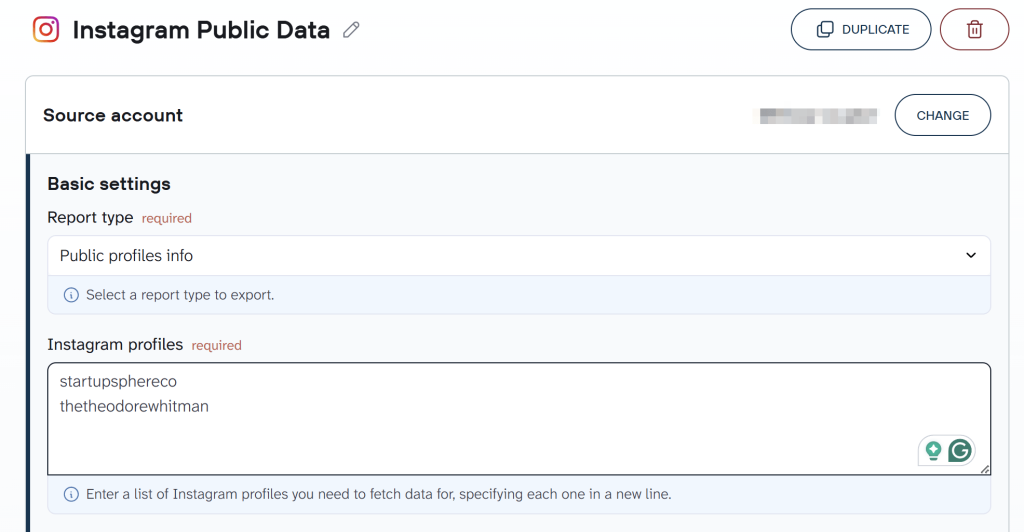
If you’re tracking competitors across platforms, Coupler.io allows you to add Facebook Public Data, TikTok Organic, or LinkedIn Company Pages as additional sources within the same data flow. That way, your cross-platform competitor report updates from a single schedule instead of separate exports.
Step 2. Organize data set
Before the data reaches your destination, you can shape it to match your reporting or analysis needs:
- Manage columns to include in your report. Hide unnecessary ones, rename them, and change their type.
- Apply filters, sort your data, or create custom calculations.
- Aggregate data to roll up metrics by profile, date, or content type.
- Blend data from different Instagram accounts or other apps for a combined view.

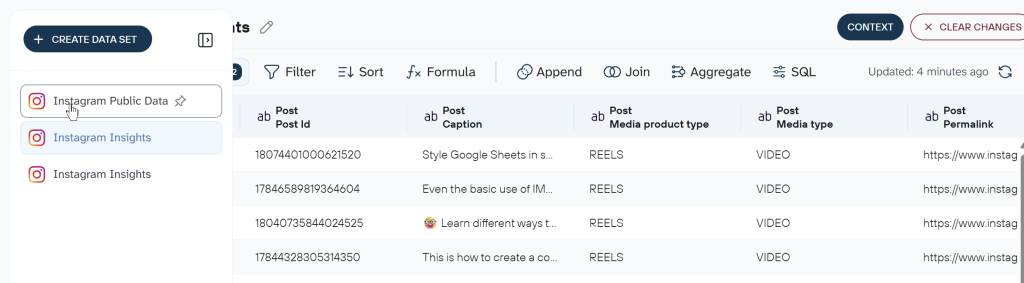
This step also controls what reaches AI tools later. If you plan to use AI Agent or connect the data flow to Claude or ChatGPT, filtering out irrelevant columns here means the AI works with a cleaner, more focused dataset. You can also add business context to the data flow, for example, what “Public profiles info” and “Public profiles posts” represent for your specific use case, whether that’s competitor benchmarking, influencer vetting, or content gap analysis. That context improves the quality of AI-generated answers later.
Step 3. Load data and schedule refresh
Follow the in-app instructions to configure the connection to your chosen destination for Instagram public data. You can connect the same data flow to more than one destination, for example, Google Sheets for a quick reference table and Data Studio for a visual dashboard, both updating from the same schedule.
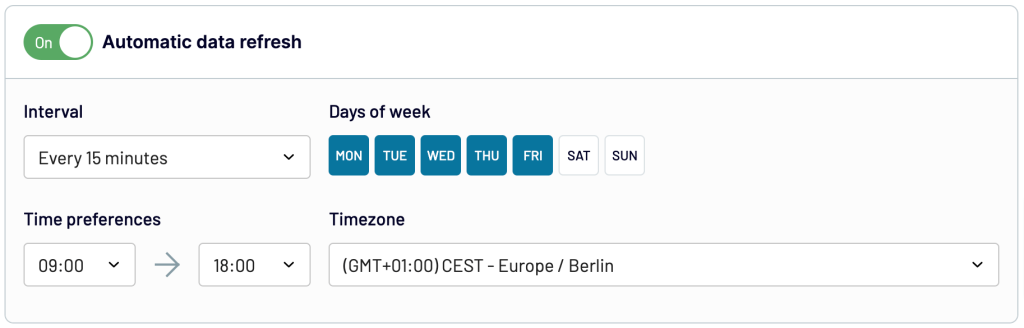
After you configure the destination, set up automatic data refreshes. Coupler.io lets you choose how often your data updates: monthly, weekly, daily, or every 15 minutes. Pick specific days, time slots, and time zones to match your reporting rhythm.

Bonus step. Analyze Instagram public data with AI
Once your data flow is running, the same dataset that you’ve prepared for your reports or dashboards can also power AI analysis. Coupler.io’s AI Agent lets you ask questions about your Instagram public data in plain English, directly inside Coupler.io. The Analytical Engine runs the calculations first and passes computed results to the AI, so the answers are grounded in actual numbers, not estimates.
You can also connect the data flow to external AI tools like Claude or ChatGPT through AI Integrations. I go deeper into both options, with example prompts and setup details, in the dedicated section below — Analyze Instagram public data with AI.
What Instagram public data can Coupler.io export?
| Metrics | Description |
|---|---|
| Public profiles info | Includes user IDs, full names, Instagram user names, profile pics, profile picture URLs, number of followers, and profile URLs of public Instagram accounts. This data helps you understand the demographic and reach of Instagram profiles. |
| Public profiles posts | Encompasses Instagram post data such as captions, post URLs, media types, hashtags used, and engagement metrics (likes, comments). Useful for content analysis and tracking the popularity of topics or campaigns. |
Where can you import Instagram public data?
Coupler.io lets you automate Instagram public data exports to spreadsheets, BI tools, data warehouses, and AI tools.
BI tools and dashboards
- Google Data Studio. Build interactive dashboards from your Instagram public data. Create custom visualizations and share them with stakeholders.
- Qlik. Use Qlik’ associative analytics engine to unravel complex relationships within your Instagram data. This helps you better understand your social media landscape.
- Power BI. Look at your Instagram data in rich, interactive reports. They will give you a multi-dimensional view of your social media performance.
- Tableau. Use Tableau’s powerful visualization capabilities to understand and act on your Instagram data.
Spreadsheets
- Google Sheets. Good for collaboration and quick data manipulation. Import Instagram data directly into Google Sheets for hands-on analysis.
- Microsoft Excel. Use Excel’s familiar interface for detailed data analysis in a standard spreadsheet view.
Data warehouses
- PostgreSQL. Store and query your Instagram data in PostgreSQL. It has a strong foundation for complex data operations and analysis.
- BigQuery. Use SQL queries in Google’s BigQuery to analyze your Instagram data.
- Redshift. Load data to Amazon Redshift to find trends and insights at a massive scale.
- Snowflake. Connect Instagram data to Snowflake for scalable cloud-based analytics.
- Supabase. Sync your Instagram data to Supabase for a Postgres-backed workspace with built-in APIs and real-time queries.
AI tools
- Claude, ChatGPT, Gemini, Perplexity, Cursor, Copilot, and other AI tools and agents for conversational analytics. For example, you can connect Instagram public data to Claude and get instant insights through regular questions.
Other destinations
- JSON. Export your Instagram public data in JSON. This flexible and widely compatible format ensures ease of use across various applications.
- monday.com. Load Instagram data into monday.com for enhanced project management and team collaboration. Pave the way for workflow automation and data-driven decision-making.


Export Instagram public data with Coupler.io
Get started for freeAutomate exports of Instagram public data and visualize with dashboards
Coupler.io lets you connect Instagram to BI tools and spreadsheets where you can make custom reports. The visualizations to include depend on the destination you choose. For simple table-like reports, it’s more than enough to export Instagram public data to spreadsheets.
On the other hand, if you want to tailor dynamic and interactive dashboards, then it makes sense to consider Tableau or Power BI. This way, you can turn Instagram metrics into a visual story to show follower growth, profile interactions, and content engagement patterns. Such dashboards let marketers see the impact of their strategies quickly and monitor brand health.
On the other hand, dashboard templates help you visualize Instagram data in a fraction of the time it takes to create a report from scratch. Here are a couple of options designed by Coupler.io for popular tools:
Instagram business dashboard (+ template)
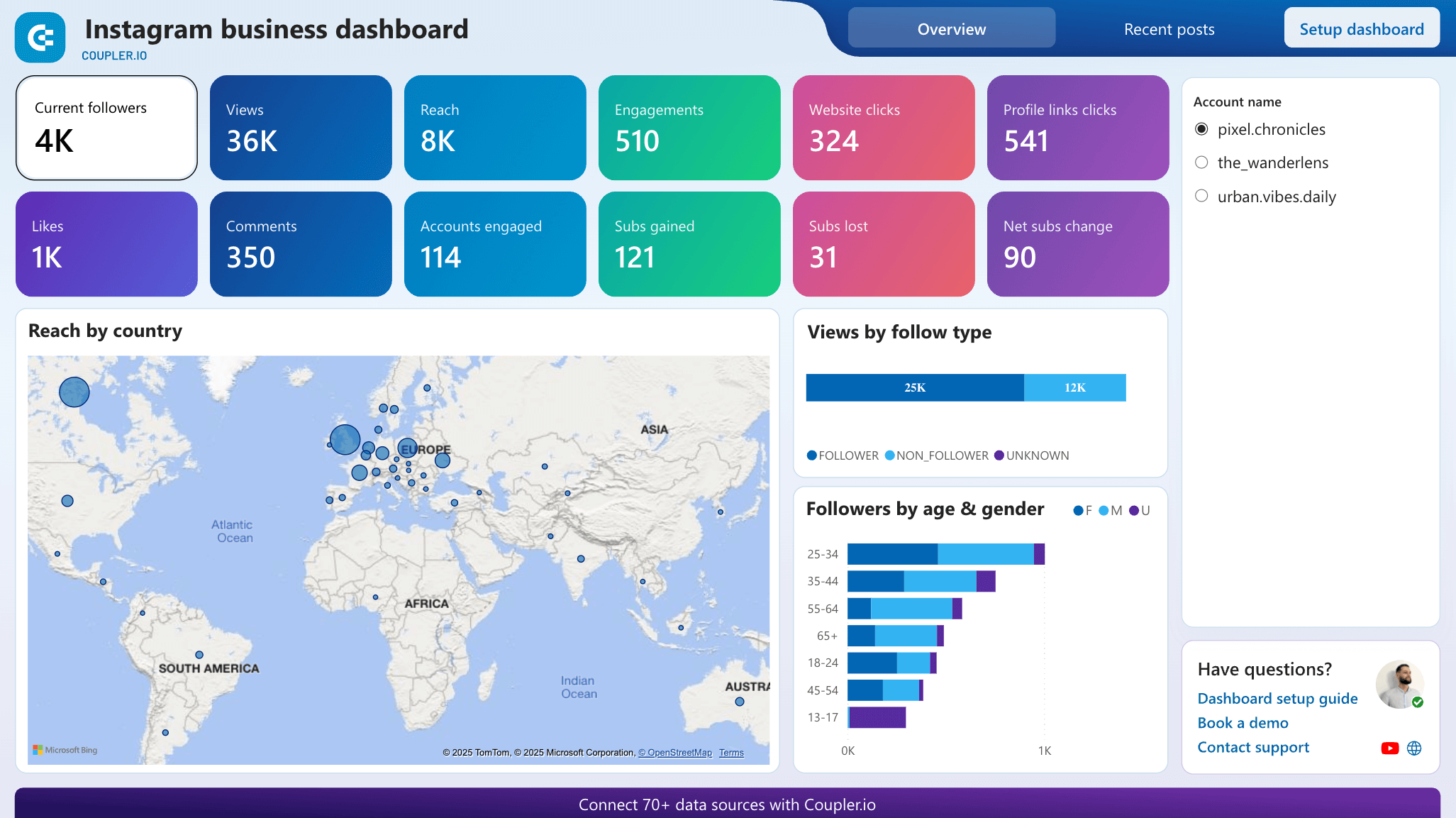
The Instagram business dashboard provides detailed insights into your company’s Instagram presence, helping you understand which content resonates with your audience and drives valuable business actions. It’s equipped with Coupler.io’s built-in connector which automatically pulls data from Instagram Insights.

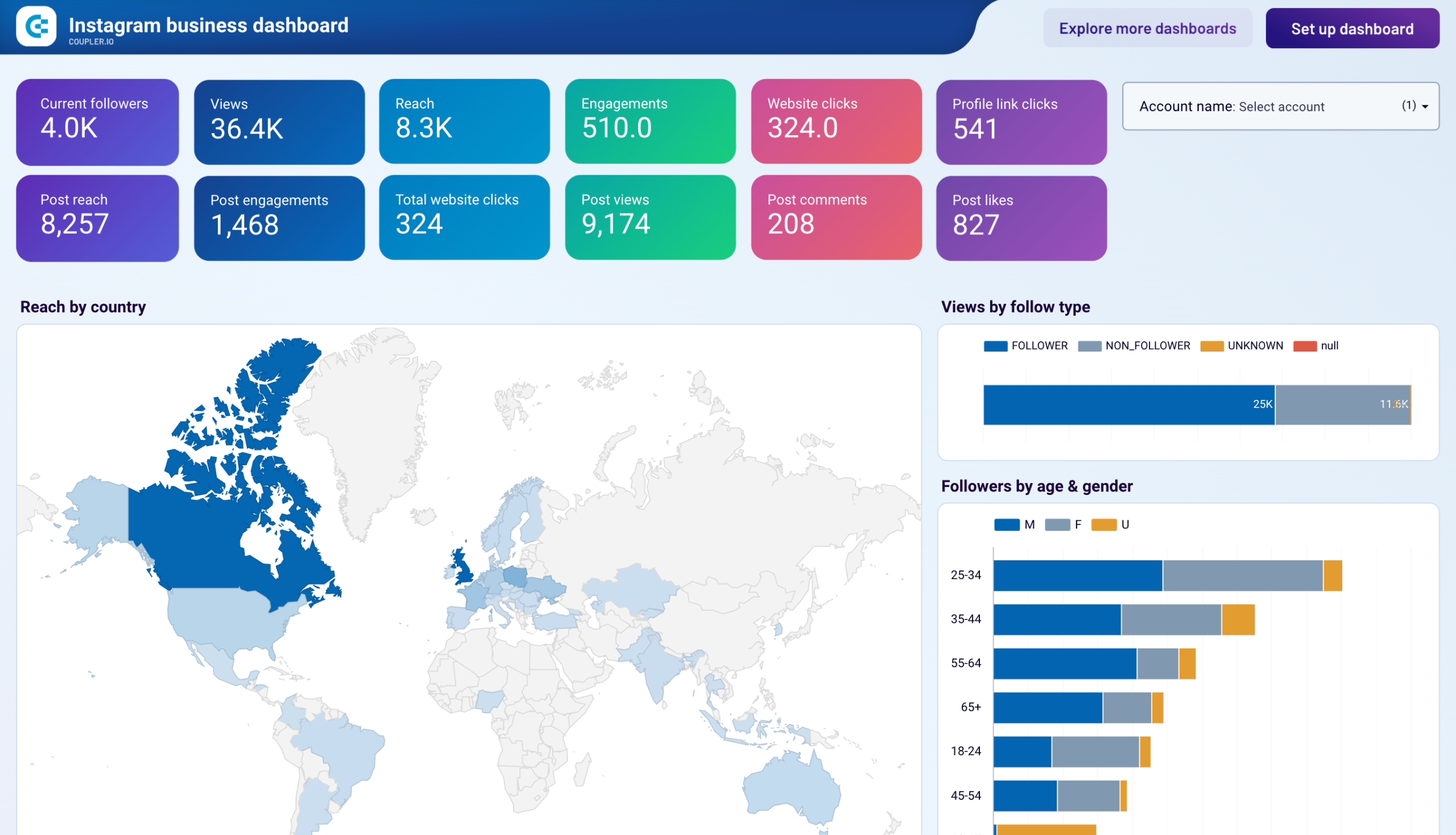
What you can do with this dashboard:
- Measure campaign success and progress towards goals through key performance metrics, including views, reach, comments, shares, likes, subscribers gained, etc.
- Analyze follower demographics (age, gender, location) to ensure you’re reaching your target market and make tweaks accordingly.
- Monitor content performance across different media types (feed posts vs. reels) to focus on formats that generate the most engagement.
- Evaluate individual post metrics, including reach, engagement, and profile actions, to replicate your most successful content strategies.
- See how your Instagram presence drives website clicks to prove social media ROI to stakeholders.
You can get a free copy of this dashboard template in Looker Studio or Power BI right away. Simply sign up for Coupler.io, connect your Instagram account, and the Coupler.io connector will populate the report with your data.




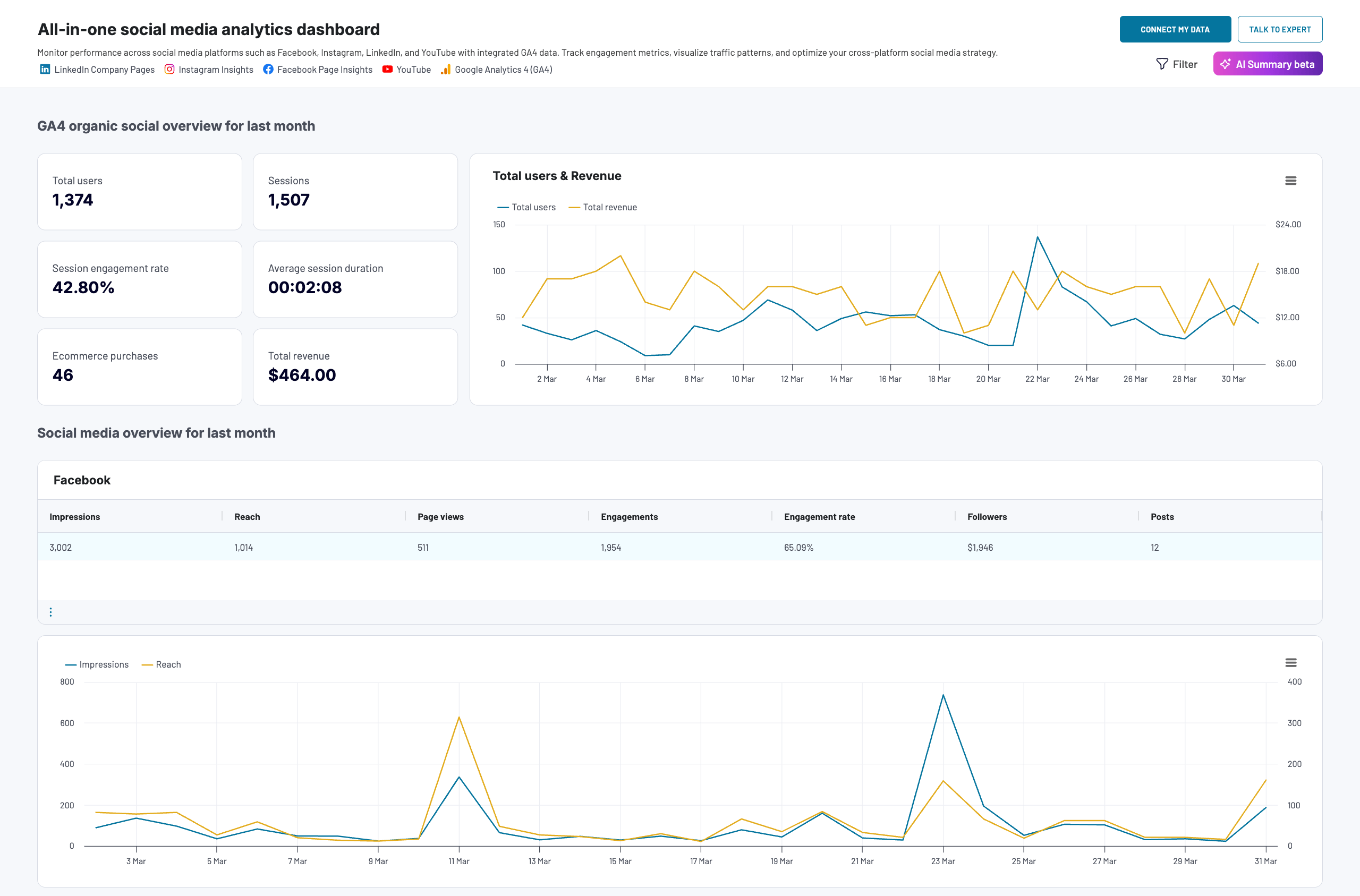
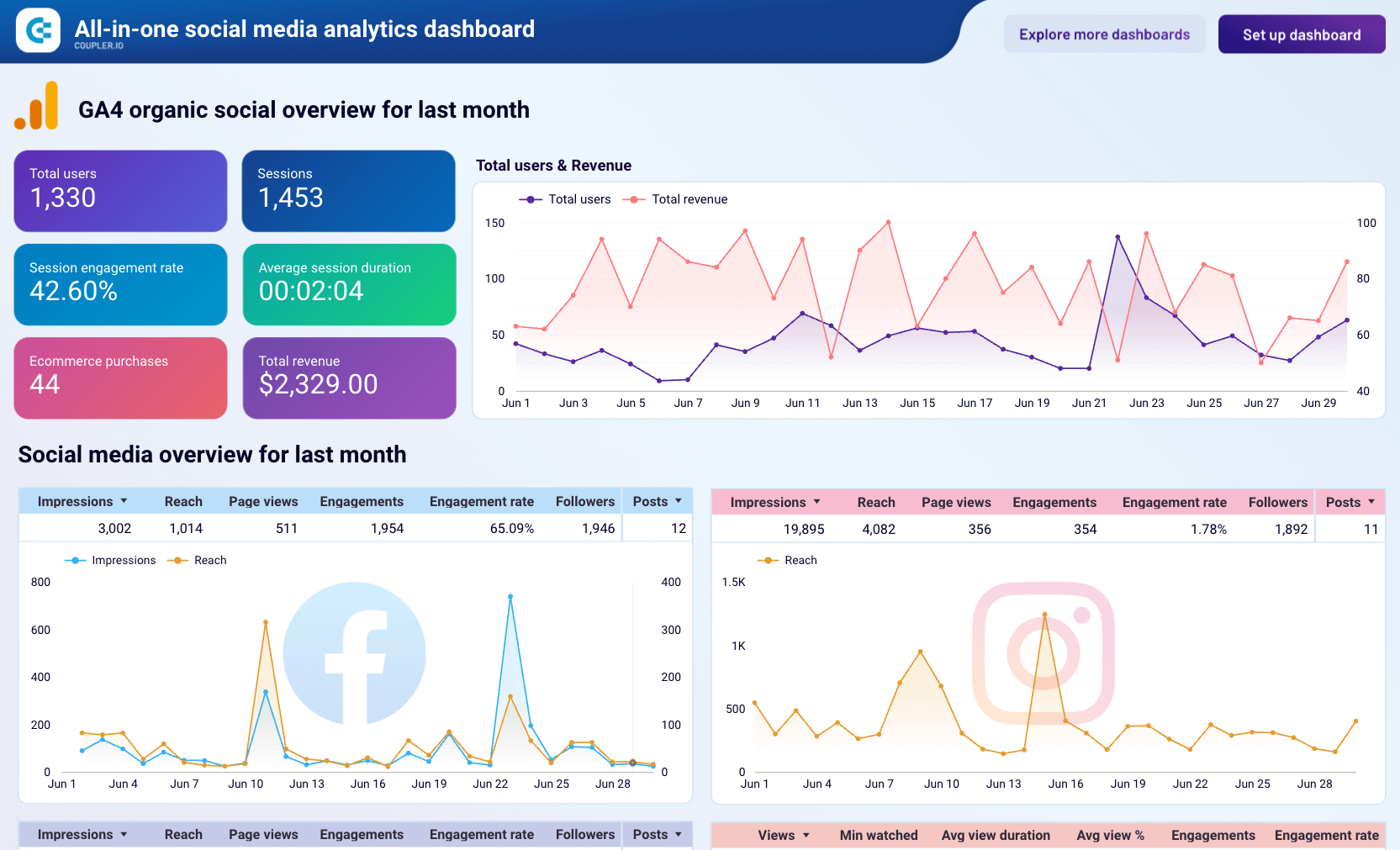
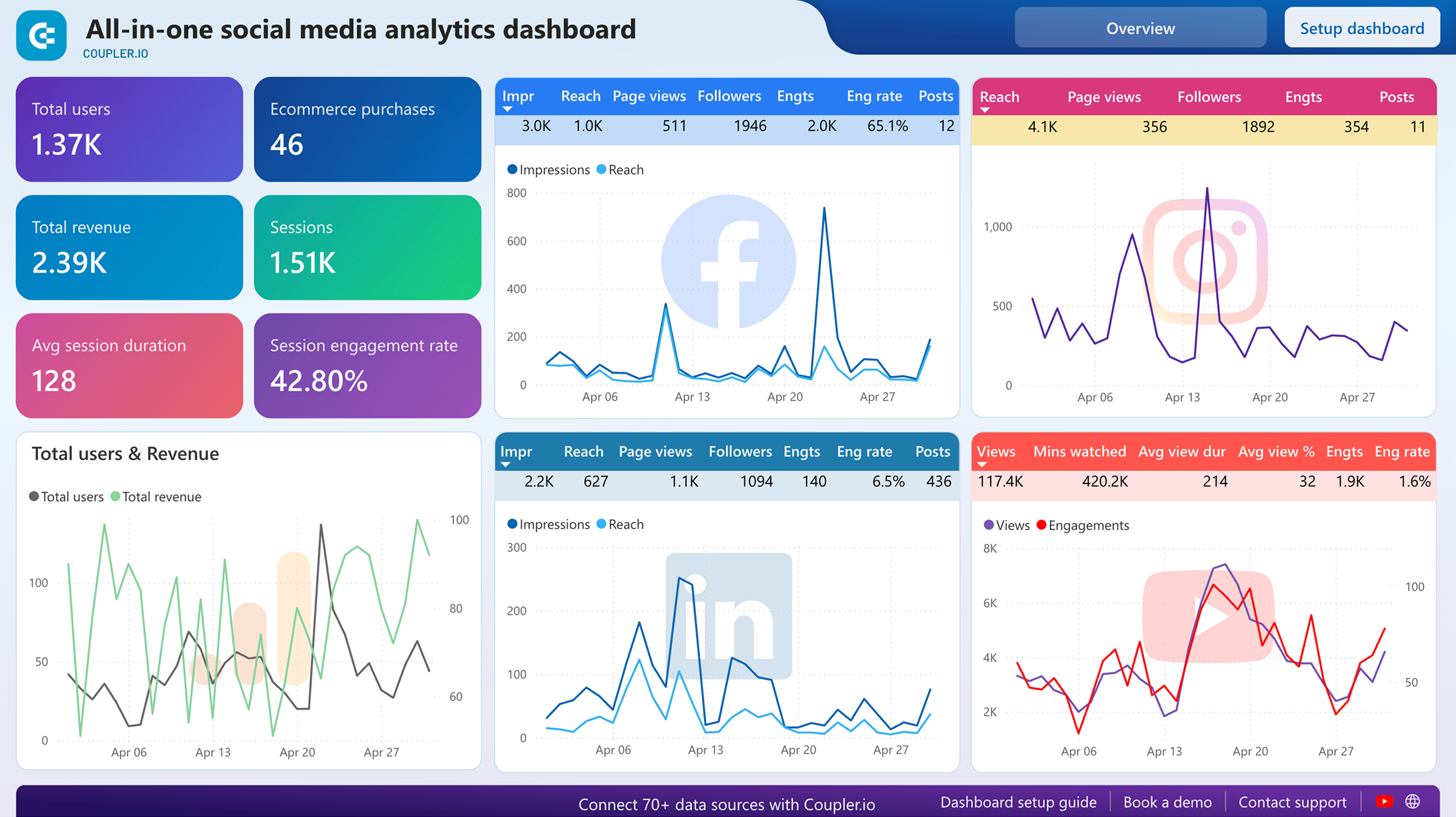
This dashboard consolidates performance data from Instagram, Facebook, LinkedIn, YouTube, and GA4 into a single view, making it easier to compare how each platform contributes to your overall marketing goals and website traffic.
All-in-one social media dashboard

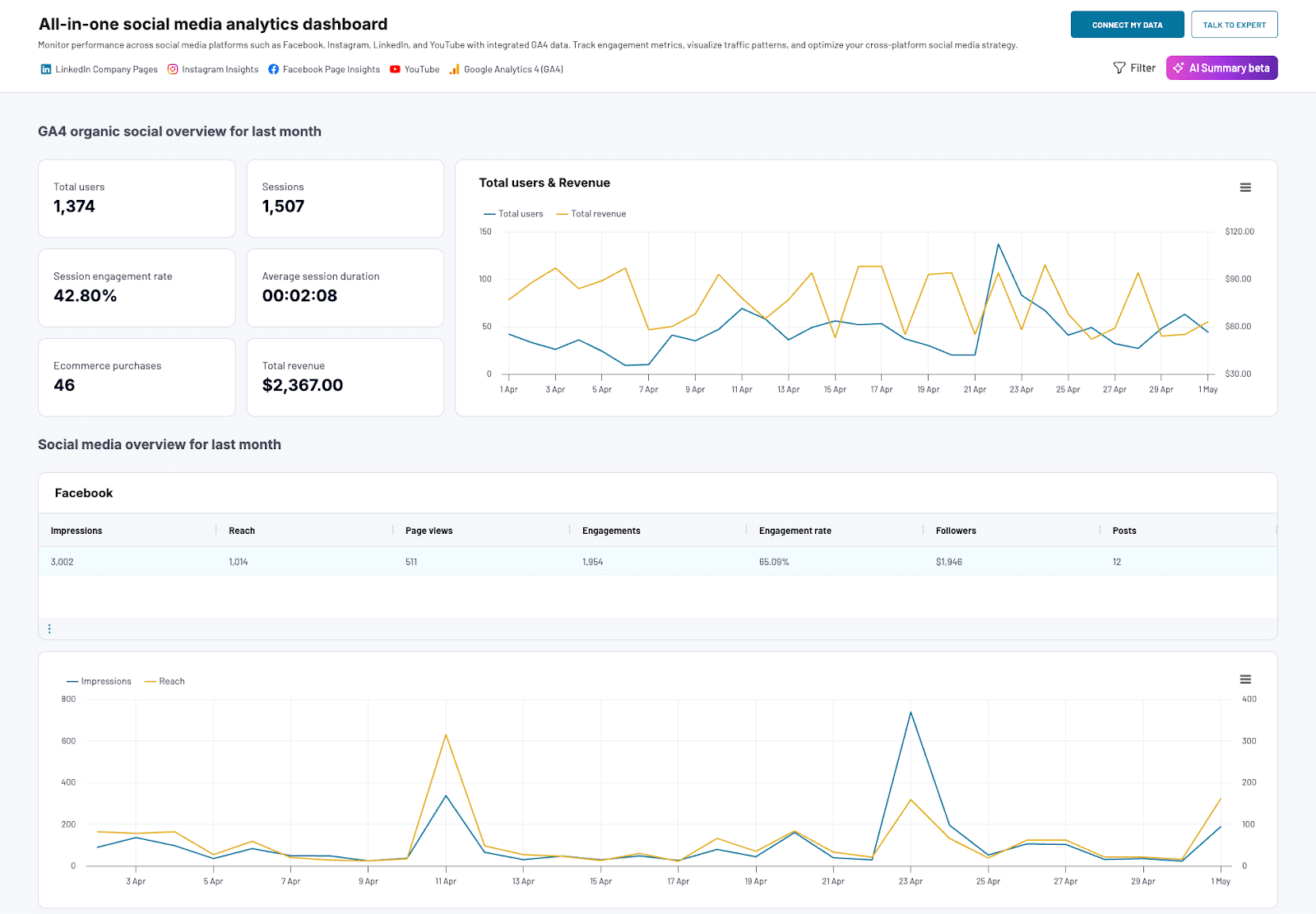
All-in-one social media dashboard
Preview dashboardWhat you can do with this dashboard:
- Compare performance across all your social media channels to identify which platforms deliver the best results for your marketing investment.
- Track the total amount of website traffic and revenue that your combined social media efforts generate for your business.
- Monitor monthly dynamics and trends for each social platform to spot growth opportunities and declining performance early.
- Identify which channels (e.g., YouTube) deliver the best ROI for your business to allocate marketing budget more effectively.
This dashboard template is available for free in three tools: Coupler.io UI, Looker Studio, and Power BI. Choose the version that best fits your needs and sign up for a Coupler.io account:




Check out this wider selection of Instagram report templates for other use cases, data flows, and reporting scenarios.
Analyze Instagram public data with AI
Dashboards show what happened: follower counts went up, engagement dropped on a specific post type, one competitor started posting more Reels. But they can’t tell you why. If you notice a spike in a competitor’s engagement, you still need to dig into the data manually to figure out whether it was a viral post, a hashtag strategy, or a shift in content format.
The same data flow that loads Instagram public data into your dashboard is also ready for AI analysis through Coupler AI. It’s the AI analytics layer in Coupler.io for efficient interaction with large language models (LLMs). Coupler AI allows you to use AI when you need answers the dashboard wasn’t built to provide.
Ask questions about your Instagram data in Coupler.io
AI Agent is the fastest way to start. Type a question about competitor engagement or posting patterns in plain English, and the AI Agent returns an answer based on the data your flow is already collecting.
It also manages data flows inside Coupler.io: create a new flow, adjust source settings, transform data, update a refresh schedule, and more. All through conversation instead of navigating the UI manually.

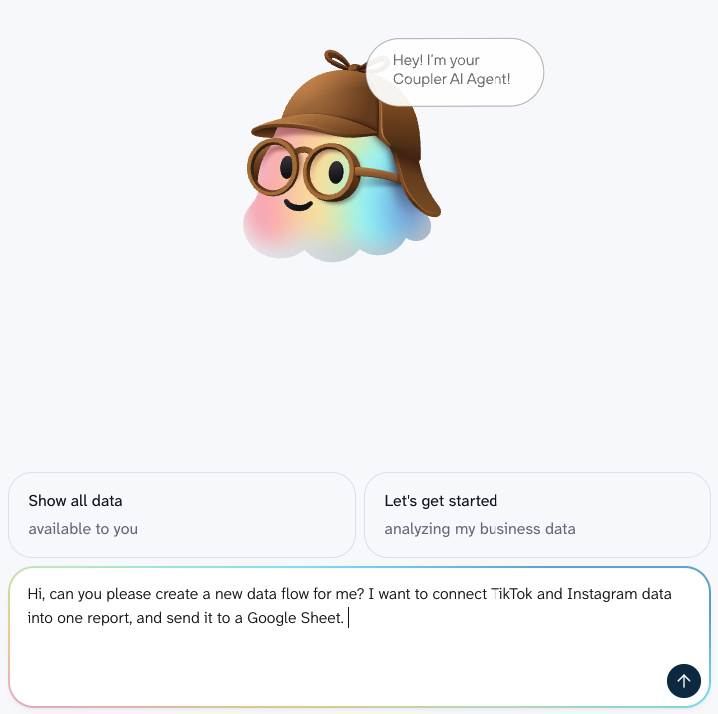
A few examples of what you could ask about your Instagram public data:
- Which competitor gained the most followers in the last 30 days, and what type of content did they post during that period?
- Compare engagement rates across all tracked profiles and flag any that changed by more than 20% week over week.
- Which hashtags appear most often in the top-performing posts across all competitors?
- Show me the posting frequency for each tracked profile and highlight any pattern changes in the last 60 days.
- Rank the tracked profiles by average likes per post this month versus last month.
Connect Instagram public data to AI tools
If your team already uses Claude, ChatGPT, or another AI tool, you can connect the same Instagram public data flow to it through AI Integrations. Coupler.io’s MCP server handles the connection to Claude, ChatGPT, Gemini, Perplexity, Copilot, Cursor, and OpenClaw. For any AI tool not on that list, you can set up a custom MCP server.
The AI tool receives the same structured, pre-calculated dataset as the built-in AI Agent. The filters and column settings you configured determine what the AI tool sees. It never connects to your Instagram account directly, and you control what’s included.
For a step-by-step walkthrough, see How to connect Instagram public data to Claude.
Get verified calculations, not AI guesses
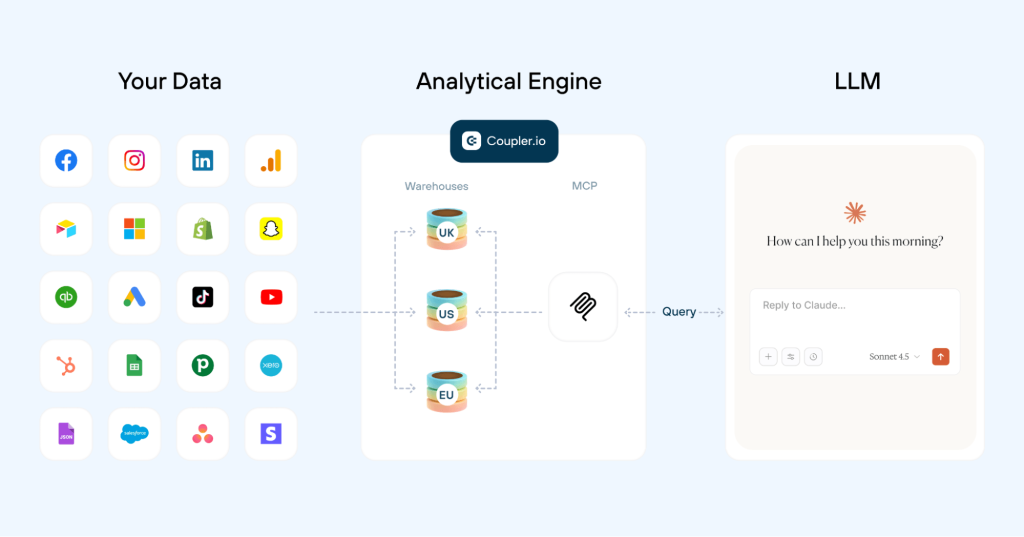
AI models spot patterns well but aren’t reliable at performing calculations on raw datasets. Coupler.io’s Analytical Engine handles the math before the AI layer sees anything: it queries the dataset, runs aggregations, and passes only confirmed numbers to the AI. When you’re comparing engagement rates across profiles or tracking week-over-week follower growth, the difference between a calculated result and an AI estimate matters.

Add context so AI understands your data
Raw column names like followers_count or media_type don’t tell the AI what the data means for your situation. Coupler.io lets you add context to the data flow so the AI starts from your business terms instead of guessing.
Data context explains what the fields and metrics represent. Business context provides the background the AI can’t infer from the table: whether you’re tracking direct competitors or aspirational benchmarks, what engagement rate threshold your team considers strong, or how you define “top-performing” content.

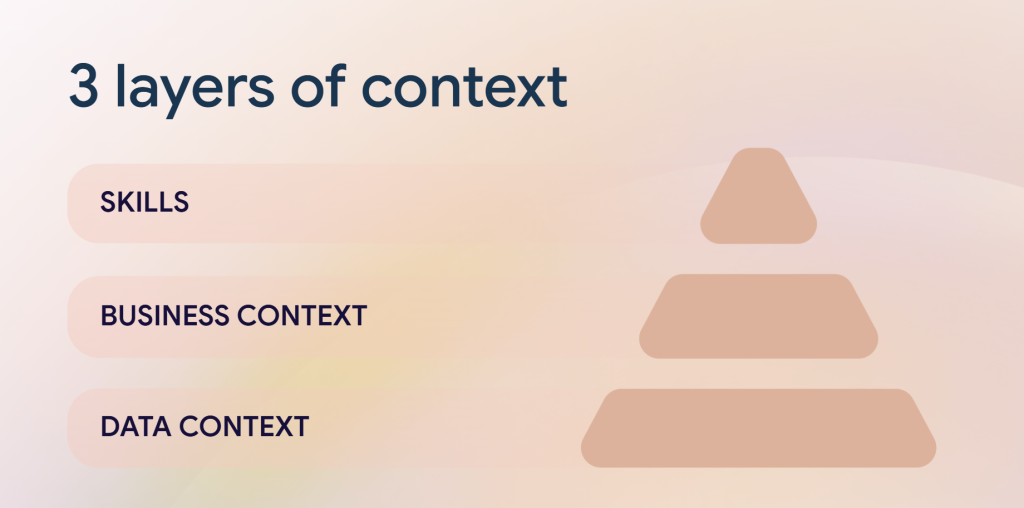
Automate recurring analysis with AI Skills
If you’re running the same competitor check every week, writing the prompts from scratch each time adds up. Coupler.io’s AI Skills library has pre-built analytical workflows that handle the structure for you. The marketing-analytics skill runs cross-channel comparisons and anomaly detection, so you ask the question and the skill organizes the full analysis.
Skills work inside Coupler.io’s AI Agent and in external AI tools via MCP.
Monitor Instagram competitors in AI with Coupler.io
Get started for freeOther methods for exporting Instagram public data
The Coupler.io path covers automated export with scheduled refresh and AI analysis. For readers who need a one-off data pull or have a development team that can maintain a custom pipeline, these alternatives may fit.
Manual export or web scraping.
Instagram doesn’t offer a native export for other accounts’ public data. Tools like Instagram Scrapers let you retrieve profile URLs, hashtags, and post data in CSV or JSON format by setting up a scraper with specific parameters. This gives you control over what gets collected, but requires technical knowledge to handle HTML structures and deal with changes in Instagram’s layout or rate limiting. It works for occasional research tasks where freshness and automation aren’t priorities.
API integration.
The Instagram API (part of Meta’s Graph API) lets you pull detailed public data by writing scripts that make API calls. You get access to user activities, follower counts, and post interactions at a granular level. Coupler.io uses the same API under the hood, so the data is identical. The difference is that Coupler.io handles authentication, rate limits, and scheduling for you. Building a custom integration makes sense when your team has developers available and needs behavior the managed connector doesn’t cover.
Manual scraping and API scripts work when you need a one-time snapshot or already have engineering resources to maintain a pipeline. For recurring competitor tracking, content analysis, or cross-platform reporting, Coupler.io handles the connection, scheduling, and data preparation in one setup.
Using Instagram public data exports is about more than just routine tasks. It is a chance to craft a data-driven story for your brand’s digital journey. This will capture your brand’s growth, explain audience engagement, and improve your marketing. Let Coupler.io guide you to smart decisions and a thriving business.
Automate Instagram data export with Coupler.io
Get started for free