TikTok is one of the fastest-growing social media platforms, with more than 1 billion users worldwide and impressive ad potential. Making it a part of your marketing strategy can help you improve the overall reach and enhance the results of your cross-channel PPC campaigns.
To make the most of this platform and understand how to use it best for your business, it is crucial to analyze and visualize TikTok ad data. One way to do this is by using BI tools.
This article explores different methods to connect TikTok Ads to Google Data Studio (formerly Looker Studio). I’ll also talk about the pros and cons of each method so that you can choose the best one for you.

Methods to connect TikTok Ads to Google Data Studio (Looker Studio)
There are two main methods to connect TikTok Ads to Data Studio – automated connection and manual data transfer.
Partner connector
Data Studio doesn’t offer a native connector for TikTok Ads, but you can integrate TikTok Ads to Data Studio automatically with the help of a partner connector by Coupler.io. It’s designed for marketing and ad professionals to automate reporting.
Coupler.io lets you export data from TikTok Ads to Data Studio (formerly Looker Studio) with a few clicks. Coupler.io is a reporting automation platform for business teams. It automatically collects and blends data from more than 400 apps and keeps it up to date for your reports and AI, and it also offers more than 240 ready-to-use dashboard templates, including TikTok ones like the one below.


Custom integration using the API
If you don’t want to use a Looker Studio partner connector, you can build an automated connection on your own via the TikTok marketing API. But for this, you will need to have strong technical expertise as the TikTok Ads API requires working with code. You can refer to TikTok’s official documentation for more details.
In contrast, using Coupler.io requires no technical skills as this solution is tailored for marketers.
Manual data transfer
Technically speaking, this method does not connect TikTok Ads to Data Studio. You need to manually export TikTok Ads data, clean it, and upload it to Data Studio. If you work with small amounts of data and do not require frequent data updates, or when you need data for a specific date range, manual data transfer can be a good option for you.
But if you deal with large data sets and frequent updates, then this method is time-consuming. You will need to repeat it over and over again – every time want to update information in your report. This also increases the risk of human errors while handling data.
The best part about the manual transfer is that it is simple to implement and does not involve any additional cost.
How to set up an automated TikTok Ads and Data Studio integration?
As mentioned earlier, the automated integration of TikTok Ads and Data Studio involves a partner connector, Coupler.io. Take a look at the 3 simple steps you need to follow to set up automated TikTok Ads reporting in Google Data Studio.
Step 1: Collect data
Use the form below. You’ll be prompted to create a Coupler.io account for free.

Then connect your TikTok Ads account to the data flow, and select a report type, report period, and so on.
Step 2: Preview and transform data
In the next step, you can preview and edit TikTok data that is about to be transferred to Data Studio. In particular, you can:
- Hide columns that you don’t need
- Rename and edit columns
- Sort and filter data
- Blend data from different apps or accounts
- Perform formula-based calculations. Formula-based columns help you create custom metrics like ROAS, conversions, etc. from the existing columns.


Step 3: Load data and schedule refresh
Once your data is organized, follow the in-app instructions to create a data source in Data Studio and load TikTok Ads data.
After the data flow is set up successfully, it is time to add the data refresh schedule. All you need to do is turn on automatic data refresh and specify your schedule preferences (from once a month to every 15 minutes).

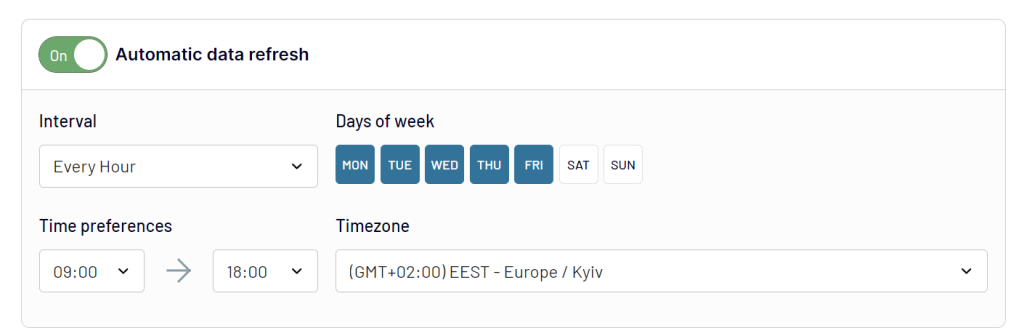
Refreshing data automatically on a schedule (from once a month to every 15 minutes) keeps your marketing reports and dashboards up to date. It improves data accuracy and also saves a lot of time on manual data updates.
That’s it! You can now start visualizing your TikTok Ads data by building a dashboard.
Alternatively, you can quickly create a dashboard with a ready-to-use Data Studio template and then customize it to match your preferences. Let’s see how to do this.
How to build an automated TikTok dashboard with a template?
Using a template can significantly reduce the time and effort required to build a custom TikTok dashboard from scratch. Coupler.io offers automated TikTok report templates to turn your TikTok Ads data into meaningful insights in about 5 minutes.
TikTok Ads analytics dashboard template
With this dashboard, you can monitor the performance of TikTok Ads campaigns and understand how you can optimize your marketing efforts.
The template provides an overview of all key metrics and their dynamics. You get multiple charts that let you track top campaigns by conversion, conversion by platforms, performance by country, and more. This dashboard is available as a Coupler.io in-house template and as a dashboard in Data Studio, with Coupler.io loading data from TikTok Ads automatically on a schedule.
To start using the template, follow the enclosed instructions to create a copy of the dashboard and populate it with the data from your TikTok Ads account.


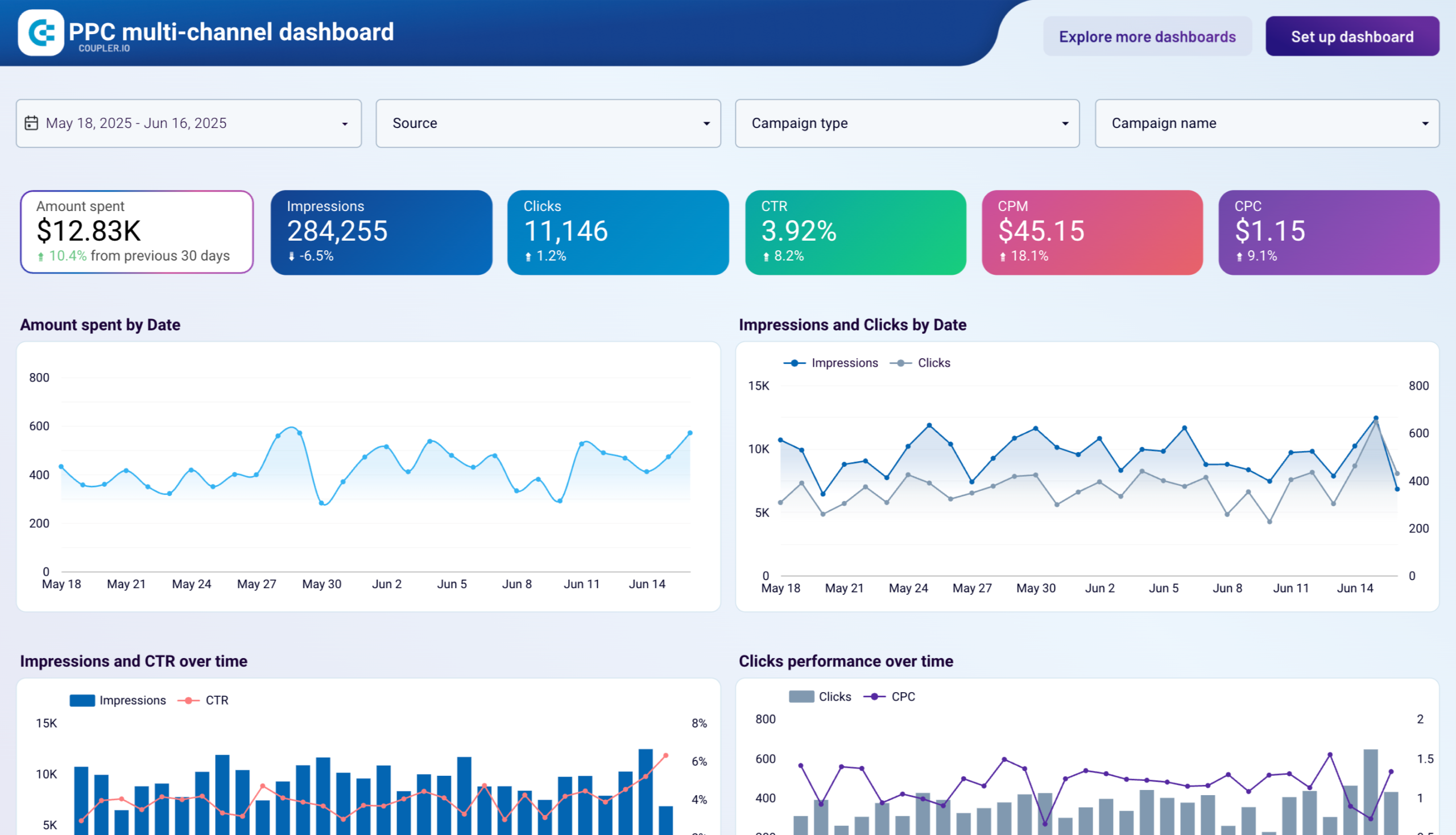
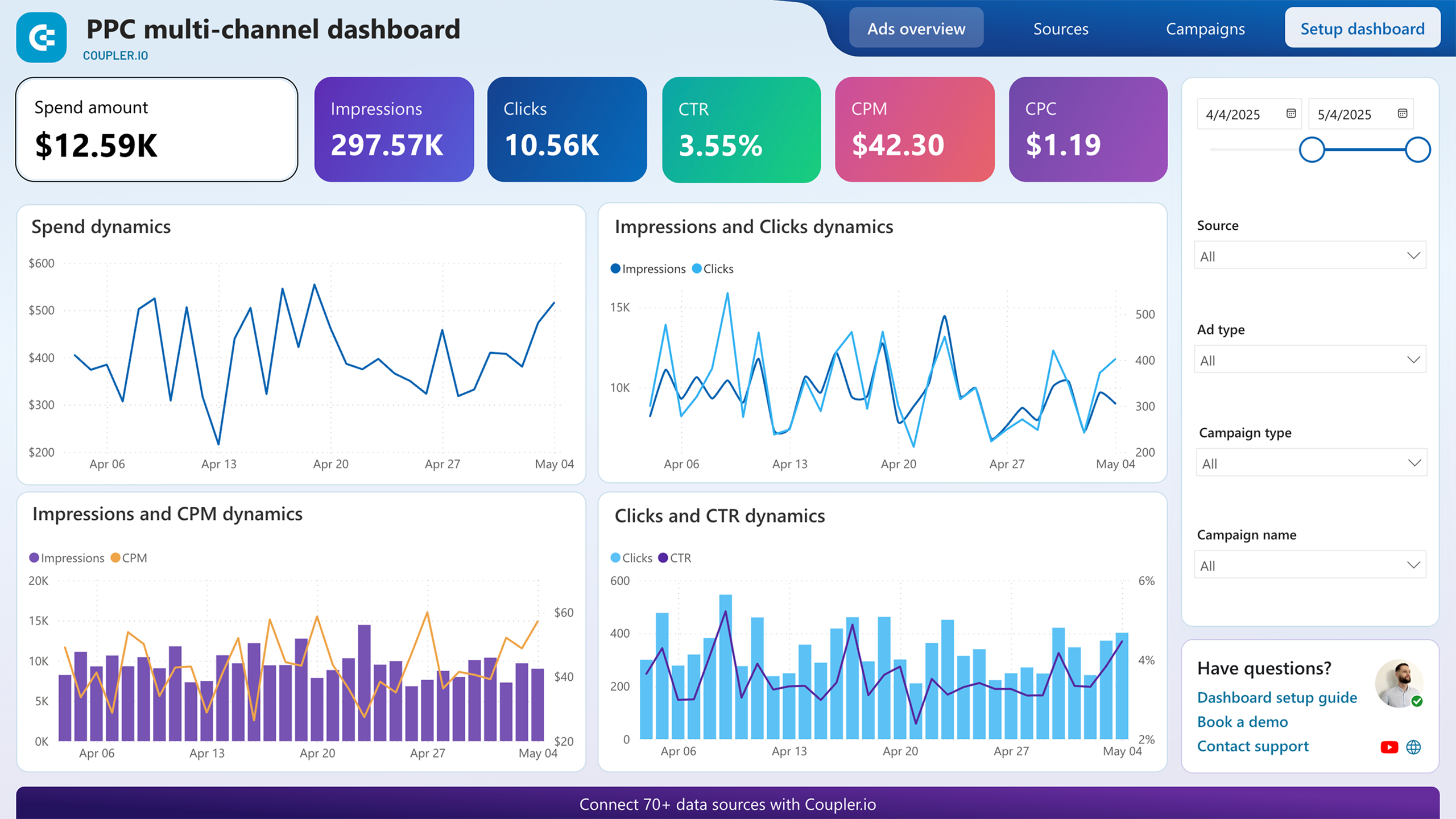
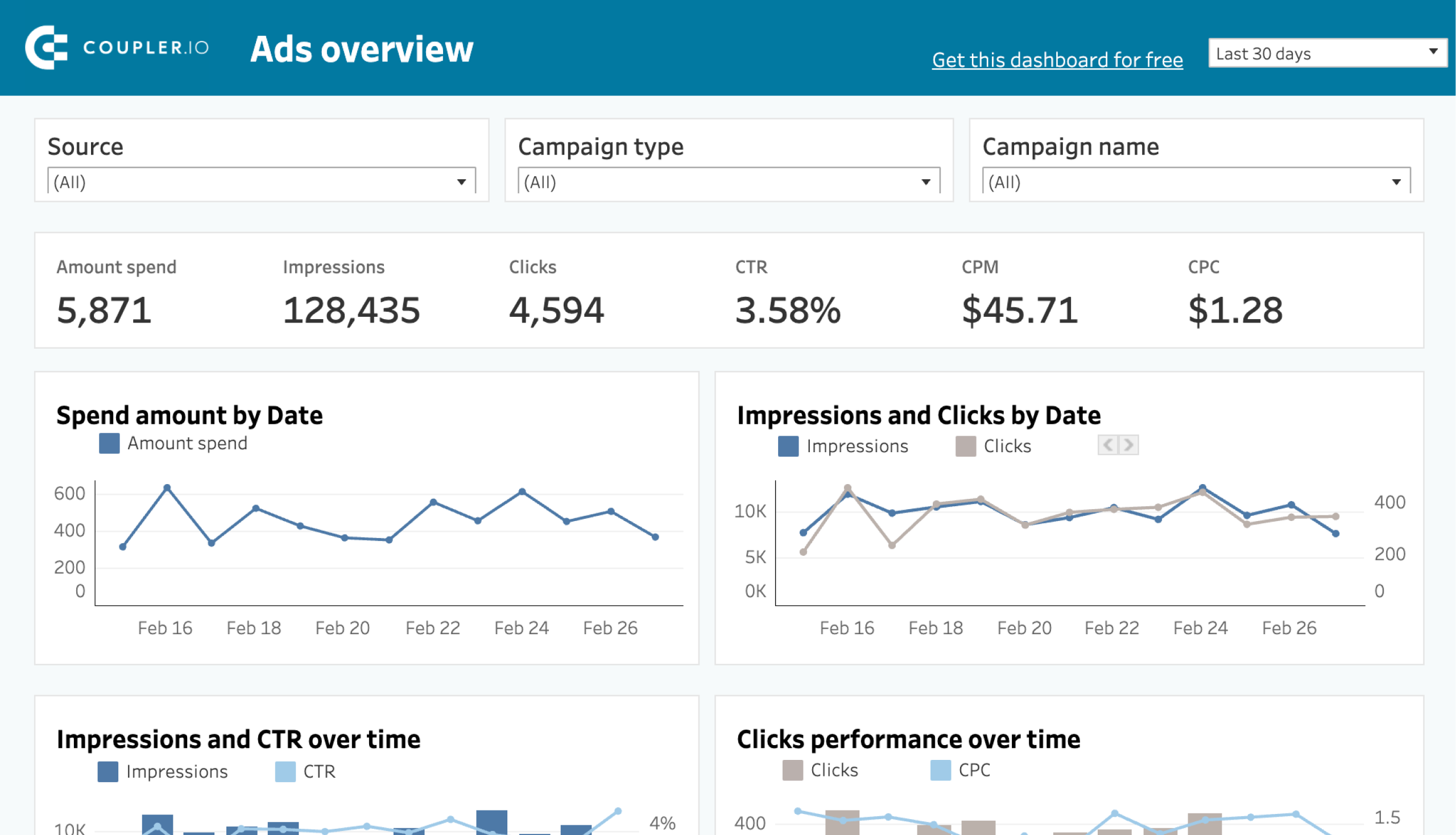
PPC multi-channel dashboard template
The template comes with pre-selected relevant metrics for ad data analysis. If you plug more data sources into this template (Facebook Ads, LinkedIn Ads, and so on), you can also build a cross-channel PPC dashboard featuring data from multiple data sources.
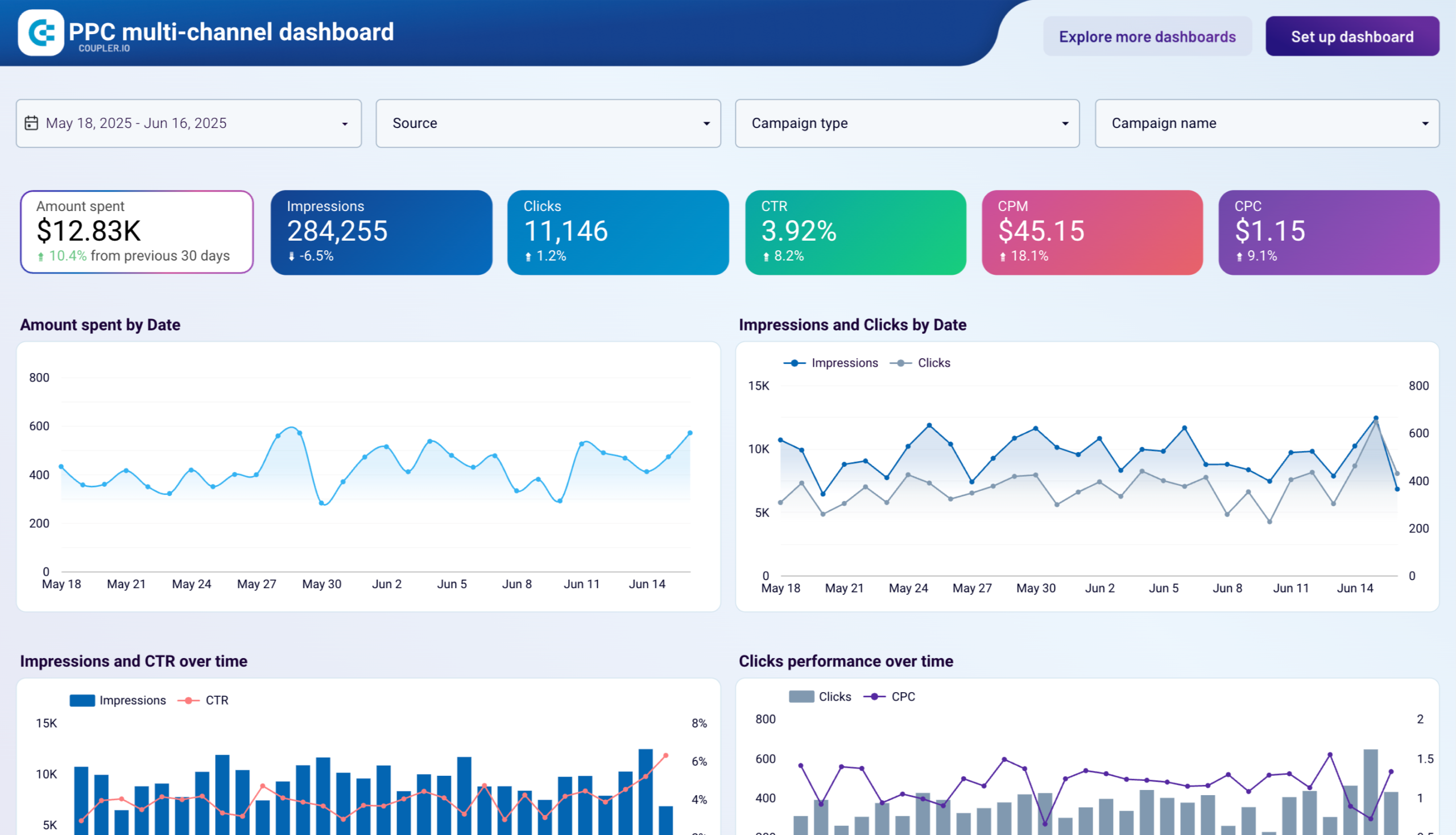
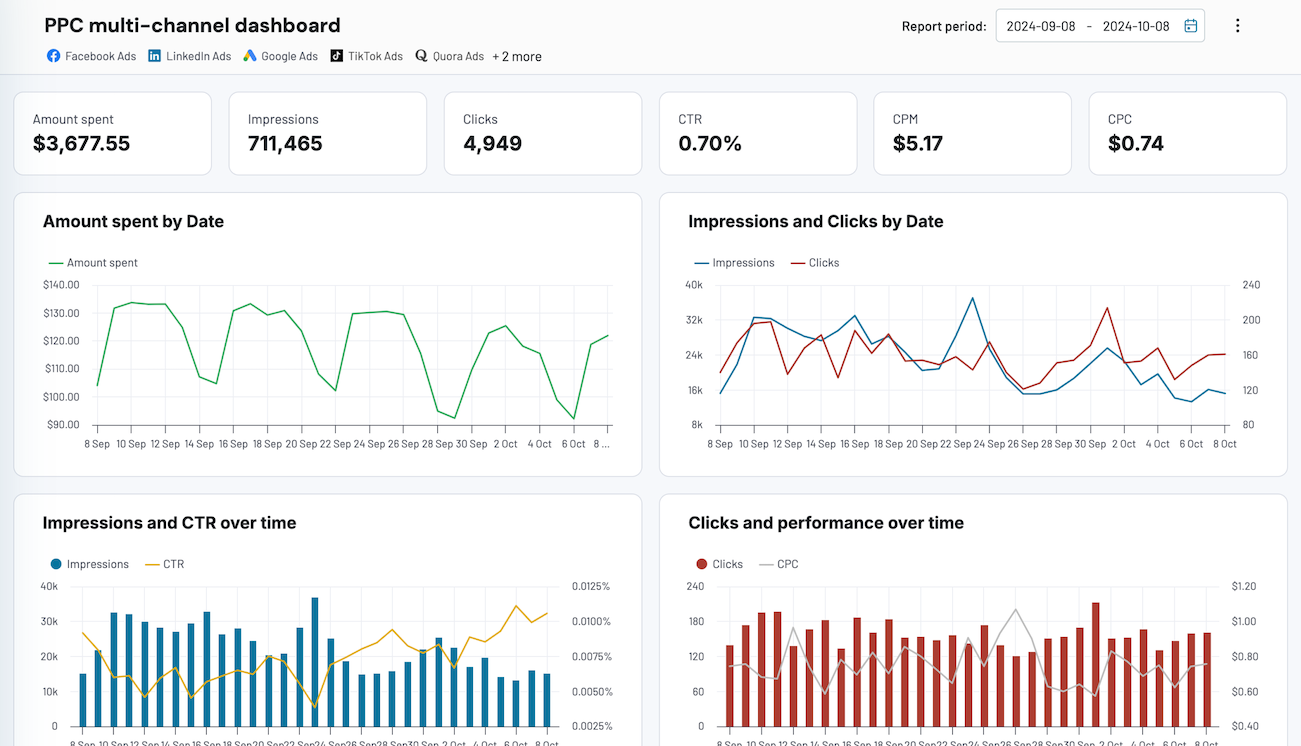
The dashboard gives you a cohesive view of your digital marketing efforts. It lets you compare TikTok Ads performance to the results of other marketing channels. This can be useful for tracking the KPIs of your cross-channel campaigns and ad budget optimization. You can also use the template as a dedicated TikTok Ads dashboard, of course.
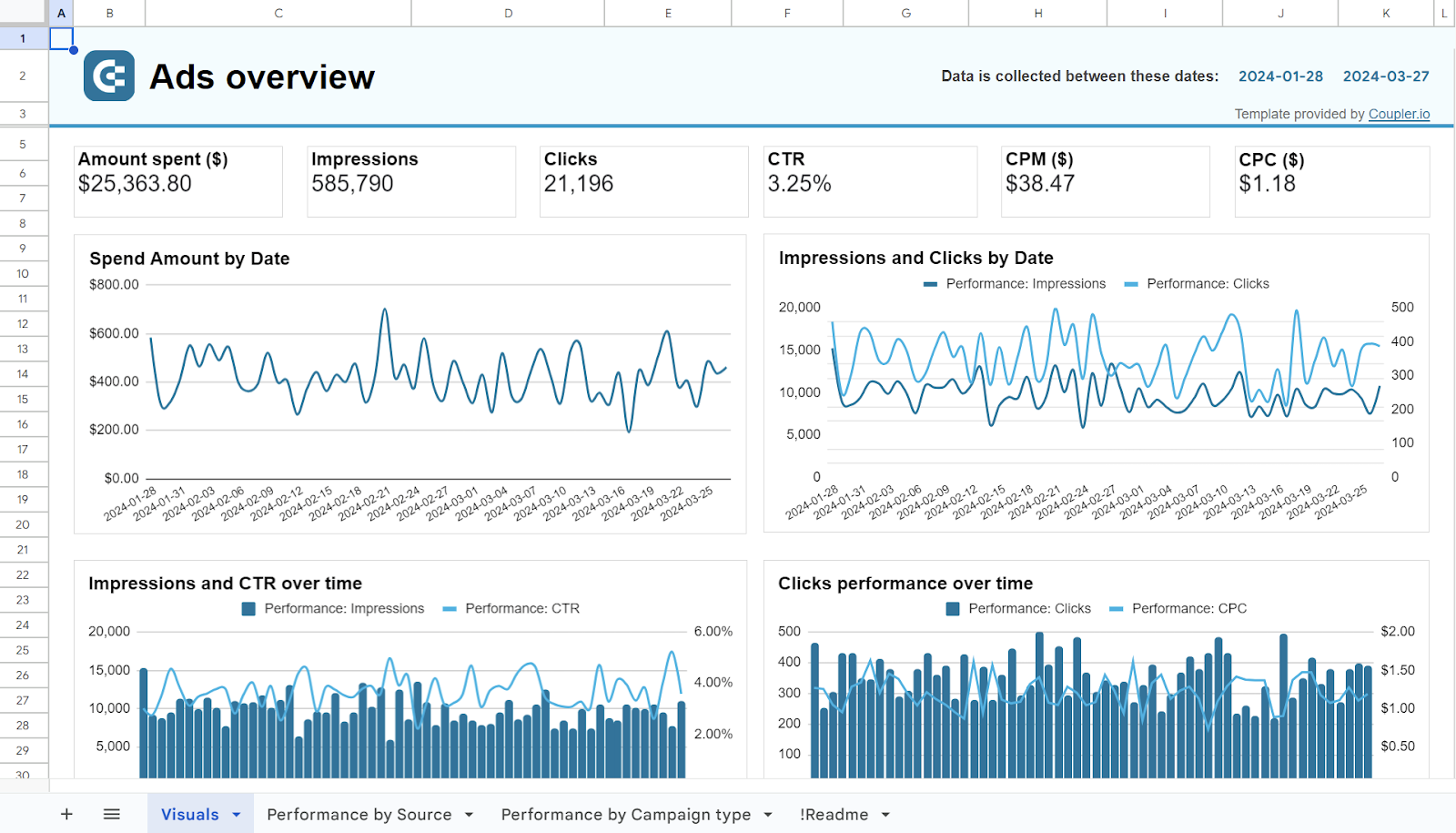
You can start using this PPC dashboard template in just a few minutes by following the enclosed instructions. BTW, in addition to Data Studio, the template is available for Google Sheets, Power BI, and Tableau. Pick the one you like most and enjoy the out-of-the-box reporting.









How to connect TikTok Ads to Data Studio manually?
Technically, you can’t actually integrate TikTok Ads to Data Studio manually. You can only export your ad data manually in the XLSX format and then import it into Data Studio.
The process flow is very simple. So, let’s get started.
First, log in to your TikTok Ads Manager. You will see a dashboard with metrics like today’s ad spend, top recommendations, ad group status, and a quick overview of other metrics.
The best way to go about it is to navigate to the campaign tab. Here you will find the data at the campaign name, ad group level, and ad level. Click on the ‘export’ icon.


The TikTok ad data will be downloaded in the XLSX format to your device. Open it with Google Sheets.


Now go to Data Studio and click on the ‘create’ button on the left side of the screen. From the drop-down, select ‘Data sources’


Now select the ‘Google Sheets’ connector and connect the TikTok ads data file.


Click on ‘Connect’ on the top right of the screen to send this data to Data Studio.


Now choose the ‘Create Report’ button where you can create your custom reports and dashboards.


As this is not an automatic connection, you will have to do the ‘export and upload’ process over and over again whenever you need fresh data. Without up-to-date data, it can be really difficult to make data-driven decisions.
The best way to integrate TikTok Ads to Data Studio
In this article, we discussed two methods to integrate TikTok Ads to Data Studio – automated connection via Coupler.io and manual data transfer.
Manual data transfer can be useful for reports that don’t need to be updated often, for one-time presentations, etc.
Coupler.io refreshes TikTok Ads data on a schedule (from once a month to every 15 minutes) and automates reporting. You can build self-updating and interactive dashboards with no manual effort. With Coupler.io’s ad templates, you can create your own TikTok Ads dashboard with relevant metrics in a few clicks. Once the data is in Data Studio, you can also analyze it with Coupler AI (AI Agent and AI Integrations), or send the same TikTok Ads data to Claude or ChatGPT.
Along with TikTok Ads, Coupler.io lets you connect more than 400 business applications like Google Analytics 4, Facebook Ads, Google Ads, HubSpot, and Instagram Ads to Looker Studio. What’s more, you can export data from these applications to other destinations, such as Power BI, Tableau, and Google Sheets, as well as build interactive PPC dashboards.
For more on this topic, read our article on how to connect TikTok Ads to BigQuery or TikTok Ads to Power BI.
Ultimately, the choice between these methods depends on the specific needs and resources of the business. If you are looking for consistent, up-to-date reporting, then an automated connection is your best choice.


Connect TikTok Ads to Data Studio with Coupler.io
Get started for free