Facebook has a massive reach, over 3 billion monthly users and around 2 billion daily logins. The audience isn’t the problem. Working with the data is.
Since Meta shut down its old analytics tool in 2021, reporting has been split across Meta Business Suite, Ads Manager, and Events Manager. You can get what you need, but it’s scattered.
That usually means more manual work — pulling reports, double-checking numbers, trying to line things up across tools. And even then, the built-in dashboards don’t go very deep.
This is where third-party tools come in. They pull everything into one place, automate reporting, and make it easier to connect Facebook data with other channels. The goal isn’t more data, it’s faster decisions with fewer steps in between.
Why You Need Facebook Analytics Tools in 2026
If you look closely at how Facebook analytics is handled, it is obvious. Data exists, but it is fragmented.

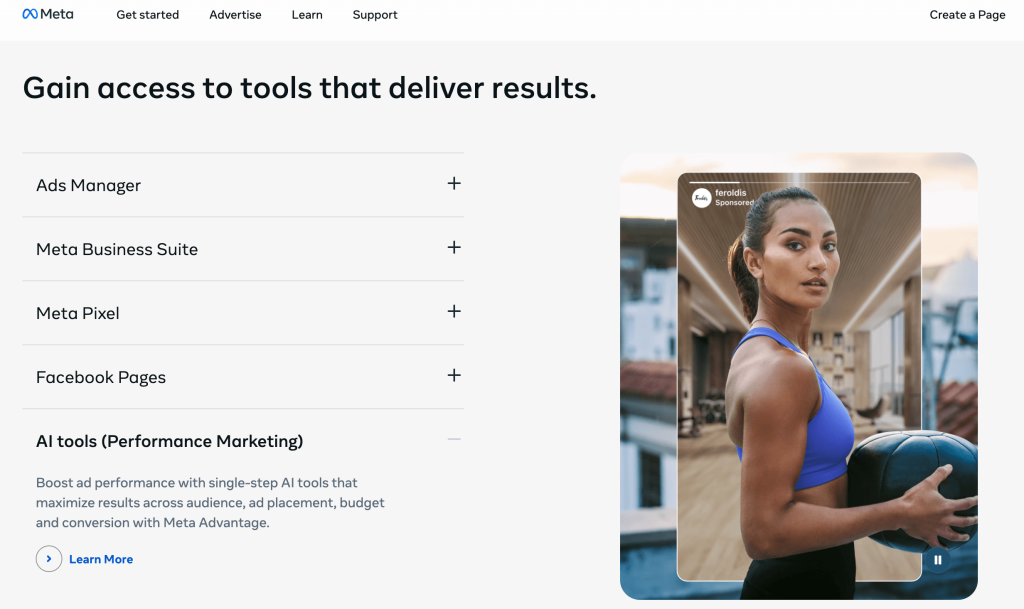
Managing multiple accounts or enterprise setups can lead to overwhelming dashboards and difficulties with exporting data.

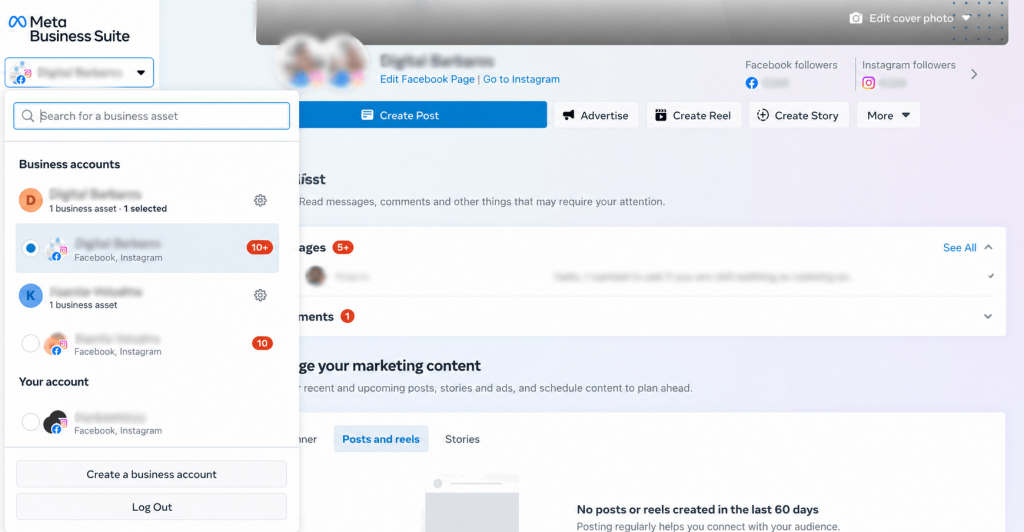
It’s still surprisingly hard to line up Facebook data with Instagram, TikTok, or Google Analytics. Stitching them together takes work.
That’s really where third-party tools earn their keep. They pull everything into one place and make it easier to act on — whether that means adjusting targeting, reallocating budget, or changing what you post.
What to Look for in the Best Facebook Analytics Tools
When you’re evaluating tools, don’t just stick with what Meta Business Suite gives you out of the box. It covers the basics, but you’ll hit limits pretty quickly.
Look for tools that:
- Generate reports automatically (so you’re not rebuilding them every week)
- Show more than surface metrics — things tied to conversions and ROI
- Let you compare your Facebook performance analytics against competitors
- Give you data you can actually use, not just numbers on a screen
At the same time, the “best” Facebook analytics software depends on your setup. A small team won’t need the same thing as an agency handling multiple clients.
Things that actually matter in practice:
- Easy interface (if it’s clunky, people won’t use it)
- Custom dashboards and reports
- Integrations with your existing tools and AI platforms (e.g. connect Facebook Ads to Claude)
- Collaboration features if you work in a team
- Access to historical data
- Support that responds when something breaks
- Pricing that makes sense for your scale.
All third-party tools depend on Meta’s API. That comes with trade-offs.
Some data just isn’t available, or it shows up differently compared to native reports. You might notice small gaps or mismatches. It’s not a bug; it’s a limitation of what Meta allows external tools to access.
Must-Have Facebook Analytics Tools for Smarter Reporting
We have compiled a list of Facebook analytics software covering specific aspects, grouped by their main functions.
Native Facebook Analytics Tools
Meta Business Suite and Ads Manager are still useful. They’re free, built into the platform, and good enough for:
- Basic page insights
- Scheduling posts
- Managing ads
They don’t require setup, which is a big plus if you’re just getting started. But once reporting gets more complex, or you need cross-channel data, you’ll probably outgrow them.
Meta Business Suite/Insights (formerly Facebook for Business)

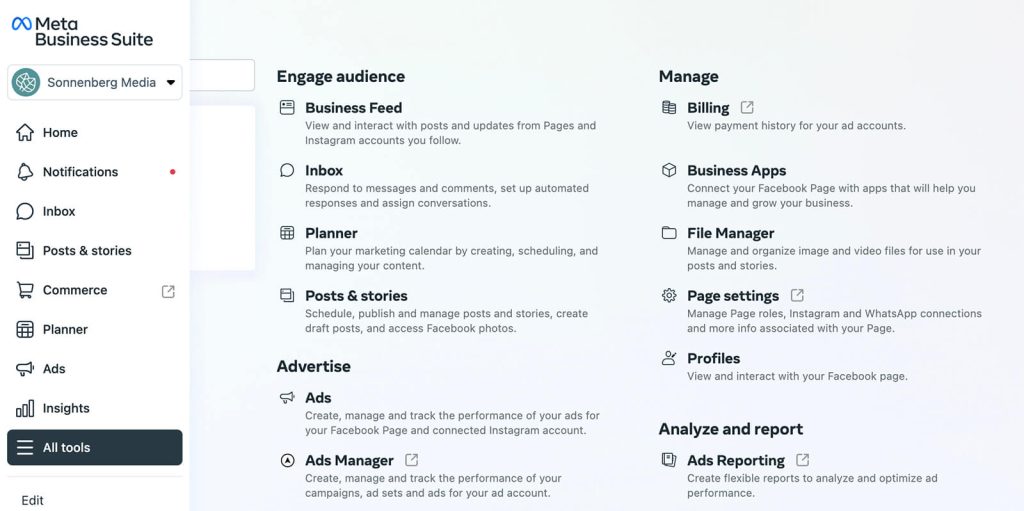
Meta provides a native tool for managing Facebook and Instagram Pages, including basic analytics, content scheduling, and unified inboxes. It’s designed for small- to medium-sized businesses looking to streamline operations across Meta platforms at no extra cost.
Key features:
- Content scheduling across Pages and Instagram
- Unified messaging inbox for Instagram and Messenger
- Page insights (reach, engagement, audience demographics)
- Role-based access
Best-match audience: Small to medium businesses, solo marketers, or agencies handling basic Meta Page management.
Pricing info: Completely free with no hidden charges; costs only apply to ad spend.
Facebook Ads Manager

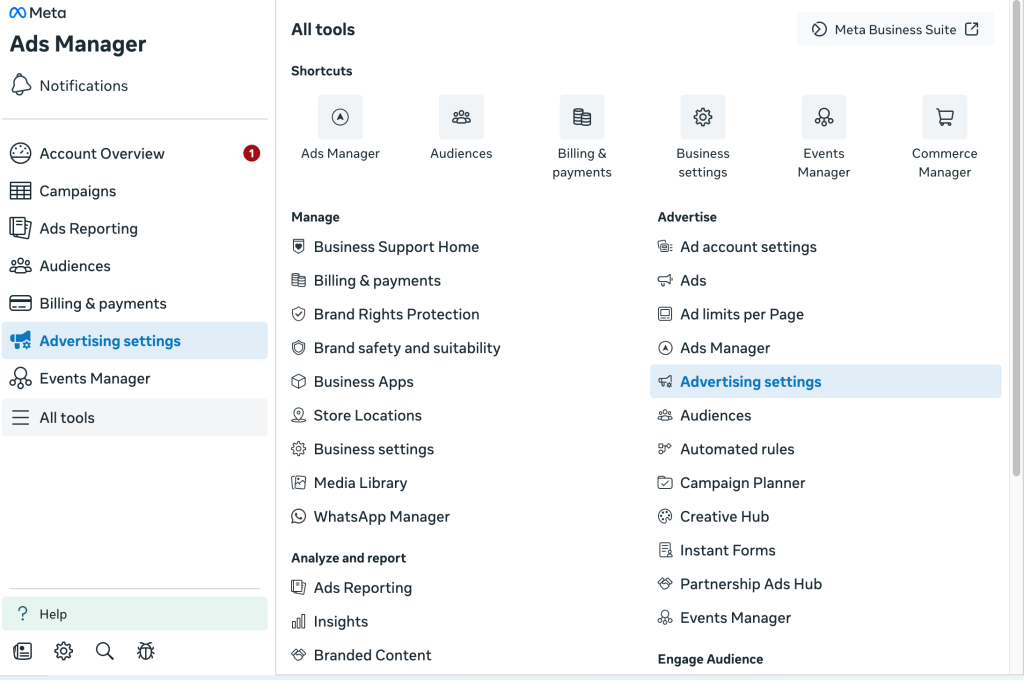
Facebook Ads Manager is the core platform for creating, managing, and optimizing ad campaigns across Meta properties. It supports detailed audience targeting with flexible campaign structures for objectives like awareness, traffic, or conversions.
Key features:
- Campaign creation with specific objectives
- Advanced audience targeting (demographics, interests, behaviors)
- A/B testing and dynamic creative optimization
- Automated rules for pausing/scaling ads
Best-match audience: Digital marketers, e-commerce brands, and agencies running paid social campaigns.
Pricing info: Free; costs only apply to ad spend based on auction model (e.g., $0.50–$3.77 CPC in 2026).
Facebook Ads Analytics, Reporting & Data Visualization Tools
These tools help you bring Facebook data together with other marketing channels and turn it into clear, actionable insights. Instead of juggling dashboards, you can build polished reports and quickly spot what needs to change, whether that’s testing new ad variations, reallocating budget from underperforming ad sets, or refining your audience targeting to avoid wasted impressions.
Coupler.io

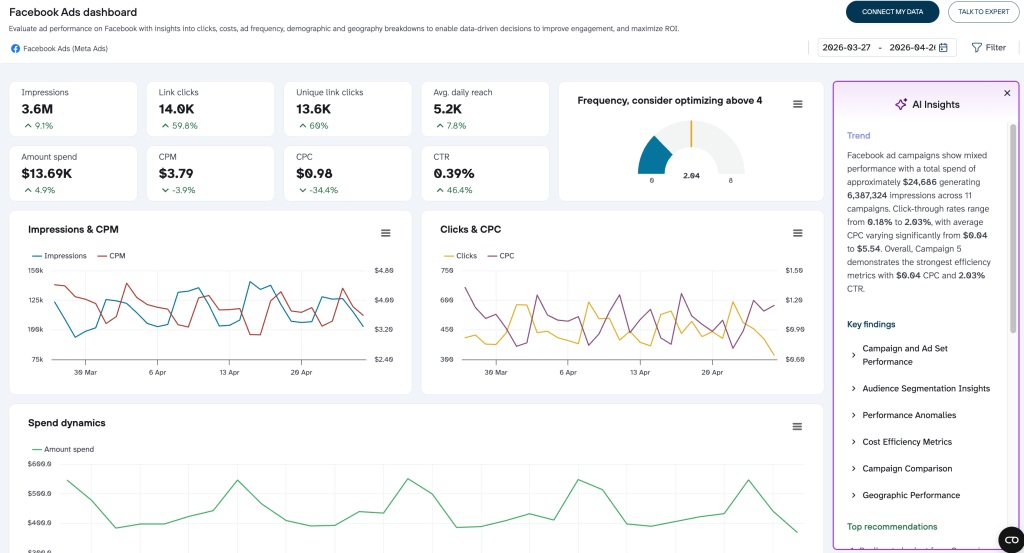
Coupler.io automates data imports from Facebook Ads into spreadsheets or BI tools. It enables scheduled refreshes, transformations, and saves hours on data preparation for actionable insights. Its no-code interface makes connecting multiple sources straightforward. It also allows you to analyze Facebook Ads performance with AI, helping you make smarter, data-driven decisions.
Key features:
- Automated data imports from 400+ sources
- Data transformations and data stitching
- Exports to Sheets, Excel, BigQuery
- Pre-built AI integrations with Claude, ChatGPT, Cursor, and other AI agents
- AI agent: a feature to ask questions about your data flows directly in the app
Best-match audience: Data analysts, marketers, business owners, or teams needing an automated Facebook reporting tool.
Pricing info: Free forever plan; Starter $24/mo, Active $99/mo, Pro $199/mo (annual discounts available).
Google Data Studio (Formerly Looker Studio)

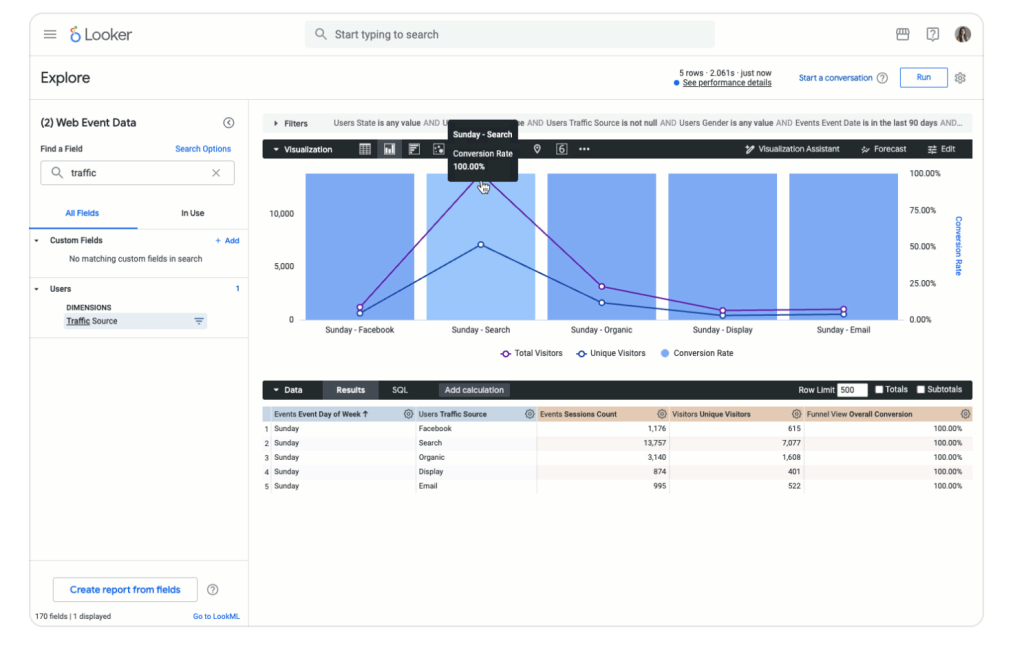
Data Studio is a free BI tool for visualizing data through connectors (third-party connectors may add cost), creating interactive dashboards. It excels at blending Meta insights with Google Analytics for comprehensive views. Its intuitive drag-and-drop design empowers marketers without coding skills, though initial setup does take some time.
Key features:
- Drag-and-drop dashboard creation
- 20+ free Google connectors
- Custom charts, filters, and interactivity
- Data blending from multiple sources
Best-match audience: Marketers integrating data with the Google ecosystem for visual reports.
Pricing info: Free core version; Pro (Project subscription) $9/user/project/mo for advanced features like scheduled deliveries.
Swydo

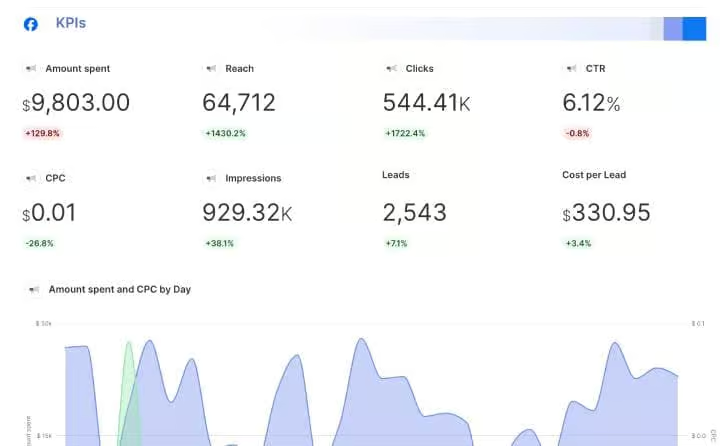
Swydo automates marketing reports by connecting Facebook Ads data to customizable dashboards viewable by clients. It pulls metrics from diverse sources without requiring any coding, supports customizable white-label templates, and scales efficiently with growing data volumes.
Key features:
- Automated data connectors
- Customizable white-label reports
- Client portals and scheduled delivery
- Data blending and widgets
Best-match audience: Agencies reporting to multiple clients across ad platforms.
Pricing info: $69/mo base (10 sources incl.); +$4.50/source (11–100). 14-day free trial.
All-in-One Social Media Analytics Platforms
These tools spot patterns in top-performing posts, optimal posting times, and audience behavior across all relevant social media platforms.
Social Champ

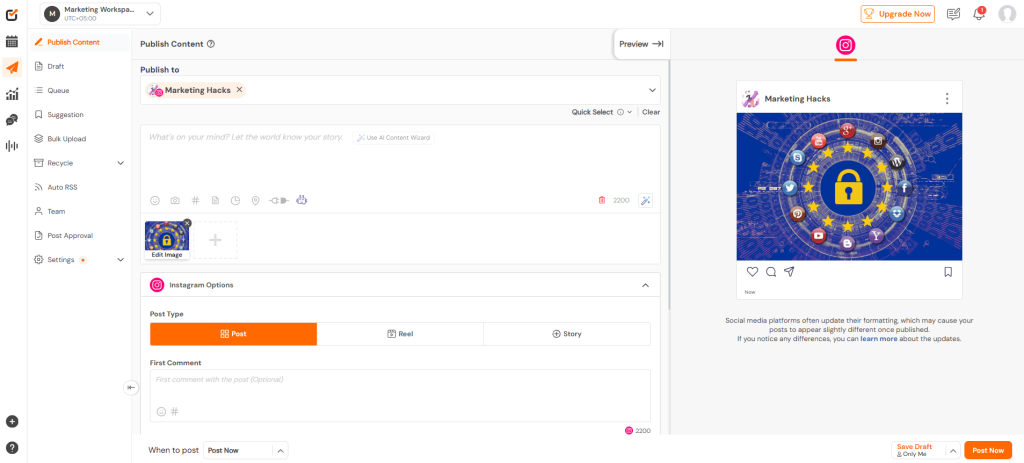
Social Champ is an all-in-one social media management and analytics platform that helps teams schedule content, track performance, and manage engagement across multiple channels, including Facebook. It combines publishing, analytics, social listening, and collaboration tools in a single dashboard, making it easier to monitor campaigns and respond to audience interactions without switching between tools.
Key features:
- Visual content calendar with scheduling and automation
- Unified social inbox for comments and messages
- Cross-platform analytics and competitor tracking
- Social listening for brand mentions and trends
- Team collaboration tools with AI-assisted content creation
Best-match audience: Small to medium-sized businesses and agencies managing multiple social accounts.
Pricing info: Free plan available; paid plans start from $4/month per profile or $23/month for bundled plans.
SocialBu

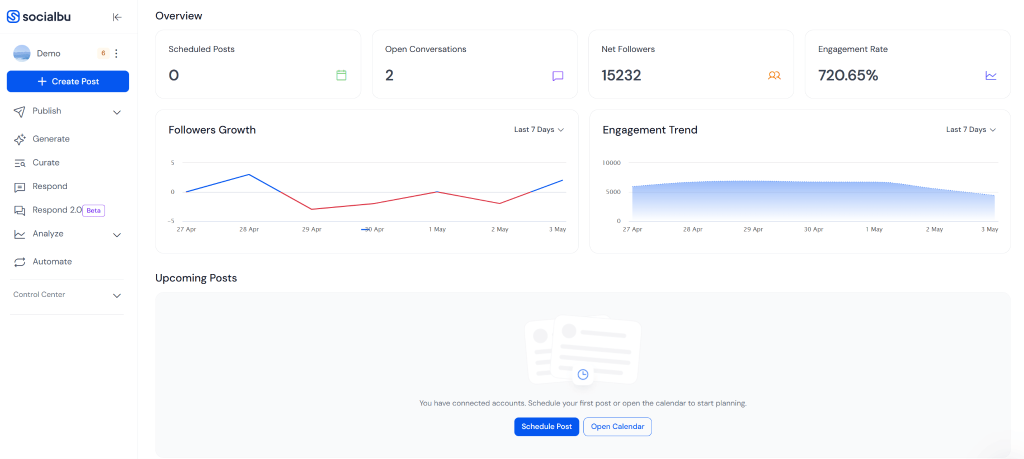
SocialBu is a social media management platform with built-in Facebook analytics and engagement tools. It helps businesses monitor page performance, track audience engagement, manage conversations, and automate reporting from a unified dashboard. The platform is designed for teams that need a simpler alternative to enterprise-level social media suites while still maintaining visibility across multiple Facebook accounts.
Key features:
- Facebook page and post performance tracking
- Analytics for engagement, reach, and audience growth
- Unified inbox for Facebook comments and messages
- Keyword and hashtag monitoring
- Automated reports with scheduled delivery
- Multi-account management from a single dashboard
Best-match audience: Small businesses, creators, and agencies looking for affordable social media scheduling, engagement tracking, and reporting tools.
Pricing info: Free plan available. Paid plans start at $19/month, with higher tiers at $59/month and $199/month. A 7-day free trial is included with paid plans.
Simplified

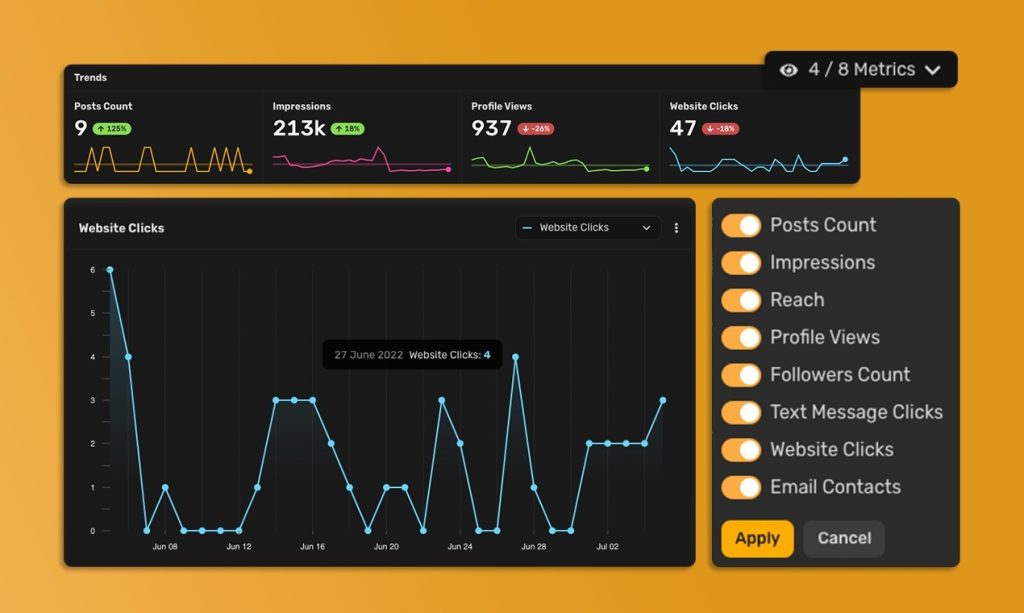
Simplified is an AI-powered social media management and analytics platform that helps businesses streamline content creation, scheduling, and Facebook performance tracking from one dashboard. With built-in AI tools, users can generate captions, visuals, and social posts faster while monitoring audience engagement and campaign insights. The platform also supports team collaboration, making it a strong fit for agencies, creators, and growing marketing teams.
Key features:
- Facebook page analytics and engagement tracking
- AI-powered content and caption generation
- Social media scheduling and publishing tools
- Team collaboration and approval workflows
- Multi-platform social media management dashboard
Best-match audience: Businesses, agencies, creators, and social media teams looking for an all-in-one Facebook analytics and content management solution.
Pricing info: Free plan available. Premium plans unlock advanced analytics, collaboration tools, AI features, and higher publishing limits for growing teams and businesses.
HubSpot Social Media Management

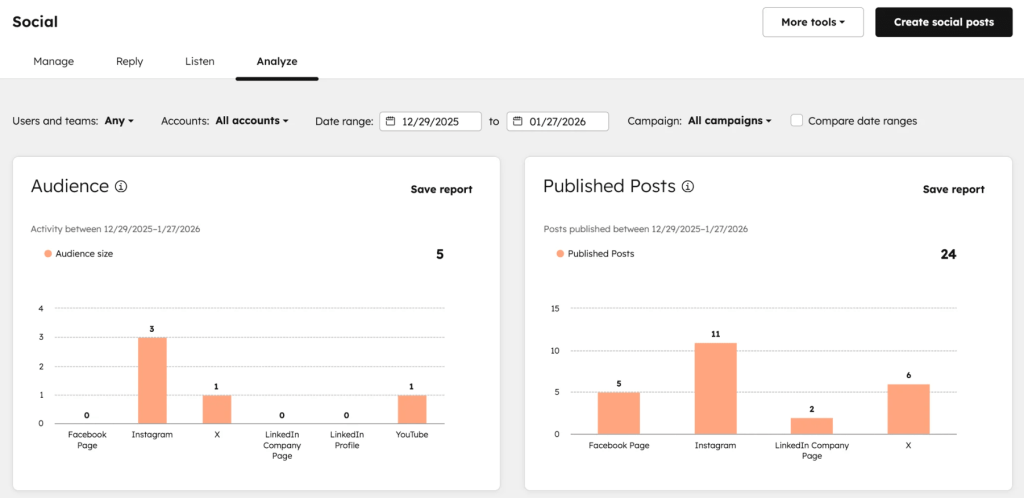
HubSpot’s social media management solution covers cross-network scheduling, listening, inbox management, and analytics. Plus, the platform is part of HubSpot Marketing Hub. That means you get to manage and analyze omnichannel campaigns spanning emails, organic search, and ad networks. As such, HubSpot’s omnichannel features allow you to measure precisely how social media performance impacts your overall marketing goals.
Key features:
- Social media performance support for Facebook, Instagram, X, LinkedIn, TikTok, and YouTube
- Social listening and inbox management capabilities across all supported networks, plus Reddit
- Native CRM integration for social sales and customer service teams
- Ideal posting time, content type, and post format suggestions
- Revenue attribution reports
Best-match audience: Large-scale businesses and agencies looking to centralize omnichannel marketing strategies into a single platform.
Pricing info: Marketing Hub Professional $800/mo (billed annually); Marketing Hub Enterprise $3,600/mo (billed annually)
Hootsuite

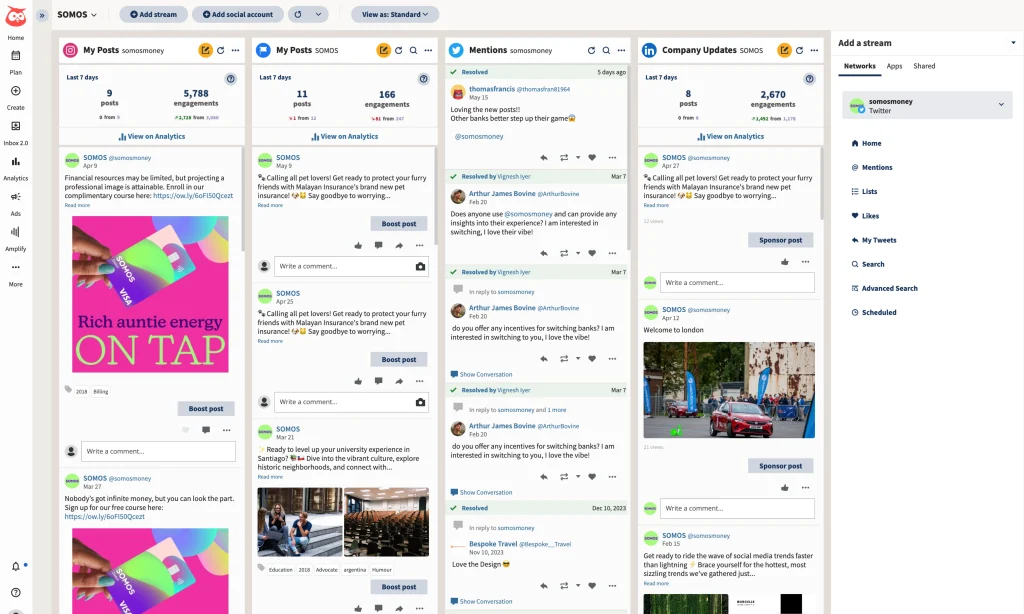
Hootsuite manages and analyzes social posts across multiple networks from one dashboard, with publishing, monitoring, and reporting features. It supports scheduling, engagement tracking, and team collaboration. Higher-tier plans also include AI tools for content creation and competitor benchmarking across up to 20 accounts.
Key features:
- Facebook, Instagram, LinkedIn, BlueSky, and X data in one place (inbox and monitoring)
- Detailed visual reports and performance heatmaps
- Content approval workflows
- AI content generation
Best-match audience: Agencies and medium teams handling 10+ social accounts across platforms.
Pricing info: Standard $99/user/mo (annual); Advanced $249/user/mo (annual). 25% annual discount; 30-day free trial.
Sprout Social

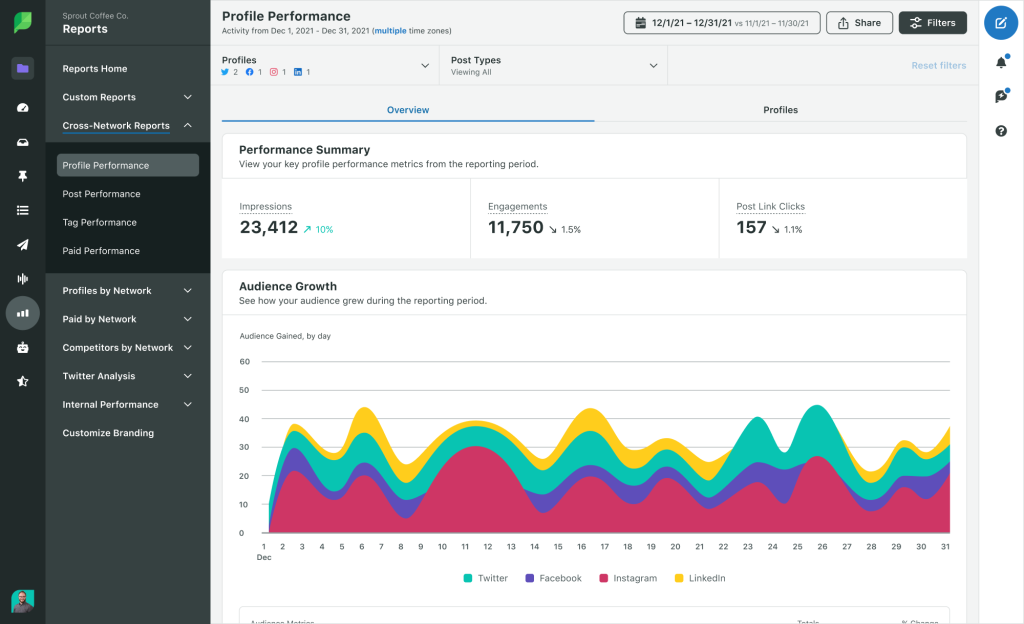
This social media analytics software combines scheduling, listening, engagement, analytics, and collaboration tools for teams that need deeper reporting and workflow support. It excels at crisis management through real-time monitoring.
Key features:
- Smart Inbox for message prioritization
- Advanced listening and sentiment analysis
- Custom reporting and ROI metrics
- Cross-channel analytics
Best-match audience: Growing businesses and enterprises needing team workflows and deep insights.
Pricing info: Standard $199/user/mo; Professional $299/user/mo; Advanced $399/user/mo (billed annually). Custom Enterprise plan. A 30-day free trial is available.
Competitor & Benchmarking Analytics Tools
These Facebook analytics tools are used to systematically evaluate your brand’s performance against rivals and industry standards. They allow you to set realistic KPIs, spot “content gaps” or decide whether to scale or cut your own ad spend relative to market standards.
Vista Social

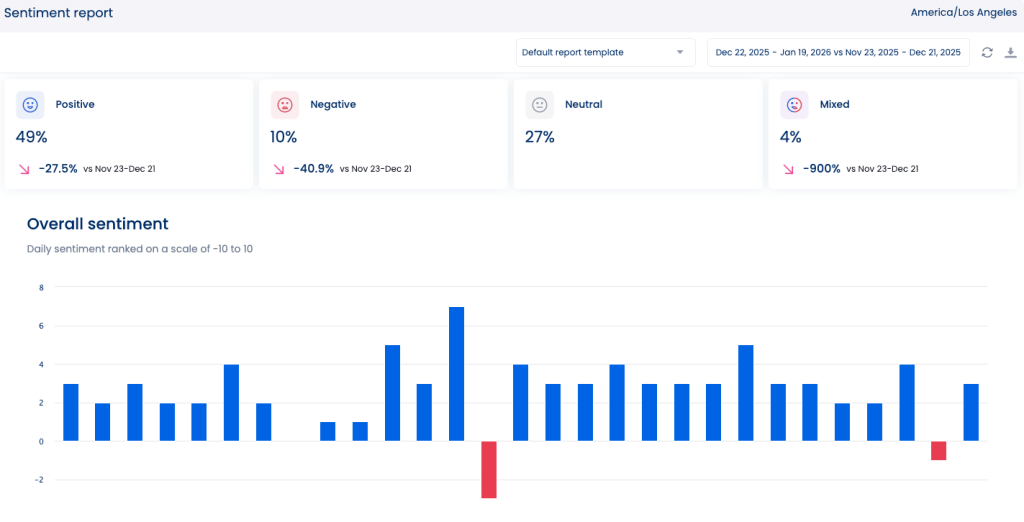
Vista Social is an AI-powered social media management platform with built-in Facebook analytics that track performance across paid and organic content from a single dashboard. It helps teams monitor engagement, benchmark competitors, and generate client-ready reports without manual data collection.
Key features:
- Facebook Page performance tracking (impressions, reach, audience growth)
- Competitor benchmarking across Facebook, Instagram, and X (Twitter)
- Post-level analytics to identify top-performing content
- AI-powered sentiment analysis for comments, messages, and mentions
- Customizable, white-label reports with automated scheduling and export options
Best-match audience: Agencies, social media managers, and marketing teams that need competitor benchmarking, sentiment analysis, and automated reporting alongside Facebook performance tracking.
Pricing info: Paid plans start at $79/month (Professional plan). Annual billing reduces the cost to approximately $63/month. A 14-day free trial is available.
Rival IQ

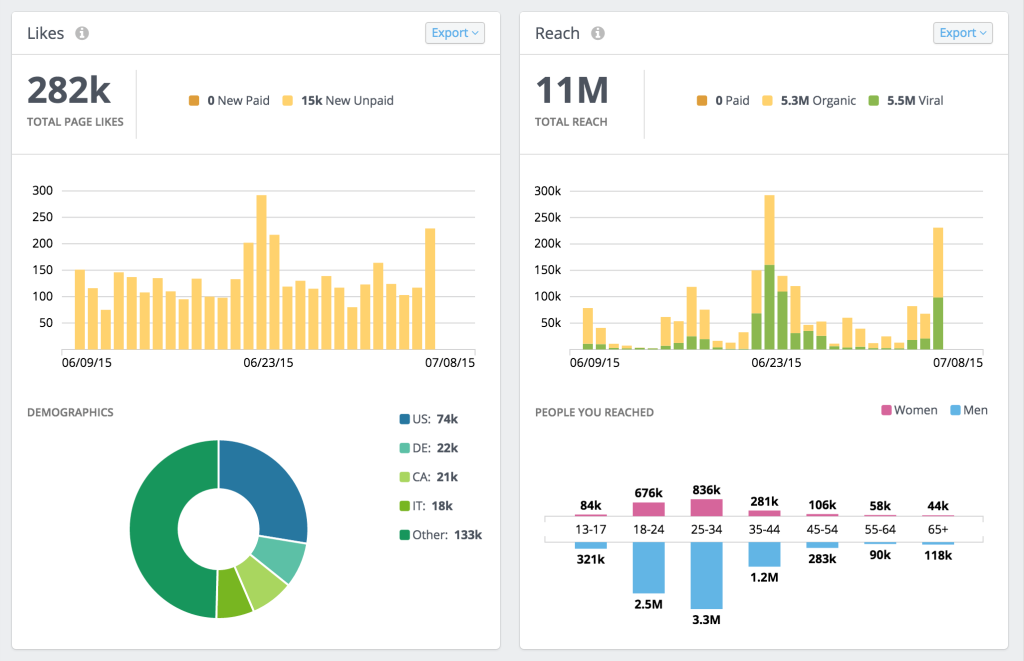
Rival IQ is a competitor analysis tool that helps monitor social performance, audience growth, and content benchmarks across brands.
It is useful for identifying what competitors are posting, how often they publish, and which content earns the strongest engagement.
Key features:
- Competitor tracking across major social platforms
- Content and posting frequency analysis
- Brand positioning comparison
- Benchmarking within your social media niche
Best-match audience: Marketing teams, agencies, and brands focused on competitive social intelligence.
Pricing info: Pricing varies by account size, reporting needs, and number of competitors tracked. Plans start at $239 per month. Free 14-day trial available.
Social Listening & Brand Monitoring Tools
These tools are about tracking and analyzing digital conversations to understand public perception of your brand, industry, and competitors.
Mentionlytics

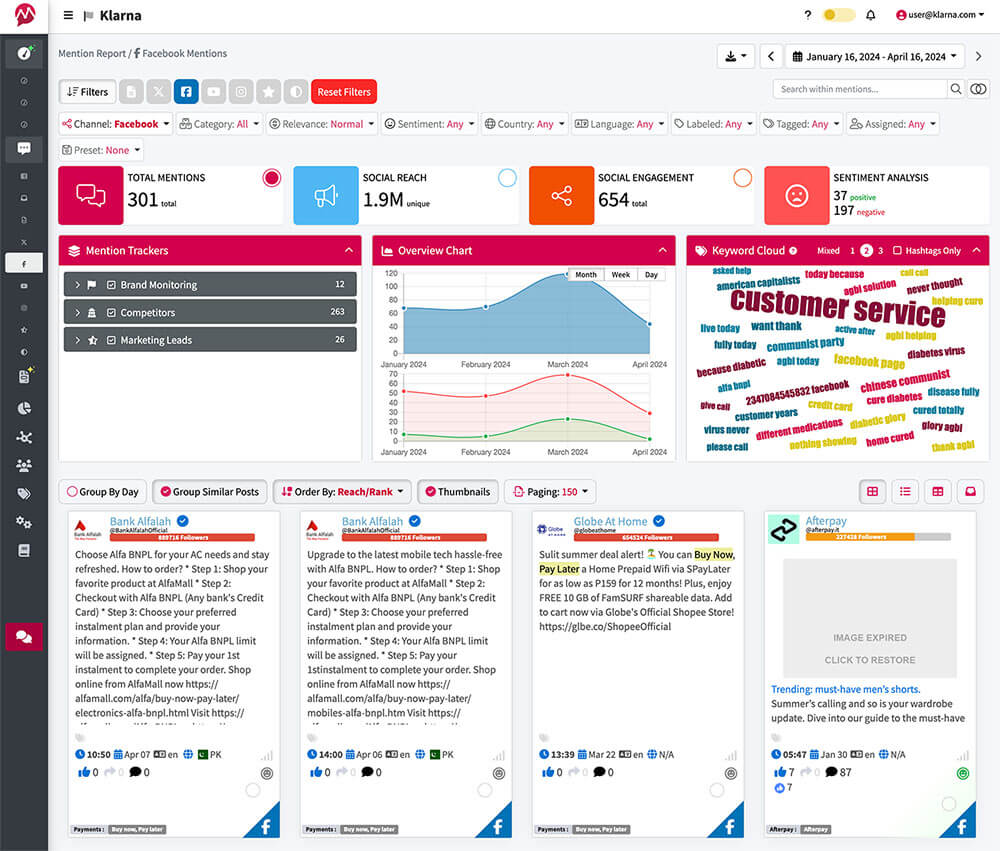
Mentionlytics is a social listening tool that tracks brand mentions, sentiment, and online conversations across web and social channels. The tool is useful for reputation management, campaign tracking, and discovering emerging topics.
Key features:
- Brand mention tracking (scans the entire web)
- Influencer identification
- Competitor mention alerts
- Keyword and topic monitoring
- Specific Facebook pages to track
Best-match audience: PR teams, marketing departments, and brands that need reputation monitoring.
Pricing info: Mentionlytics offers a range of pricing plans starting at $59 per month for their entry-level “Basic” tier. A free trial is available.
Comparison Table of Best Facebook Analytics Tools
| Tool | Best for | Key feature |
|---|---|---|
| Meta Business Suite / Insights | Small to medium businesses managing Meta Pages | Content scheduling, unified inbox, basic Page insights |
| Facebook Ads Manager | Digital marketers running paid campaigns | Advanced audience targeting, A/B testing, and real-time performance graphs |
| Coupler.io | Teams automating Facebook Ads reporting and cross-channel analytics | Automated Facebook Ads reporting with AI integrations and multi-source data blending |
| Data Studio | Marketers blending Facebook + Google data | Drag-and-drop interactive dashboards with data blending |
| Swydo | Marketers building automated reports | Customizable multi-channel reporting |
| Social Champ | SMBs and agencies managing multiple social channels | All-in-one dashboard combining scheduling, analytics, and social inbox |
| SocialBu | Small businesses and agencies managing engagement and reporting | Unified inbox with Facebook analytics and automated reporting |
| Simplified | Teams needing AI-powered social media management | AI content creation combined with Facebook analytics and scheduling |
| HubSpot Social Media Management | Teams managing omnichannel marketing campaigns that go beyond social media | Social media campaign scheduling, listening, inbox management, and analytics, plus omnichannel marketing automation features |
| Hootsuite | Teams managing multiple social channels | Unified publishing, monitoring, and reporting dashboard |
| Sprout Social | Teams needing advanced reporting and collaboration | Deep analytics with team workflow tools |
| Vista Social | Teams that need competitor benchmarking | Facebook Page performance tracking |
| Rival IQ | Marketers tracking rivals’ social activity | Cross-brand performance benchmarking |
| Mentionlytics | Brands tracking conversations and mentions | Social listening across the web and social |
How to Automate Facebook Reporting (Step-by-Step)
Want to reclaim your time? Automate your Facebook reports with the right tools, so you’re not manually rebuilding them every month or wrestling with APIs. This is precisely the strategy most agencies and professional marketers employ.
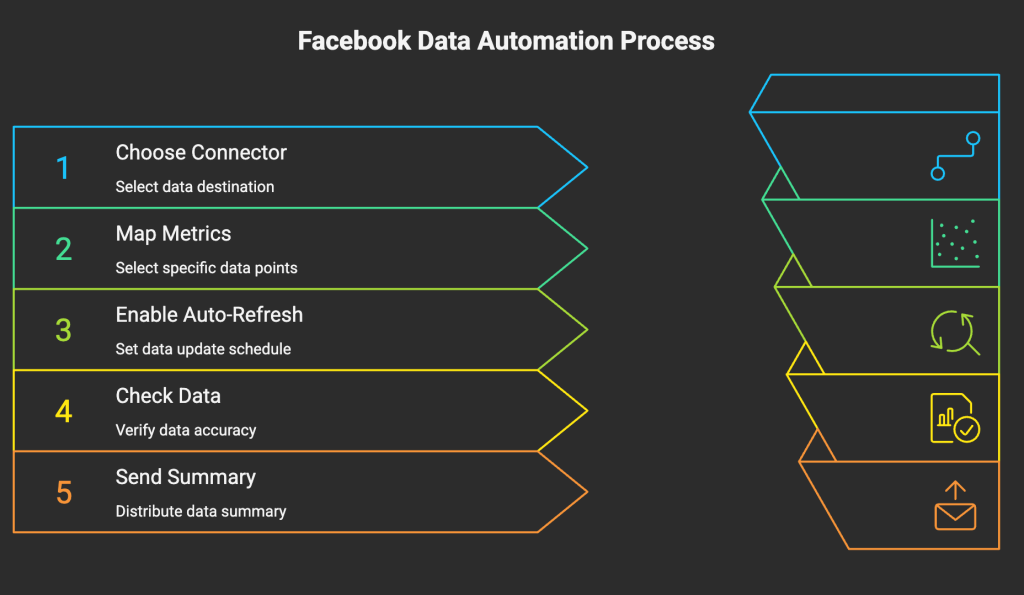
- Choose a connector and destination. For example, Facebook Ads to Google Sheets. Crucially, these connectors pull data directly through the official API, avoiding unreliable scraping.
- Map your metrics. Use a visual interface or pre-built template to select exactly which data points to pull (campaigns, ad sets, ads, metrics like spend, clicks, leads).
- Enable auto-refresh: Set a schedule (e.g., “Refresh every 24 hours”) so your spreadsheet or dashboard always stays current.
- Check. Once data is flowing in, make sure each row of imported data includes something you can map to a client (account ID, campaign naming convention, etc.)
- Plug into automation. Then you can use AI and tools like Make.com, Zapier, or N8N to send you (or your client) a summary in Gmail or Slack.

Common Facebook Analytics Challenges (and Solutions)
Facebook analytics in 2026 still has some annoying friction points. The data is scattered, reporting takes too long, and it’s not always clear what’s actually driving revenue. Fixing those issues isn’t complicated—but you do need the right setup.
1. Fragmented data
Your data sits in too many places — Meta Business Suite, Ads Manager, Events Manager, plus tools like Google Analytics. Getting a full picture usually means exporting files and stitching them together by hand.
Solution: Tools like Coupler.io can pull different sources into one dashboard. Once connected, they keep data updated automatically and let you see paid and organic performance side-by-side.

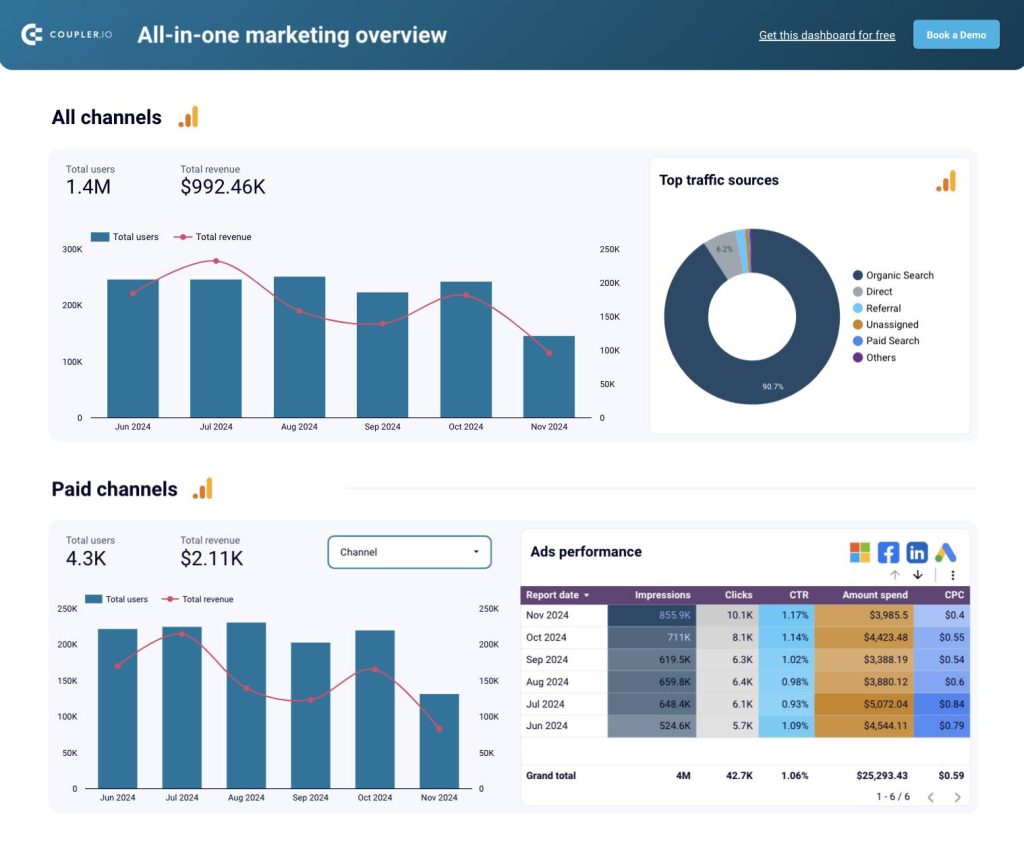
This view is vital for understanding the synergy and optimizing your overall Facebook presence.
2. Manual reporting
Monthly reports eat up time. Exporting CSVs, fixing formulas, building slides — it adds up fast, especially with multiple clients.
Solution: Platforms like Swydo or Hootsuite automate the process. You set up a template once, and the reports go out on schedule with fresh data already formatted.
3. Lack of useful insights
Facebook’s native dashboards show a lot of numbers, but not always the ones you need. Likes and reach are easy to find. What’s harder is figuring out what’s actually driving conversions or where you’re falling behind competitors.
Solution: Tools like Sprout Social dig deeper. They show performance patterns, compare you to competitors, and make it easier to spot what’s working (and what isn’t).
It’s much easier to explain results to clients once you clean this up. Reporting will stop taking up half your week. You’ll be able to adapt your campaigns faster because the data is already there. Just fewer spreadsheets, fewer manual steps, and clearer numbers when you need them.
Tips to Get More Insights from Facebook Data
Track meaningful KPIs. Those that directly tie to revenue and campaign efficiency, revealing which content or audiences convert best. Focus on measuring:
- brand awareness and reach
- audience engagement
- website referral traffic
- community growth within groups
- video performance
- efficiency of paid advertising campaigns.
Combine with other channels. Blend Facebook data with Google Analytics, Instagram Insights, or email metrics. This uncovers cross-channel attribution gaps, like how social drives website traffic or repeat purchases.
Use Dashboards. Interactive Facebook dashboard templates let you filter, drill down, and spot trends instantly.
Automate recurring reporting. Automation frees time for optimization while keeping stakeholders informed with consistent formats.
Benchmark performance monthly. Compare results across quarters or campaigns.
Refine your posting strategy. Share your posts when your audience is most active.
Final thoughts
Built-in tools cover the basics, and they’re free, but once you’re managing multiple campaigns (or clients), they start to feel limited. Third-party Facebook analytics tools let you compare performance against competitors and pull data from more channels. You also get clearer signals:
- Which campaigns are actually driving return on ad spend
- When your audience is most responsive
- What’s working and why
Brands that are most successful are not necessarily those with the largest teams or budgets. In fact, they are the ones who clearly see what’s happening, understand why it’s happening, and take action more quickly than others.