Coupler.io already has a few ways to get your data out. You can push it to a spreadsheet, a BI tool, or a data warehouse. You can expose it over MCP for an AI assistant to query. You can route it through our JSON destination into whatever consumes JSON.
But people kept asking for something simpler: direct, programmatic access from their own code. One request captured it well:
I want to build custom dashboards with Coupler.io. Using either MCP or a JSON destination is cumbersome. It would be great to query data via an API.
With this in mind, Coupler.io has released its public API.
What the Coupler.io public API does
Software that can’t be driven by other software is becoming the exception, not the rule. In 2026, if a tool doesn’t expose a usable API, it stops at its own UI, and most workflows don’t. That’s the shift the Coupler.io public API is built for.
The API exposes the same operations we already surface through MCP. However, you can call them directly from your own applications, scripts, or agents, without an LLM in the middle. In the first release, you can:
- Query data with SQL. Run SELECT statements on any dataset’s latest refresh and get back exactly the rows and aggregates your dashboard or app needs.
- Build and run data flows in code. Create data flows from any of 400+ sources, add SQL datasets that blend your data, connect destinations, set schedules, and trigger runs.
- Go from chat to code without rebuilding. Prototype a workflow with your AI assistant over MCP, then run it through the API with the same dataset context and AI skills.
That’s about 90–95% of what you can do with data flows in the Coupler.io UI. One thing you can’t do yet: connecting a new source account still needs a person in the loop to finish the OAuth handshake. The API can start the connection, but it can’t authorize a source on its own.

Try the Coupler.io public API right away
Get started for freeWhen to use the API vs. MCP vs. the JSON destination
The question of who uses APIs has changed, too. The actual caller isn’t a developer typing requests but an LLM or an agent, with a person coordinating it. Which means picking between MCP, the API, and the JSON destination is less about what the user can do and more about who’s in the loop when the call happens.
Different jobs, different tools.
MCP is useful when an AI assistant is doing the work. The model reads your data, decides what to do, and calls the right operation. Good for exploration and one-off questions where you want the model to figure things out.
The JSON destination is useful when Coupler.io should push data on a schedule to something waiting for it. Good when the consumer is a system you control that just needs a fresh payload at a known endpoint.
The API is useful when your code does the work and you know what you want. No LLM at execution time, no inference cost, no model drift between runs. You call it, and it does the same thing every time.
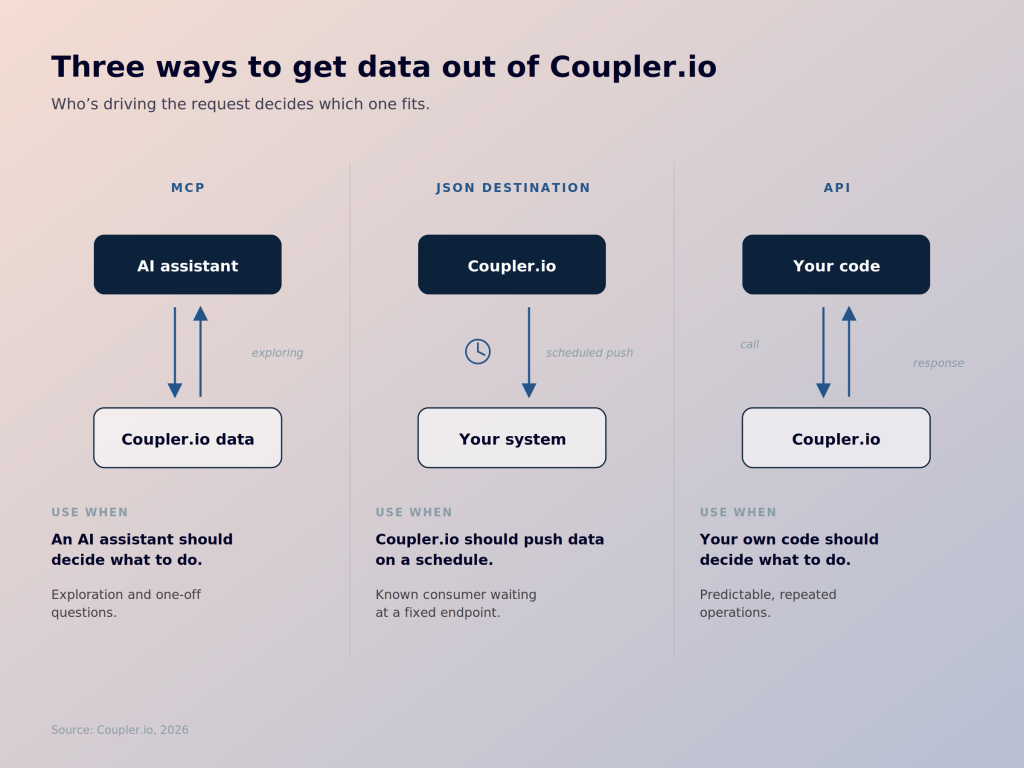
MCP and the API share the underlying surface, so a common pattern is to prototype a workflow through an AI assistant over MCP, then move it to the API once you know what it should do.
What you can build with Coupler.io API
Three use cases are worth calling out, because they’re the ones we hear about most.
Custom dashboards with your own design
This is the most immediate use case, and the one the customer quote above was about. Teams want to keep data preparation and refresh in Coupler.io, but render the dashboards themselves in their own tooling, with their own branding.
Until now, the options have been a bit awkward. MCP works well for AI-driven analysis but isn’t really built for a dashboard that renders on a schedule. The JSON destination works, but puts more plumbing between Coupler.io and the dashboard than most teams want to maintain.
With the API, the pattern is simpler: the dashboard calls Coupler.io directly when it needs data. Any framework that can consume data from an HTTP endpoint fits: open-source dashboarding tools like Evidence, API app builders like Lovable or v0, custom React or Vue apps, internal reporting portals, whatever your team already builds with.
A few things this makes possible:
- Your own design system. No template constraints. If a client or stakeholder wants a specific layout, color palette, or set of reporting elements, you build it that way.
- Dashboards as code. Several modern dashboarding frameworks define the dashboard in Markdown, YAML, or component code. That means dashboard logic can live in version control alongside everything else, and an AI coding assistant can read it, edit it, or scaffold new variations.
- Dashboards tailored to the audience. Executives, operators, and external stakeholders all need different views of the same data. With your rendering layer under your control, you can ship a dashboard that fits each audience instead of forcing them all into one template.
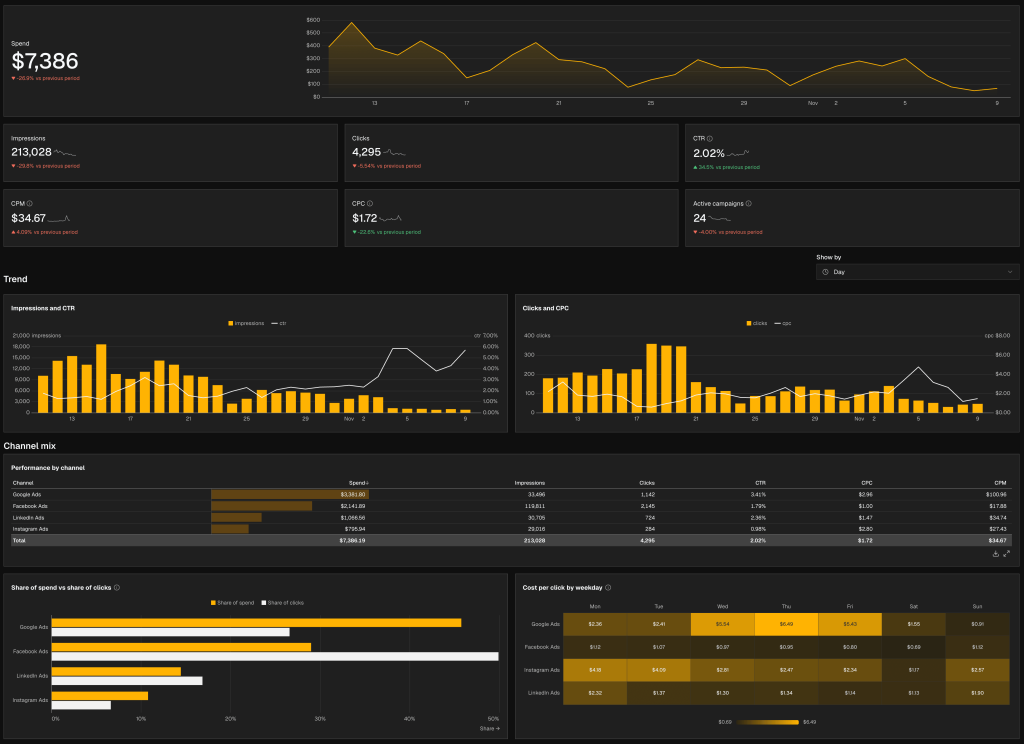
Here is an example of Coupler.io PPC multichannel dashboard recreated in Evidence using the API and styled for one of our clients.
Reporting setup for new clients, triggered from your CRM
You probably have to repeat the same setup every time when a new client lands or a new business unit is added. Connect these four sources, apply these transformations, and write to this database.
With the API, you can trigger that setup from wherever the signal lives. A CRM status flips to “client onboarded,” a workflow engine (n8n, Zapier, Make, whatever you already use) fires, and a predefined set of Coupler.io data flows gets created from your templates against the new client’s accounts. Someone still has to click through the OAuth handshakes for each source, but the data flow scaffolding is ready to go when they do.
Data flow monitoring in your existing ops stack
If you already have monitoring or alerting set up in Slack, PagerDuty, a status page, a ticketing system, the API lets Coupler.io fit into it. A short script polls data flow statuses on a schedule and surfaces failures where your team actually looks. Reporting becomes just another thing your ops workflow keeps an eye on, rather than a separate tab someone has to remember to check.
Start building
The API is live now. If you’re an owner or admin on your Coupler.io workspace, open your profile, generate a personal access token, and pass it with your requests.
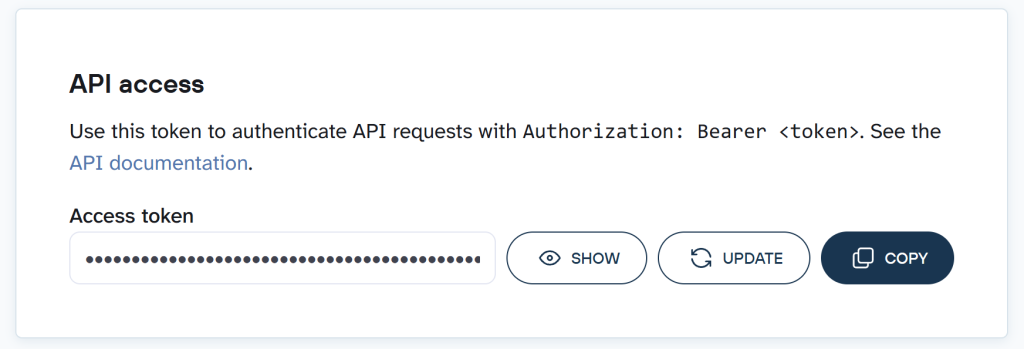
That’s the whole setup described in the Coupler.io API documentation.
From there, what you build is up to you. A dashboard in your own tooling, matching a client’s brand down to the last pixel. A workflow that spins up data flows from templates the moment a new client lands in your CRM. A script that watches flow statuses and pings your team on Slack when something breaks. Something none of us have thought of yet.
And the barrier for building any of this is lower than it’s ever been. Claude Code, Codex, Cursor, and the rest can read our documentation and write the integration for you. You don’t need an engineer on the team to turn the API into something useful. All you need is an idea and a few minutes with an AI assistant.
Automate your reporting with Coupler.io
Get started for free