Supermetrics pricing math gets expensive fast. The headline plan prices look reasonable, but your bill climbs every time you add a destination, user, source, or ad account. Pricing also varies between US and EU regions.
Let me walk you through how Supermetrics pricing works in 2026. I’ll show where add-ons quietly multiply your costs and compare it with Coupler.io, a Supermetrics alternative with account-based billing that avoids most of the destination-based math.
Supermetrics pricing – how good or bad is it?
Supermetrics focuses on sending data from marketing platforms to a chosen destination. Supermetrics Studio dashboards and MCP access for AI tools come bundled on top.
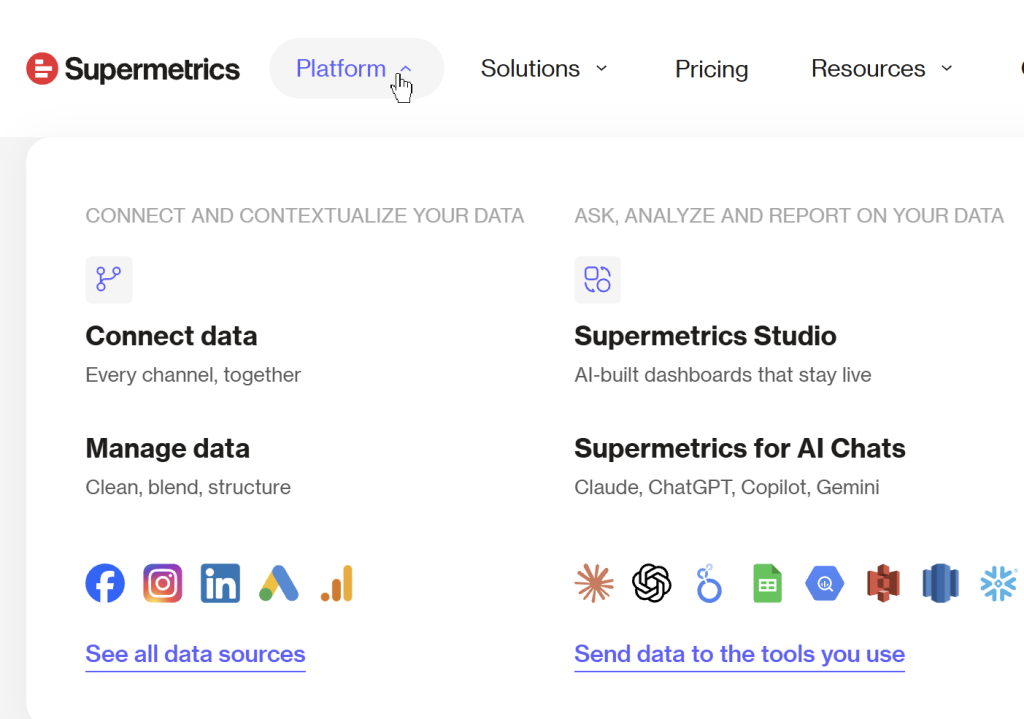
Other features include data transformations (Enterprise only), automated reporting, and Supermetrics Studio for AI-built dashboards. Your monthly cost depends on how many destinations, data sources, user seats, and ad accounts you connect.
Let’s look at a common use case: a solo marketer who wants to visualize marketing data in Data Studio (formerly Looker Studio).
The cheapest plan, Starter, costs $44 per month when billed annually (US pricing). It covers only three data sources of your choice and one destination – in this case, Data Studio. At the same time, EU-based users get only 2 data sources for €39 per month.
For many solo marketers or small teams starting out, this setup works fine. You connect your Facebook Ads, Google Ads, and Google Analytics to Data Studio, and you’re done.
Things get tricky when your reporting needs grow. For example, you want to add Google Sheets as a destination to share your report with your team or connect the ad performance data to Claude for conversational analysis. Starter lets you add up to two extra destinations at +$49 per month each. So, three destinations cost $44 + $49 + $49 = $142 per month.
Many users logically consider that for more than 3 destinations, they’d need to upgrade to the Growth plan. But it still includes only one core destination and lets you add only two extra destinations for 149 each. The main difference from the Starter plan is access to 6 data sources. The total cost for the Growth plan, which starts at $177 per month, and two extra destinations on Growth is $177 + $149 + $149 = $475 per month.
At both Starter and Growth tiers, you’re limited to one of seven core destination options: Google Data Studio (Looker Studio), Google Sheets, Microsoft Excel, Power BI, ChatGPT, Claude, and Copilot.
If you need more than 3 destinations or want to load data to Snowflake or BigQuery, you have to subscribe to the Enterprise plan with custom pricing.
Beyond destinations, extra users, data sources, and ad accounts have separate charges. The pricing structure rewards staying small and adds cost for every account or seat you connect. There’s also a regional twist.
Supermetrics regional pricing: USA vs EU
Supermetrics shows different pricing to US and EU customers. Each region gets a different mix of included sources and accounts at the same tier. The Pro plan that previously sat between Growth and Enterprise (around €399/month in the EU) is no longer offered. Teams that need more than Growth now jump straight to Enterprise.
Supermetrics Starter plan comparison between US and EU
| Feature | US | EU |
|---|---|---|
| Price (annually) | $44/month | €39/month |
| Data sources | 3 of your choice | 2 of your choice |
| Accounts per data source | 3 | 2 |
| Users | 1 | 1 |
| Core destination | 1 | 1 |
| Supermetrics Studio AI credits | 4,000/month | 4,000/month |
At Starter, US customers get more capacity. You can connect three data sources with three accounts each, versus two sources with two accounts each in the EU.
Supermetrics Growth plan comparison between US and EU
| Feature | US | EU |
|---|---|---|
| Price (annually) | $177/month | €159/month |
| Data sources | 6 of your choice | 7 of your choice |
| Accounts per data source | 7 | 7 |
| Users | 2 | 2 |
| Core destination | 1 | 1 |
| Supermetrics Studio AI credits | 12,000/month | 12,000/month |
At Growth, the pattern flips. EU customers get one more source for roughly the same price. A US customer who wants to match the EU allowance of seven sources has to pay $177 + $37 = $214/month, so about $30 more than EU customers for the same setup.
All plans listed use annual billing. Supermetrics advertises a 20% saving when you choose annual billing over monthly.
Supermetrics pricing pros and cons
Although Supermetrics pricing is a little complicated, it has both advantages and significant drawbacks, depending on your team size and budget. Here are the key pros and cons you need to know.
| What is good | What is not good |
|---|---|
| Extensive marketing data source library | Destination-based pricing with separate add-ons for everything |
| AI destinations (Claude, ChatGPT, Copilot) included on all plans | Costs escalate rapidly when adding destinations, users, or sources |
| Supermetrics Studio with AI credits bundled | No Pro tier anymore, so the jump from Growth to Enterprise is steep |
| Custom Enterprise option with data warehouses | Data warehouses and data transformations are Enterprise only |
The bottom line: Supermetrics works for teams whose workflow fits one destination plus a handful of marketing sources, or for large enterprises that need custom features. However, for teams that need multiple destinations, many users, or a mix of marketing and non-marketing sources, the pricing structure creates several challenges:
- Each extra destination, user, source, or ad account is a separate charge
- Data warehouses (BigQuery, Snowflake, Redshift) require the Enterprise plan
- There’s no mid-tier between Growth ($177) and Enterprise (custom)
If Supermetrics pricing feels too expensive or intricate, Coupler.io offers a different approach with similar coverage and no destination-based add-ons.
Coupler.io: The Supermetrics alternative with better pricing
Coupler.io is an all-in-one data integration and AI analytics platform. It lets you collect data from business apps, organize it in data sets, and load it to:
- Spreadsheet apps – Google Sheets, Microsoft Excel
- BI tools – Data Studio, Power BI, Tableau, Qlik
- Data warehouses – BigQuery, Snowflake, PostgreSQL, Supabase, Amazon Redshift
- AI tools & agents – Claude, ChatGPT, Gemini, Copilot, Cursor, Perplexity, OpenClaw, and Custom MCP
- Other destinations like monday.com, JSON, CSV
- Predesigned dashboards in Coupler.io, Data Studio, Power BI, Google Sheets, and Tableau
Does it support most of the data sources you can get with Supermetrics? Absolutely! Coupler.io provides connections to 400+ apps and tools, including Facebook Ads, Airtable, HubSpot, LinkedIn Ads, GA4, Shopify, and more.

For automated reporting and analytics, Coupler.io offers the following capabilities:
- Automatic data refresh on a custom schedule, up to every 15 minutes
- Data transformations to filter, sort, join, append, aggregate, create calculated columns, and run custom SQL queries
- Data set and dashboard templates (230+ dashboards) to get data analysis-ready quickly
- Coupler AI, including AI Agent and AI Integrations through MCP to manage data flows and analyze your data
- Automations on Pro and Custom plans
Unlike Supermetrics’ destination-focused pricing with regional differentiation, Coupler.io uses account-based billing with the same price globally.
Here’s a side-by-side comparison of plan tiers between Supermetrics and Coupler.io.
| Plan level | Supermetrics | Coupler.io |
|---|---|---|
| Entry-level plan | Starter – $44/month | Starter – $24/month |
| Mid-level plan | Growth – $177/month | Active – $99/month |
| Pro-level plan | Discontinued in 2026 (previously Pro – €399/month, EU only) | Pro – $199/month |
| Business plan | Enterprise (custom) | Custom + separate solutions for Agencies and Enterprises |
Supermetrics removed its Pro tier earlier in 2026, which leaves a gap between Growth and Enterprise with no mid-market option. Coupler.io’s Pro tier at $199/month fills that gap with unlimited destinations and hourly refresh.
From a billing standpoint, Coupler.io has lower list prices than Supermetrics on the published tiers. The real difference, though, comes from what each plan includes without add-ons. Let’s compare specific use cases.
Real-world cost comparisons: Supermetrics vs Coupler.io
Scenario 1: Solo marketer or small business owner with multiple destinations
| Requirements | Supermetrics Cost | Coupler.io Cost | Verdict | |
| Setup | • 1 user • 2 data sources • 3 destinations | Starter: $44/month Extra destination #1: +$49/month Extra destination #2: +$49/month Total: $142/month | Active: $99/month (Includes unlimited users, 15 accounts, 3 destinations, unlimited sources) | ✅ Coupler.io Saves $43/month ($516/year) |
Why Coupler.io: Supermetrics Starter technically supports three destinations once you pay for both add-ons. However, you’re still limited to three data sources with three accounts each. Coupler.io Active includes three destinations plus 15 accounts and unlimited sources at a lower price.
Scenario 2: Small marketing team
| Requirements | Supermetrics Cost | Coupler.io Cost | Verdict | |
| Setup | • 5 users • 10 data sources • 2 destinations | Growth: $177/month Extra destination: +$149/month 3 extra users: +$297/month 4 extra sources: +$148/month Total: $771/month | Active: $99/month (Includes unlimited users, unlimited sources, 3 destinations) | ✅ Coupler.io Saves $672/month ($8,064/year) |
Why Coupler.io: No per-user charges, no per-source charges, no destination add-ons. The Active plan covers the full team setup at one flat price.
Scenario 3: Marketing analyst with team (warehouse required)
| Requirements | Supermetrics Cost | Coupler.io Cost | Verdict | |
| Setup | • 15 users • 25 data sources • 4 destinations (BI + warehouse) | Enterprise – custom quote required Estimated: $800-1,400/month | Pro: $199/month (Includes unlimited users, unlimited sources, unlimited destinations, hourly refresh) | ✅ Coupler.io Saves approximately $600-1,200/month ($7,200-14,400/year) |
Why Coupler.io: Supermetrics requires an Enterprise sales conversation once you need data warehouse destinations like BigQuery or Snowflake. Coupler.io’s Pro plan includes warehouses, hourly refresh, and unlimited destinations at a published $199/month, with no quote needed.
Scenario 4: Large marketing agency
| Requirements | Supermetrics Cost | Coupler.io Cost | Verdict | |
| Setup | • 50+ users • 50+ data sources • 6+ destinations | Enterprise – custom quote required | Agency & Enterprise – custom quote required | Check out yourself |
Why consider Coupler.io: Both platforms quote agencies individually. The practical difference is that the Coupler.io team will match your current Supermetrics setup and come back with a lower price, so the comparison is concrete rather than theoretical. Coupler.io also runs a claim a competitor's offer, get a 50% price cut promotion for new customers switching from a competitor.

Get a tailored Coupler.io quote for your setup
Book a callThe pattern across these scenarios is that Coupler.io can be substantially cheaper when your setup needs multiple users, sources, or destinations. The reason is that those extras don’t generate the same combination of add-on charges. For setups that fit within Supermetrics Starter’s included allowances (one destination, three sources, one user), the gap is smaller.
Coupler.io’s advantages for growing teams:
- No per-user charges on Active and Pro plans
- No per-source charges, with all 400+ sources available on every plan
- No per-destination charges on the Pro plan
- Same pricing globally, no regional differences
- Transparent scaling as your needs grow
With Coupler.io’s account-based billing, you pay for the number of connected accounts, not for destinations, users, or sources. This makes budgeting more predictable.
Here’s the breakdown of the Coupler.io pricing:
| Pricing plan | Price per month | Users | Accounts | Data destinations | Rows per run | Schedule |
| Free | $0 | 1 | 1 | 1 | 100 | Manual |
| Starter | $24 (billed annually) | 1 | 3 | 1 | 5,000 | Every day |
| Active | $99 (billed annually) | Unlimited | 15 | 3 | Unlimited | Every day |
| Pro | $199 (billed annually) | Unlimited | 50 | Unlimited | Unlimited | Every hour |
| Custom | Custom pricing | Unlimited | Custom | Unlimited | Unlimited | Every 15 minutes |
Additional accounts can be added to Active and Pro plans for $4.49/account. All 400+ data sources are available on every plan. Annual billing saves 25%. Organizations are available from Starter upward. For dedicated Agency and Enterprise solutions, Coupler.io also offers separate plans with features like personal account manager, SSO SAML, Enterprise SLA, and guided onboarding.
How to switch from Supermetrics to Coupler.io
The short answer: Most teams migrate from Supermetrics in 1-2 weeks, depending on the setup complexity and number of reports. Here are the estimates for a typical migration from Supermetrics to Coupler.io
- 1–5 reports: half a day to 2 days
- 5–10 reports: 2–5 days
- 10–20 reports: 1–2 weeks
- 20+ reports: 3–4+ weeks
You can’t directly migrate existing configurations, but Coupler.io’s templates and setup flow make recreating data flows straightforward.
What you need to know about migration
Data flows need to be recreated. Supermetrics and Coupler.io use different architectures. Most data flows take 5–10 minutes to configure in Coupler.io.
Your historical data stays in your destinations. All your existing data in Google Sheets, Data Studio, BigQuery, or other destinations remains intact. You’re only changing how new data flows in.
You can run both platforms in parallel. Keep Supermetrics running while you set up Coupler.io, verify the data matches, then switch over without gaps.
Free setup assistance is included. The Coupler.io team offers free help to migrate from Supermetrics and will match your current Supermetrics quote within 24 hours.
Templates accelerate setup. Coupler.io offers 100+ pre-built data set templates and 230+ dashboard templates for common use cases (PPC, social media, ecommerce, finance). You start with a template and customize it.
Step-by-step migration process
- Audit your current setup – List all Supermetrics data flows, sources, and destinations
- Create a Coupler.io account – Select the appropriate subscription plan based on the audit results.
- Recreate your most critical data flows first – Focus on 2-3 key flows to validate the platform
- Schedule your automation – Set your refresh schedule (daily, hourly, or 15-minute).
- Verify and cut the cord – Run both tools side by side to confirm data matches, then deactivate Supermetrics.
The Coupler.io team provides several migration resources:
- Help center – Comprehensive guides and tutorials
- Email support – Get help directly from the team
- Book a demo – Get a personalized walkthrough
- Guided onboarding – Available on Custom, Agency, and Enterprise plans
Review your Supermetrics switch plan with Coupler.io
Book a demoSupermetrics pricing overview
Supermetrics’ pricing isn’t exactly simple, and costs can add up quickly, especially with multiple destinations, accounts, or data sources.
You’ve seen the high-level comparison. Let’s break down exactly how Supermetrics pricing works and what you’ll actually pay.
Supermetrics pricing plans
Supermetrics has three publicly available pricing tiers: Starter, Growth, and Enterprise. All plans include access to Supermetrics Studio dashboards with monthly AI credits and MCP access for AI tools. The 7 core destinations are Claude, ChatGPT, Microsoft Copilot, Google Data Studio, Google Sheets, Microsoft Excel, and Power BI. Pricing varies by region.
USA pricing
| Pricing plan | Price per month (annual billing) | Users | Accounts per source | Data sources | Extras |
| Starter | $44 | 1 | 3 | 3 of your choice | • Up to 2 extra destinations at $49/each • Up to 3 extra users at $37/each |
| Growth | $177 | 2 | 7 | 6 of your choice | • Up to 2 extra destinations at $149/each • Up to 5 extra users at $99/each • Up to 9 extra sources at $37/each • Up to 15 extra accounts at $11/each |
| Enterprise | Custom | Custom | Custom | Custom | • Custom destinations, users, sources, and features (DWH, SSO SAML, Data API, Platform API, transformations, Supermetrics Storage, etc.) |
EU pricing
| Pricing plan | Price per month (annual billing) | Users | Accounts per source | Data sources | Extras |
| Starter | €39 | 1 | 2 | 2 of your choice | • Up to 2 extra destinations at €49/each • Up to 3 extra sources at €29/each |
| Growth | €159 | 2 | 7 | 7 of your choice | • Up to 4 extra destinations at €149/each • Up to 5 extra users at €99/each • Up to 15 extra sources at €29/each |
| Enterprise | Custom | Custom | Custom | Custom | • Custom destinations, users, sources, and features (DWH, SSO SAML, Data API, Platform API, transformations, Supermetrics Storage, etc.) |
Key regional differences:
- At Starter, US customers get more sources (3 vs 2) and more accounts per source (3 vs 2) for a similar price.
- At Growth, EU customers get one additional source (7 vs 6).
- The Pro plan tier that EU customers used to see (€399/month) is no longer available in either region.
- To match EU’s 7 sources at Growth, US customers add $37/month for an extra source, bringing the total to $214/month.
Important limitations:
- Starter restricts you to 1 destination by default, with up to 2 add-ons at +$49/month (US) each.
- Growth allows up to 2 extra destinations at +$149/month each, for 3 destinations total.
- For more than 3 destinations, data warehouses, data transformations, or the Data/Platform API, you need the Enterprise plan.
Supermetrics pricing structure: how extra customization multiplies your costs
Beyond the base plan, Supermetrics charges separately for most add-ons. Here’s a breakdown for the US:
Extra destinations
- Starter: $49/month each, up to 2 extra destinations
- Growth: $149/month each, up to 2 extra destinations
- Enterprise: Custom
Additional users
- Starter: $37/user, up to 3 extra users
- Growth: $99/user, up to 5 extra users
- Enterprise: Custom
Extra data sources
- Growth: $37/month each, up to 9 extra sources
- Enterprise: Custom
Additional ad accounts
- Growth: $11/month each, up to 15 extra accounts
- Enterprise: Custom
Here’s how costs escalate. Say you start with Growth ($177/month) and need:
- 1 extra destination (Google Sheets): +$149/month
- 3 extra users: +$297/month (3 × $99)
- 4 extra data sources: +$148/month (4 × $37)
- 8 extra ad accounts: +$88/month (8 × $11)
Total: $859/month, which is nearly 5x the base plan price.
Supermetrics AI capabilities and Supermetrics Studio
Supermetrics has expanded its AI offering significantly in 2026. Three products matter here:
Supermetrics Studio – AI-built dashboards that stay live. Studio comes bundled with every plan, with monthly AI credits that scale by tier: 4,000 on Starter, 12,000 on Growth, custom on Enterprise.
Supermetrics for AI Chats – A set of AI destinations: Claude, ChatGPT, Microsoft Copilot, and Gemini (Enterprise). These are part of the 7 core destinations on all plans, so you can pick an AI tool as your destination the same way you’d pick Looker Studio.
Supermetrics MCP – Direct access to marketing data from any MCP-compatible AI client (Claude, ChatGPT, Copilot, n8n, and others). MCP works through OAuth with per-session user isolation.
For users focused on AI-driven analysis, these additions make Supermetrics more competitive than it used to be. At the same time, Supermetrics pricing structure still revolves around destinations and add-ons, so the AI capabilities don’t change the cost math I walked through above.
Data warehouse destinations
If you need to send data to BigQuery, Snowflake, Amazon Redshift, Azure Synapse, or other data warehouses, the standard plans won’t work. You have to subscribe to the Enterprise plan with custom pricing and contact Supermetrics sales for a quote.
This means that small teams needing data warehouse access face high entry barriers, and there is no way to estimate costs without sales consultation.
For comparison, Coupler.io includes BigQuery, Snowflake, Redshift, PostgreSQL, and Supabase as destinations on the Pro plan at $199/month, with no custom quote required.
Supermetrics API pricing
Supermetrics splits API access into two capabilities:
Supermetrics MCP – Included with any paid subscription at no extra cost. There is no separate Supermetrics MCP server pricing tier, so MCP access is bundled into every paid plan. MCP gives AI tools like Claude, ChatGPT, Copilot, and n8n direct access to your marketing data. For AI-driven workflows, this is the practical API option on self-service plans.
Data API access and Platform API access – Enterprise only. The Data API delivers data to any destination or custom application. The Platform API handles programmatic account management (API keys, data transfers, team management). Both require Enterprise and a custom quote.
Building custom data integrations outside of AI tools requires the Enterprise plan with a custom quote from Supermetrics sales. For AI tools accessing your marketing data, MCP works on any paid plan.
Supermetrics for Google Sheets pricing
Supermetrics for Google Sheets pricing follows the same tiered structure as every other core destination. Starter is $44/month (US) or €39/month (EU), Growth is $177/month (US) or €159/month (EU), and Enterprise is custom. The plan price doesn’t change based on choosing Google Sheets as your destination. You only pay more if you add additional destinations on top.
Supermetrics Looker Studio pricing
Supermetrics Looker Studio pricing matches Supermetrics for Google Sheets pricing exactly. Both are core destinations in the same list, so the plan price is identical: Starter $44/month, Growth $177/month, Enterprise custom (US pricing). Google Data Studio (formerly Looker Studio) users get the same AI credits, Supermetrics Studio access, and extras options as any other destination.
The same applies to Supermetrics for Excel and Supermetrics for Power BI. All four spreadsheet and BI destinations cost the same per tier.
Supermetrics destination-based pricing vs. Coupler.io account-based pricing
When choosing a data integration platform, you should understand which approach to pricing suits your requirements. Supermetrics and Coupler.io have two different pricing philosophies.
- Supermetrics charges based on destinations (where you send data), plus separate fees for users, data sources, and accounts. Costs multiply as you add each element.
- Coupler.io charges based on accounts (the number of data source connections), with destinations, users, and sources included in each plan tier.
| Factor | Supermetrics | Coupler.io |
| What you pay for | Destinations + multiple add-ons | Number of accounts |
| Cost behavior | Multiplies with each addition | Predictable plan tiers |
| Users | $37-99/each extra | Unlimited on Active/Pro plans |
| Data sources | $37/each extra | Unlimited on all plans |
| Regional pricing | Different US vs EU pricing | Same price globally |
AI capabilities compared: Supermetrics vs Coupler.io
Both platforms have invested heavily in AI, so this comparison matters more in 2026 than it did a year ago. Here’s how they stack up:
| AI capability | Supermetrics | Coupler.io |
|---|---|---|
| AI destinations | Claude, ChatGPT, Microsoft Copilot, Gemini (Enterprise) | Claude, ChatGPT, Gemini, Copilot, Cursor, Perplexity, OpenClaw, Custom MCP |
| MCP access | Included with any paid subscription | Available via Custom MCP destination on all paid plans |
| AI-built analysis | Supermetrics Studio (bundled; 4K–12K AI credits/month) | AI Agent for managing data flows and conversational analysis plus Skills library of pre-built analytical workflows |
| AI Agent credits | Studio AI credits (same pool) | Dedicated AI Agent credits: 900/1,500/3,000/6,000 per tier |
| Pricing model for AI | Credits pool shared across Studio | Dedicated AI Agent credits plus Skills library |
Supermetrics has a strong offering if you want AI dashboards bundled with monthly credits in one package. Coupler.io covers more AI destinations and pairs AI Agent for conversational analysis with a Skills library of pre-built analytical workflows.
For teams building MCP-based workflows with multiple AI tools, Coupler.io’s 8 AI integrations plus Custom MCP give you more flexibility. For teams that prefer Supermetrics’ Studio dashboards with bundled AI credits as a single product, Supermetrics is competitive.
See Coupler.io work with your full data setup
Book a demoWhich approach is better for you?
Supermetrics works if your reporting fits one destination, if you’re a large enterprise with specialized premium data sources like Adobe Analytics, or if Supermetrics Studio dashboards with bundled AI credits match how your team works.
Coupler.io works better if you want:
- Predictable pricing without surprise add-ons
- Multiple destinations without paying separately for each
- Unlimited team access without per-user fees
- The same price regardless of your location
- A broader catalog of AI destinations with Custom MCP
For most growing businesses, Coupler.io’s account-based pricing delivers 3-8x cost savings, with more flexibility and no hidden charges.
Learn more about the alternatives to other tools for reporting and data automation on our blog:
FAQ on Supermetrics pricing
1. Is Supermetrics worth the cost?
Supermetrics can be worth it for teams whose workflow fits one destination plus a handful of marketing sources, or for enterprises that need specialized premium data sources like Adobe Analytics. However, for small to mid-size teams, the destination-based pricing makes it expensive compared to alternatives like Coupler.io that offer similar features at 3-8x lower cost.
2. Which platform offers unlimited destinations?
Coupler.io’s Pro plan ($199/month) includes unlimited destinations, unlimited users, and unlimited data sources.
Supermetrics limits you to 1 destination in Starter and Growth. Additional destinations cost $49/month each on Starter (up to 2 extras) or $149/month each on Growth (up to 2 extras). Only Enterprise offers unlimited destinations, with custom pricing.
3. Does Supermetrics charge differently in the US vs EU?
Yes, but neither region is consistently cheaper. At Starter, US customers get more sources and accounts for a similar price. At Growth, EU customers get one additional data source. The old Pro tier (€399/month, EU only) is no longer available.
Coupler.io charges the same price globally regardless of location.
4. What are Coupler.io and Supermetrics pricing free trial options?
Both platforms offer a free trial, so you can test the product before committing. For a Supermetrics pricing free trial, you get 14 days with full feature access and no credit card required. Coupler.io offers a 7-day free trial with full access to all paid features, also with no credit card.
5. How difficult is it to switch from Supermetrics to Coupler.io?
Migration time depends on how many data flows you have: half a day to 2 days for 1–5 reports, 2–5 days for 5–10 reports, 1–2 weeks for 10–20 reports, and 3–4+ weeks for 20+ reports. You can’t directly migrate configurations, but Coupler.io’s templates and free setup assistance make recreating data flows straightforward. You can run both platforms in parallel during the transition.
6. What happens if I need to scale up my plan later?
With Coupler.io, upgrading is straightforward: move from Starter ($24) to Active ($99) to Pro ($199) with clear feature increases at each tier. You can add extra accounts at $4.49/each if needed.
As an alternative to Coupler.io, with Supermetrics, scaling means purchasing multiple extras ($37-$149 each) for destinations, users, and sources, which multiplies your costs quickly. The jump from Growth to Enterprise is particularly steep now that Pro has been discontinued.