
Snowflake Is Now in Coupler.io: Structured Data from 400+ Sources in Minutes

Snowflake just got a massive productivity boost — it joins BigQuery, Redshift, and PostgreSQL in Coupler.io’s warehouse lineup, which allows you to bypass the technical heavy lifting. Now, you can automatically sync data from the platforms you use every day directly into Snowflake tables.
- Zero scripts: no SQL or Python required.
- Zero latency: move from apps to insights in minutes.
- Total control: structured, clean data, delivered on your schedule.
Snowflake: a fresh addition to the Coupler.io warehouse destination set
Regardless of what you’re using Snowflake for, one thing has been a constant frustration: getting all your scattered data to Snowflake tables cleanly, consistently, and without burning engineering time or budget. With Coupler.io, this is no longer an issue. Now Snowflake sits comfortably alongside BigQuery, Redshift, and PostgreSQL in Coupler.io’s destination lineup of data warehouses.
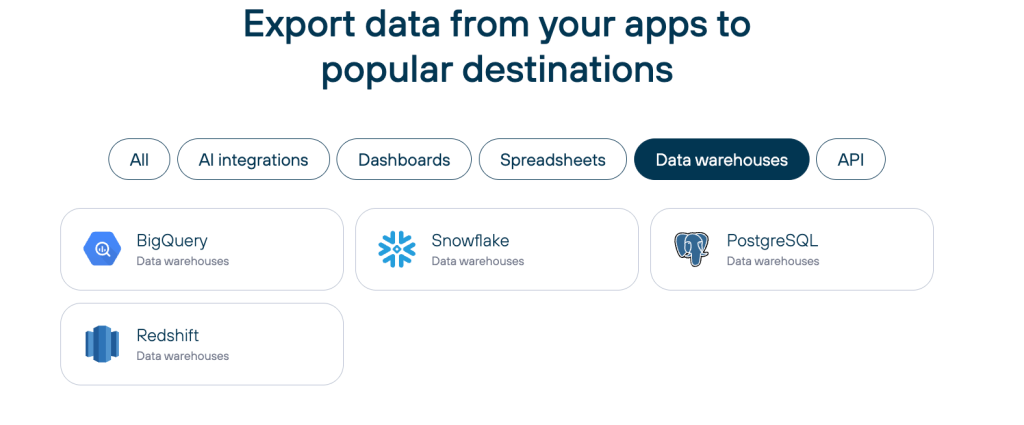
This means you can use the same no-code workflow to pipe data from 400+ sources directly into the warehouse of your choice. No more building custom connectors or managing fragile scripts; just a direct line from your business apps to Snowflake.
Key capabilities for the Snowflake destination:
- Secure, direct account connection with granular mapping to your specific databases, schemas, and tables.
- Flexible import logic that features Replace for fresh snapshots or Append to build out historical time-series data.
- Automated sync schedules that keep your warehouse updated on your timeline.
- Intelligent data blending and prebuilt templates that ensure multi-source datasets arrive structured and query-ready.
Your data lands in Snowflake fully organized and ready for immediate use in SQL, BI dashboards, or AI model training.

Load data from 400+ sources into Snowflake without coding
Try Coupler.io for freeThe instant win your Snowflake data get with Coupler.io
Stop waiting for “engineering support” to start your next project. Snowflake is a powerhouse for analytics, but it’s only as good as the data inside it. Too often, key marketing and sales data stays trapped in silos because the ETL process is too complex or expensive to set up.
With Coupler.io, marketing and ops teams can pipe structured data from Google Ads, Stripe, and GA4 directly into Snowflake in minutes.
Now you can:
- Connect Google Ads, Shopify, Stripe, and hundreds more data sources in a few clicks.
- Structure your data before it reaches Snowflake.
- Map your data to existing tables or auto-generate new ones.
- Schedule updates so your team never has to ask “Is this data fresh?” again.
For a quick and clear understanding of how Snowflake integration with Coupler.io will change your data routine, here’s a concise comparison table:
| Before (using Snowflake without Coupler.io) | After (Snowflake + Coupler.io) |
| ❌Raw data dumps (JSON/CSV chaos) | ✅Well-structured data sets |
| ❌Manual SQL joins & transformations | ✅Automated data blending and summarizing |
| ❌Custom scripts for every source | ✅Prebuilt templates with multiple sources |
| ❌Days (or weeks) to production | ✅Minutes to live data flow |
| ❌The setup requires SQL, Python, or connectors + scripting | ✅ Visual interface, no coding required |
| ⚠️Scheduled autorefreshes are possible via Tasks + Snowpipe, but only manual setup | ✅ Easy scheduling (down to every 15 min) |
| ❌To handle 100+ business apps/SaaS sources, building custom API pulls is required | ✅400+ ready connectors (HubSpot, GA4, Stripe, Shopify, etc.) |
| ⚠️Manual error handling & monitoring | ✅ Built-in logs, notifications, status tracking |
| ❌High dependency on developers/engineers | ✅Non-technical business users can manage data flows |
Which data types our Snowflake connector supports
Your business data is likely scattered across 10+ platforms (from ad spend and customer behavior in GA4 to revenue in Shopify or Stripe). Snowflake excels at processing massive datasets, but Coupler.io ensures that data is cleaned and structured before it lands in your warehouse.
Coupler.io supports 400+ data sources, including:
- Ads platforms (Google Ads, Facebook Ads, TikTok, LinkedIn)
- Analytics (GA4, Google Search Console)
- CRM (HubSpot, Pipedrive, Salesforce)
- eCommerce (Shopify, WooCommerce, Stripe)
- Databases & spreadsheets (MySQL, Airtable, Google Sheets)
- Social & content (Instagram, YouTube, Facebook Pages)
You can choose to send each source to a separate table or blend multiple sources into a single, unified dataset before loading it into Snowflake.
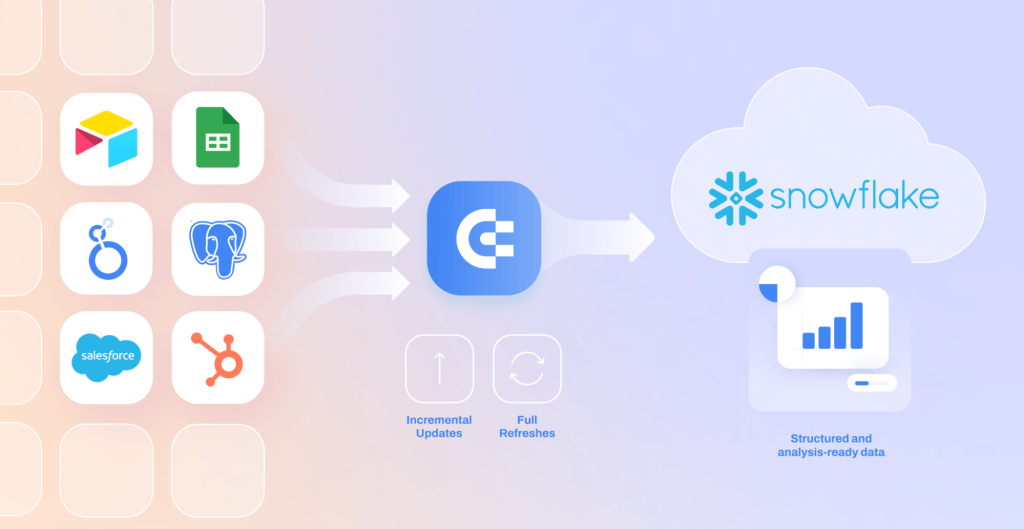
With Snowflake as a native destination, teams can now automate complex data flows without engineering support:
- Marketing: Blend Ads + Analytics + CRM data into Snowflake for true cross-platform ROI and attribution.
- eCommerce: Combine Orders + Ads + Email campaigns to track ROAS, customer lifetime value, and inventory trends in real-time.
- SaaS: Merge CRM + Payments + Product data for full-funnel visibility, connecting lead generation to actual revenue.
- Agencies: Pull multi-client data from organic social, paid ads, and internal trackers into a centralized Snowflake environment for automated reporting.
These patterns are already common with our BigQuery users (mid-size agencies with 10–200 employees), in-house marketing teams, SaaS companies, eCommerce brands, and mission-driven orgs. Now Snowflake users get the same no-code speed and reliability.
Automate data ingestion into Snowflake with a few clicks
Try Coupler.io for freeStructured ready-to-query datasets for Snowflake
Snowflake is a powerhouse for analytics, but if you feed it raw, unorganized data, you might end up with a “data swamp” that requires expensive post-load processing. Coupler.io allows you to transform and refine your data in transit, which ensures that every row landing in your warehouse serves a purpose.
Before exporting to Snowflake, you can:
- Merge & blend: combine multiple sources into a single, cohesive dataset.
- Refine & filter: rename fields, filter out irrelevant rows, and aggregate data to your required granularity.
- Optimize for queries: build datasets that are already structured for your specific reporting needs.
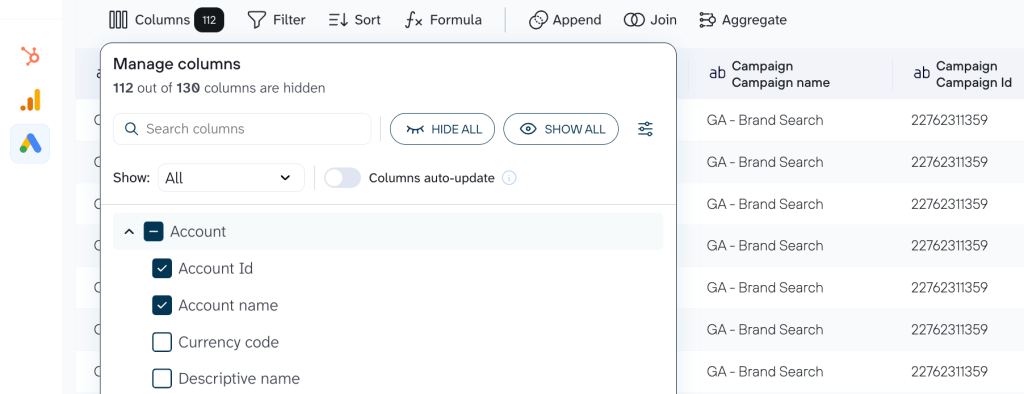
This “prep-first” approach means your Snowflake tables are usable the moment they arrive and eliminates the need for complex post-load transformation steps.
The shortest path between your data and Snowflake: data set templates
To make this process even more efficient, you can leverage prebuilt Data set templates. These templates provide the shortest path between your data and Snowflake and help you go from scattered sources to structured Snowflake tables in minutes. Here’s how it works in practice: browse the template library, select one that matches your workflow (e.g., multi-channel ads blending Google Ads, Facebook Ads, LinkedIn Ads, etc.), connect your accounts, and go to Data sets.
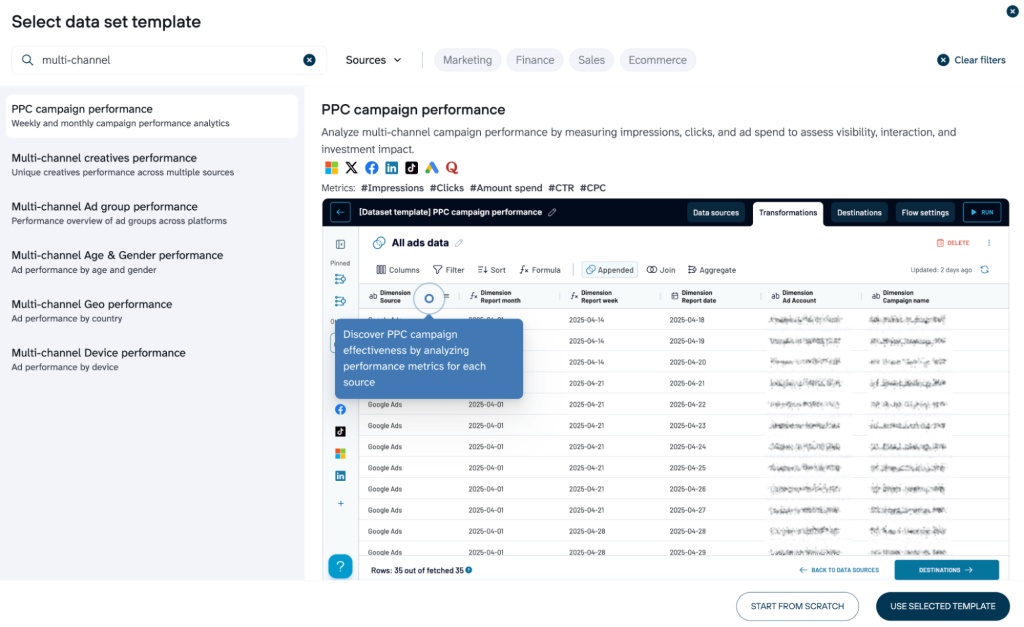
The template quietly handles the structure and conducts the necessary data blending. For example, aggregates the weekly and monthly performance in separate tabs. Nevertheless, you can proceed with transforming the data manually if needed.
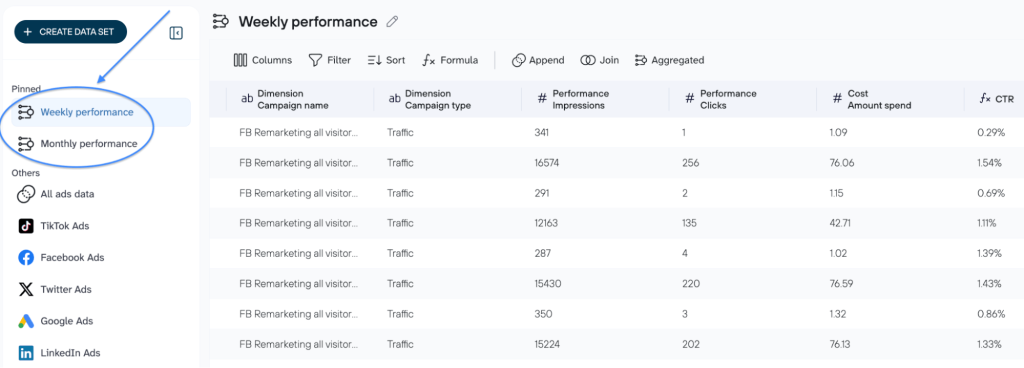
Once the data is ready, all you have to do is connect your Snowflake account and click “Run”.
These templates target the exact pain points Snowflake users see most:
- Paid ads attribution across platforms
- eCommerce revenue tied to marketing spend
- CRM leads + sales pipeline visibility
- Web/social analytics + paid performance
As a result, your Snowflake tables are filled with clean, cohesive datasets optimized for fast queries and easy joins. Now you can focus on spotting trends, building reports, or feeding AI tools instead of cleaning raw dumps.
Get Snowflake-ready data in minutes
Try Coupler.io for freeData in Snowflake before your coffee hits peak temperature
With Coupler.io, most Snowflake users see their first structured table flowing in under 10 minutes. Here’s how to make it happen:
- Connect your data source(s): Link your apps like HubSpot, Salesforce, etc.
- Organize your data set: Clean, structure, or combine the data according to your business needs.
- Connect your Snowflake account: Enter your credentials securely. Coupler.io handles the authentication without exposing sensitive info.
- Specify database and table: Pick an existing database and table, or create new ones on the fly.
- Tweak import mode (optional): Switch from Replace to Append if you want to add data without overwriting.
- Automate data flow to Snowflake: Set a schedule, and watch the data flow. Several moments and structured datasets are in Snowflake, ready for queries.
The process is fast, without coding or complex configurations.
Built for teams that run on Snowflake, not on engineering backlogs
Coupler.io is designed for the modern team that needs warehouse-grade data without the overhead of building complex ETL infrastructure. We provide the fastest path to keeping your Snowflake environment filled with clean, reliable data for:
- Marketing & analytics teams to automate cross-channel reporting without waiting on IT.
- Agencies to centralize multi-client data in one high-performance location.
- eCommerce & SaaS brands to sync store and subscription data for real-time LTV and churn analysis.
- RevOps & data teams to bridge the gap between fragmented tools and a unified source of truth.
If your organization already relies on Snowflake, Coupler.io is the most efficient way to ensure your warehouse is consistently populated with clean, query-ready data from across your entire tech stack.



