Coupler.io has become a useful solution for reporting and data analytics across many teams. Until recently, though, all the setup was on you: name the source, pick the fields, choose a destination, set a refresh schedule. Every new data flow started with the same kind of click work.
AI Agent turns that setup into a conversation. Tell it what you need and it configures the data flow for you. Once the data is ready, you can keep the same conversation going to ask questions about it. Analysis comes built in.
Let Coupler AI do the data work for you
Tell Coupler AI what you need to know, from which source, and how often. It connects your account, sets up the data flow, keeps it refreshed, and lets you analyze the results inside Coupler.io or another AI tool.
Try for free
What is AI Agent by Coupler.io?
AI Agent is one of three capabilities in Coupler AI, our AI toolkit. The other two are AI Integrations, which connect your Coupler.io data sets to Claude, ChatGPT, and other external tools, and Skills, which are pre-built or custom workflows for recurring analyses.
Coupler AI Agent itself is the in-product assistant that lets you manage your data integrations and chat with your data right inside Coupler.io. Here are the main benefits of the AI Agent:
- Zero setup required. One button click to launch the AI Agent and start a conversation.
- Build data flows through conversation. Describe the source, fields, destination, and refresh schedule in chat. AI Agent configures the flow and asks for missing details or account access when it needs them.
- Analyze data from 420+ sources. Work with business data from any applications Coupler.io supports: marketing platforms, CRMs, financial tools, and more.
- Get immediate answers. Skip dashboard building and report generation. Just ask questions about your data flows and receive insights in seconds.
- Always up-to-date data. Coupler.io’s AI Agent works with your latest business data, with updates as frequent as every 15 minutes.
- Built into your workflow. Your data analysis happens inside Coupler.io, right where your data automation workflows live.
- Accurate results. Powered by Coupler.io’s Analytical Engine, which calculates your data and validates the results.
Think of it as having a data analyst on standby, ready to answer questions the moment you have them.
When you ask a question, AI Agent does more than just respond. If your prompt is unclear, it automatically refines it to get better results. After answering, it suggests logical next steps—giving you ideas for follow-up questions without having to figure out what to explore next.
How Coupler AI Agent works
AI Agent can work with data from an existing flow, but you do not need to create the flow first. Open the AI Agent in the Coupler.io app and describe what you need in plain language. This can be a direct request like, Create a data flow from Google Analytics to Google Sheets.
Or a case description such as Analyze my GA4 data and identify all AI-related traffic sources (e.g., Perplexity, ChatGPT, Claude, Gemini, AI browsers, AI assistants).
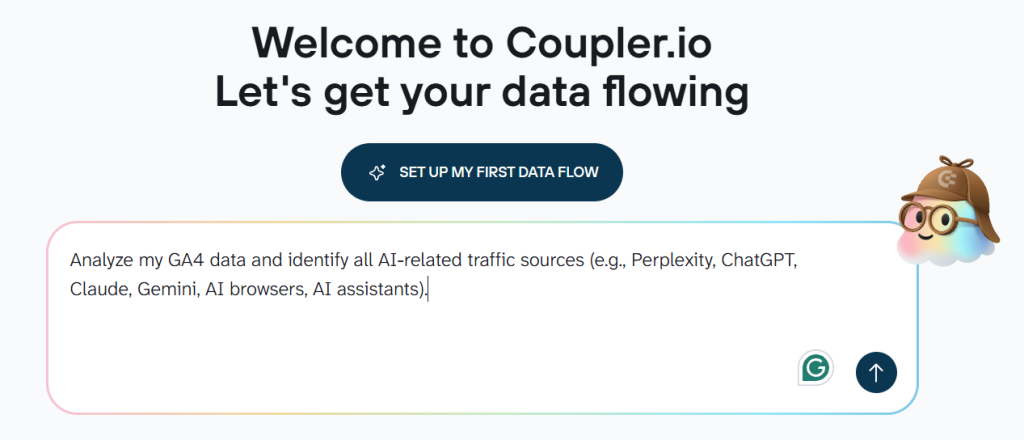
AI Agent will create a data flow and include sources & destinations you specify, prepare data sets for your analysis, and will refresh them on a schedule you set. If you already have data flows and want to extend or modify them, the agent can do that too.
You will be prompted to connect the accounts of the needed data sources unless they have been previously connected. The AI Agent also asks follow-up questions when a source, account, or field is unclear. You can review the proposed setup before the flow runs and request changes through the same conversation.
Once the required data is available, you can continue by asking analytical questions.
The AI Agent translates each question into a query => the Coupler.io Analytical Engine runs it against the connected data => the AI explains the calculated result.
Explore how you can connect data to MCP clients and tools using Coupler.io’s custom MCP server.
In addition to the main page of the Coupler.io app, the AI Agent can be launched as follows:
From the sidebar menu
- Click AI Agent in the sidebar menu to launch it.
In this case, you access AI Agent without binding to a particular data flow. So, if you have multiple data flows with the same source, specify the name of the data flow you want to analyze.
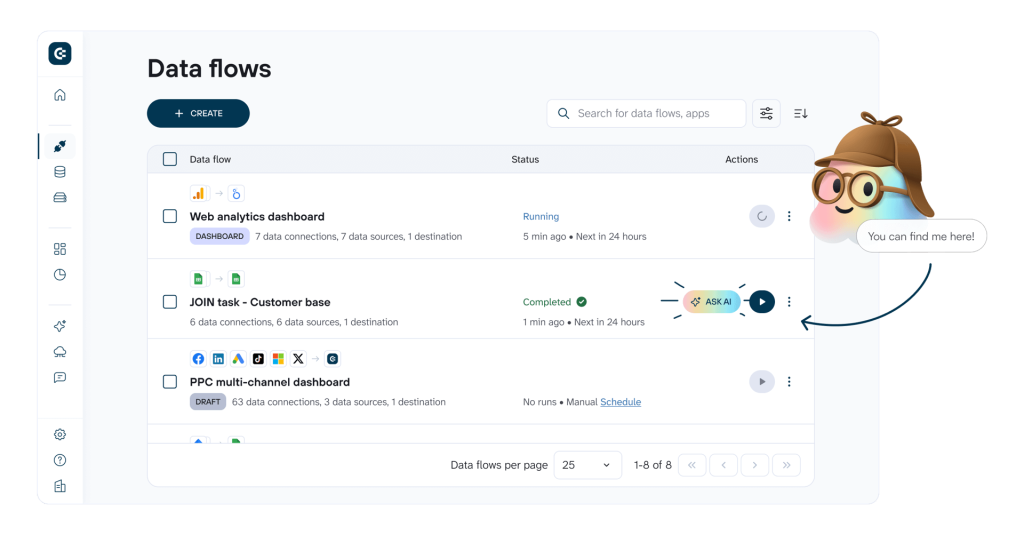
From the data flows list
- Click ASK AI next to the needed data flow from the main page.
From a completed data flow
- Once you’ve set up and run your data flow, you will see AI AGENT tab, where you can chat with your data.
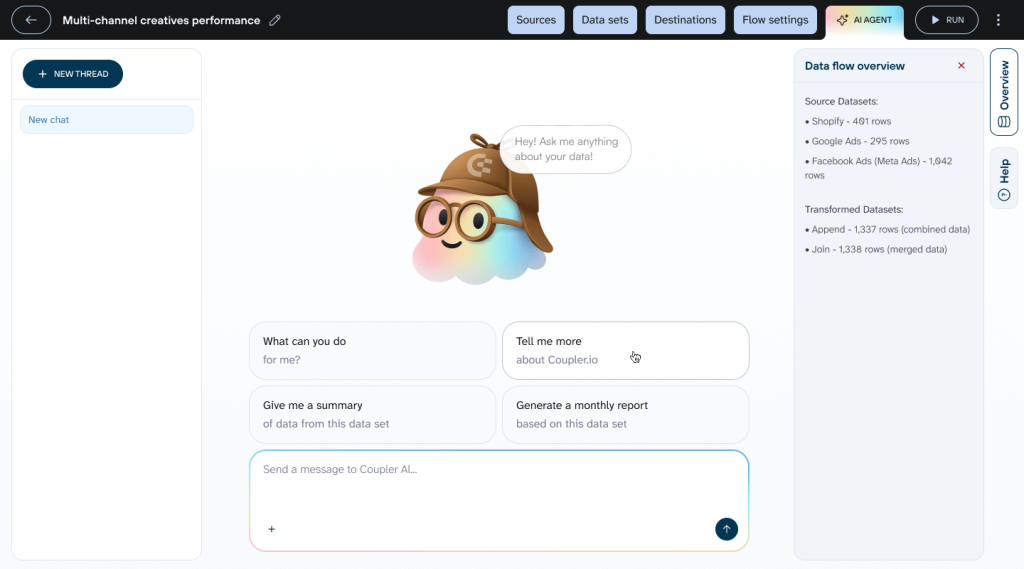
Whichever option you choose, you’ll find yourself face-to-face with the cute AI Agent mascot waiting for your questions. Keep in mind that it’s AI, so the more specific context you provide, the better results you get. It’s also efficient to specify which data you want to explore.
| Good question example | Not a good question example |
| Show me CTR and CPC trends for ‘Facebook Ads – Main Account’ in January 2026 | Show me ad performance |
The AI Agent will process your question and get back to you with an accurate answer. By process, I mean:
- The AI interprets what you’re asking and translates it into a structured query that can be executed on your data.
- Coupler.io’s Analytical Engine queries your dataset, performs calculations and aggregations, validates the results, and returns only verified, processed data.
- The AI receives the accurate results and formats them into a clear, readable answer with context and recommendations.
That’s it. No additional configuration or new data flows. Just a simple-to-use tool for data analysis accessible via one click.

Chat with AI Agent about your data
Try Coupler.io for freeFor what data analysis can you use AI Agent
It works across all types of business data in your data flows. Here are common analysis scenarios where it helps you get instant answers:
Business analysis
Performance overview: “Show me customer acquisition cost trends from Google Analytics 4 for Q4 2025 compared to Q3 2025”
Cross-functional insights: “Compare revenue and profit margins for our top 5 products from Shopify for December 2025”
Growth opportunities: “Which customer segments in HubSpot CRM show retention rates above 80% in the last 6 months?”
Marketing analysis
Compare channel performance: “Compare Facebook Ads and Google Ads cost per conversion for the ‘Holiday Campaign’ in December 2025”
Track campaign metrics: “Show me click-through rates for all active campaigns in Google Ads this month”
Analyze attribution: “Calculate customer acquisition cost by traffic source from Google Analytics 4 for Q4 2025”
Sales analysis
Identify top customers: “Show me top 10 customers by lifetime value from Salesforce with their average deal cycle length”
Pipeline health: “How many deals in HubSpot are stuck in ‘Negotiation’ stage for more than 30 days?”
Team performance: “Compare win rates by sales rep from Pipedrive for Q4 2025”
Financial analysis
Cash flow monitoring: “Calculate monthly burn rate from QuickBooks for July through December 2025 and project runway”
Revenue tracking: “Show month-over-month revenue growth from Stripe for Q4 2025”
Expense analysis: “List top 5 expense categories from Xero and compare them to the same period last year”
Advanced data analysis
Pattern exploration: “Which user segments in Mixpanel show correlation between engagement score and conversion rate above 0.7?”
Hypothesis testing: “Analyze relationship between Zendesk support ticket volume and churn rate from Stripe for the last quarter”
Predictive insights: “What behavioral factors from Google Analytics 4 correlate with customers who spend over $1000?”
Technical and product analysis
Performance monitoring: “Show correlation between API response times from Datadog and user session drop-off in Google Analytics 4 for January 2026”
Feature usage: “Which features in Mixpanel have engagement rates above 50% among users with ‘Power User’ tag?”
Quality metrics: “Calculate average bug resolution time by severity level from Jira for December 2025”
The key is to ask questions naturally. AI Agent understands the context you’ve provided, so you don’t need to know technical details about your data structure.
Who can use Coupler AI Agent?
AI Agent is built for anyone who needs insights from their data without technical barriers:
- Business teams—Marketing, sales, finance
Enhance collaboration and make smarter decisions with fast, actionable insights.
- Business owners and C-level executives
Access results instantly and make data-driven decisions without waiting for a BI team.
- Data experts
Explore data quickly, uncover patterns, and generate insights beyond traditional reports.
- Tech and product managers
Optimize workflows and monitor performance to make informed product and tech decisions.
Coupler.io supports 420+ data sources, and AI Agent works with all of them. If you already have flows set up, it can start analyzing right away. New to Coupler.io? Describe what you need in the chat and AI Agent will help you set up your first flow.
Create your first data flow in minutes
Try Coupler.io for free