Some campaigns spend money and bring back very little, and they’re easy to miss when everything’s averaged into one number. A few minutes from now, you’ll be able to ask your AI tool “which of my Facebook Ads campaigns are underperforming?” and get a straight answer from live data. Coupler.io is what makes that possible. Let’s set it up.
Step 1: Connect Coupler.io to your AI tool
To get started, create a free Coupler.io account, select AI Agent, and ask it to set up the process you need (connect your Facebook Ads and find underperforming campaigns).
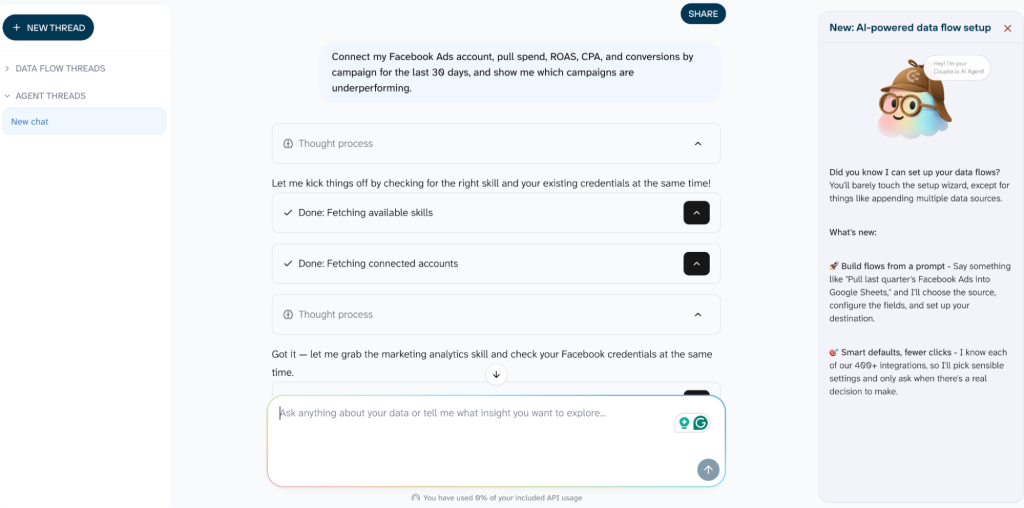
Alternatively, open the connector page in your AI tool (e.g., Claude or ChatGPT), click Connect, and start the same conversation.
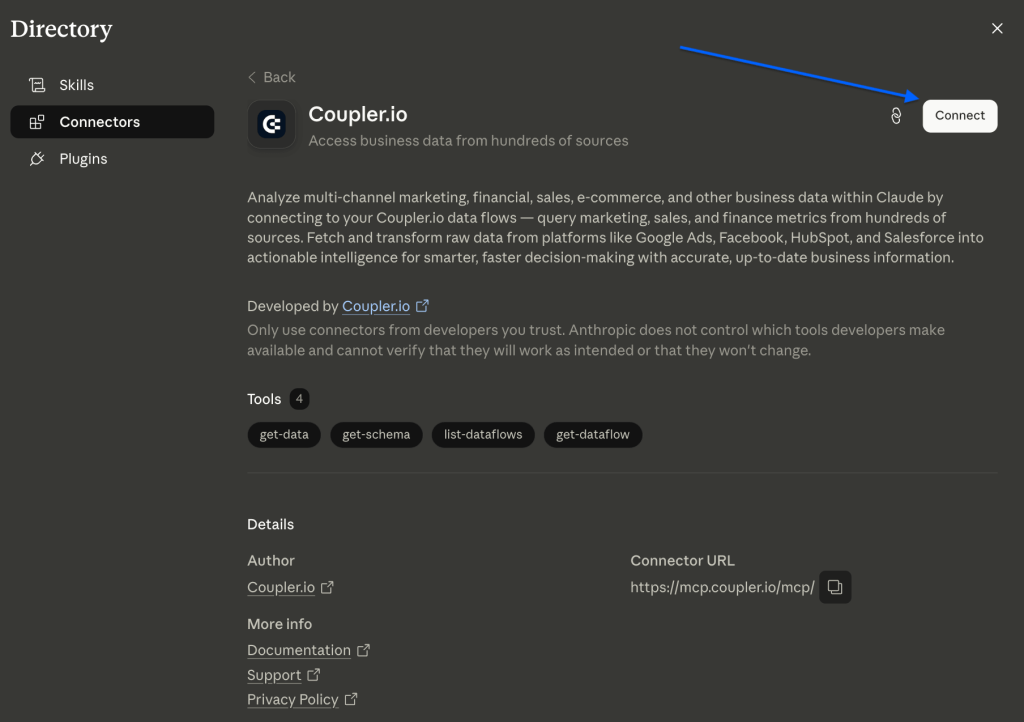
This is a one-time setup. Once it’s done, every future question about your ad performance is just a message away, no exports or re-connecting.
| Why not just connect Facebook Ads straight to your AI tool? You could, but you’d repeat that for every platform you report on. Coupler.io connects once and covers Facebook Ads plus 400+ other sources in the same chat, with data that arrives clean and pre-calculated (ROAS and CPA already worked out) and refreshes on a schedule. That one connection also sends your data wherever you need it later, like Sheets or a dashboard. Add Google Ads or GA4 and it’s one more line in the conversation, not another setup. |

Go the easiest way to find weak ads with Coupler.io
Try it for freeStep 2: Ask which campaigns are falling behind
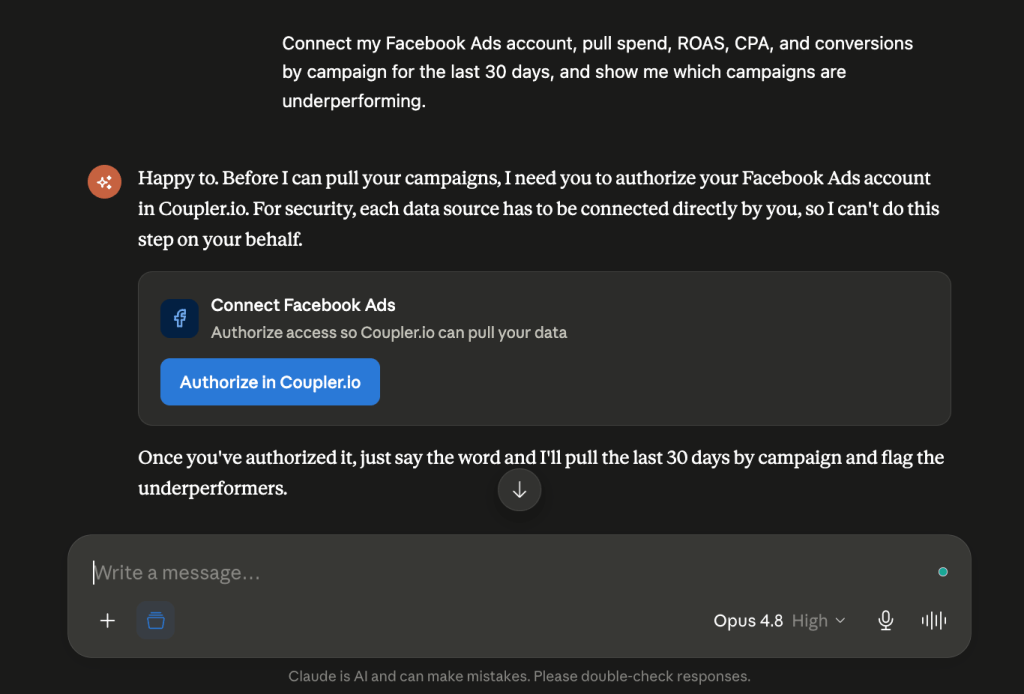
Open a chat and describe what you want in plain language. Something like: “Connect my Facebook Ads account, pull spend, ROAS, CPA, and conversions by campaign for the last 30 days, and show me which campaigns are underperforming.”
The AI checks whether your Facebook Ads account is connected. If it isn’t, it’ll ask you to authorize it first, since each source must be connected directly for security reasons. Then it pulls your numbers and ranks the campaigns for you.
“Underperforming” usually means high spend with a ROAS below your account average, a cost per result above your target, or lots of spend for few conversions. The AI weighs those together and surfaces the campaigns eating budget without earning it back.
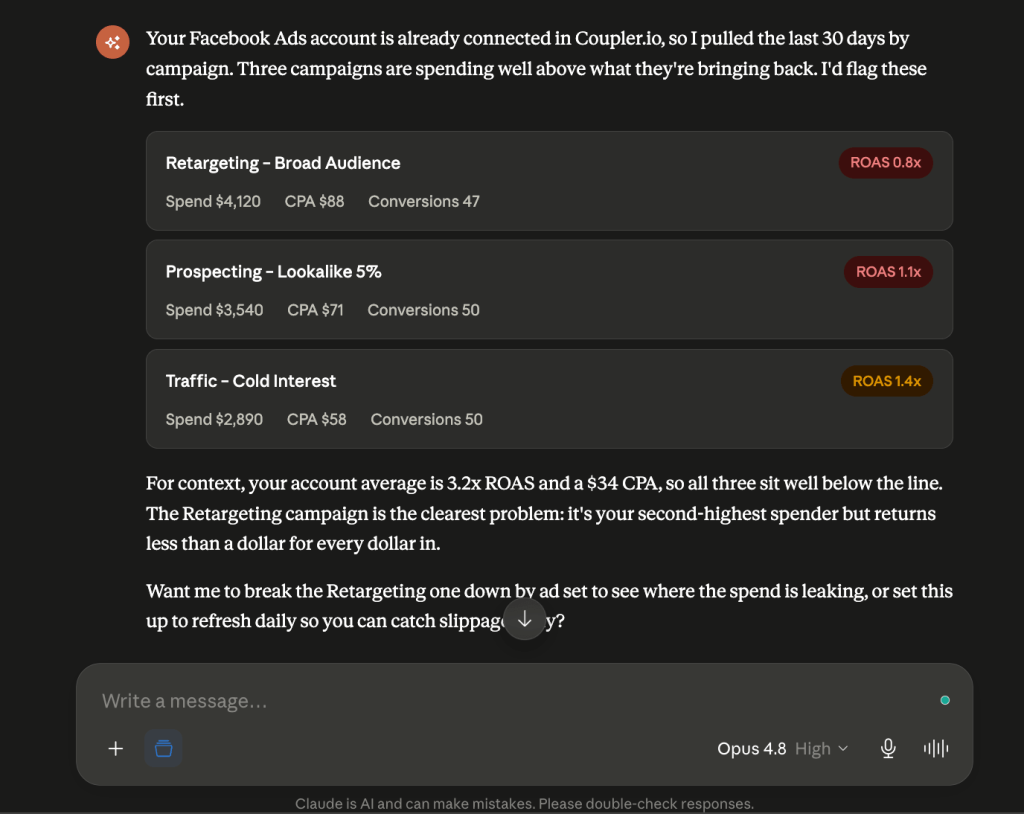
From there, it’s a conversation to dig in as far as you want. Ask it to rank everything by ROAS, flag anything with a CPA over your threshold, break a weak campaign down by ad set to see where the money leaks, or compare this month to last.
Running this check every week? The Facebook Ads Performance Review skill makes it a repeatable ask, and Facebook Ads Waste and Scale goes a step further by recommending which ad sets to pause or scale.
Step 3: Keep the answer up-to-date
Ask the AI to refresh the data on a schedule, and it stays current on its own. Next time you check, spotting a slipping campaign takes one glance and one question instead of an afternoon of pulling reports. To see the numbers laid out without opening a chat or sharing them with clients/teammates, tell the AI to send them to spreadsheets, dashboards, and over 20 reporting tools and data warehouses Coupler.io integrates with.
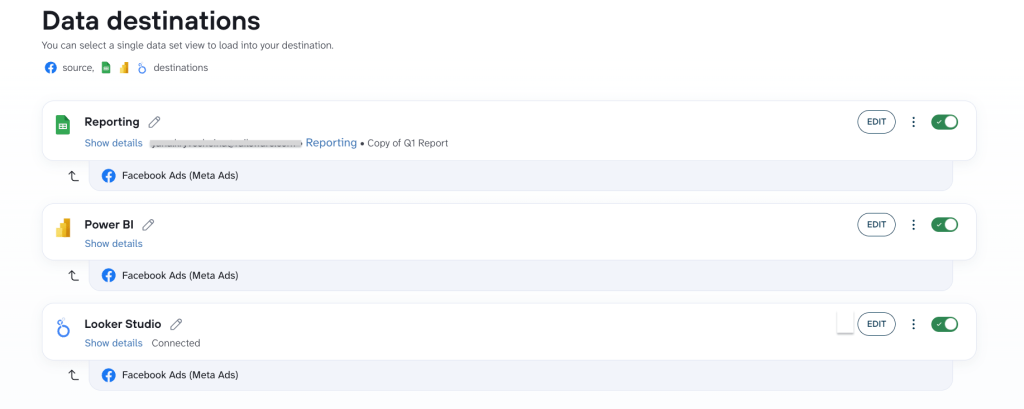
The same connection pulls Google Ads, TikTok, and every other channel into the same chat. Compare ROAS across everything you run without switching tabs.
See your whole ad stack in one place with Coupler.io
Book a demo