
Adverity supports integrations to over 600 data sources. It’s an excellent data integration platform with advanced features. Unfortunately, it’s expensive. Not many small and medium businesses can afford it. Furthermore, you may only need to use some of its features and connectors.
Finding an alternative solution may be a smart move for you. Many apps offer similar features at more affordable prices. We’ve compiled a list of the top Adverity competitors with some detailed information about their pros, pricing, and integrations.
What are Adverity alternatives?
Before we dive into a deeper comparison, check out a table on Adverity and its competitors’ prices, number of data source integrations, and a few other things.
| Feature | Adverity | Coupler.io | Whatagraph | Funnel | Stitch | Supermetrics | Windsor.ai | Fivetran | Porter | Segment | Skyvia | Singer |
| Starting price/month (annual billing) | Custom | $24 | $229 | Custom | ~$83 | $37 | $19 | Custom | $12.5 | $120 | $79 | Free tool |
| Free trial | ✅ | ✅ | ✅ | ✅ | ✅ | ✅ | ✅ | ✅ | ✅ | ✅ | ✅ | Free tool |
| Total data sources | 600+ | 400+ | 50+ | 600+ | 130+ | 170+ | 325+ | 700+ | 20 | ~70+ | 200+ | 100+ |
| All data sources available in all plans | N/A | ✅ | ⛔ | ⛔ | ⛔ | ⛔ | ⛔ | ✅ | ✅ | ⛔ | ✅ | No plans (free tool) |
| Data destinations | BI tools Spreadsheets Databases Analytics apps Datalakes CRM DMP Ad platforms, etc. | BI tools Spreadsheets Databases JSON AI tools, etc. | BigQuery Looker Studio Google Sheets | BI tools Ad platforms Databases Analytics apps, etc. | Databases Data lakes, etc. | Spreadsheets BI tools Databases Datalakes | Spreadsheets BI tools Databases Data platforms, etc. | Datalakes Databases Data streaming platforms, etc. | Looker StudioGoogle Sheets | BI tools CRM Analytics apps Ad platforms Attribution tools Email marketing platforms Marketing automation tools, etc. | Databases Storages Cloud apps | BI tools Spreadsheets Databases Data integration platforms, etc. |
| Data transformation | Creating and editing columns Custom scripts Data blending Matching and mapping Data harmonization, etc. | Column management Filtering Sorting Custom calculations Data aggregation Data blending, etc. | Column management Custom calculations Filtering Data blending Metric harmonization, etc. | Currency conversion Custom dimensions and metrics Data mapping Data blending, etc. | Schema normalization Column selection, etc. | Data cleansing Data harmonization Currency conversion Data blending Custom metrics and dimensions, etc. | Filtering Data harmonization Schema mapping Data blending, etc. | Minimal in-pipe transformations | Data blending | Renaming events Renaming properties/traits Static value assignment Property value updates Casing normalization Copying values between properties | Extend Lookup Conditional split, etc. | Not built in |
| Minimum update frequency | 15 minutes | 15 minutes | 30 minutes | ~3-4 hours | 30 minutes | ~every hour | every hour | every minute | every hour | every hour | every minute | varied |
| Dashboard templates | ⛔ | 170+ | 40+ | 15+ | ⛔ | 90+ | 80+ | ⛔ | 20+ | ⛔ | ⛔ | ⛔ |
| AI capabilities | AI insights AI agent AI integration via MCP | AI insights AI agent AI integration via MCP | AI insights AI agent | AI insights AI agent | ⛔ | AI insights AI agent AI integration via MCP | AI insights AI integration via MCP | ⛔ | AI query builder | AI insights AI agent AI integration | AI integration via MCP | ⛔ |
| Analytics services | ✅ | ✅ | ⛔ | ⛔ | ⛔ | ✅ | ⛔ | ✅ | ⛔ | ✅ | ⛔ | ⛔ |
| User reviews (Capterra) | 4.5/5 | 4.9/5 | 4.4/5 | 4.7/5 | 4.3/5 | 4.4/5 | ⛔ | 4.4/5 | ⛔ | 4.7/5 | 4.8/5 | ⛔ |
Top Adverity alternative – Coupler.io
Coupler.io is a no-code data integration platform without enterprise-grade complexity or pricing. This leading Adverity alternative lets you pull data from 400+ sources, transform it, and load it to spreadsheets, BI tools, databases, AI tools, and more.
While Adverity targets large enterprises with complex marketing data stacks, Coupler.io offers broader accessibility, transparent pricing, and faster setup. At the same time, it still supports advanced transformation, automation, and AI-driven analytics use cases.

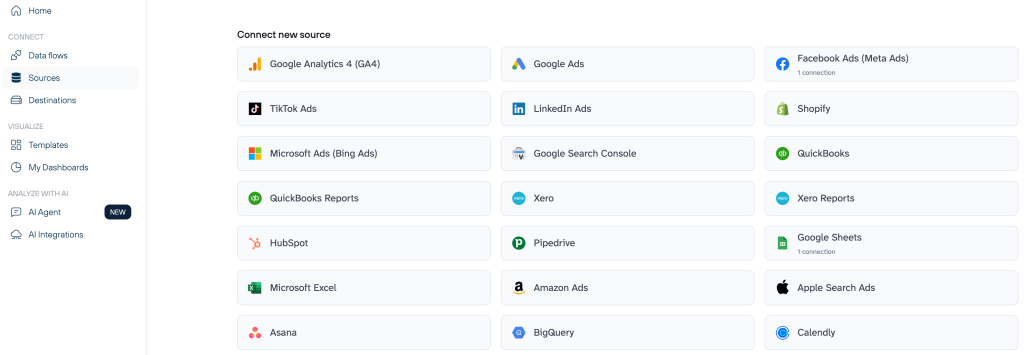
Coupler.io is widely used by marketers, finance teams, agencies, and SaaS companies that need control over their data pipelines without relying on engineers or custom scripts. Here are a few cases of prominent results achieved with this data integration platform:
- Marketers: SellThru consolidated multichannel ad and GA4 data into live dashboards. This boosted reporting accuracy to 95%+ while reducing setup time from two weeks to just a few days.
- Finance teams: Project Alfred unified Xero and HubSpot reporting. They replaced manual exports with automated, scenario-based cash-flow forecasts and saved 20-40 hours per month.
- Agencies: ULTRA\OPS cut dashboard build time by 90%. With automated data flows from Airtable, enterprise-grade Looker Studio dashboards were ready in a day.
- SaaS companies: Mailtrap centralized product, marketing, and revenue data into decision-ready dashboards that supported 4.66× revenue growth over three years.
Coupler.io also provides data consultancy services, including creating custom integrations, building reports and dashboards, setting up automation, etc.
Why Coupler.io is the best alternative to Adverity
No-code data integration and ETL
Coupler.io allows you to build complete data pipelines without SQL, Python, or custom scripting. You can connect sources, define transformations, blend, and export data using a visual, no-code interface.
Adverity, while offering no-code features as well, is built for enterprise environments where advanced customization, governance, and configurations often require technical expertise.
All data sources available on every plan
Coupler.io gives access to all 400+ data sources on every plan, including the free one. There are no restrictions based on subscription tier and no hidden unlocks.
Adverity supports 600+ data sources, but availability depends on custom enterprise contracts, so cost and access vary by customer and negotiated plan.
No destination limits on any plan
With Coupler.io, you can export data to any destination on any plan, including:
- Spreadsheets: Google Sheets, Excel.
- BI tools: Looker Studio, Power BI, Tableau, Qlik.
- Databases: BigQuery, PostgreSQL, Redshift.
- AI agents: Claude, ChatGPT, Cursor, Perplexity, Gemini CLI.
- Other destinations: monday.com, JSON.
Adverity supports a wide range of enterprise destinations, including data lakes and analytics apps. However, configuration and pricing are typically tied to custom enterprise setups.
Powerful no-code data transformations
Coupler.io includes a complete transformation layer designed for everyday analytics workflows:
- Column management (edit, reorder, hide).
- Filtering and sorting.
- Custom calculations.
- Data aggregation (sum, avg., count, min., max.).
- Data blending (append and join).
Adverity offers advanced transformation capabilities such as custom scripts, matching, mapping, and data harmonization. These are powerful but often excessive if you need fast, maintainable reporting without engineering overhead.
Templates: datasets and dashboards
Coupler.io includes:
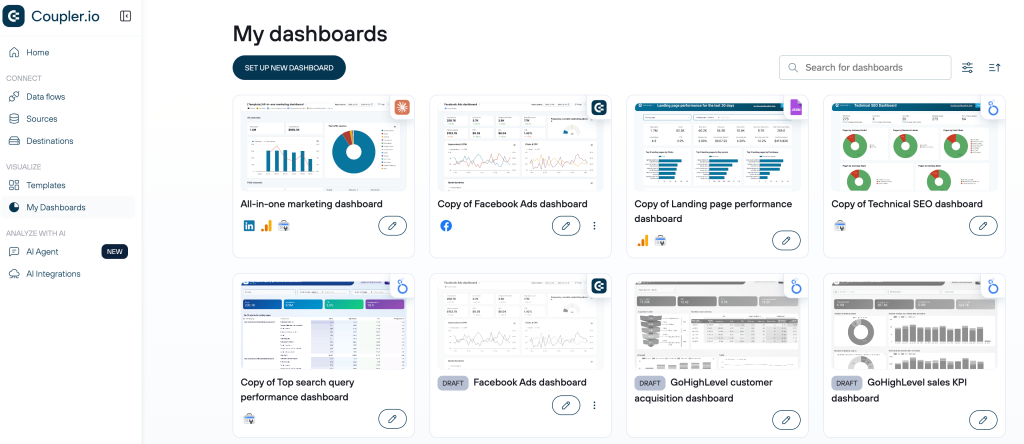
- 170+ ready-to-use dashboard templates.
- 100+ dataset templates with predefined metrics and transformations.
AI-powered analytics
Coupler.io includes built-in AI capabilities:
- AI insights for performance analysis.
- AI agent for conversational analytics on live data.
- Integrations via MCP to connect data directly to AI tools.
Adverity also supports AI insights, AI agents, and AI integrations, but these features are typically part of higher-tier enterprise configurations.
Support quality
Coupler.io consistently outperforms Adverity in user satisfaction: 4.9/5 vs. 4.5/5 on Capterra.
Adverity vs. Coupler.io – head-to-head comparison
| Feature | Adverity | Coupler.io |
| Starting price | Custom | $24 |
| Free trial | ✅ | ✅ |
| Total data sources | 600+ | 400+ |
| All data sources available in all plans | N/A | ✅ |
| Data destinations | BI tools Spreadsheets Databases Analytics apps Datalakes CRM DMP Ad platforms, etc. | BI tools Spreadsheets Databases JSON AI tools, etc. |
| Data transformation | Creating and editing columns Custom scripts Data blending Matching and mapping Data harmonization, etc. | Column management Filtering Sorting Custom calculations Data aggregation Data blending, etc. |
| Minimum update frequency | 15 minutes | 15 minutes |
| Dashboard templates | ⛔ | 170+ |
| AI capabilities | AI insights AI agent AI integration via MCP | AI insights AI agent AI integration via MCP |
| Analytics services | ✅ | ✅ |
| User reviews (Capterra) | 4.5/5 | 4.9/5 |
Integrations (sources & destinations)
Adverity is well-suited for enterprise marketing ecosystems with extensive connectivity across advertising, CRM, DMP, and analytics platforms:
- Advertising platforms: Google Ads, Facebook Ads, LinkedIn Ads, Microsoft Ads, Amazon Advertising.
- CRM platforms: HubSpot, Salesforce, Microsoft Dynamics 365.
- DMP platforms: Adform DMP, Salesforce Audience Studio, Adobe Experience Platform.
- Analytics platforms: Google Analytics 4, Adobe Analytics, Amplitude, Mixpanel, etc.
Coupler.io covers a slightly smaller but broader cross-department data ecosystem. It extends beyond marketing and finance into operations, product, and accounting, with access to all integrations on every plan:
- Project management and operations: Asana, ClickUp, Trello, Slack.
- Time tracking and workforce productivity: Clockify, Harvest, Clockodo.
- Customer outreach and scheduling: Calendly, Acuity Scheduling.
- Surveys and feedback: Typeform, Jotform.
- Payments and accounting: Xero, QuickBooks.
- HR/people tools: BambooHR, Breezy HR.
- Content and product usage: Appfigures, Bugsnag, Canny, etc.
Data transformation
Adverity offers deep transformation logic through scripts, mappings, and harmonization, suitable for complex enterprise pipelines.
Coupler.io focuses on no-code ETL that covers most real-world reporting needs without technical overhead. It supports column management, filtering, sorting, custom calculations, aggregation (sum, avg., count, min., max.), and data blending (append and join).
Dashboards and templates
Adverity doesn’t ship with a public catalog of dashboard templates out of the box. Instead, it focuses on custom enterprise analytics.
Coupler.io provides a ready-made reporting ecosystem with dashboard templates available in the app itself, as well as in Google Sheets, Looker Studio, and Power BI. It also offers dataset templates with predefined metrics and criteria to speed up reporting setup.
Automation and refresh
Both platforms support frequent scheduled data refreshes (down to 15-minute intervals) and webhook-based workflows, which enable near-real-time reporting.
Pricing transparency
Adverity pricing is fully custom and typically tailored to enterprise budgets, with a free trial available upon request.
Coupler.io offers clear, published pricing with a free plan, paid plans starting at $24 per month, a free trial, and no per-source or per-destination fees. Pricing is based on active accounts, which removes the hidden scaling costs common in ETL tools:
- You pay only for the accounts you actually connect, not for each export or dashboard.
- Unlimited connections and dashboards per account.
- No import size limits* – pull full datasets.
- No user limits* – invite the entire team at no extra cost.
- Freedom to test new dashboards, AI destinations, and data experiments.
*No limits on the Active plan
When to use Coupler.io instead of Adverity
Choose Coupler.io if:
- You’re looking for a no-code data integration and ETL platform.
- Pricing transparency and fast setup matter.
- You require templates, AI analytics, and automation out of the box.
- Your team spans marketing, finance, product, and operations.
- You want to connect data directly to BI tools, warehouses, and AI agents.
Choose Adverity if:
- You operate at a large enterprise scale.
- You need deep marketing-specific data harmonization.
- Custom scripting and complex modeling are core requirements.
- Budget and onboarding time are less of a concern.
In short, Adverity is a powerful enterprise analytics platform, while Coupler.io is more user-friendly and offers a straightforward, flat pricing model. For agencies and small to mid-sized businesses, it often represents the best value-for-money alternative to Adverity.
Try the best Adverity alternative right away
Get started for freeOther Adverity competitors in detail
1. Whatagraph
Whatagraph is a marketing reporting platform built for agencies and teams that need to turn campaign data into clear, client-ready reports. It centralizes marketing records from multiple sources and combines data collection, basic transformation, and native visualization in one environment.

The platform focuses on fast, presentation-ready reporting rather than deep data engineering. It helps explain performance and ROI through white-labeled dashboards and automated reports.
We’ve also listed Whatagraph as a decent Geckoboard alternative in our blog post.
Whatagraph vs. Adverity vs. Coupler.io – comparison
| Feature | Adverity | Coupler.io | Whatagraph |
| Starting price/month (annual billing) | Custom | $24 | $229 |
| Free trial | ✅ | ✅ | ✅ |
| Total data sources | 600+ | 400+ | 50+ |
| All data sources available in all plans | N/A | ✅ | ⛔ |
| Data destinations | BI tools Spreadsheets Databases Analytics apps Datalakes CRM DMP Ad platforms, etc. | BI tools Spreadsheets Databases JSON AI tools, etc. | BigQuery Looker Studio Google Sheets |
| Data transformation | Creating and editing columns Custom scripts Data blending Matching and mapping Data harmonization, etc. | Column management Filtering Sorting Custom calculations Data aggregation Data blending, etc. | Column management Custom calculations Filtering Data blending Metric harmonization, etc. |
| Minimum update frequency | 15 minutes | 15 minutes | 30 minutes |
| Dashboard templates | ⛔ | 170+ | 40+ |
| AI capabilities | AI insights AI agent AI integration via MCP | AI insights AI agent AI integration via MCP | AI insights AI agent |
| Analytics services | ✅ | ✅ | ⛔ |
| User reviews (Capterra) | 4.5/5 | 4.9/5 | 4.4/5 |
Integrations overview
Whatagraph integrates with 50+ marketing platforms across core categories, including:
- PPC & advertising: Google Ads, Facebook Ads.
- SEO: Ahrefs, Google Search Console.
- Social media: Facebook, Instagram, LinkedIn.
- CRM & email: HubSpot, Mailchimp, etc.
For unsupported sources, Whatagraph offers a custom API. Data can be exported to Looker Studio, Google Sheets, or BigQuery, but destination options are more limited than with Adverity or Coupler.io.
Features overview
- Automated cross-channel marketing reporting.
- Native report and dashboard builder.
- Metric harmonization and custom formulas.
- White-labeled dashboards with branding and visuals.
- AI-generated report summaries.
- Scheduled and shareable reports.
Pricing overview
Whatagraph uses a source-credit pricing model. It offers a Free plan with limited credits for basic reporting. Paid plans start at $229 per month (billed annually) and scale with additional credits, integrations, and advanced features. Higher tiers available for larger or more complex reporting needs.
If this sounds like there’s a lot to unpack, you might want to learn about a Whatagraph alternative with a simpler pricing model.
Pros
- Strong focus on agency and multi-client reporting.
- Clean, presentation-ready dashboards.
- Fast setup with ready-made templates.
- Accessible to non-technical users.
- Highly rated customer support.
Cons
- Limited number of data destinations.
- Smaller connector ecosystem than Adverity and Coupler.io.
- Higher starting price than most Adverity alternatives.
When to use Whatagraph over Adverity
Choose Whatagraph if your main goal is fast, polished, white-labeled marketing reports for clients and stakeholders. And if you don’t require enterprise-grade data integration, advanced transformation logic, or broad destination flexibility.
We’ve also featured Whatagraph among the options for the best AgencyAnalytics alternatives. Check out our blog post for details.
2. Funnel
Funnel is a platform designed to collect, standardize, and route marketing data from many advertising and analytics apps to a chosen destination. It focuses on reliable data ingestion and normalization rather than reporting or visualization, which is suitable for teams that already use external BI tools or data warehouses.

Additionally, Funnel stores historical data internally, allowing you to access past performance even if source configurations change.
Funnel vs. Adverity vs. Coupler.io – comparison
| Feature | Adverity | Coupler.io | Funnel |
| Starting price | Custom | $24 | Custom |
| Free trial | ✅ | ✅ | ✅ |
| Total data sources | 600+ | 400+ | 600+ |
| All data sources available in all plans | N/A | ✅ | ⛔ |
| Data destinations | BI tools Spreadsheets Databases Analytics apps Datalakes CRM DMP Ad platforms, etc. | BI tools Spreadsheets Databases JSON AI tools, etc. | BI tools Ad platforms Databases Analytics apps, etc. |
| Data transformation | Creating and editing columns Custom scripts Data blending Matching and mapping Data harmonization, etc. | Column management Filtering Sorting Custom calculations Data aggregation Data blending, etc. | Currency conversion Custom dimensions and metrics Data mapping Data blending, etc. |
| Minimum update frequency | 15 minutes | 15 minutes | ~3-4 hours |
| Dashboard templates | ⛔ | 170+ | 15+ |
| AI capabilities | AI insights AI agent AI integration via MCP | AI insights AI agent AI integration via MCP | AI insights AI agent |
| Analytics services | ✅ | ✅ | ⛔ |
| User reviews (Capterra) | 4.5/5 | 4.9/5 | 4.7/5 |
Integrations overview
Funnel supports 600+ marketing and sales platforms, covering major categories such as advertising, analytics, e-commerce, CRM, etc. Common integrations include Google Ads, Facebook Ads, GA4, LinkedIn Ads, TikTok Ads, HubSpot, Salesforce, and Shopify.
Data can be delivered to 40+ destinations, such as Looker Studio, Google Sheets, Excel, and major data warehouses. Custom connectors are available on higher-tier plans.
Features overview
- Automated data extraction from marketing platforms.
- Built-in data storage with historical backfill.
- Data mapping, normalization, and aggregation.
- Data Explorer for querying raw datasets.
- Scheduled imports and exports.
- Support for BI tools and data warehouses.
Pricing overview
Funnel uses a plan-based pricing model with Flexpoints, where cost depends on connected platforms, accounts, destinations, and enabled features rather than data volume. It does not offer fixed public pricing. Plans are custom-quoted, and a free trial or starter access is available on request via demo.
Pros
- One of the largest connector libraries in marketing analytics.
- Built-in historical data storage.
- Reliable data normalization for common marketing platforms.
- Works well with external BI tools and warehouses.
- Clear separation between marketer and agency plans.
Cons
- Expensive compared to lighter ETL tools.
- Steep learning curve for non-technical users.
When to use Funnel over Adverity
Choose Funnel if you need broad marketing-platform coverage. It works best for teams exporting standardized marketing data to a single BI tool or warehouse.
3. Stitch
Stitch is a data pipeline tool that centralizes data from multiple sources into a database or data warehouse. It is primarily an ELT tool, focusing on data extraction and loading, with only limited transformation capabilities.
For data transformations, Stitch integrates with external tools like dbt, allowing you to transform data after it’s loaded into the warehouse. As a result, Stitch handles ingestion, while transformations are performed using separate tools suited to the team’s needs.

Stitch vs. Adverity vs. Coupler.io – comparison
| Feature | Adverity | Coupler.io | Stitch |
| Starting price/month (annual billing) | Custom | $24 | ~$83 |
| Free trial | ✅ | ✅ | ✅ |
| Total data sources | 600+ | 400+ | 130+ |
| All data sources available in all plans | N/A | ✅ | ⛔ |
| Data destinations | BI tools Spreadsheets Databases Analytics apps Datalakes CRM DMP Ad platforms, etc. | BI tools Spreadsheets Databases JSON AI tools, etc. | Databases Datalakes, etc. |
| Data transformation | Creating and editing columns Custom scripts Data blending Matching and mapping Data harmonization, etc. | Column management Filtering Sorting Custom calculations Data aggregation Data blending, etc. | Schema normalization Column selection, etc. |
| Minimum update frequency | 15 minutes | 15 minutes | 30 minutes |
| Dashboard templates | ⛔ | 170+ | ⛔ |
| AI capabilities | AI insights AI agent AI integration via MCP | AI insights AI agent AI integration via MCP | ⛔ |
| Analytics services | ✅ | ✅ | ⛔ |
| User reviews (Capterra) | 4.5/5 | 4.9/5 | 4.3/5 |
Integrations overview
Stitch supports 130+ data sources, including popular SaaS applications, databases, and cloud platforms. Common examples include Salesforce, Google Analytics, Facebook Ads, Stripe, MySQL, and PostgreSQL.
Data is loaded into major cloud data lakes and data warehouses.
Features overview
- Automated data extraction and loading.
- ELT-first architecture.
- Schema management and replication.
- Incremental data syncs.
- Integration with dbt and SQL-based transformation tools.
- Secure, encrypted data pipelines.
Pricing overview
Stitch uses a usage-based pricing model tied to the volume of data synced. Pricing starts at $100/month, with higher tiers available for increased data volumes, advanced support, and enterprise needs. A 14-day free trial is available.
Pros
- Simple and fast to set up.
- Strong fit for modern data warehouse workflows.
- Good coverage of common SaaS and database sources.
- Scales with data volume.
- Integrates well with dbt and BI tools.
Cons
- Very limited built-in transformations.
- No reporting or visualization features.
- No native data blending across sources.
- Not designed for marketing reporting workflows.
When to use Stitch over Adverity
Choose Stitch if your goal is to centralize raw data in a warehouse with minimal overhead and handling transformations later using SQL or analytics tooling. It is a better fit for engineering-led data stacks than for marketing analytics teams.
4. Supermetrics
Supermetrics is a tool that automatically extracts and prepares marketing data from multiple sources in a centralized location. It connects to more than 170 marketing and sales platforms.
Additionally, Supermetrics offers an add-on for Google Sheets and an add-in for Excel, which enables teams to connect, blend, and analyze marketing data directly within spreadsheets.
The platform also provides built-in data transformation features suited for reporting use cases, including custom fields, basic data blending, and automated normalization.

Supermetrics vs. Adverity vs. Coupler.io – comparison
| Feature | Adverity | Coupler.io | Supermetrics |
| Starting price/month (annual billing) | Custom | $24 | $37 |
| Free trial | ✅ | ✅ | ✅ |
| Total data sources | 600+ | 400+ | 170+ |
| All data sources available in all plans | N/A | ✅ | ⛔ |
| Data destinations | BI tools Spreadsheets Databases Analytics apps Datalakes CRM DMP Ad platforms, etc. | BI tools Spreadsheets Databases JSON AI tools, etc. | Spreadsheets BI tools Databases Datalakes |
| Data transformation | Creating and editing columns Custom scripts Data blending Matching and mapping Data harmonization, etc. | Column management Filtering Sorting Custom calculations Data aggregation Data blending, etc. | Data cleansing Data harmonization Currency conversion Data blending Custom metrics and dimensions, etc. |
| Minimum update frequency | 15 minutes | 15 minutes | ~every hour |
| Dashboard templates | ⛔ | 170+ | 90+ |
| AI capabilities | AI insights AI agent AI integration via MCP | AI insights AI agent AI integration via MCP | AI insights AI agent AI integration via MCP |
| Analytics services | ✅ | ✅ | ✅ |
| User reviews (Capterra) | 4.5/5 | 4.9/5 | 4.4/5 |
Integrations overview
Supermetrics supports 170+ marketing and sales data sources, including:
- Advertising: Google Ads, Facebook Ads, LinkedIn Ads.
- Analytics: GA4, Adobe Analytics.
- SEO: Search Console, SEMrush.
- CRM & email: HubSpot, Salesforce, Mailchimp, etc.
Data can be delivered to Google Sheets, Excel, Looker Studio, Power BI, data lakes, data warehouses, and so on.
Features overview
- Automated data extraction from marketing platforms.
- Destination-specific connectors (Sheets, Excel, BI tools, warehouses).
- Custom fields and calculated metrics.
- Data blending across multiple sources.
- Scheduled data refreshes.
- Reporting templates for supported destinations.
Pricing overview
Supermetrics uses a destination-based pricing model. Plans start at approximately $37/month for basic spreadsheet or tool-specific connectors and increase based on the destination type, number of data sources, and feature scope. Data warehouse pricing is custom. A 14-day free trial is available.
Learn more about Supermetrics pricing in our blog.
Pros
- Strong coverage of marketing data sources.
- Excellent spreadsheet and BI tool integrations.
- Reliable and stable data extraction.
- Good reporting templates for supported destinations.
- Mature and widely adopted product.
Cons
- Pricing scales quickly with multiple destinations.
- No unified data management interface.
- Limited automation and orchestration.
When to use Supermetrics over Adverity
Choose Supermetrics if your team primarily works inside spreadsheets or BI tools and needs a straightforward way to pull marketing data into those environments.
5. Windsor.ai
Windsor.ai is a marketing data integration platform with a strong focus on multitouch attribution modeling. It connects marketing, CRM, and analytics data to help teams understand how different channels contribute to conversions and revenue.
This tool is best suited for marketers and growth teams that want to analyze customer journeys and conversion paths across multiple touchpoints, rather than only consolidate raw marketing data.

Windsor.ai vs. Adverity vs. Coupler.io – comparison
| Feature | Adverity | Coupler.io | Windsor.ai |
| Starting price | Custom | $24 | $19 |
| Free trial | ✅ | ✅ | ✅ |
| Total data sources | 600+ | 400+ | 325+ |
| All data sources available in all plans | N/A | ✅ | ⛔ |
| Data destinations | BI tools Spreadsheets Databases Analytics apps Datalakes CRM DMP Ad platforms, etc. | BI tools Spreadsheets Databases JSON AI tools, etc. | Spreadsheets BI tools Databases Data platforms, etc. |
| Data transformation | Creating and editing columns Custom scripts Data blending Matching and mapping Data harmonization, etc. | Column management Filtering Sorting Custom calculations Data aggregation Data blending, etc. | Filtering Data harmonization Schema mapping Data blending, etc. |
| Minimum update frequency | 15 minutes | 15 minutes | every hour |
| Dashboard templates | ⛔ | 170+ | 80+ |
| AI capabilities | AI insights AI agent AI integration via MCP | AI insights AI agent AI integration via MCP | AI insights AI integration via MCP |
| Analytics services | ✅ | ✅ | ⛔ |
| User reviews (Capterra) | 4.5/5 | 4.9/5 | ⛔ |
Integrations overview
Windsor.ai supports 325+ marketing and business data sources, including:
- Advertising: Google Ads, Facebook Ads, LinkedIn Ads.
- Analytics: Google Analytics, GA4.
- CRM: Salesforce, HubSpot.
- E-commerce: Shopify and related platforms, etc.
Data can be delivered to Google Sheets, Excel, Power BI, common SQL databases such as MySQL and PostgreSQL, and more.
Features overview
- Marketing data extraction and consolidation.
- Multi-touch attribution modeling.
- Cross-channel conversion analysis.
- Data blending across sources.
- Scheduled data refreshes.
- Export to BI tools, spreadsheets, and databases.
Pricing overview
Windsor.ai offers flat, plan-based pricing. Plans start at $19/month for basic data integration features, with higher tiers adding more connectors, destinations, and usage capacity. A 30-day free trial is available.
Pros
- Strong attribution modeling capabilities.
- Affordable entry-level pricing.
- Clear, flat pricing structure.
- Good coverage of core marketing platforms.
- Helpful and responsive customer support.
Cons
- Not designed for advanced automation or workflow orchestration.
When to use Windsor.ai over Adverity
Choose Windsor.ai if your primary goal is marketing attribution and conversion analysis across channels. And if you do not need enterprise-grade data governance, large-scale connector coverage, or advanced automation workflows.
6. Fivetran
Fivetran is an enterprise-grade tool designed to automate the movement of data from source systems into cloud data warehouses, data lakes, and data streaming platforms, etc. It focuses on reliability, scale, and minimal maintenance rather than marketing-specific reporting or visualization.
Following a modern ELT approach, Fivetran handles extraction and loading while supporting downstream transformation workflows, most commonly via native integration with tools like dbt.

Fivetran vs. Adverity vs. Coupler.io – comparison
| Feature | Adverity | Coupler.io | Fivetran |
| Starting price | Custom | $24 | Custom |
| Free trial | ✅ | ✅ | ✅ |
| Total data sources | 600+ | 400+ | 700+ |
| All data sources available in all plans | N/A | ✅ | ✅ |
| Data destinations | BI tools Spreadsheets Databases Analytics apps Datalakes CRM DMP Ad platforms, etc. | BI tools Spreadsheets Databases JSON AI tools, etc. | Datalakes Databases Data streaming platforms, etc. |
| Data transformation | Creating and editing columns Custom scripts Data blending Matching and mapping Data harmonization, etc. | Column management Filtering Sorting Custom calculations Data aggregation Data blending, etc. | Minimal in-pipe transformations |
| Minimum update frequency | 15 minutes | 15 minutes | every minute |
| Dashboard templates | ⛔ | 170+ | ⛔ |
| AI capabilities | AI insights AI agent AI integration via MCP | AI insights AI agent AI integration via MCP | ⛔ |
| Analytics services | ✅ | ✅ | ✅ |
| User reviews (Capterra) | 4.5/5 | 4.9/5 | 4.4/5 |
Integrations overview
Fivetran supports 700+ connectors, covering:
- Databases: PostgreSQL, MySQL, SQL Server, Oracle.
- SaaS applications: Salesforce, NetSuite, Zendesk, HubSpot.
- Analytics & events: Google Analytics, Snowplow.
- Files & storage: S3, Google Cloud Storage, etc.
Destinations focus on cloud data warehouses, data streaming platforms, and data lakes, including Snowflake, BigQuery, Redshift, Databricks, Azure Synapse, and more.
Features overview
- Fully managed ELT pipelines.
- Automatic schema migration.
- Incremental and historical data syncs.
- Native dbt integration for transformations.
- Role-based access control and governance.
- High reliability with minimal manual maintenance.
Pricing overview
Fivetran uses a usage-based pricing model based on Monthly Active Rows (MAR) processed. A free tier is available for up to 500k MAR. Paid usage scales with data volume, sync frequency, and connector type. A 14-day free trial is available, and enterprise plans add advanced governance, faster syncs, and private deployment options.
Pros
- Extremely reliable, low-maintenance pipelines.
- Very large connector library.
- Strong scalability for enterprise data volumes.
- Excellent warehouse and dbt integration.
- High trust and adoption in data engineering teams.
Cons
- Pricing can grow quickly with high data volumes.
- No reporting, dashboards, or attribution features.
- Transformations require external tools.
- Not optimized for marketing-focused workflows.
When to use Fivetran over Adverity
Choose Fivetran if your priority is enterprise-grade data ingestion into a warehouse with minimal operational overhead. And if you already have analytics tooling in place for transformation, reporting, and visualization outside the platform.
7. Porter
Porter is a lightweight data integration platform built for small teams and agencies that want fast, automated marketing reports without complex setup. It connects everyday marketing tools to Looker Studio or Google Sheets, where data is refreshed and visualized using prebuilt dashboards. The platform does not aim to replace BI tools, but instead automates recurring marketing reporting workflows.

Porter vs. Adverity vs. Coupler.io – comparison
| Feature | Adverity | Coupler.io | Porter |
| Starting price/month (annual billing) | Custom | $24 | $12.5 |
| Free trial | ✅ | ✅ | ✅ |
| Total data sources | 600+ | 400+ | 20 |
| All data sources available in all plans | N/A | ✅ | ✅ |
| Data destinations | BI tools Spreadsheets Databases Analytics apps Datalakes CRM DMP Ad platforms, etc. | BI tools Spreadsheets Databases JSON AI tools, etc. | Looker Studio Google Sheets |
| Data transformation | Creating and editing columns Custom scripts Data blending Matching and mapping Data harmonization, etc. | Column management Filtering Sorting Custom calculations Data aggregation Data blending, etc. | Data blending |
| Minimum update frequency | 15 minutes | 15 minutes | every hour |
| Dashboard templates | ⛔ | 170+ | 20+ |
| AI capabilities | AI insights AI agent AI integration via MCP | AI insights AI agent AI integration via MCP | AI query builder |
| Analytics services | ✅ | ✅ | ⛔ |
| User reviews (Capterra) | 4.5/5 | 4.9/5 | ⛔ |
Integrations overview
Porter integrates with core marketing platforms commonly used by small teams and agencies, including:
- Advertising: Google Ads, Facebook Ads.
- Analytics: Google Analytics (GA4).
- CRM & email: HubSpot, Mailchimp.
- E-commerce: Shopify, etc.
Data is directly delivered to Looker Studio and Google Sheets only.
Features overview
- Automated marketing data imports.
- Ready-made Looker Studio report templates.
- Basic data blending across sources.
- Scheduled data refreshes.
- Simple account-based setup.
- Designed for non-technical users.
Pricing overview
Porter uses a flat, account-based pricing model. Pricing starts at $12.5/month (billed annually) for a single connected account. All plans include unlimited users and access to report templates. A free-forever plan is available, along with a 14-day free trial.
Pros
- Very affordable entry price.
- Fast setup with ready-made templates.
- Designed for non-technical users.
- Unlimited users on all plans.
- Good fit for simple, recurring reports.
Cons
- Limited number of data sources.
- Few destinations compared to ETL platforms.
- No advanced transformations or automation.
- Not suitable for large or complex data stacks.
When to use Porter over Adverity
Choose Porter if you need simple, low-cost report automation using common marketing tools and Looker Studio or Google Sheets.
8. Segment
Segment is a powerful customer data platform (CDP) that serves as a centralized hub for collecting, storing, and routing user data. It allows you to consolidate data from multiple sources, including websites, mobile apps, servers, and cloud applications, into a single repository.

This tool is a great choice for businesses of all sizes looking to collect, unify, and get a complete view of their customer data.
Segment vs. Adverity vs. Coupler.io – comparison
| Feature | Adverity | Coupler.io | Segment |
| Starting price | Custom | $24 | $120 |
| Free trial | ✅ | ✅ | ✅ |
| Total data sources | 600+ | 400+ | ~70+ |
| All data sources available in all plans | N/A | ✅ | ⛔ |
| Data destinations | BI tools Spreadsheets Databases Analytics apps Datalakes CRM DMP Ad platforms, etc. | BI tools Spreadsheets Databases JSON AI tools, etc. | BI tools CRM Analytics apps Ad platforms Attribution tools Email marketing platforms Marketing automation tools, etc. |
| Data transformation | Creating and editing columns Custom scripts Data blending Matching and mapping Data harmonization, etc. | Column management Filtering Sorting Custom calculations Data aggregation Data blending, etc. | Renaming events Renaming properties/traits Static value assignment Property value updates Casing normalization Copying values between properties |
| Minimum update frequency | 15 minutes | 15 minutes | every hour |
| Dashboard templates | ⛔ | 170+ | ⛔ |
| AI capabilities | AI insights AI agent AI integration via MCP | AI insights AI agent AI integration via MCP | AI insights AI agent AI integration |
| Analytics services | ✅ | ✅ | ✅ |
| User reviews (Capterra) | 4.5/5 | 4.9/5 | 4.7/5 |
Integrations overview
Segment supports ~70+ sources and 750+ destinations. Sources include websites (JavaScript), mobile apps (iOS, Android), servers, and cloud apps.
Using Segment, you can send data to a wide range of destinations, such as analytics tools (Amplitude, Mixpanel), marketing platforms (HubSpot, Mailchimp, Braze), and data warehouses (BigQuery, Snowflake, Redshift), as well as personalization and testing tools like Optimizely and VWO.
Features overview
- Centralized customer data collection.
- Event and identity standardization.
- Real-time data routing.
- Schema controls and governance.
- Privacy and consent management.
- Warehouse-first architecture.
Pricing overview
Segment offers a free plan with limited sources and monthly tracked users. Paid plans start at $120/month and scale based on Monthly Tracked Users (MTUs) and access to advanced features such as identity resolution, protocol enforcement, and governance. Enterprise pricing is custom and designed for high-volume customer data pipelines. A 14-day free trial is available.
Pros
- Strong real-time data routing.
- Large ecosystem of integrations.
- Excellent data governance and privacy controls.
- Scales well for product-led companies.
- Warehouse-first architecture support.
Cons
- No reporting or dashboarding.
- Requires technical setup and maintenance.
- Costs scale quickly with user volume.
- Not designed for marketing reporting workflows.
When to use Segment over Adverity
Choose Segment if you need a central customer data layer to power analytics, personalization, and marketing tools in real time, and already have separate systems for transformation, reporting, and visualization.
9. Skyvia
Skyvia is a no-code cloud data integration platform that supports ETL, ELT, reverse ETL, data synchronization, backup, and query-based integrations. It is designed to help teams move and manage data across cloud applications, databases, and data warehouses without writing code.
The platform allows you to import, export, synchronize, and transform data between sources and destinations using a visual interface. In addition to integration workflows, it provides built-in backup and restore capabilities for cloud application data.
Skyvia vs. Adverity vs. Coupler.io – comparison
| Feature | Adverity | Coupler.io | Skyvia |
| Starting price | Custom | $24 | $79 |
| Free trial | ✅ | ✅ | ✅ |
| Total data sources | 600+ | 400+ | 200+ |
| All data sources available in all plans | N/A | ✅ | ✅ |
| Data destinations | BI tools Spreadsheets Databases Analytics apps Datalakes CRM DMP Ad platforms, etc. | BI tools Spreadsheets Databases JSON AI tools, etc. | Databases Storages Cloud apps |
| Data transformation | Creating and editing columns Custom scripts Data blending Matching and mapping Data harmonization, etc. | Column management Filtering Sorting Custom calculations Data aggregation Data blending, etc. | Extend Lookup Conditional split, etc. |
| Minimum update frequency | 15 minutes | 15 minutes | every minute |
| Dashboard templates | ⛔ | 170+ | ⛔ |
| AI capabilities | AI insights AI agent AI integration via MCP | AI insights AI agent AI integration via MCP | AI integration via MCP |
| Analytics services | ✅ | ✅ | ⛔ |
| User reviews (Capterra) | 4.5/5 | 4.9/5 | 4.8/5 |
Integrations overview
Skyvia supports 200+ data sources and various destinations, covering:
- Cloud applications: Salesforce, HubSpot, Pipedrive, Zoho.
- Databases: MySQL, PostgreSQL, SQL Server, Oracle.
- Data warehouses: BigQuery, Snowflake, Redshift.
- On-premise systems: via secure agents, etc.
Many connectors are bidirectional, allowing both inbound and outbound data flows.
Features overview
- No-code ETL, ELT, and reverse ETL.
- Data synchronization and replication.
- Advanced transformations (lookups, expressions, conditional logic).
- Scheduled near real-time automaton.
- Support for cloud and on-premise systems.
Pricing overview
Skyvia offers module-based pricing depending on the product used (Data Integration, Backup, Query, or Connect). For example, paid Data Integration starts at $79/month. A Free plan and a free 14-day trial are available.
Pros
- No-code setup, suitable for non-technical users.
- Wide range of sources and destinations.
- Bi-directional data sync.
- Flexible integration scenarios beyond marketing data.
Cons
- Pricing complexity across multiple modules.
- Costs increase with high data volumes.
- No native reporting or dashboards.
- Not marketing-specific out of the box.
When to use Skyvia over Adverity
Choose Skyvia if you need flexible, no-code data integration across cloud apps, databases, and warehouses, including bidirectional sync and backup use cases.
10. Singer.io
Singer.io is an open-source ETL framework used to extract data from source systems and load it into destinations using a standardized specification. Rather than being a hosted platform, Singer defines a common protocol for building and running data pipelines.

Singer works through Taps (data extractors) and Targets (data loaders), which are independent scripts that communicate using JSON over standard input/output. This modular design allows you to combine, customize, or extend connectors based on their needs, but requires engineering effort to deploy and maintain.
Singer.io vs. Adverity vs. Coupler.io – comparison
| Feature | Adverity | Coupler.io | Singer |
| Starting price | Custom | $24 | Free tool |
| Free trial | ✅ | ✅ | Free tool |
| Total data sources | 600+ | 400+ | 100+ |
| All data sources available in all plans | N/A | ✅ | No plans (free tool) |
| Data destinations | BI tools Spreadsheets Databases Analytics apps Datalakes CRM DMP Ad platforms, etc. | BI tools Spreadsheets Databases JSON AI tools, etc. | BI tools Spreadsheets Databases Data integration platforms, etc. |
| Data transformation | Creating and editing columns Custom scripts Data blending Matching and mapping Data harmonization, etc. | Column management Filtering Sorting Custom calculations Data aggregation Data blending, etc. | Not built in |
| Minimum update frequency | 15 minutes | 15 minutes | varied |
| Dashboard templates | ⛔ | 170+ | ⛔ |
| AI capabilities | AI insights AI agent AI integration via MCP | AI insights AI agent AI integration via MCP | ⛔ |
| Analytics services | ✅ | ✅ | ⛔ |
| User reviews (Capterra) | 4.5/5 | 4.9/5 | ⛔ |
Integrations overview
Singer supports 100+ community-maintained Taps for extracting data from:
- Databases: PostgreSQL, MySQL, SQL Server.
- APIs & SaaS: Google Analytics, Stripe, Salesforce.
- Files & streams: CSV, JSON, log-based sources, etc.
Targets allow loading data into destinations such as PostgreSQL, BigQuery, Snowflake, and CSV files. Custom Taps and Targets can be built using the Singer specification.
Features overview
- Open-source ETL specification.
- Modular Tap and Target architecture.
- JSON-based data streaming.
- Extensible and customizable connectors.
- Works with schedulers and orchestrators.
- Full control over pipeline logic.
Pricing overview
Singer.io is completely free and open source. There is no paid plan. Costs come from infrastructure, orchestration, and developer time required to deploy, maintain, and scale Singer pipelines.
Pros
- Free and open source.
- High flexibility and customization.
- Large community connector ecosystem.
- Vendor-agnostic architecture.
- Suitable for complex, custom ETL workflows.
Cons
- Requires strong technical expertise.
- No hosted UI or management layer.
- No built-in monitoring, alerting, or reporting.
- Maintenance and scalability are user-managed.
When to use Singer.io over Adverity
Choose Singer.io if you need a fully customizable, open-source ETL framework and have the engineering resources to manage pipelines yourself.
Why look for Adverity alternatives?
Adverity has many positive reviews, but there are also some cons that users have pointed out.
- Expensive, especially for small businesses. Adverity’s starting price is ~$550 per month. However, even with this price, you can only use one data destination and up to 15 data sources. Each additional service will have an extra charge.
- Some features may be too complex or too advanced for your needs.
- Lack of documentation on advanced features and their platform’s API.
- Steep learning curve. For non-technical users, troubleshooting data processing issues can be challenging, depending on the use case. Error messages can be difficult to troubleshoot sometimes and require more technical knowledge or assistance from their support team.
- The onboarding process can be difficult for some customers due to, for example, inefficiency in the frequent exchange of emails with the Dev team.
Because of its price, features, and other factors, Adverity might not be the best solution for your business needs. Finding an alternative may be a better solution.
How to choose the best data tool for your business needs
Deciding the right data tool depends on your team’s technical maturity, reporting goals, and budget flexibility. Use the scenarios below to quickly identify which solution fits your situation best.
- If you want an affordable, all-in-one solution that works for most reporting and analytics use cases, go with Coupler.io. It’s beginner-friendly, flexible, and gives you access to all data sources, destinations, automation, and templates on every plan.
- If you manage complex, multi-client marketing reporting and need polished, presentation-ready dashboards, go with Whatagraph. It’s built for agencies that prioritize visual reports, templates, and standardized client delivery.
- If you work with large volumes of marketing data and require deep normalization across many ad platforms, go with Funnel. It’s suited for teams running complex multichannel campaigns and pushing data into a single destination.
- If your team is data-engineering-driven and needs a scalable ELT pipeline into a data warehouse, go with Fivetran. It’s designed for enterprise data teams that manage high data volumes and advanced warehouse workflows.
- If your main goal is marketing attribution and understanding conversion paths, go with Windsor.ai. It specializes in multitouch attribution rather than general reporting or analytics.
- If you require lightweight, low-cost automated reporting for SMBs or simple dashboards, go with Porter. It’s best for straightforward marketing reports without complex transformations.
- If you lack full control over custom data pipelines and are comfortable managing infrastructure and code, go with Singer. It’s an open-source option for engineering teams with specific ETL requirements.
- If you’re looking for a straightforward ELT pipeline into a warehouse and plan to handle transformations outside the tool, go with Stitch. It’s best when your team already uses tools like dbt for transformations after loading.
- If you mainly need to extract and blend marketing data into spreadsheets or BI dashboards with a connector-style workflow, go with Supermetrics. It’s practical for marketing teams that want quick access to data without building a full data stack.
- If your priority is first-party customer tracking and routing event data to dozens of downstream tools, go with Segment. It’s a CDP for customer data collection and activation, not a general marketing reporting platform.
- If you’re seeking a no-code integration tool that supports both ETL/ELT and reverse ETL with lots of connectors, go with Skyvia. It’s useful when you want broad integration capabilities and don’t want a code-based setup.
No matter which platform you choose, make sure to do your research and compare the features and pricing of different options before making a decision.
We recommend that you don’t need to find an alternative to Coupler.io if you’re searching for an affordable no-code tool for importing data from your business apps. It’s also considered the best among Tray.io competitors with a user-friendly interface, a growing list of integrations, and excellent support. Coupler.io is trusted by over 790,000 users worldwide.
Automate data reporting and analytics with Coupler.io
Get started for free