With the right tools and processes, Instagram Ads data can change from a static snapshot and become a wellspring of insights. However, you need to export this data first. Learn how you can automate this process and export Instagram Ads data on a schedule without much investment.
Three key methods to export Instagram Ads data
- Automated connector to various destinations. Coupler.io offers an automated solution to export data from Instagram Ads directly to multiple destinations, including spreadsheets, data warehouses, dashboards, and AI tools. With this data integration platform, you can organize and transform data sets and schedule data exports.
- Manual export through Instagram Ads Manager. You can simply navigate to your Meta Ads Manager, select the desired metrics, and manually download your data in .csv format. This method is suitable when custom data selection is necessary.
- API for tech-savvy users. The Instagram Graph API provides programmatic access to your Instagram data, offering maximum flexibility. It’s ideal for those with technical expertise who require custom data pulls for complex analysis.
How to set up an automated export of Instagram Ads data on a schedule?
Coupler.io allows you to automate the export of Instagram Ads data with three simple steps:
Step 1. Collect Instagram Ads analytics data
We’ve preselected Instagram Ads as a source in the form below, so you only need to select the destination and click on Proceed.
Create a Coupler.io account for free without any credit card required. Then you need to authorize Coupler.io to access your Instagram Ads account.
Select Ad accounts from where you want to extract data and a data category:
- List of ads
- List of campaigns
- List of ad sets
- Reports and insights
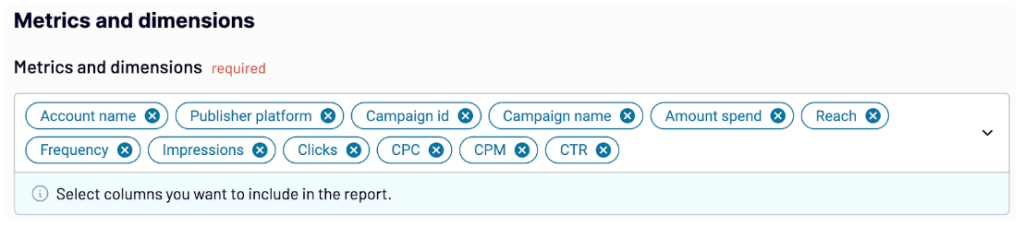
When you go with Reports and insights as a data category, you also need to specify the metrics and the start/end date for your report. The metrics you can include are Amount Spent, Reach, Frequency, Impressions, Clicks, and so on.
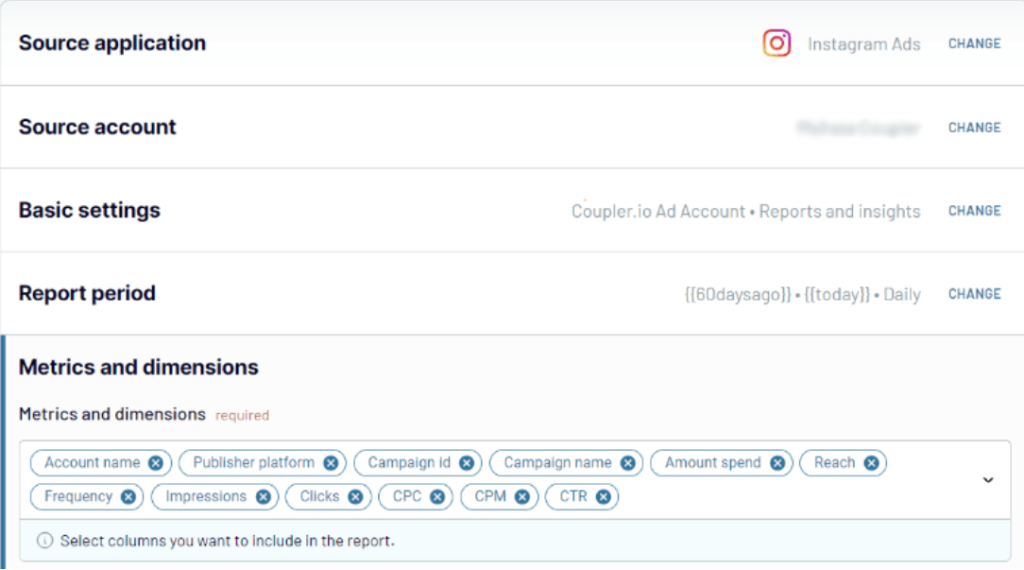
In addition to advertising data, Coupler.io lets you also export Instagram public data.
Step 2. Transform data
- Manage columns to include in your report. You can hide unnecessary ones, rename them, and change their type.
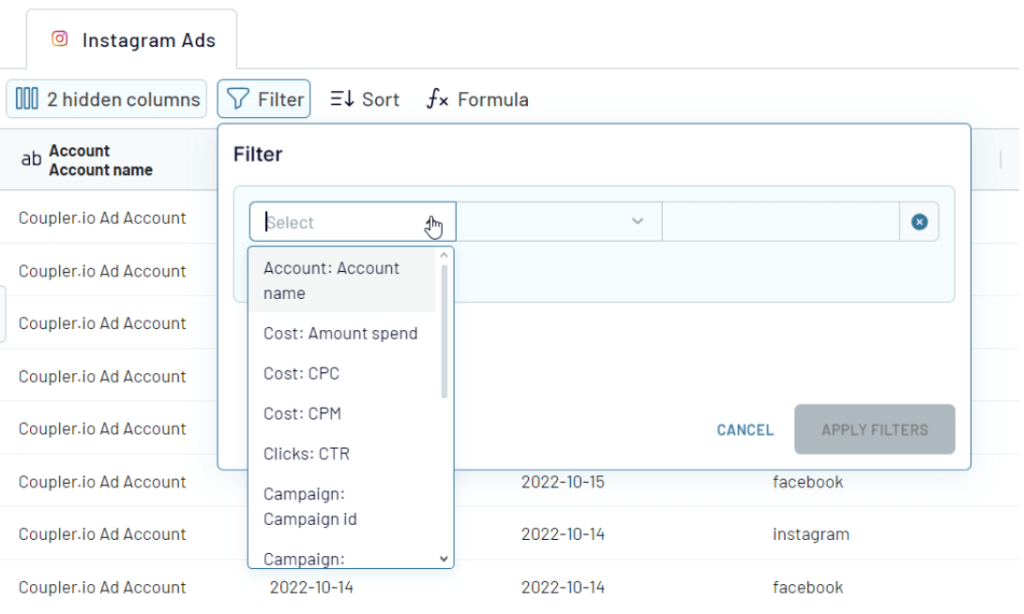
- Apply filters, sort your data, or create custom calculations to transform your data for more meaningful insights.
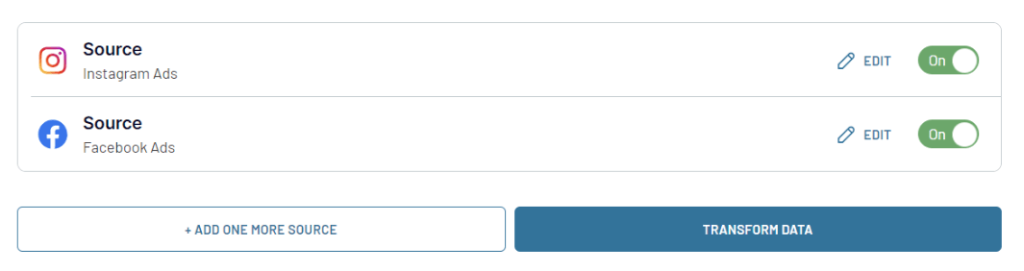
- You can also merge data from different Instagram Ads accounts or other apps for a comprehensive view.
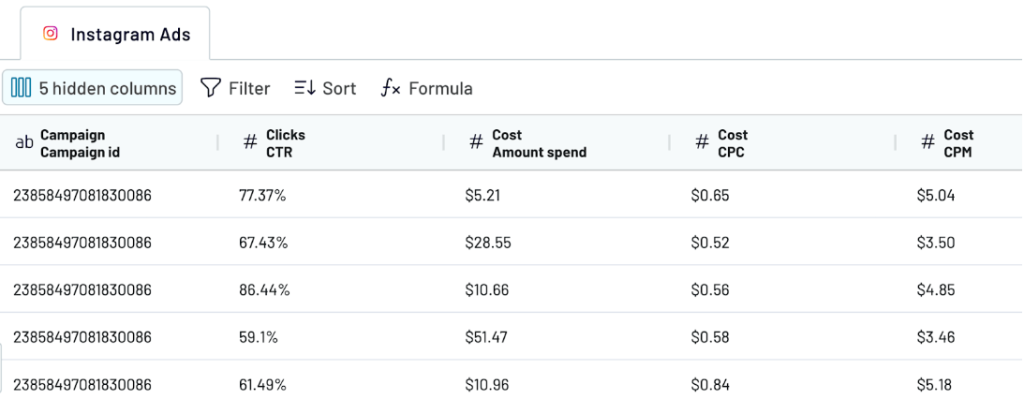
Once the data is organized, complete the destination setup depending on where you load your Instagram Ads data. Keep in mind, the settings will be different for each particular destination app. So follow the in-app instructions to complete this successfully. For instance, here is how to connect Instagram Ads to Google Sheets.
Step 3. Schedule updates
Set up automatic data refreshes with Coupler.io to ensure you always have the latest data.
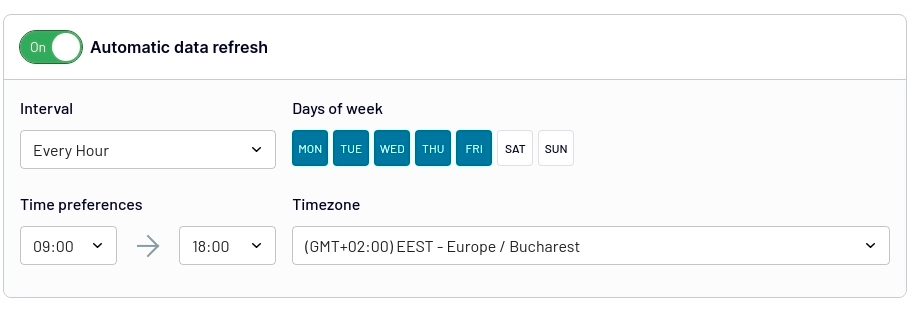
Best practices for automating exports
- Consistency. Ensure your data fields and types are consistent across exports for reliable time series analysis.
- Data hygiene. Regularly check for duplicates or irrelevant data to maintain clean datasets for analysis. You can use filters or custom columns for this.
- Comprehensive metrics. Include a variety of metrics to gain a holistic understanding of ad performance.
- Integration. Combine Instagram Ads data with other data sources for enriched insights.
- Security. Always manage who can access your Instagram Ads data and use secure connections for data transfers.
What data can be exported by Coupler.io from Instagram Ads?
| Data | Description |
| Reports and Insights | Get detailed performance data and analytics for your Instagram campaigns. They include reach, impressions, clicks, and conversion rates. It gives you a full view of your ad’s success. |
| List of Ad sets | A list of all ad sets in your account. Include details like targeting, budgets, and schedules. This will allow you to assess and adjust your ad strategy well. |
| List of Campaigns | Gather info on all your Instagram marketing campaigns. Note their goals, total spend, and performance metrics. Use this info to see how well each one worked. |
| List of Ads | Get data for each ad. This includes creative elements, engagement stats, and performance results. This data is crucial for improving individual creatives and messaging. |
What are the supported destinations to import Instagram Ads data?
The power lies in not just exporting data from Instagram Ads. Often, it is all about seamless integration with the tools that organizations use daily. Here’s where you can import your Instagram Ads data using Coupler.io destinations:
Spreadsheets
- Google Sheets — Tap into Google Sheets for easy collaboration and straightforward data manipulation.
- Microsoft Excel — Enjoy a familiar interface for detailed data analysis and visualization of Instagram Ads metrics.
BI & visualization tools
- Looker Studio — Turn Instagram Ads data into informative, customizable, and shareable dashboards.
- Power BI — Create rich, interactive reports and dashboards.
- Tableau — Bring your Instagram Ads data to life with powerful, interactive visual analytics.
- Qlik — Use Qlik’s associative analytics engine to show relationships across various sources of Instagram Ads data for a deeper understanding.
Data warehouses
- BigQuery — Use BigQuery to conduct sophisticated analytics operations on large-scale Instagram Ads datasets with the convenience of SQL queries for powerful insights.
- PostgreSQL — Get the most out of this robust open-source relational database that allows you to import Instagram Ads data for complex queries and operational reporting.
- Redshift — Leverage Amazon Redshift’s data warehouse capabilities to analyze and compare vast amounts of Instagram Ads data with other datasets for comprehensive insights.
- Snowflake — Load Instagram Ads data into Snowflake’s cloud data platform for scalable storage, cross-dataset joins, and high-performance analytics across your organization.
AI Tools
- ChatGPT — Connect your Instagram Ads data to ChatGPT for conversational analytics in plain language.
- Claude — Load Instagram Ads data into Claude to ask questions and get instant, actionable answers.
- Gemini — Sync your Instagram Ads data with Gemini to explore campaign performance through natural language.
- Perplexity — Connect Instagram Ads data to Perplexity for on-demand analysis without technical barriers.
- Cursor — Use Cursor to access and analyze your Instagram Ads data in an AI-powered developer environment.
Other
- monday.com — Incorporate Instagram Ads data into monday.com for project management and team collaboration, allowing for workflow automation and data-driven task management.
- JSON — Export your Instagram Ads data in JSON format for a flexible, text-based data interchange format that various applications can easily read and use.
How to visualize data from Instagram Ads?
Once your Instagram Ads data is exported, the next step is turning it into a visual report you can actually act on. Coupler.io provides ready-to-use dashboard templates that connect directly to your Instagram Ads account. Below are two options depending on whether you need an Instagram-only or a cross-platform overview.
Instagram Ads multi-account dashboard
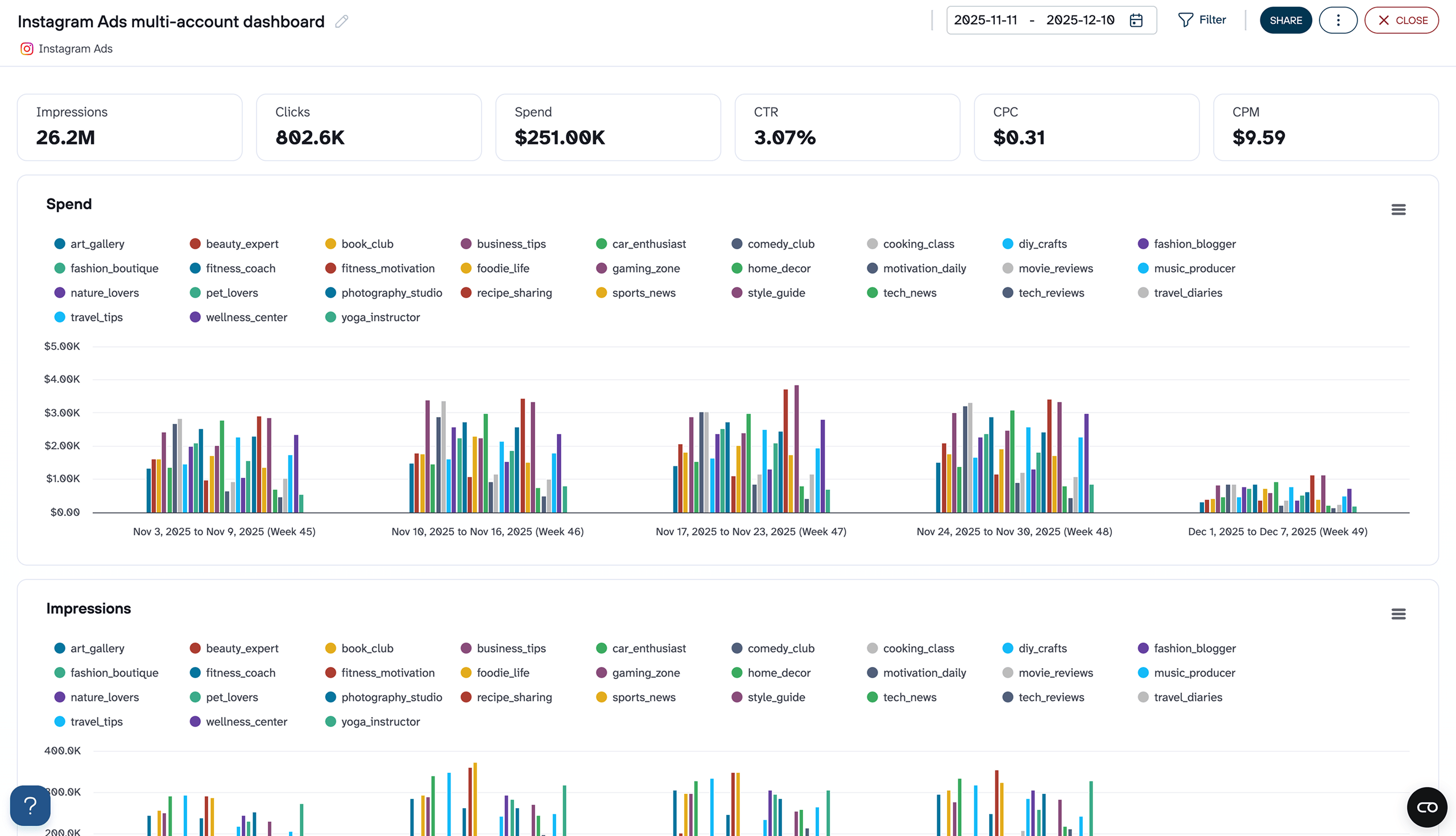
If you manage Instagram advertising across several accounts, this dashboard gives you a dedicated view of each account’s performance. It consolidates spend, impressions, clicks, CTR, CPC, CPM, reach, and frequency into a single report.
Instagram Ads multi-account dashboard
 Preview dashboard
Instagram Ads multi-account dashboard
Preview dashboardThe Instagram Ads multi-account dashboard compares weekly spend distribution, tracks CTR trends by account, and monitors average daily frequency to catch audience saturation before it drives up costs. This is a strong fit for agencies or in-house teams that need account-level breakdowns without switching between ad accounts.
The dashboard is available right in Coupler.io, so you won’t need to mess with additional setups in Looker Studio or another platform. Just connect your account and get the analysis-ready data in a couple of minutes.


PPC multi-channel dashboard
Coupler.io offers a PPC multichannel dashboard template for marketers and analysts looking to make sense of their Instagram Ads performance. It’s not a dedicated Instagram report template, but you can use it so if you only connect Instagram Ads as a data source.
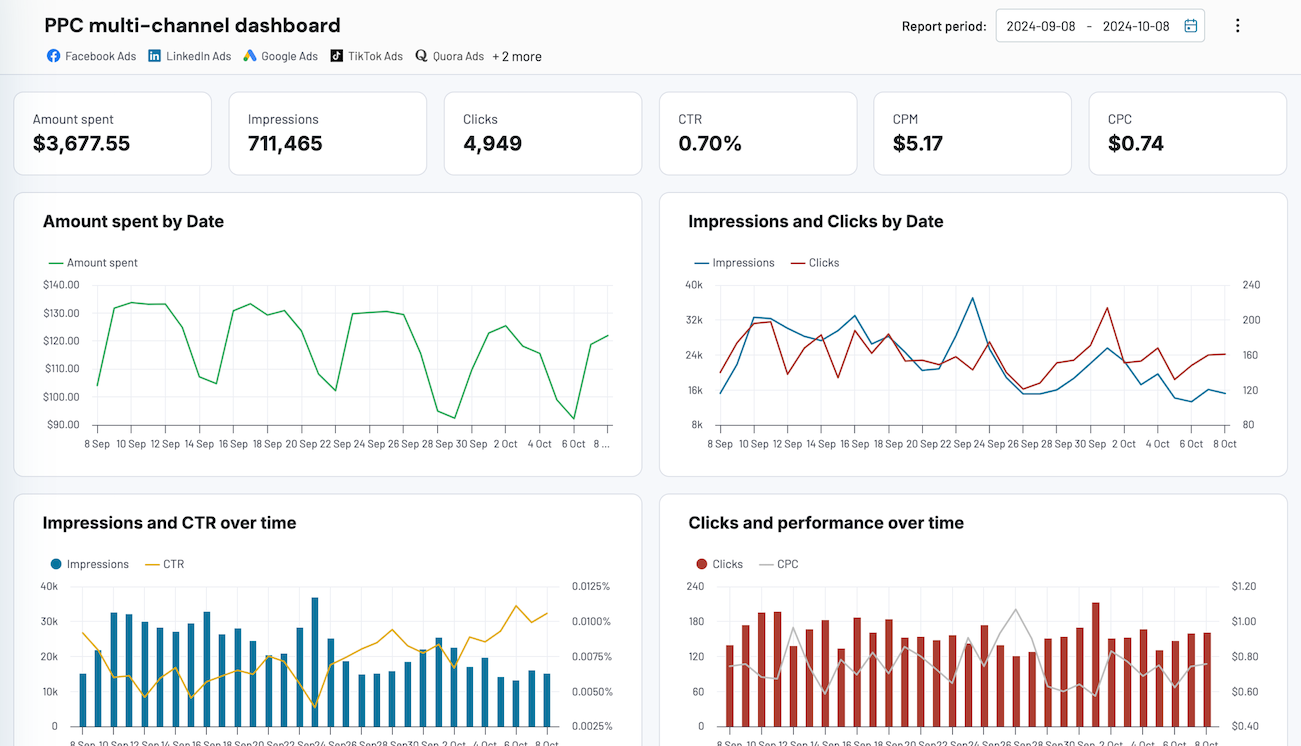
The Coupler.io Instagram Ads dashboard offers a panoramic vista of your campaign’s pulse, illustrated through vivid analytics and metrics such as:
- Amount spent
- Impressions
- Clicks
- CTR
- CPM
- CPC
Visualizing data from Instagram Ads is relatively easy. The logic is that you connect multiple ad sources to the selected dashboard and have all the relevant ad data in one place. It won’t take more than 3 minutes to complete. Connect the needed ad sources one by one. Follow the setup wizard’s instructions. Ignore channels where you don’t run ads.
By default, the dashboard will update every day. If you want a more frequent data refresh, return to Coupler.io and tweak the schedule. Every 15-minute refresh will make your dashboard near real-time!


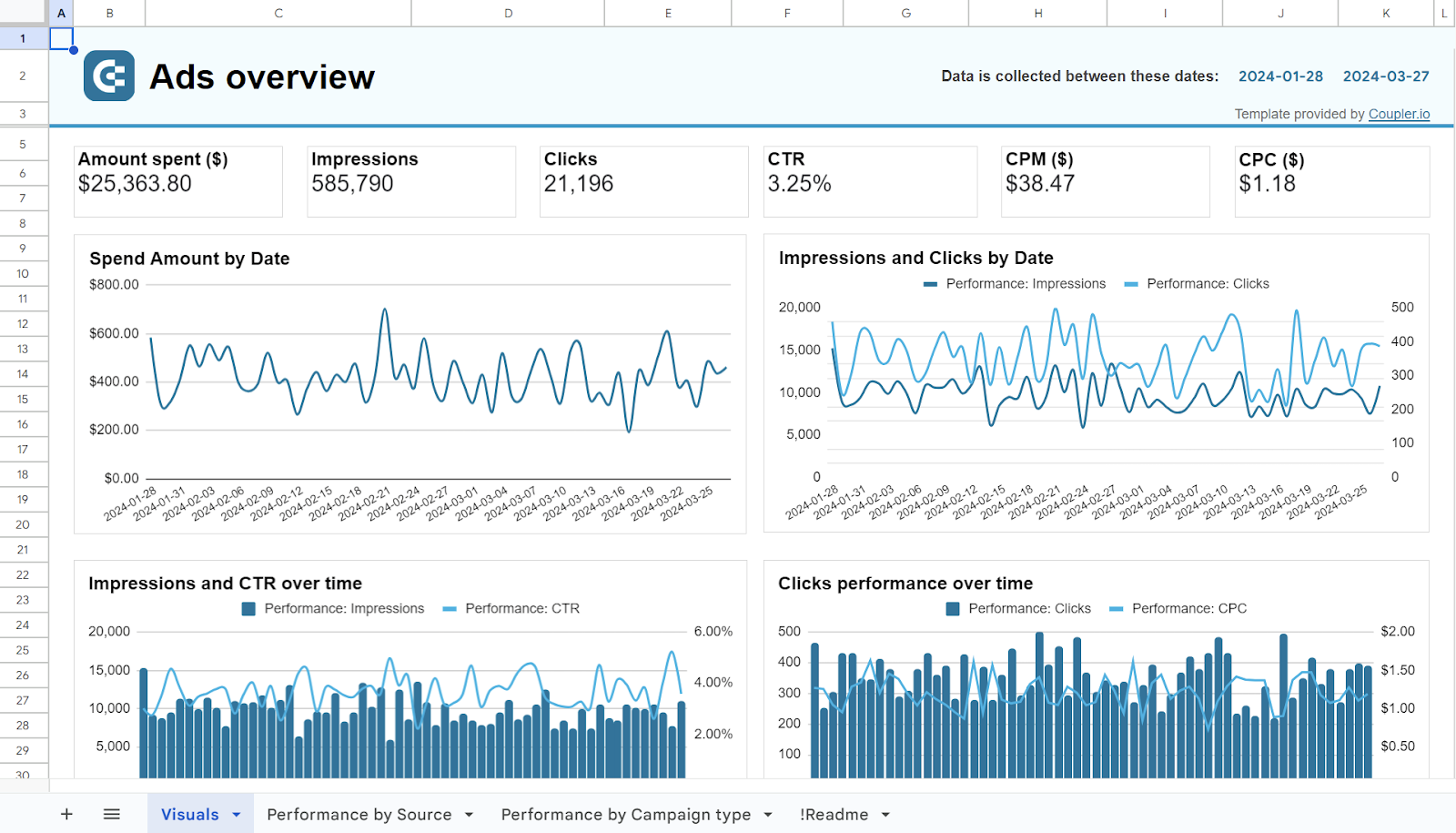

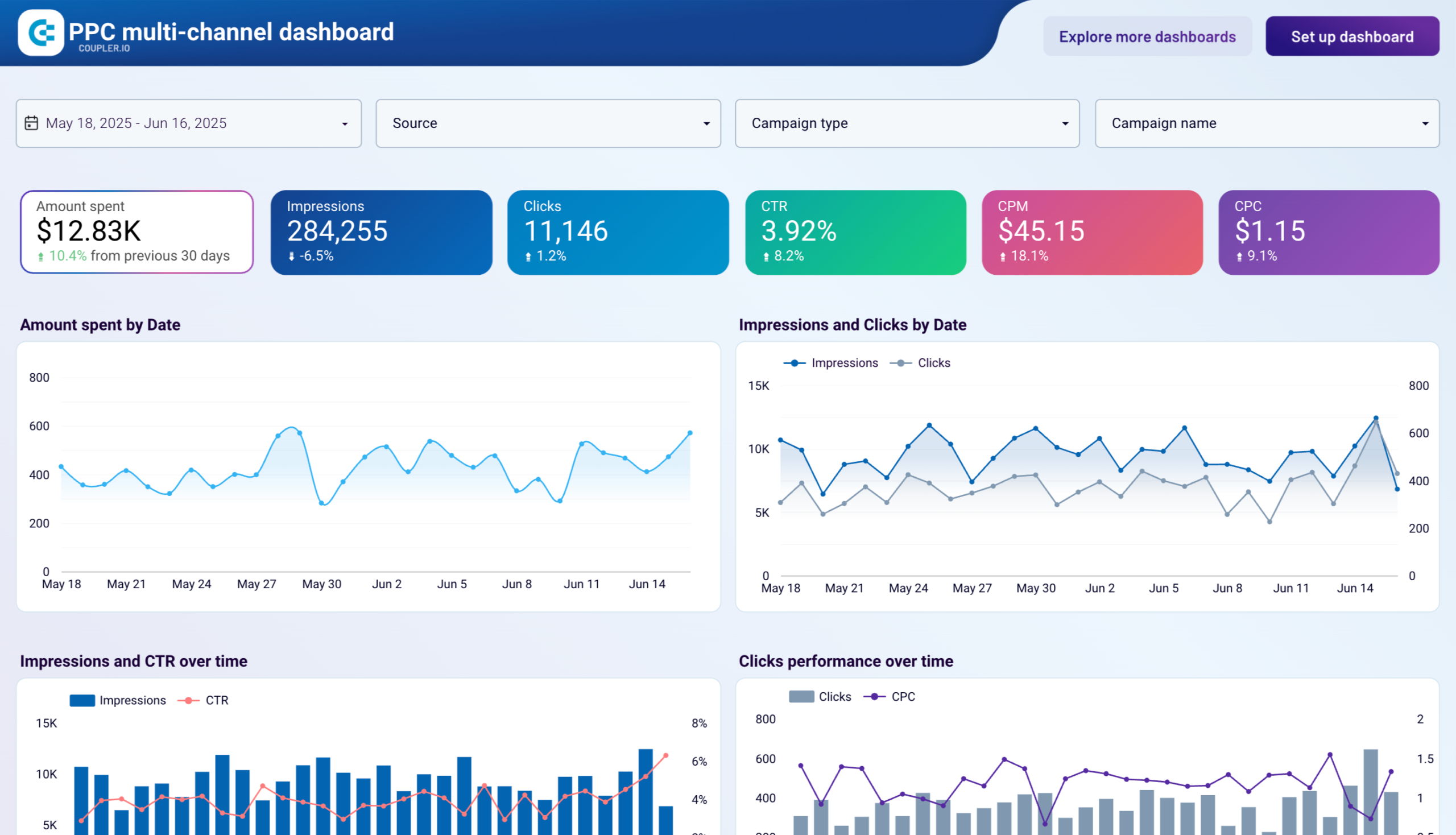


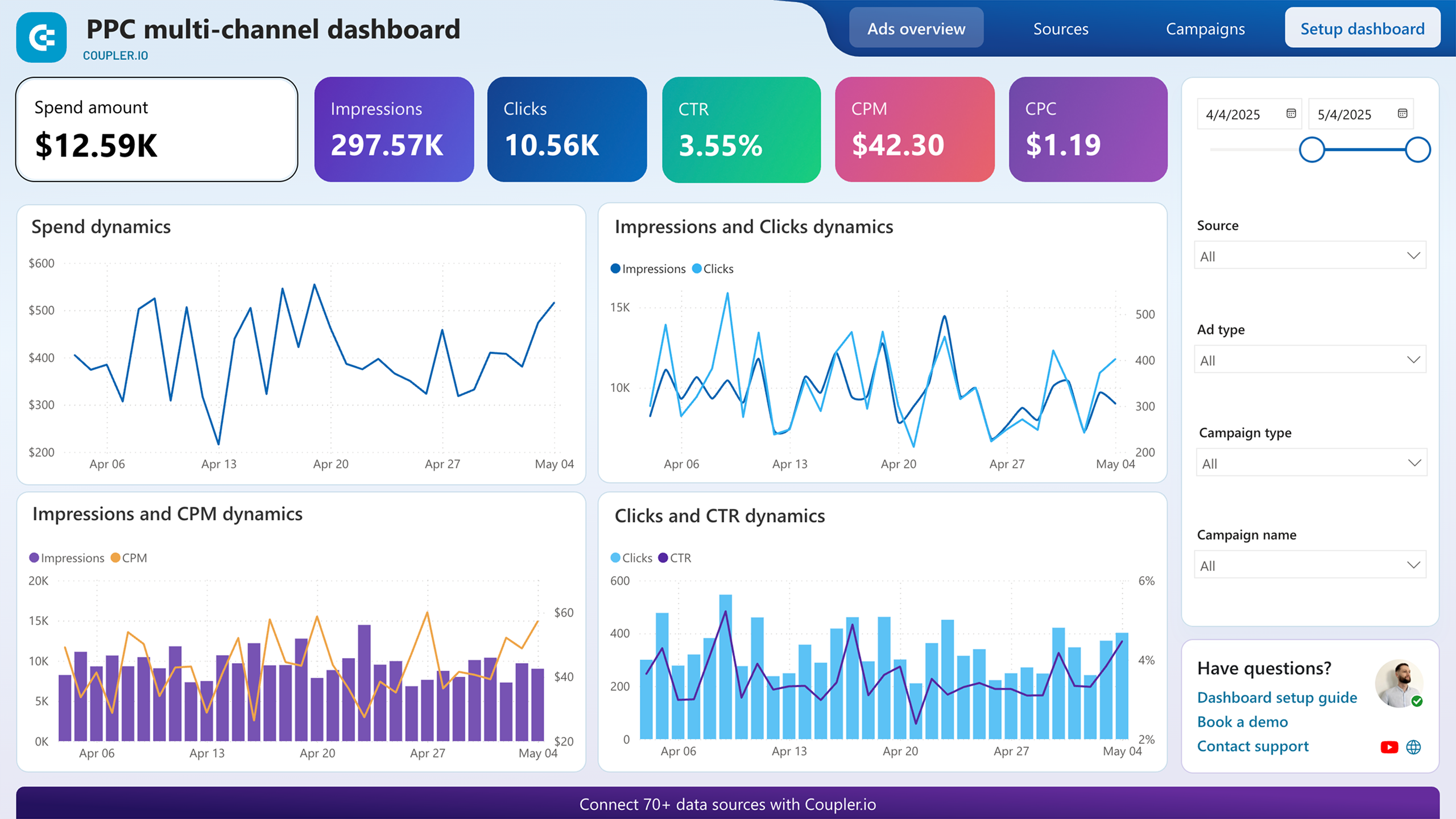

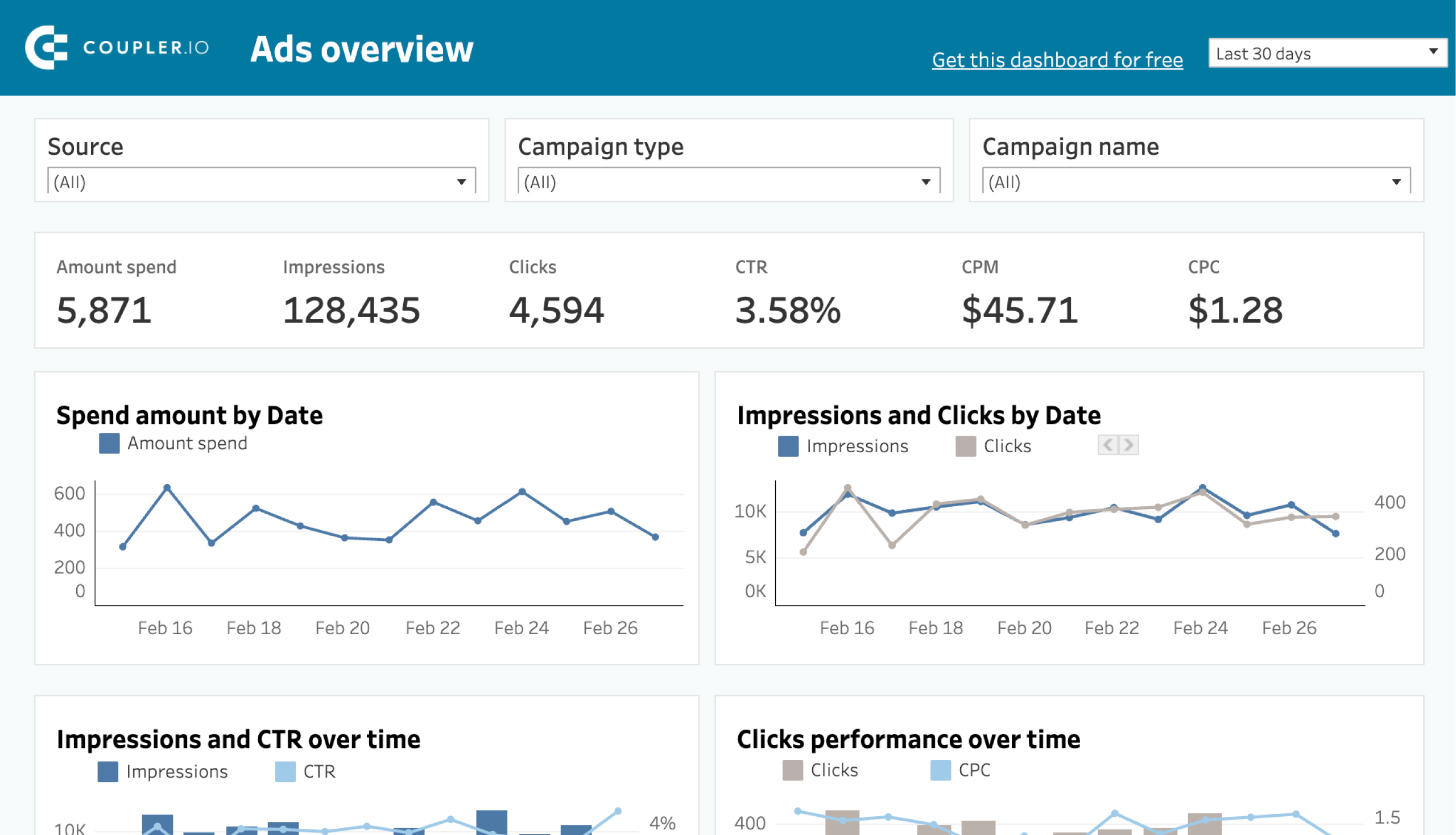

Bookmark your new PPC dashboard. It will always have the performance of your ad campaigns at your fingertips.
Shall I automate exports of Instagram Ads data?
Using Coupler.io to export Instagram Ads data allows you to convert raw data into a compelling story of your brand’s journey. As a result, you can identify your audience’s engagement rhythm and refine your marketing prowess. This is about more than just getting a good-looking Instagram Ads analytics report. It is about digging deep into user behavior and understanding what people want.
Let your Instagram Ads data set the course for insightful decision-making and a thriving business future. Join Coupler.io today.