Shopify’s dashboard shows you orders and revenue, but it won’t let you join that against your ad spend, your support tickets, or a margin calculation you built yourself. It doesn’t support SQL, nor does it keep your data around forever in a form you control. Once your store grows past a certain point, those limits start costing you real time, in spreadsheets stitched together by hand and in reports you can’t quite trust.
A Shopify to PostgreSQL integration solves that. Your orders, products, customers, and inventory land in a real database you own, ready to join with other systems, query however you like, and keep for as long as you need, not just as long as Shopify decides to show it to you.
Shopify has no built-in PostgreSQL export, so every Shopify to PostgreSQL ETL process needs a bridge between Shopify and your database. Coupler.io handles that bridge without code, pulling pre-structured Shopify data into PostgreSQL on a schedule. Below is how to set it up, plus the manual alternatives and when they make more sense.
How to connect Shopify to PostgreSQL with Coupler.io
Coupler.io is a no-code data integration platform and AI analytics solution. It connects 400+ business sources and lets you build a reliable Shopify PostgreSQL pipeline and load data to 15+ other destinations without any code or scripts to maintain.
Shopify’s data model has more moving parts than it looks like from the outside: orders, line items, fulfillments, refunds, variants, inventory by location, all separate objects that Shopify’s API returns separately. Coupler.io pulls the entities you need pre-structured, so you’re not writing those joins yourself. Here’s how to set it up.
Step 1: Collect your Shopify data
Start by signing up for Coupler.io for free, then create a new data flow with Shopify as the source. Or use this preset form with Shopify and PostgreSQL already selected. No credit card is required to get started
Connect your Shopify account – you’ll need to enter your shop name and log in after that. An alternative authentication method is to connect through Coupler.io’s Shopify app
From there, pick the data entity you’d like to move, whether that’s routing Shopify orders to PostgreSQL, syncing Products, Inventory, Customers, or something more specific like Orders with line items. You can also choose the columns and set up filters for your Shopify data to load to PostgreSQL.
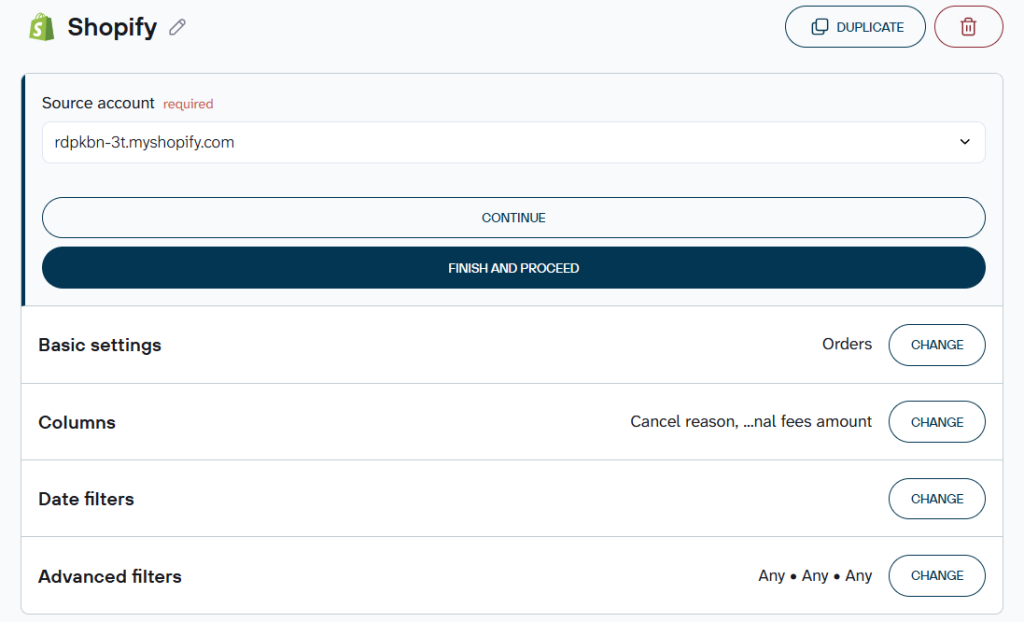
If you need more than one type of Shopify data, or want to bring in another source entirely, like your ad platform or CRM, you can combine multiple entities and sources in the same flow before it all loads to PostgreSQL.
Step 2: Preview, filter, and transform data
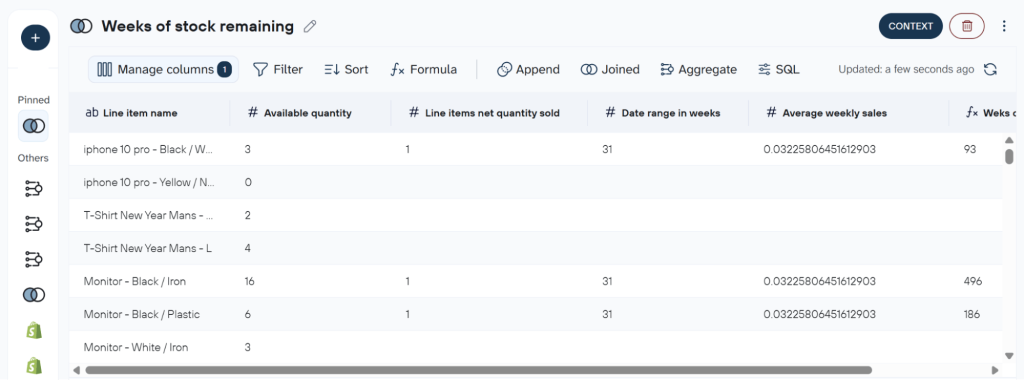
Before anything syncs, Coupler.io gives you a preview so you can see exactly what you’re working with. This lets you organize the data manually or start from a template, whichever fits how much control you want.
Manually, the date filters can be used to scope your pull, advanced filters to leave out things like canceled orders or draft products, and transformations to rename fields. And you can hide what you don’t need, or aggregate data, rolling up orders by week instead of by day, for example. This is also where multi-store and multi-source setups come together: combine data from several Shopify stores, or enrich your store data with numbers from another source entirely, like your ad platform or CRM, all before it loads to PostgreSQL.
If you’d rather not configure all of that by hand, Coupler.io’s data set templates give you pre-built, analyst-configured reports for common Shopify scenarios, ready-made metrics, filters, and aggregations without building them yourself.
Step 3: Load data to PostgreSQL
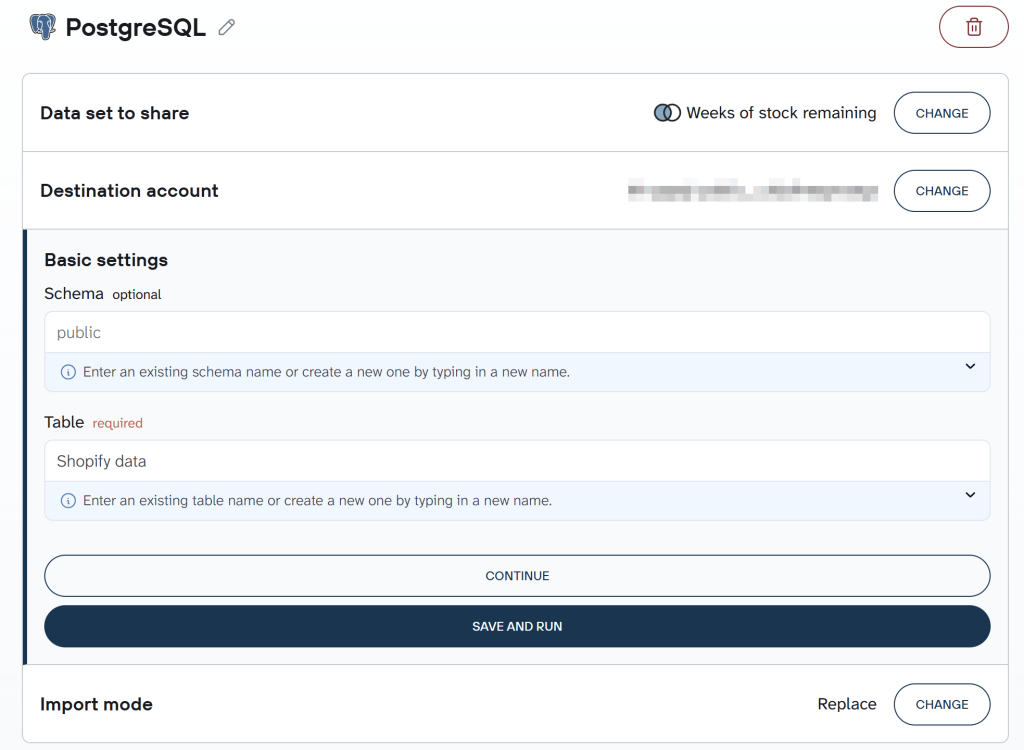
To connect to your PostgreSQL account, enter your host, port (5432 by default), database name, user, and password. After that, enter an existing table name or create a new one by typing in a new name.
Optionally, you can also enter or create a schema and choose the import mode. “Append” adds new rows each refresh, while “replace” overwrites the table completely.
If your team needs the same Shopify data in more than one place, say, the finance team working from PostgreSQL while marketing tracks performance in a live Google Data Studio dashboard, the same flow can send it to both at once.
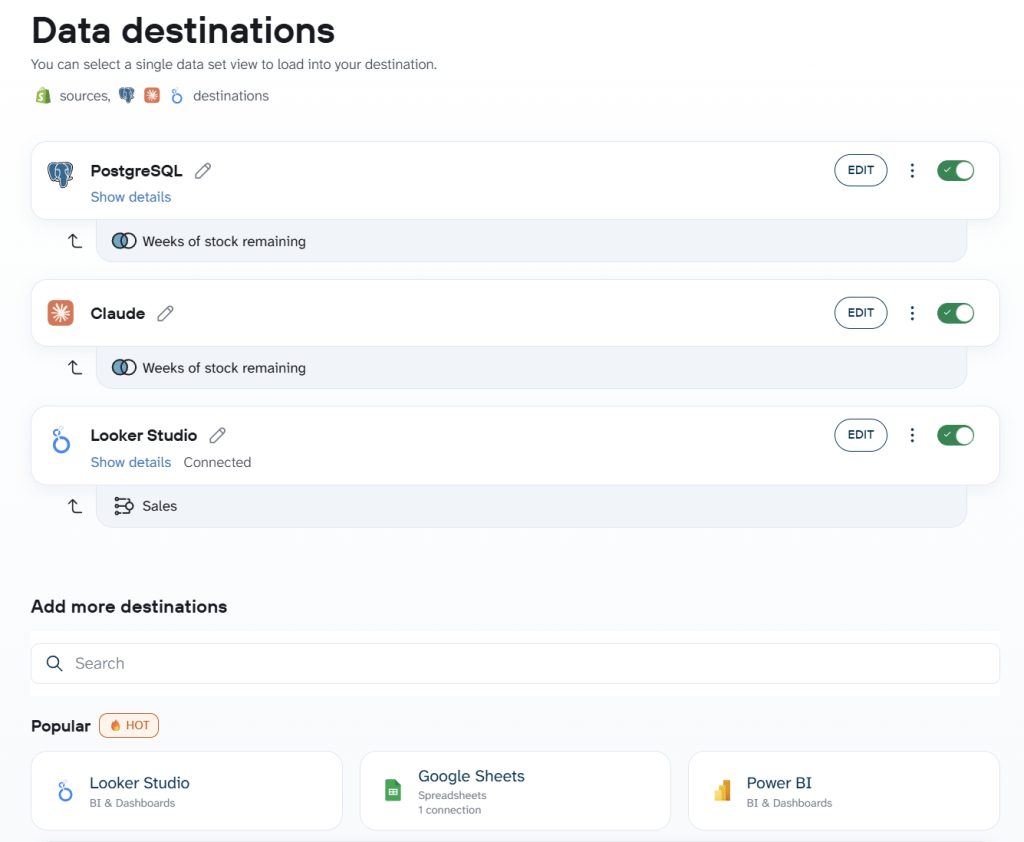
Next, you can automate data refresh and Coupler.io will export Shopify to PostgreSQL on a schedule you set. Click Save and Run to push the first load.

Load Shopify data into PostgreSQL with Coupler.io
Get started for freeBonus: Load to PostgreSQL in AI without connecting to external AI tools
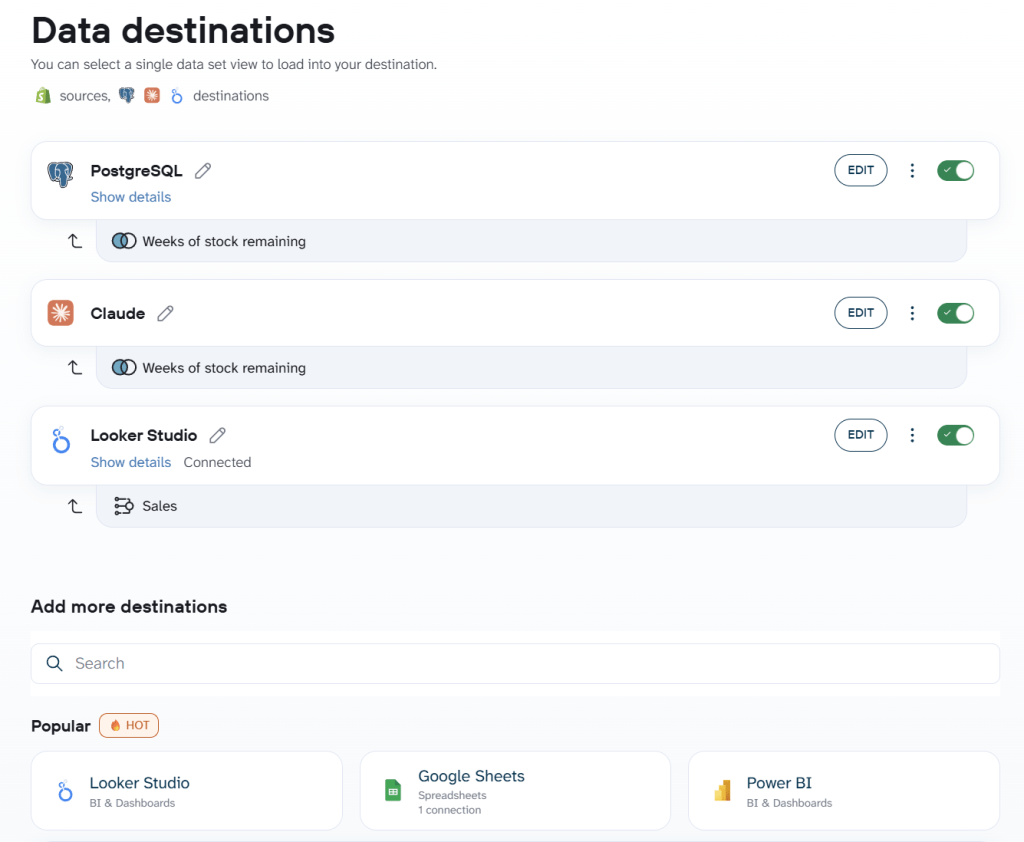
Once your Shopify data is in PostgreSQL, you don’t need to connect an external AI tool to start asking questions about it. Coupler.io’s built-in AI Agent can query the same data directly, or you can connect Claude or ChatGPT using the ecom-analytics skill if you’d rather work from there. Either way, you’re analyzing the data that’s already loaded, not setting up a separate pipeline.
The prompt below is what I shared with the AI agent.
“Which products are at the highest risk of stocking out in the next 30 days, and how many days of inventory do they have left?”
Here’s the result:
How do you automate Shopify to PostgreSQL syncing?
A one-time import only gives you a snapshot of your store. To build reliable reports, monitor inventory, or analyze sales trends, you need Shopify data sync to PostgreSQL running on a schedule, not a one-time snapshot. Coupler.io handles this with scheduled synchronization, eliminating the manual work of repeated exports. There are two main approaches to automating Shopify data syncing, and each is designed for different use cases.
Schedule-based data refresh
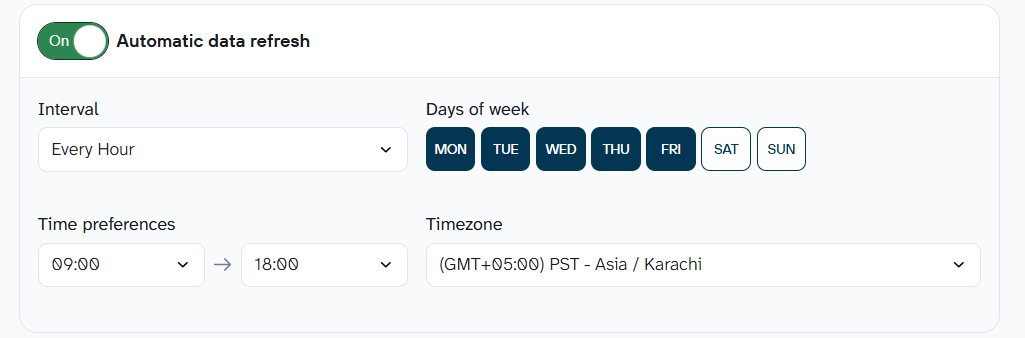
For most teams, scheduled syncing is the simplest and most reliable way to keep Shopify data current in PostgreSQL. This is great for reports, inventory tracking, sales analysis, and dashboards, as long as 15-minute-old data works for you. Since there’s no infrastructure to build or maintain, you can focus on analyzing your data instead of managing the integration.
Coupler.io gives you two modes for Shopify PostgreSQL sync: schedule-based refresh and webhook-triggered automation. Coupler.io will automatically poll Shopify’s API, retrieve new and updated records, and write them to PostgreSQL. You can edit, pause, or manually rerun the schedule at any time. It’s an easy no-code way to automate Shopify-to-PostgreSQL syncing or trigger an on-demand export whenever needed.
Event-based automation via webhooks
If scheduled refreshes aren’t fast enough, Coupler.io also supports event-based syncing through webhooks. Instead of waiting for the next scheduled run, the respective webhook triggers real-time Shopify PostgreSQL sync as soon as a supported Shopify event occurs.
This is a great option if you need data updates faster than the standard 15-minute schedule. It saves you from the hard work of building and maintaining your own custom connection system. Coupler.io handles the technical setup, so you get near real-time updates without needing to manage extra infrastructure.
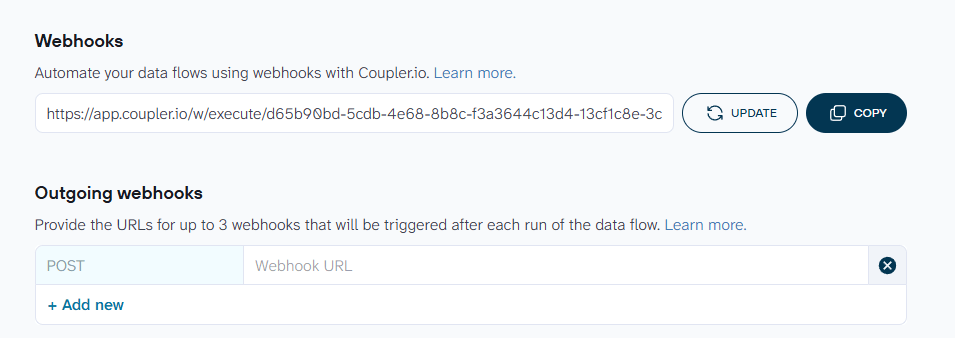
Most teams do not need webhooks. If a question can wait 15 minutes for an answer, which covers almost all reporting, scheduled automation gets you there with nothing to maintain.
Import your Shopify data into PostgreSQL.
Get started for freeWhat you get once Shopify data is in PostgreSQL
Most Shopify store owners hit the same wall eventually: the data is there, but the answers aren’t. Revenue is up, but you don’t know which channel drove it. Inventory looks fine, but a SKU runs out mid-campaign. Marketing spend is climbing, but you can’t tell which platform is actually converting. That’s not a Shopify problem; it’s a reporting problem, and it’s exactly what the dashboard layer on top of PostgreSQL solves. And once you have Shopify data in PostgreSQL, you can connect it to any reporting layer you already use.
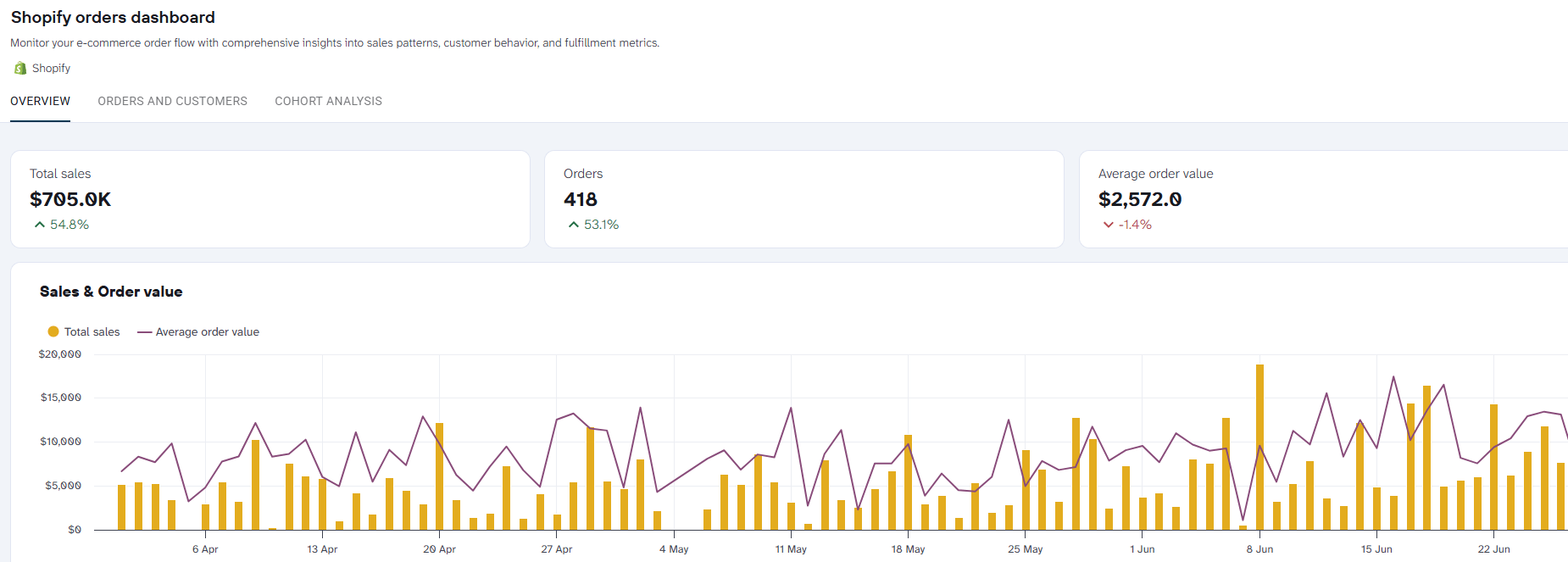
Shopify Orders Dashboard (Coupler.io Dashboard, Power BI, Google Sheets, Google Data Studio) tracks sales trends, order history, and payment patterns by country. The customer value analysis splits buyers by revenue, discounts, and location. You can see which markets are worth growing and which ones are hurting your margin.
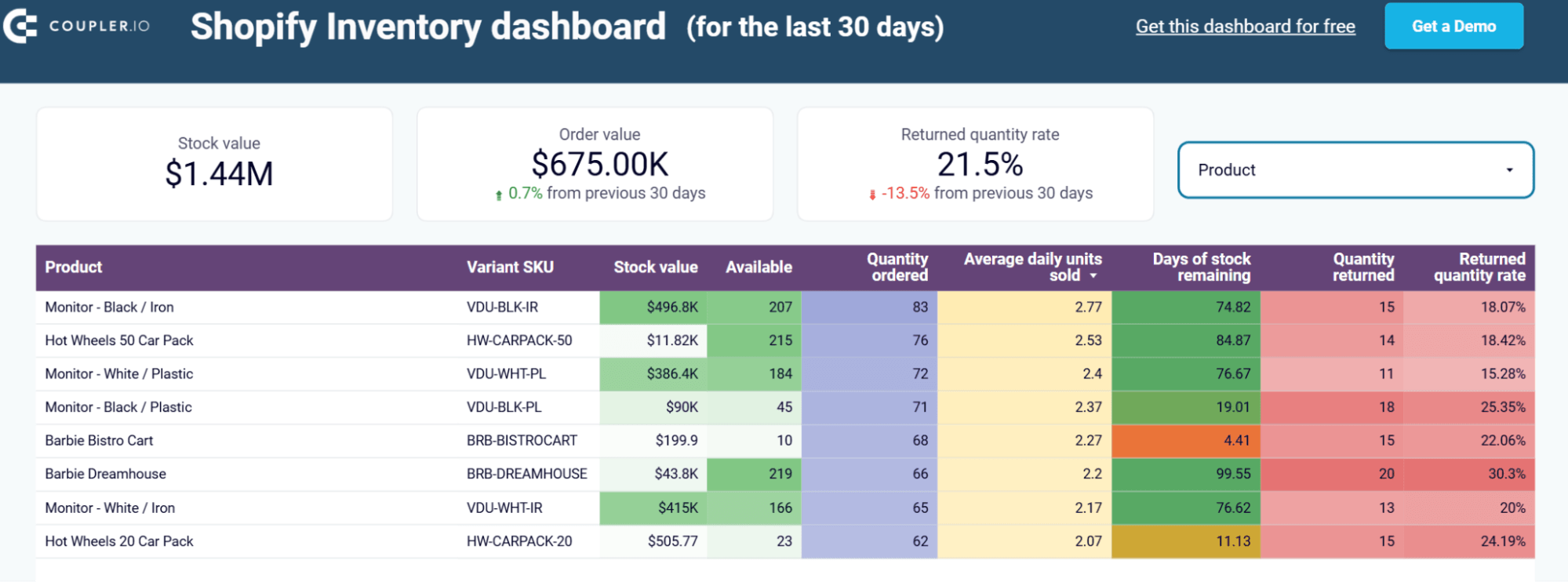
Inventory Dashboard for Shopify (Google Data Studio, Google Sheets) shows days of stock remaining per SKU based on current sales pace. It updates as sales change, so it’s never a guess. For stores with stock in multiple locations, it helps you catch a stockout before it happens.
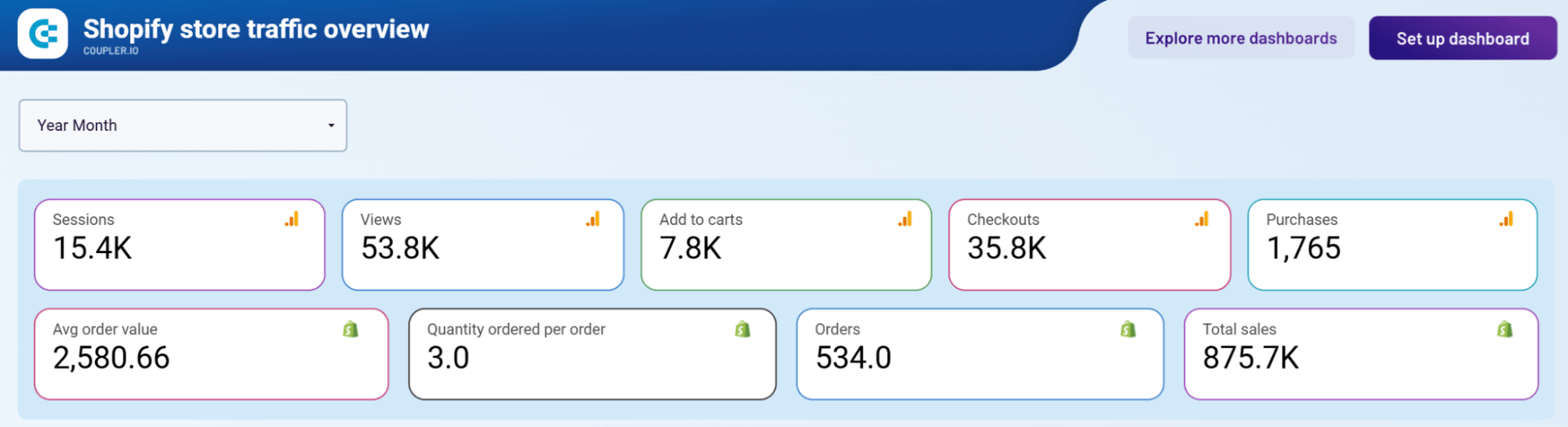
Shopify Store Traffic Dashboard (Google Data Studio, Power BI, Google Sheets, Coupler.io Dashboard) combines Shopify with GA4. It shows the full funnel from visit to purchase, month by month. You can see where people drop off, something Shopify’s own reports don’t show clearly.
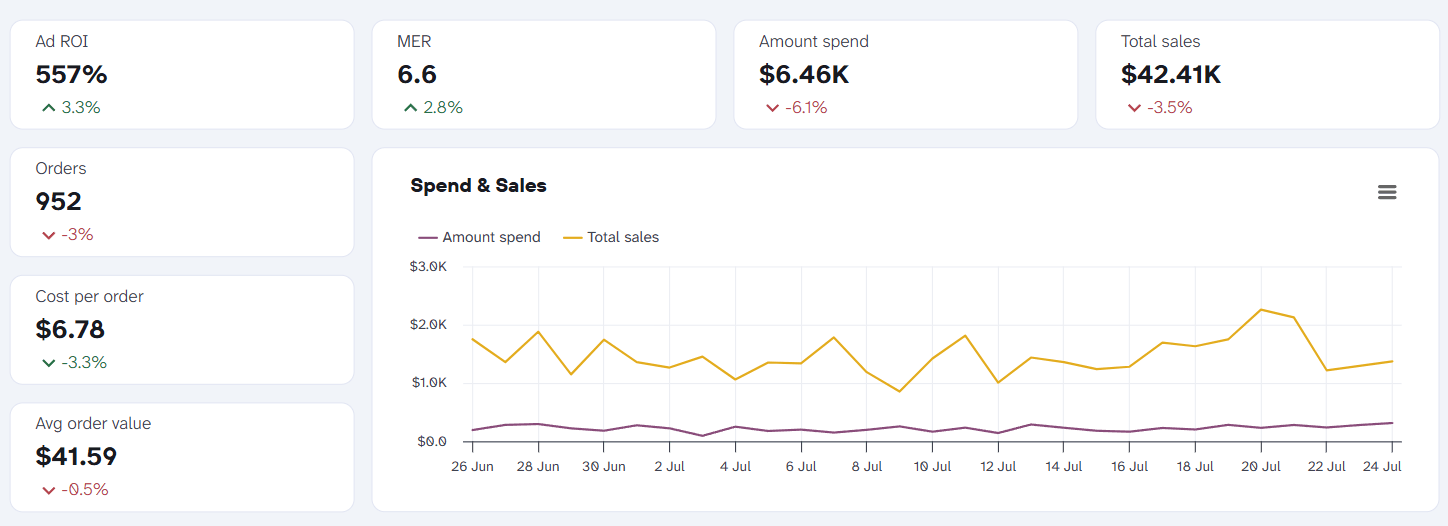
Shopify Marketing Funnel Dashboard (Google Data Studio, Power BI, Google Sheets, Coupler.io Dashboard) connects ad spend from Google, Facebook, TikTok, LinkedIn, Pinterest, Snapchat, and more to real store sales. It gives you real attribution without manually stitching together platform exports from each channel.
Shopify Marketing Funnel Dashboard
 Preview dashboard
Shopify Marketing Funnel Dashboard
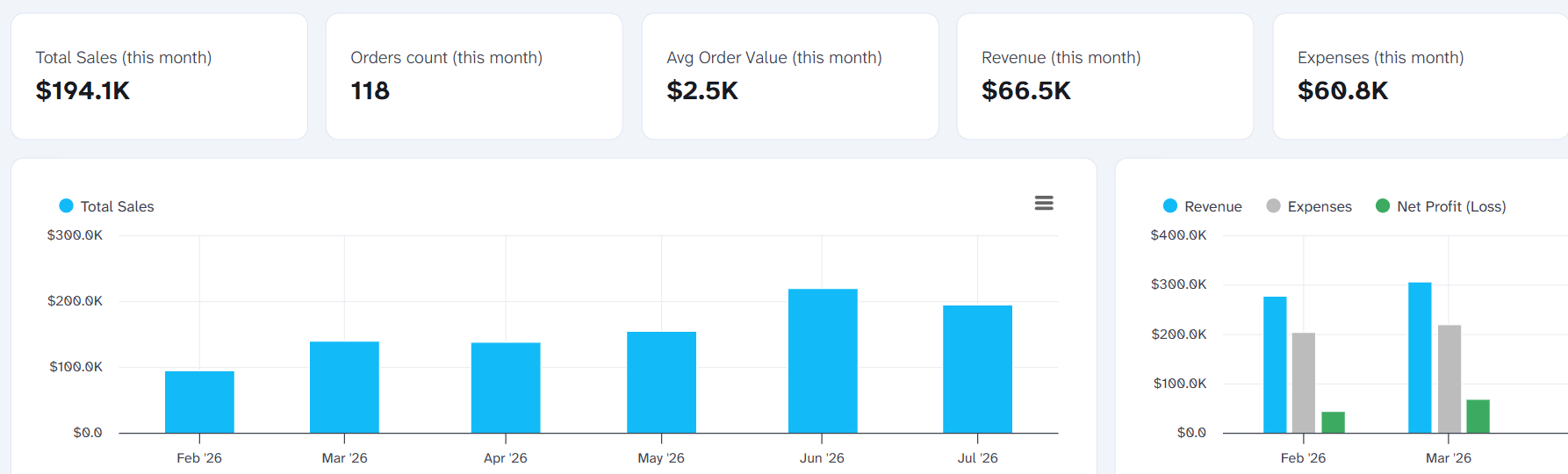
Preview dashboardShopify and Xero Revenue Dashboard and Shopify and QuickBooks Revenue Dashboard (Google Data Studio, Coupler.io Dashboard) match your store revenue against your accounting data. Finance teams get a single source of truth instead of two systems with different numbers.
Shopify & Xero Revenue Dashboard
 Preview dashboard
Shopify & Xero Revenue Dashboard
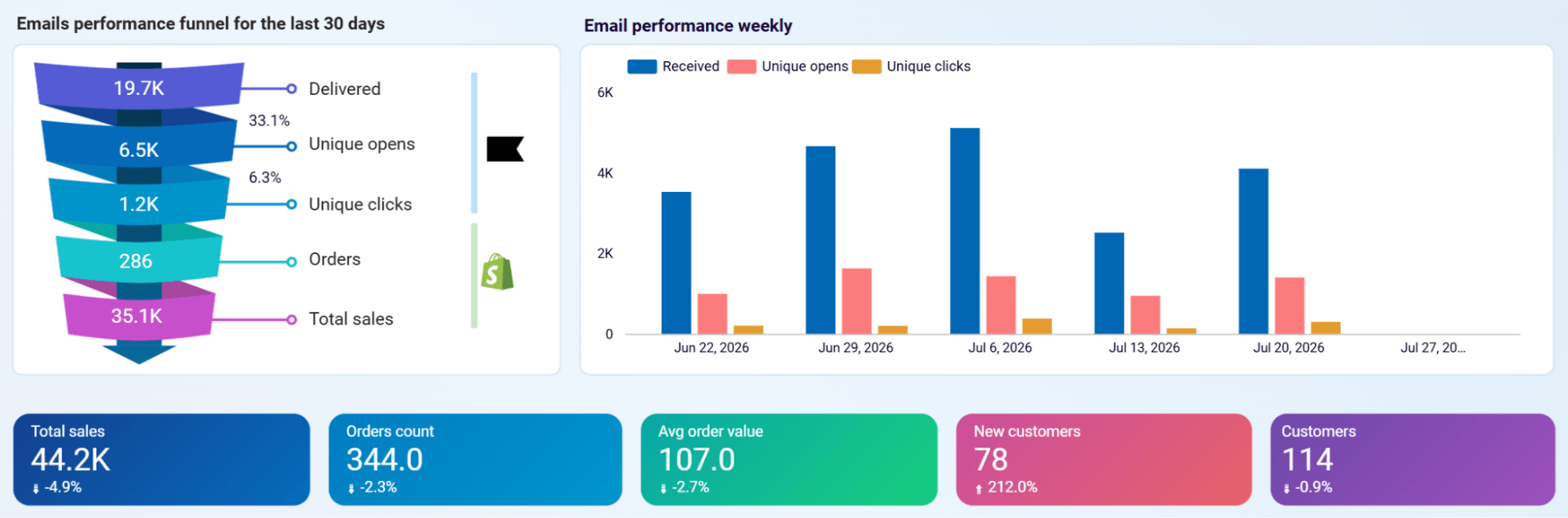
Preview dashboardKlaviyo Email Campaign Performance Dashboard and Mailchimp Email Campaign Performance Dashboard (Google Data Studio) connect your email campaigns to Shopify sales data. You see what your email traffic is actually worth in revenue, not just opens and clicks.
Klaviyo Email Campaign Performance Dashboard
 Preview dashboard
Klaviyo Email Campaign Performance Dashboard
Preview dashboardThe underlying logic across all of these is the same. You have one Shopify data connector, one PostgreSQL destination, and multiple reporting surfaces. The data you moved into PostgreSQL doesn’t just sit there. It feeds dashboards, powers SQL queries, and supports AI analysis, all from a single automated pipeline.
Build a Shopify reporting stack across GA4, ads, and accounting
Book a demo with Coupler.ioOther ways to import Shopify data into PostgreSQL, and when they make sense
Moving Shopify data into PostgreSQL without a connector means owning the pipeline yourself. That’s ideal for teams: full control over the data model, custom logic during the sync, or a technical setup that already has a place for one more source.
For other teams, it’s important to understand the impact of ongoing maintenance costs before committing.
Shopify API (GraphQL) + a custom script
Shopify’s REST Admin API has been a legacy API since October 1, 2024. GraphQL is the only path for any new custom app, so a script built today should be written against GraphQL from the start, not REST.
Getting API access looks different than it used to. Shopify retired the old legacy custom app flow, the one people used to call a private app, on January 1, 2026.
New apps are created through the Shopify Dev Dashboard. You reach it via Settings → Apps → Develop apps → Build apps using Dev Dashboard. In the older guides, you’d find it in the “Manage private apps” screen, but that’s obsolete now.
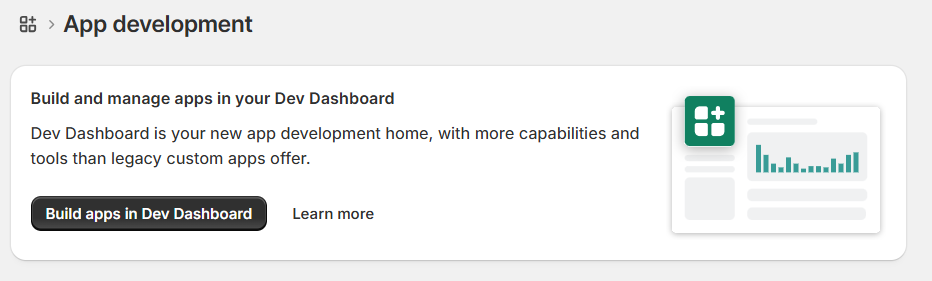
Building a Shopify API to PostgreSQL integration yourself means writing your own GraphQL queries, handling pagination, and writing a script in something like Node.js or JavaScript.
Then, you insert results into PostgreSQL, handle errors, and run your own scheduling. This can be a cron job or a scheduled task on something like Heroku.
Every HTTP request to Shopify’s API needs to respect the cost-based rate limits. And every write to PostgreSQL needs its own retry logic if you want a Shopify PostgreSQL integration that does not silently drop records under load. This is effectively how you replicate Shopify data to PostgreSQL by hand, one query and one script at a time.
This makes sense when you need custom logic during the sync itself, or you are already running a custom data pipeline. You get full control at the cost of ongoing maintenance. Owning every API version upgrade and the GraphQL migration Shopify keeps pushing forward is also part of the maintenance.
Webhooks for near-real-time updates
Coupler.io’s webhook-triggered data flows cover most near-real-time use cases without any custom infrastructure. This is not always enough.
If you need sub-minute latency, complete control over the data model, or custom logic during the sync that Coupler.io’s flow doesn’t support, building your own webhook receiver is the alternative.
In this approach, you register webhook subscriptions directly in your Shopify custom app for the events you care about. The common metrics include order creation, inventory changes, and product updates.
Shopify posts each event’s payload to an HTTP endpoint you build and host. Your code then parses the payload, writes it into PostgreSQL, and handles everything else yourself.
You get HMAC signature verification on every request, retry logic for failed writes, and deduplication to prevent the same event from being inserted twice.
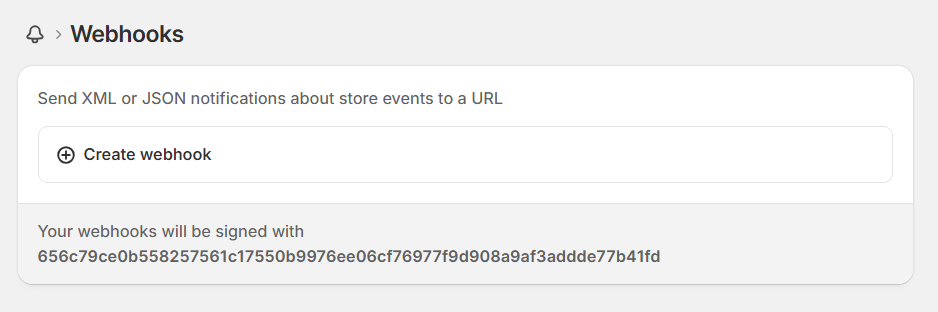
You own the receiver, the database logic, and the infrastructure it runs on. The tradeoff is the same as any custom build. You get full control over what happens to your data and when, in exchange for building and running the system long-term.
Common issues to watch for
Before building a manual pipeline, keep these in mind these primary technical hurdles:
Shopify API rate limits. GraphQL uses cost-based throttling rather than REST’s simpler request limits. This changes how you have to pace requests if you are building this yourself. With Coupler.io, this is handled for you.
Schema changes. Shopify adds and deprecates fields with every API version. A hardcoded script can break silently when a field it depends on disappears. Coupler.io’s pre-built entities are maintained to adapt to these changes rather than failing quietly.
Duplicate records. A common failure in manual syncs that lack proper upsert logic keyed on order ID, the same order gets inserted twice instead of updated once.
Historical backfill versus incremental sync. Pulling your entire order history on day one is a different problem than keeping new orders flowing in afterward. Coupler.io’s changed-after-date filter is what handles the incremental case cleanly. You don’t have to re-pull your whole store every refresh.
Most of these issues don’t announce themselves until a report breaks or a stockout catches you off guard. Coupler.io handles the rate limits, schema changes, deduplication, and incremental sync automatically, so the pipeline keeps running without you watching it. If you want to see how the setup looks for your store, you can start for free and have Shopify data flowing into PostgreSQL in under 5 minutes.
Track Shopify sales and inventory in PostgreSQL
Get started for freeFAQs
How do I connect Shopify to PostgreSQL without coding?
Use a no-code connector by Coupler.io. You authenticate your Shopify account, select the data you want, connect PostgreSQL as the destination, and set a refresh schedule. There is no script or API key involved.
Is Shopify to PostgreSQL sync real-time?
Scheduled sync through Coupler.io is near-real-time, refreshing as often as every 15 minutes. True real-time sync requires Shopify webhooks, which push data instantly but require you to build and host your own receiver.
Do I need a Shopify Partner account or custom app to use Coupler.io?
No. Coupler.io authenticates through its own Shopify app using OAuth. You do not need to create a custom app in the Shopify Dev Dashboard or generate an access token yourself. That requirement only applies if you are building custom PostgreSQL integrations based on the Shopify API.
Can I connect multiple Shopify stores to one PostgreSQL database?
Yes. You can create separate data flows for each store and route them into the same PostgreSQL data warehouse. It can either be into shared tables or separate ones depending on how you want to structure the data.
Is my Shopify data secure with Coupler.io?
Coupler.io is SOC 2 Type II certified, GDPR compliant, and HIPAA compliant.
What is Shopify to PostgreSQL integration?
A Shopify to PostgreSQL integration is an automated pipeline that pulls data from your Shopify store. It handles metrics such as orders, products, customers, and inventory, and loads the data into a PostgreSQL database on a schedule. This lets you query, join, and analyze your store data using SQL, without being limited to Shopify’s built-in reporting.