
Want to see how your Microsoft Ads campaigns have performed over the past three years? If you check the data available on the platform, you will probably be disappointed with what you’ve found. Unfortunately, Microsoft Advertising retains data for a limited time, which varies by report type. Most reports are kept for 36 months.
To access your historical data for a detailed analysis later on, the best solution is to import it into an external platform. Let’s discover how you can export Microsoft (Bing) Ads data on a schedule in this way.
Methods to export Microsoft (Bing) Ads data
You can extract Microsoft Ads data by taking either of the following approaches:
1. Automated data exports to different destinations
With Coupler.io, you can automatically export Microsoft (Bing) Ads data to multiple destinations, including spreadsheets, data warehouses, and business intelligence (BI) tools.
You can schedule automated exports to receive fresh data regularly without manual intervention. Coupler.io also lets you extract data from Microsoft Ads and other sources at a time. This way, you can create in-depth reports that combine data from different marketing channels and provide you with a holistic view of your advertising performance.
2. Exports through API
Another exporting option is by using Microsoft Advertising API. This enables programmatic access to your data and customized analytics. At the same time, it is a complex method that requires technical expertise and coding skills.
3. Manual exports
This approach offers flexibility and ease of use for those comfortable with .csv files. You simply export your data in this file format and upload it to the required destination. However, keep in mind that manual data export becomes time-consuming with frequent updates. It’s also prone to human errors and can be difficult to scale as your data volume grows.
Now, let’s explore each of the methods in detail, starting with automated data exports.
How to set up an automated export of Microsoft (Bing) Ads data on a schedule?
It only takes three simple steps to export data from Bing Ads with Coupler.io:
Step 1: Collect Microsoft Ads data
To begin with, you have two dropdowns in the form below: Source and Destination. We’ve preselected Microsoft Ads as the source. Change the dropdown on the right to choose the destination. Then, click Proceed.
Create a Coupler.io account for free without any credit card required. After that, you will see the following interface to connect to your Microsoft Ads account and configure your data source.
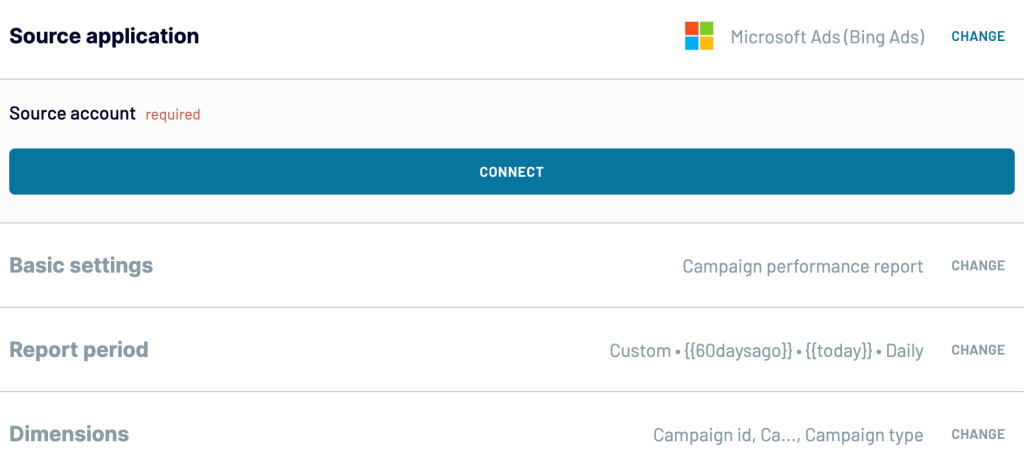
Click Connect to authorize your Microsoft Ads account. Next, select the Ad accounts and then the Report type, which refers to the data you’re going to export.
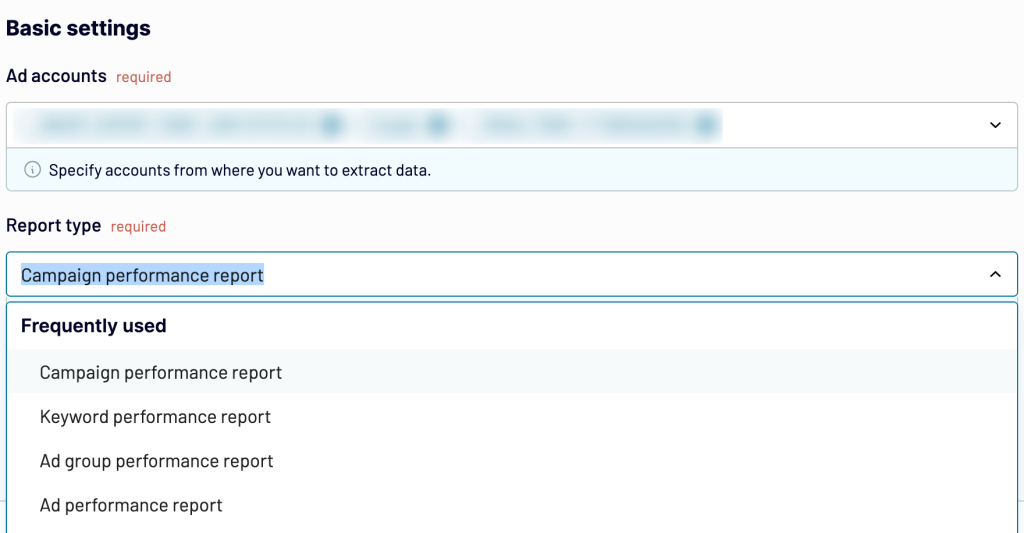
Decide on the Report period and, optionally, choose how you’d like to Split data by period. Then, you can pick the Dimensions you wish to export.
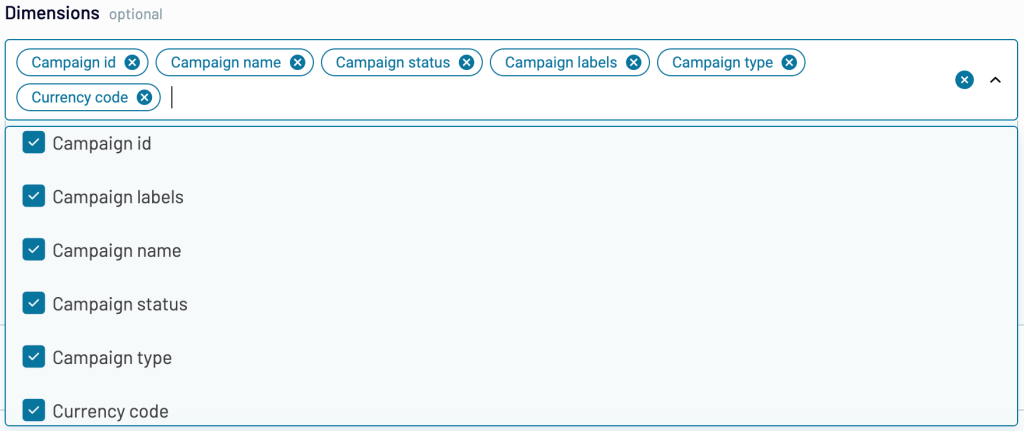
Once you’re done setting up your data source, press Finish and proceed. You may click + Add one more source to connect other sources or Transform data to move to the next step.
Step 2: Organize and transform data
Now you can preview and transform the data according to your preferences:
- Column management: Hide unnecessary columns, change their names or types, etc.
- Filter: Apply basic and advanced filters based on AND/OR criteria.
- Sort: Arrange data in ascending or descending order based on specific columns.
- Formula: Add new custom columns by using various formulas.
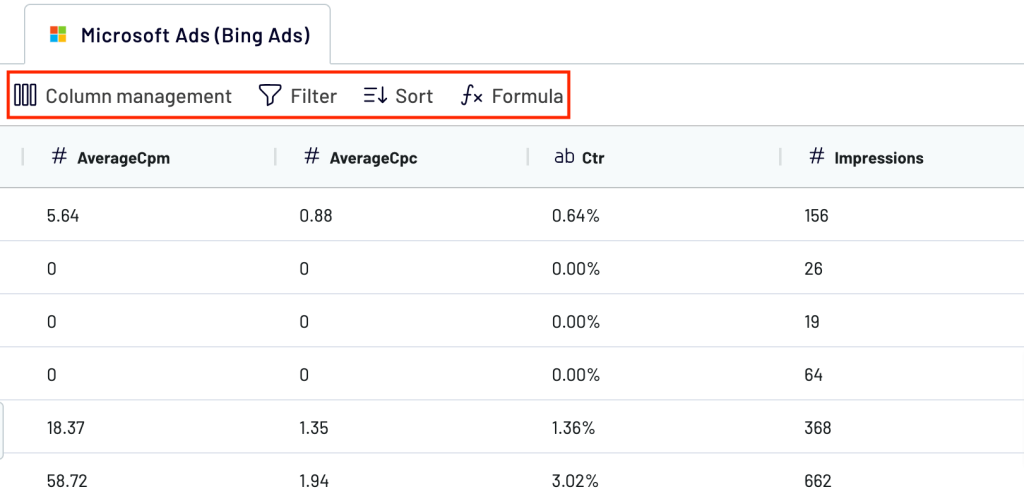
Step 3: Load data and schedule updates
If your data looks good, click Proceed. Next, you’ll see options for your data destination. Depending on the chosen destination, you’ll proceed with the settings for further data import.
Toggle on the Automatic data refresh button to enable scheduling. You can specify frequency from monthly to daily or even every 15 minutes, keeping your report live.
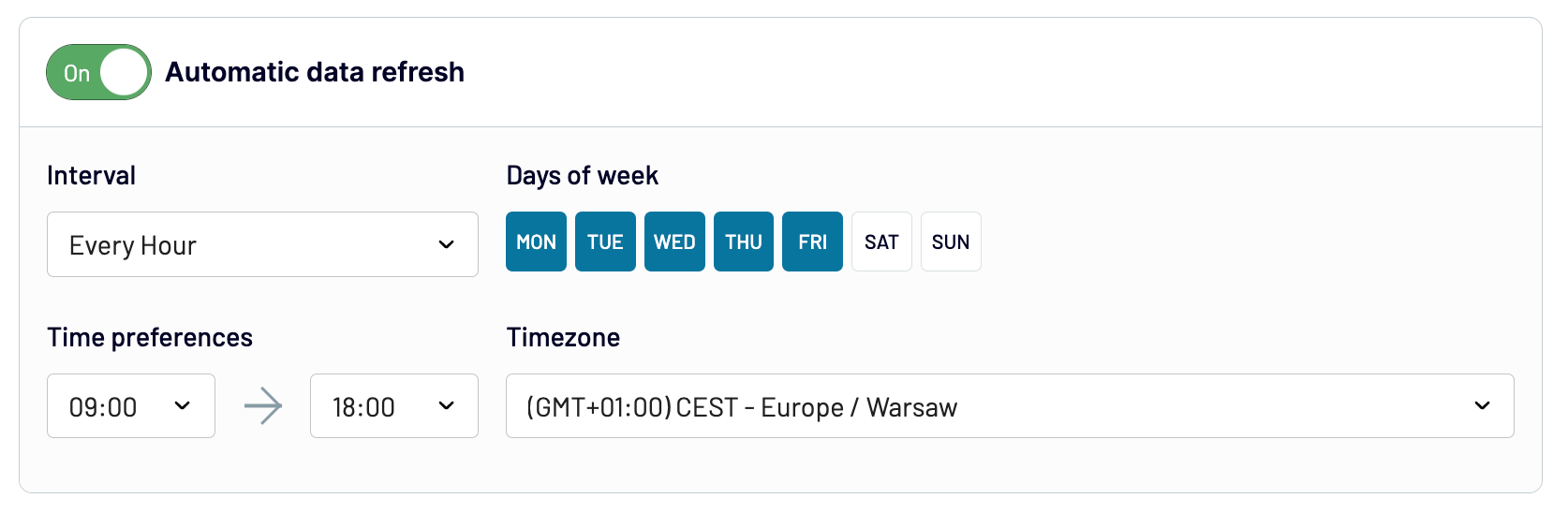
Lastly, click Run importer to get your data to the destination. Now, you will always have access to the ever-updating report on your Microsoft Ads data.
What data can be exported by Coupler.io from Microsoft Ads?
Coupler.io enables you to extract various reports from Microsoft Ads classified into:
- Ad extensions
- Billing and budget
- Change history
- Dynamic search ads
- Hotel ads
- Performance
- Product ads
- Targeting
- Custom
For example, here’s a breakdown of the most frequently used reports with Coupler.io:
| Report type | Key metrics | Purpose |
|---|---|---|
Campaign performance report | Impressions Clicks Conversions Cost Average CPC (cost per click) Conversion rate ROAS (return on ad spend) CTR (click-through rate) | Gain a comprehensive view of each campaign’s effectiveness. Analyze strengths, weaknesses, and overall return on investment (ROI). Track performance over time and make data-driven adjustments to optimize campaigns. |
Keyword performance report | Clicks Conversions Cost Average CPC Search queries | Analyze individual keyword performance, which is crucial for PPC strategies. Identify high-performing and underperforming keywords. Refine keyword selection for improved ad copy relevance and optimize ad placement for better search visibility and click-through rates within Microsoft Ads. |
Ad group performance report | Clicks Conversions Cost Average CPC CTR | Compare the effectiveness of various ad combinations and messaging approaches within a campaign. Optimize ad group structure and resource allocation for better results. Gain insights into user behavior triggered by different ad groups. |
Ad performance report | Impressions Clicks Conversions CTR | Analyze metrics to identify the most engaging ad variations. Refine ad copy, visuals, and targeting based on performance data to improve user engagement and conversion rates. |
Where you can import Microsoft Ads data?
The destination where you should import data from Microsoft Advertising depends on the volume of data, the desired analysis depth, and technical expertise.
Coupler.io supports the following destinations:
Spreadsheets
Spreadsheets are ideal for small datasets. However, they may struggle with large data volumes and complex analysis. Coupler.io can export data from Bing Ads to Google Sheets and Microsoft Excel.
Data warehouses
If you deal with large and complex datasets, you may try using data warehouses like BigQuery, PostgreSQL, or Redshift. For instance, you can connect Microsoft (Bing) Ads to BigQuery to back up your campaign performance data.
BI tools
For advanced data analytics and visualization, BI tools like Looker Studio, Power BI, Tableau, and Qlik enable deep analytics and integrate data from multiple sources. Connect Microsoft (Bing) Ads to Looker Studio, integrate Bing Ads to Power BI, or choose another data visualization solution to create dynamic dashboards.
Visualize data from Bing Ads with dashboard templates
Building a dashboard from scratch takes time. Coupler.io offers Bing Ads reporting templates that connect to your Microsoft Ads account and populate automatically. Here are three options depending on what you need to track.
Bing Ads dashboard
The Bing Ads dashboard by Coupler.io gives you a high-level view of how your campaigns are doing. Filters by campaign, ad group, country, network, and device type let you narrow the data to the segments that matter most.
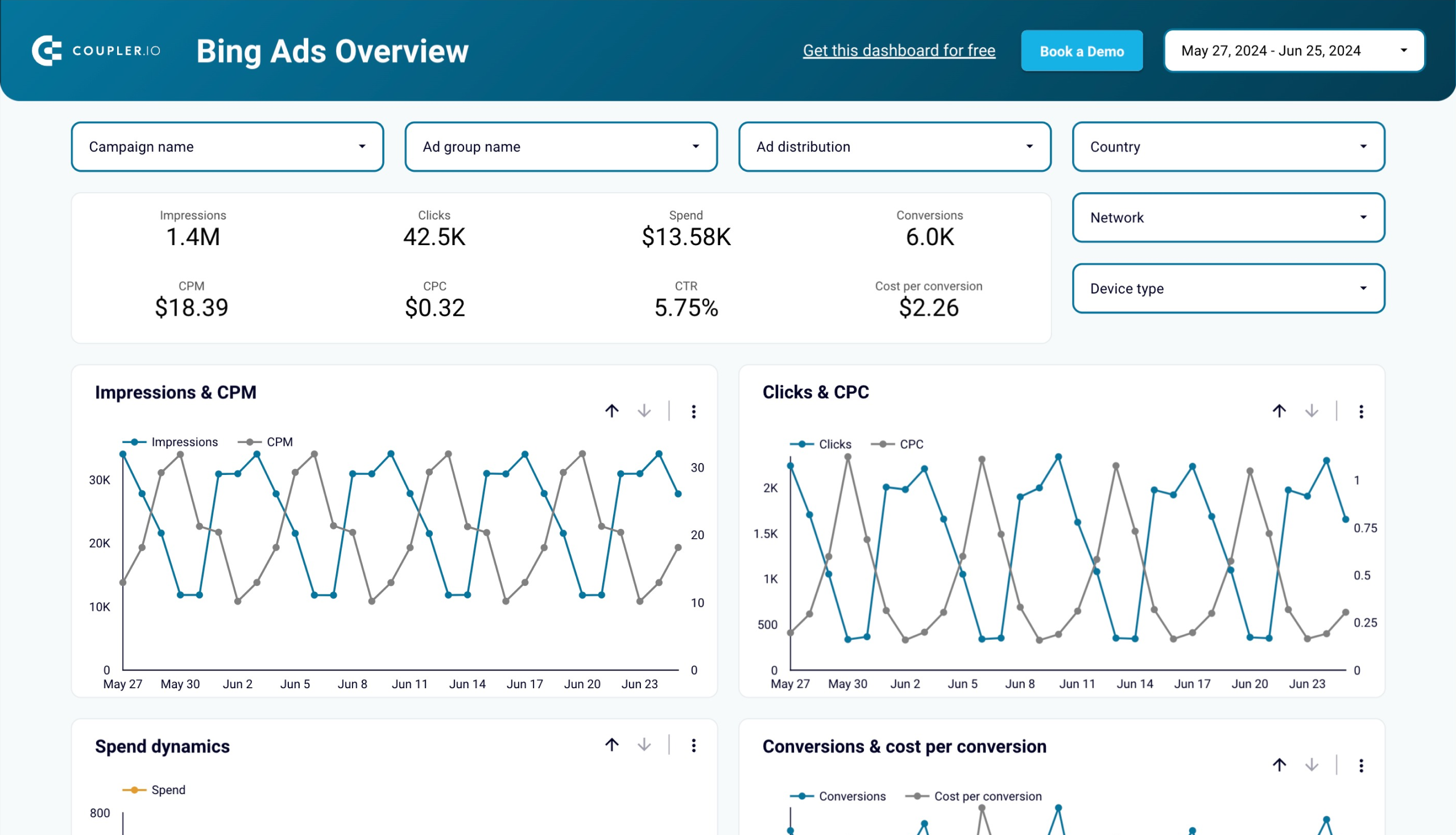
A campaign breakdown table compares clicks, impressions, spend, CPC, CTR, and conversions across all your campaigns in one view. On a separate page, monthly trend charts track how these metrics shift over time, so you can spot seasonal patterns or detect when a campaign starts losing momentum before it drains budget. Connect your Microsoft Ads account following the enclosed instructions, and the dashboard starts working with your data.
To start using the Microsoft Ads dashboard, you only need to connect to your Bing Ads account following the enclosed instructions.
Bing Ads conversion tracking dashboard
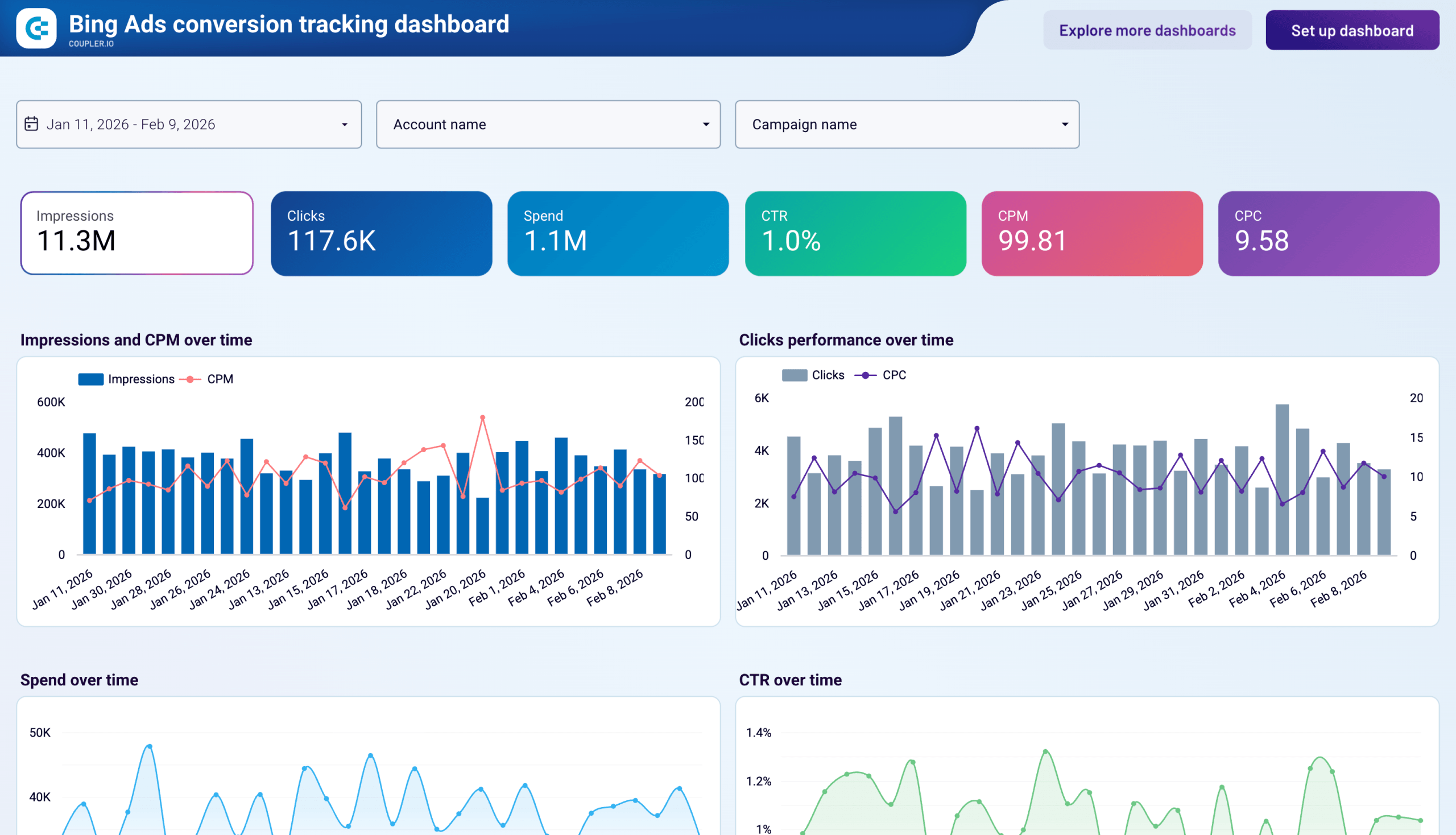
The general dashboard covers reach and cost metrics. This one goes deeper into what happens after the click. Coupler.io offers a conversion tracking dashboard that breaks down conversion volume by goal type, so you can tell whether your numbers reflect business outcomes or are padded by softer engagement events.
Bing Ads conversion tracking dashboard
 Preview dashboard
Bing Ads conversion tracking dashboard
Preview dashboardA color-coded campaign table shows conversions and cost per conversion side by side, making it straightforward to identify which campaigns convert efficiently and which spend without producing results. Daily trend lines for spend pacing, CTR stability, and conversion volume help you catch issues before they compound into monthly budget problems.
Connect your Bing Ads account through the built-in Coupler.io connector to get started.
PPC multichannel dashboard
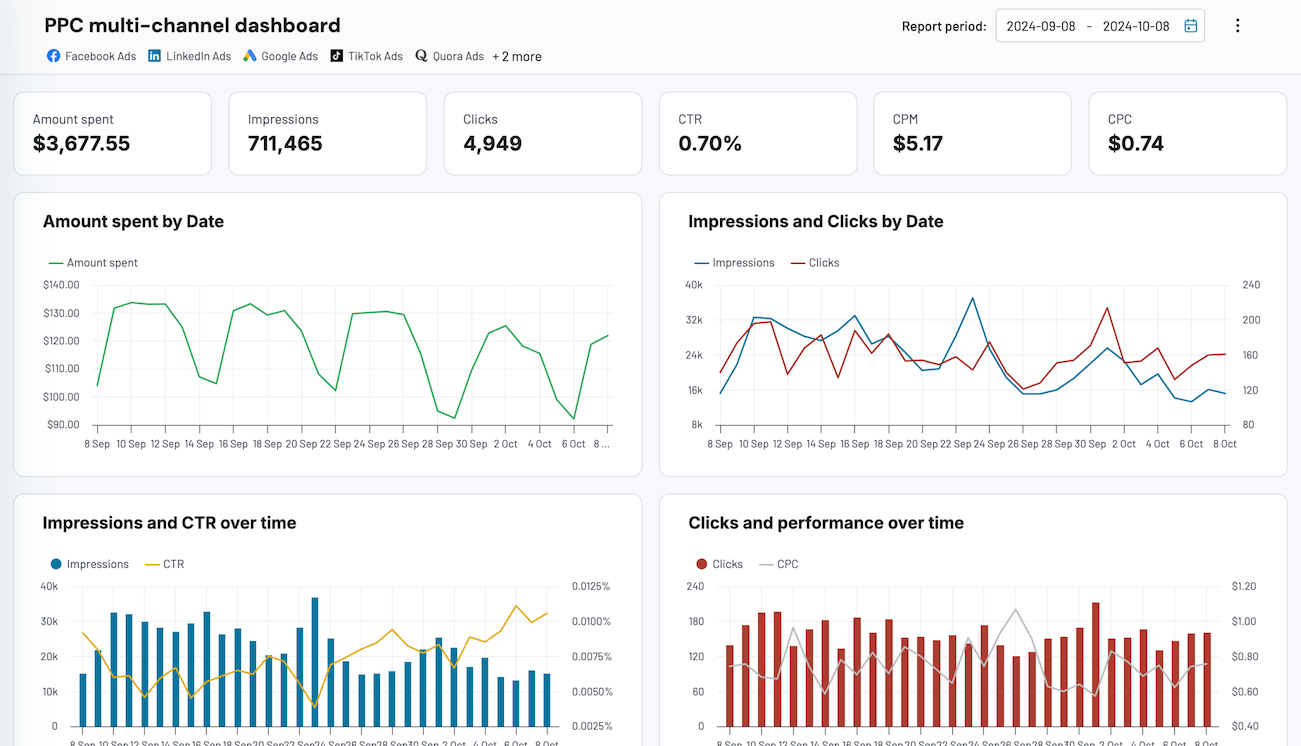
If you run campaigns beyond Microsoft Ads, this dashboard aggregates data from multiple platforms. Bing Ads, Google Ads, Facebook Ads, LinkedIn Ads, TikTok Ads, and others are aggregated into a single report. You can evaluate performance using aggregated numbers or break it down by campaign, channel, or period without switching between ad platform interfaces.

You won’t have to move between tabs or interfaces to export data for your Bing Ads reporting. Instead, you can evaluate performance using aggregated numbers or break down the report by specific campaign, channel, or period.
You can easily connect your Microsoft (Bing) Ads account and other sources, if necessary and get an overview of your campaign performance without additional efforts. Moreover, the dashboard is available for free, so preview and try it with your data!
Bookmark the dashboard for quick access to your self-updating Microsoft Ads report. Alternatively, you can use this PPC dashboard template for other destination apps:
PPC multi-channel dashboard
Consolidate data from multiple advertising platforms including Google, Facebook, LinkedIn, TikTok, and more to track campaign performance, analyze spend efficiency, and optimize your PPC budget allocation across channels.


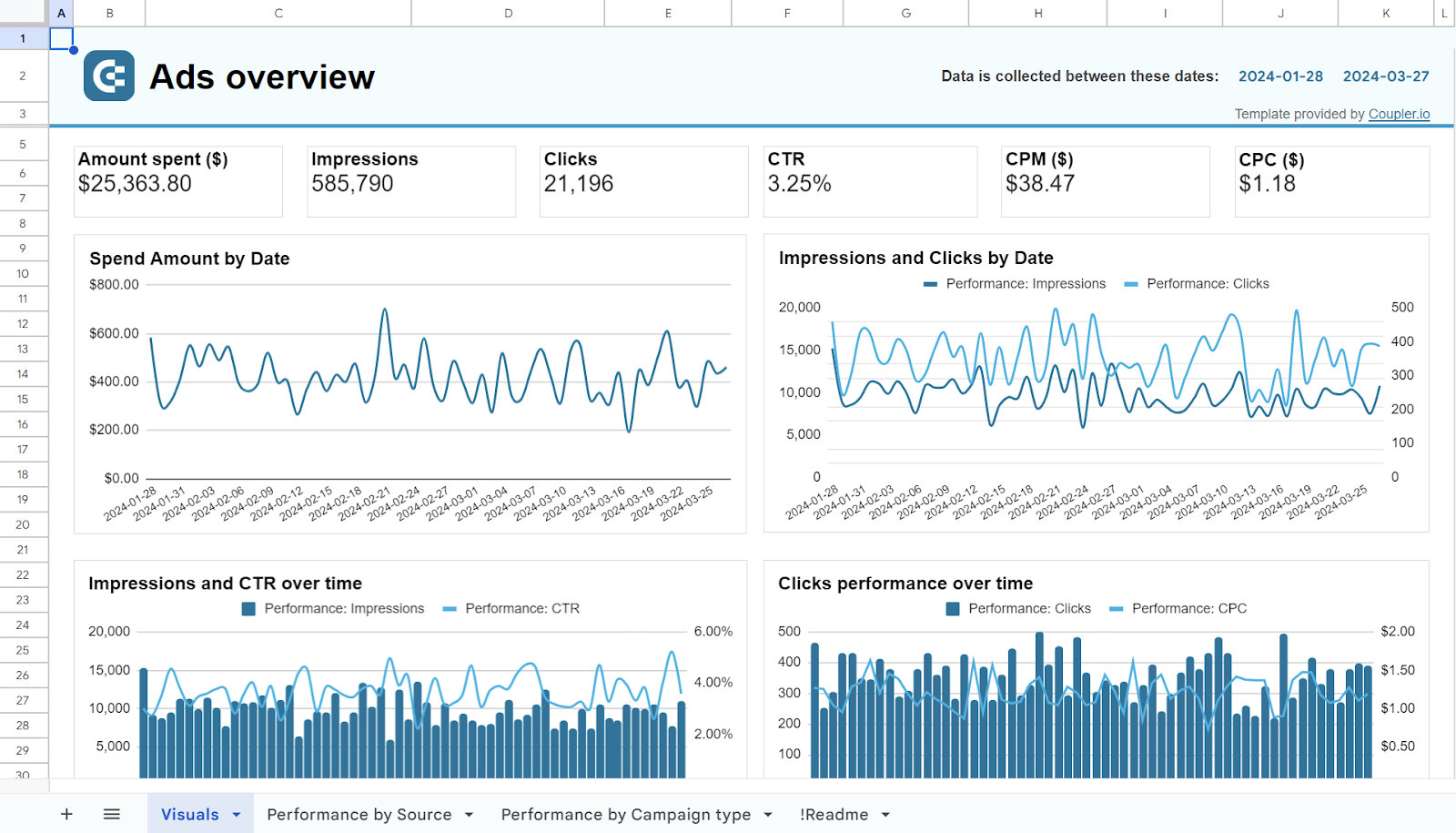
PPC multi-channel dashboard in Google Sheets
Use a PPC dashboard designed for Google Sheets to track the performance of your campaigns across multiple advertising platforms.

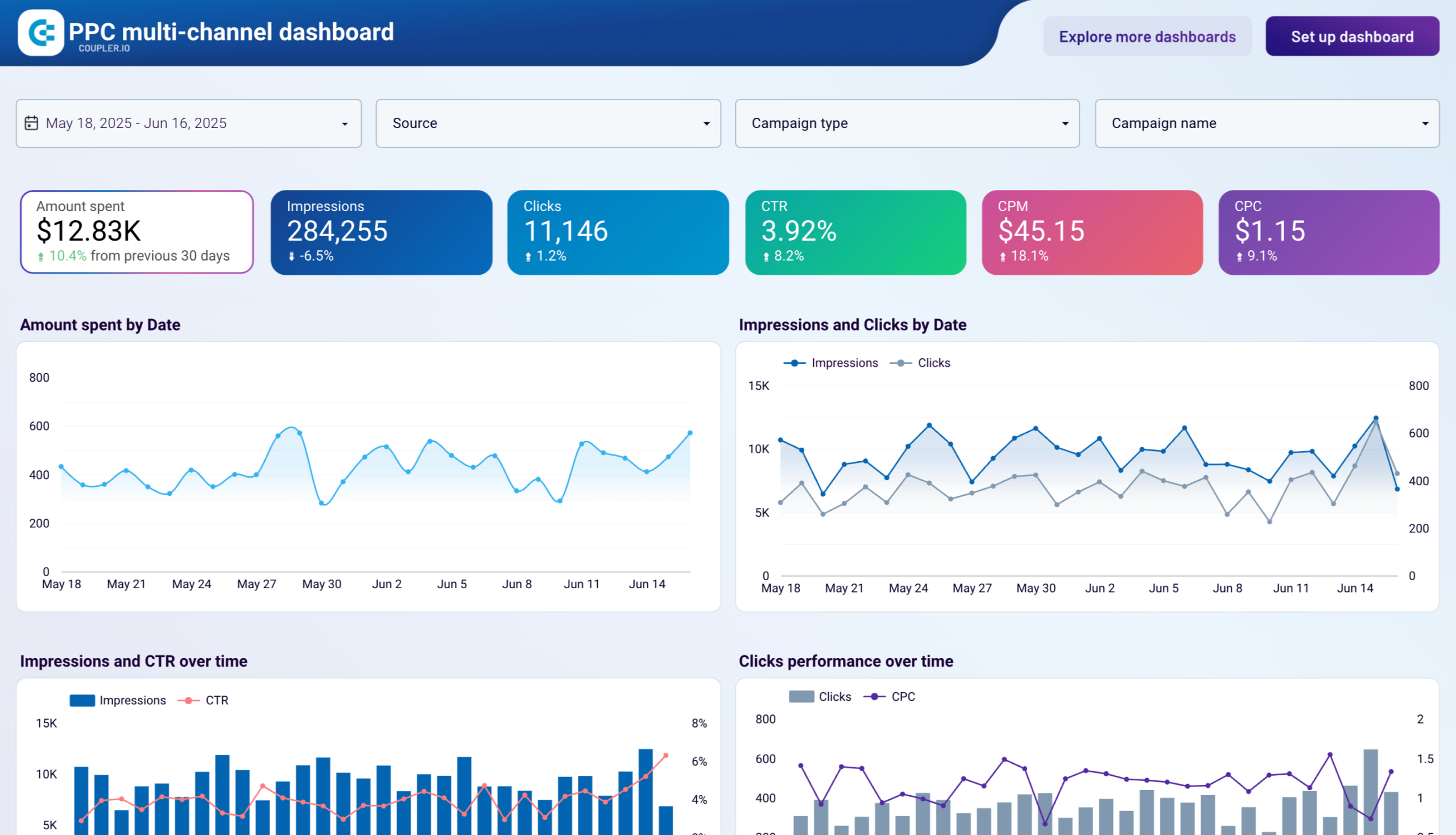
PPC multi-channel dashboard in Looker Studio
Get a comprehensive PPC reporting tool to track the performance of your campaigns launched at multiple advertising platforms.


PPC multi-channel dashboard in Power BI
Use a Power BI PPC dashboard for tracking and analyzing your advertising campaigns across multiple platforms.


PPC multi-channel dashboard in Tableau
Track and analyze the performance of your advertising campaigns across various platforms using a one-stop PPC dashboard in Tableau

Access your important data anytime
As we’ve already figured out, you can export Microsoft Ads data manually or try an external solution to automate this process. The choice of method depends on your specific needs and resources.
However, the connector by Coupler.io appears to offer the most versatility. It lets you import Microsoft Ads data into over 10 destinations and automate your Microsoft (Bing) Ads analytics. This ensures your reports are readily available and well-organized anytime you need to make informed data-driven decisions.
Furthermore, Coupler.io can keep you aware of ever-changing advertising performance. With automated data refreshes set to your custom schedule, you won’t miss any crucial updates. Get started with Coupler.io for free and explore its capabilities through real-life scenarios.
Automate data export with Coupler.io
Get started for free


